Turning binary to English is all about translating those long strings of ones and zeros back into readable text. The secret lies in a shared "rulebook" or standard that tells the computer which character corresponds to each chunk of binary code. Typically, an 8-bit group of binary, known as a byte, represents a single letter, number, or symbol.
Getting a handle on this process is the first step to making sense of raw digital information.
Understanding How Computers Speak English
At the most fundamental level, computers don't understand words or concepts. They only get two things: on and off. We represent these two states with the digits 1 and 0, which is the binary system that powers every digital device you've ever used.
So, how do we get from a simple "on/off" signal to the rich text you're reading right now? We need a translator. That's where character encoding comes in. It’s essentially a dictionary that maps specific binary codes to the characters we recognize.
Without a standardized dictionary, the binary sequence 01000001 would just be a random collection of digits. But with a character encoding standard, the computer knows that sequence means "A." This shared agreement is what makes digital communication possible.
The Role of ASCII and UTF-8
The two heavyweights in the world of character encoding are ASCII and UTF-8. Back in 1963, the creation of ASCII was a huge leap forward. It gave us a standard 7-bit code that mapped binary strings to 128 different English characters, numbers, and symbols.
For instance, ASCII defined uppercase "A" as 01000001 (which is 65 in decimal) and lowercase "a" as 01100001 (decimal 97). This simple but effective system became a federal standard in the US and made it practical to convert 8-bit binary sequences directly into English text. For a historical deep-dive, you can check out the story of digital text conversion on ConvertBinary.com.
But ASCII had its limits. It was built for English, leaving out characters for most other languages, not to mention modern additions like emojis. That's why we now have UTF-8, a far more versatile and global standard.
A quick comparison of the two most common character encodings for text.
Comparing ASCII and UTF-8 Encodings
| Feature | ASCII | UTF-8 |
|---|---|---|
| Character Set | 128 characters (English alphabet, numbers, basic punctuation) | Over 149,000 characters (covers most world languages, symbols, and emojis) |
| Byte Usage | Fixed-width (1 byte per character) | Variable-width (1-4 bytes per character) |
| Compatibility | The first 128 characters of UTF-8 are identical to ASCII | Backward-compatible with ASCII |
| Common Use | Legacy systems, simple text applications | The dominant encoding on the web, modern applications |
In short, while ASCII was the foundation, UTF-8 is the modern standard that keeps our multilingual, emoji-filled internet running smoothly.
Key Takeaway: Picking the right encoding is absolutely crucial. If you try to decode text with the wrong standard—say, interpreting UTF-8 as plain ASCII—you'll end up with scrambled, nonsensical characters. The binary values just won't map to the right symbols.
This whole process is a cornerstone of how computers handle human language, a field known as Natural Language Processing (NLP). The principles are also loosely related to cryptography; if you're interested in that, you might also want to learn how to decrypt encrypted text.
Translating Binary to English Manually
While you can always reach for a digital tool, there’s nothing quite like translating binary by hand to really understand what’s going on under the hood. It’s a bit like learning long division before you’re handed a calculator—it demystifies the entire process. You get a firsthand look at how a computer connects a simple string of ones and zeros to something meaningful, like the letter 'H' or an exclamation mark.
Let's get our hands dirty with a real example. Say you've been given this binary string:
01001000 01100101 01101100 01101100 01101111
Right now, it just looks like noise. But with a little structure and a reference chart, we can tease out a perfectly normal English word.
First, Group Into Bytes
Your first move is to break that long, intimidating string into smaller, manageable chunks. In nearly all modern computing, text characters are represented by 8-bit segments, which we call bytes.
Our example string already has spaces for clarity, but if you’re ever faced with a solid wall of 1s and 0s, your job is to simply split it into groups of eight.
0100100001100101011011000110110001101111
Think of each of these bytes as a container for a single character. This grouping step is absolutely crucial; without it, you just have an undecipherable stream of data.
The whole concept is really about creating a bridge between the machine's language and our own, using an encoding standard as the blueprint.
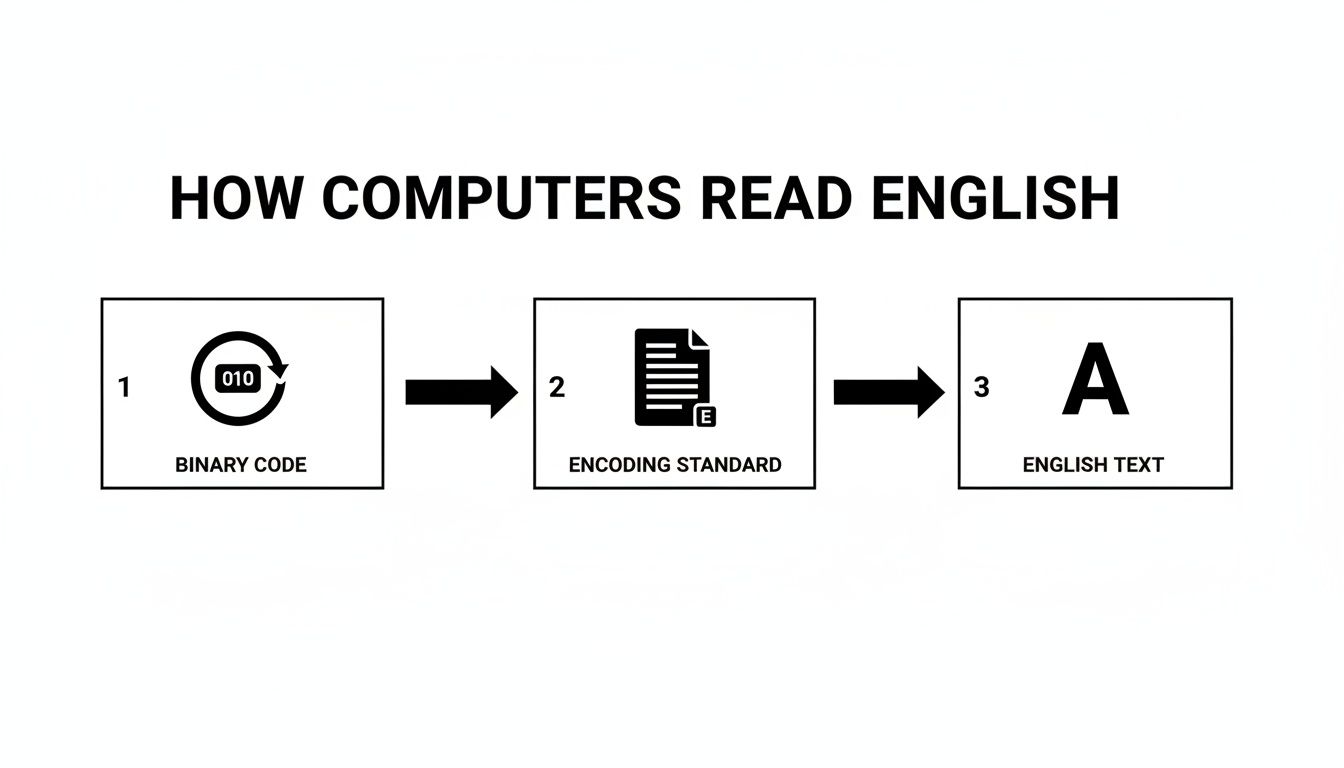
As you can see, standards like ASCII are the essential translator between the two worlds.
Next, Convert Binary to Decimal
Now for the fun part: converting each byte into a regular decimal number that we can actually use. Every position in a binary number corresponds to a power of two, starting from the far right with 2⁰, then 2¹, 2², and so on. All you have to do is add up the values for any position that has a 1.
Let’s decode that first byte, 01001000.
- The first 1 (from the left) is in the 2⁶ position (the 7th spot from the right). That gives us 64.
- The second 1 is in the 2³ position (the 4th spot). That gives us 8.
- Add them up: 64 + 8 = 72.
Simple as that. The binary 01001000 is just 72 in decimal form. Now we just rinse and repeat for the rest of our bytes:
01100101= 64 + 32 + 4 + 1 = 10101101100= 64 + 32 + 8 + 4 = 10801101100= 64 + 32 + 8 + 4 = 108 (again)01101111= 64 + 32 + 8 + 4 + 2 + 1 = 111
This kind of pattern recognition is a fundamental skill in programming. Developers working with complex data often rely on tools like a regular expression tester to find and manipulate specific text patterns, which isn't all that different from what we're doing here.
Finally, Look Up the Character in an ASCII Table
We're on the home stretch. We have our list of decimal numbers: 72, 101, 108, 108, 111. Now we just need the "decoder ring"—in this case, the ASCII table. This table is the classic dictionary for mapping numbers to basic English characters.
Using a standard ASCII chart, we can look up each number to find its corresponding letter:
- 72 = H
- 101 = e
- 108 = l
- 108 = l
- 111 = o
And there you have it. Put them all together, and our mysterious binary string 01001000 01100101 01101100 01101100 01101111 is revealed to be the simple word: "Hello".
Using Code to Automate Binary Translation
Let’s be honest: manual conversion is great for understanding how binary works, but it's completely impractical for anything more than a few letters. If you're dealing with real-world data, you need to automate the process. Writing a simple script is the way to go—it saves a ton of time and, more importantly, gets rid of the risk of human error.
With just a handful of code, you can build your own translator to chew through paragraphs or entire files in a split second. We’ll look at how to do this in two of the most common languages out there: Python and JavaScript.
A Quick Translation with Python
Python is known for its clean, readable syntax, which makes it a fantastic choice for this kind of task. The logic here is pretty simple: we take the binary string, chop it up into 8-bit chunks, turn each chunk into its decimal number equivalent, and then look up the character that corresponds to that number.
Let's take our "Hello" example from before and see how quickly Python handles it.
binary_string = "01001000 01100101 01101100 01101100 01101111"
Split the string into a list of 8-bit bytes
byte_list = binary_string.split()
Convert each byte to an integer, then to a character, and join them
english_text = "".join([chr(int(byte, 2)) for byte in byte_list])
print(english_text) ## Output: Hello
So, what's happening under the hood?
binary_string.split()breaks our long string into a clean list of individual bytes:['01001000', '01100101', ...]int(byte, 2)is the core of the conversion. It tells Python to treat eachbyteas a base-2 (binary) number and convert it to a standard decimal integer.chr()does the final step, taking that integer and returning the matching ASCII character."".join([...])is the glue that puts all those individual characters back together into a single, readable string.
That one-line list comprehension is a perfect example of how Python can pack a lot of power into a small space. It's clean, efficient, and gets the job done.
Building a JavaScript Converter
JavaScript gives us a similarly slick way to solve this problem, perfect for building a converter that can run right in a web browser. The function names are a bit different, but the core idea is exactly the same as our Python script.
This is the kind of logic you’d use to build an interactive tool, much like the ones on our Digital ToolPad platform, where all the work happens right on your machine.
const binaryString = "01001000 01100101 01101100 01101100 01101111";
const englishText = binaryString .split(' ') .map(byte => String.fromCharCode(parseInt(byte, 2))) .join('');
console.log(englishText); // Output: Hello
Expert Tip: Pay close attention to
.split(' ')and.join(''). The separator matters. I've seen binary data come with spaces, without spaces, or even with other delimiters. You have to make sure your code is set up to handle the specific format you’re given, otherwise it will fail.
Ultimately, both of these scripts are just running the same process we did by hand—group, convert, and map—but at lightning speed. By understanding how this code works, you're not just learning to translate binary. You're getting a handle on a fundamental data transformation skill that you'll use constantly in programming and other technical fields.
Choosing the Right Online Binary Translator
While it's great to know the nuts and bolts of manual conversion or scripting, let's be realistic—sometimes you just need an answer, fast. This is exactly why online binary translators exist. They are built for speed and simplicity, making them the go-to choice when you need a quick, no-fuss conversion from binary to English.
The workflow is almost always the same. You find an input box, paste your long string of ones and zeros, maybe tweak an option or two, and instantly get readable text back. It takes the guesswork and potential for human error right out of the equation.
A Practical Walkthrough
Let's run through a quick example. Say you've been given this binary string: 01010100 01100101 01110011 01110100.
Using an online tool is incredibly straightforward.
First, you'll copy that binary string and paste it directly into the tool's input field.
Next, take a look at the formatting. My example has spaces between each 8-bit group, but sometimes you’ll get a solid wall of numbers like 0101010001100101.... A good converter will have an option to automatically handle this by splitting the string into proper byte-sized chunks for you.
The most critical part is selecting the right character encoding. You'll almost always see options for ASCII and UTF-8. If you're dealing with standard English letters and numbers, ASCII will do the job perfectly. But if there's any chance the text includes emojis, symbols, or international characters, UTF-8 is the way to go.
Finally, hit the "Convert" button. In seconds, the tool will process the binary and show you the result: "Test." It’s an efficient way to make sense of code snippets, data logs, or any other binary you come across.
A Quick Word on Privacy: Be mindful of what you're pasting into online tools. If the data is sensitive, you need to know where it's going. The best platforms, like Digital ToolPad, do all the processing right in your browser. Your data never even touches their servers, giving you a completely secure and offline experience.
Features That Make a Real Difference
Not all online converters are created equal. While basic translation is table stakes, the best tools offer a few extra features that can be lifesavers for more complex jobs.
Here’s what I look for in a top-tier tool:
- File Uploads: When you’re staring down a huge
.txtor.binfile, pasting is not an option. A tool that lets you upload the entire file for conversion is an absolute must-have for larger datasets. - Two-Way Conversion: Any decent translator should work both ways. Converting English back into binary is just as important for many development and testing tasks.
- Support for Other Formats: Binary is just one piece of the puzzle. Data gets encoded in all sorts of ways. A tool that also includes related converters is a huge bonus. For instance, web developers and data analysts frequently need a reliable Base64 encoder and decoder to handle different data formats.
Picking a versatile and secure online translator gives you a powerful resource for just about any conversion task that comes your way, big or small.
Troubleshooting Common Binary Conversion Errors
So, you've tried to convert binary to English, but the result is a mess of strange symbols or complete gibberish. It’s a classic hiccup. The good news is that the causes are usually pretty simple and easy to fix once you know what you’re looking for.
Most of these errors come down to just a few usual suspects. Let's walk through them so you can debug your conversions like a pro.
Dealing With Incomplete Binary Strings
One of the most common issues I see is a binary string that isn't cleanly divisible by eight. Since character standards like ASCII and UTF-8 work with 8-bit chunks (called bytes), an incomplete byte just won't translate.
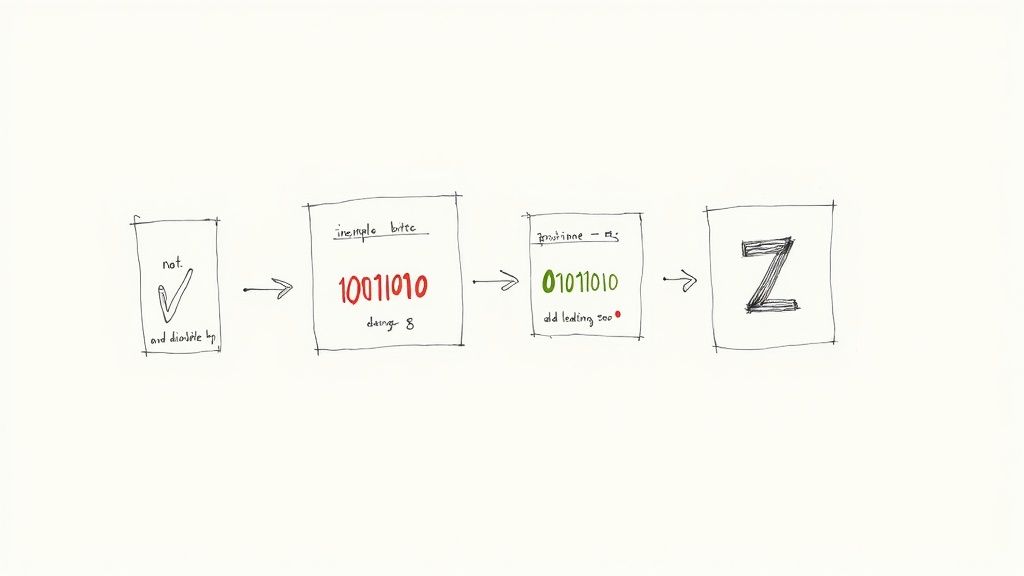
Say you're working with 1001000. It’s only seven bits long. Any translator or script will likely fail or, worse, give you the wrong character because it needs that final bit to complete the byte.
The fix is called padding. You just need to add zeros to the front of the incomplete byte until it’s a full eight bits long.
- The Problem:
1001000(only 7 bits) - The Fix:
01001000(now a full 8 bits)
By padding the string, you’ve created a complete byte that a tool can correctly map to its character—in this case, the letter "H".
Handling Non-Printable Characters
Another snag you might hit is running into binary codes that don't represent a letter, number, or common symbol. These are often non-printable control characters, which are relics from old systems used for things like formatting or signaling.
For instance, the binary 00000111 is the ASCII "bell" character. Its job was to literally make a teletype machine ring. A modern computer doesn't know what to do with that, so your translator might spit out a placeholder like a square (□) or a question mark (?).
Expert Insight: Don't assume gibberish means the entire translation failed. More often than not, it's just a few non-text bytes sprinkled in with perfectly valid data. The trick is to isolate those specific bytes and figure out if they're important control codes or just junk you can filter out.
Fixing Character Encoding Mismatches
This is probably the most subtle but frustrating error you'll encounter: an encoding mismatch. If binary text was encoded using UTF-8, but you try to decode it with a tool that only understands ASCII, any character outside the basic English alphabet will look garbled.
This happens because UTF-8 can use multiple bytes to represent characters like "é" or emojis (😂). A strict ASCII decoder, however, only understands its single-byte, 128-character set. It sees the multi-byte UTF-8 sequence as gibberish and spits out incorrect symbols.
The rule of thumb is simple: always make sure the encoding you use to decode matches the one used to encode. If you’re not sure which was used, starting with UTF-8 is a safe bet. It's backward-compatible with ASCII and supports a much, much wider world of characters.
Got Questions About Binary? We've Got Answers
Once you get the hang of it, converting binary to English is pretty straightforward. Still, a few common tripwires can pop up, leaving you scratching your head. Whether you're seeing bizarre symbols in your output or just curious about the nitty-gritty, this is where we clear up the confusion.
Think of this as the troubleshooting guide you'll wish you had sooner. It’ll not only fix your immediate headaches but also give you a much deeper feel for how computers actually talk.
Why Does My Binary Translation Show Weird Symbols?
This is almost always a classic encoding mismatch. It’s the number one culprit. If you try to decode a UTF-8 binary string as if it were ASCII, any character that isn't a basic English letter or number—like an emoji or an accented letter—will show up as a black diamond (�), a question mark, or some other garbled symbol.
You have to make sure the "language" you're decoding with (ASCII, UTF-8, etc.) is the same one the binary was written in. Less commonly, you might be looking at non-printable control characters, which some tools just display as placeholders.
Can You Convert English Text Back to Binary?
Absolutely. It's just the same process in reverse. You take each letter of your English text, look up its decimal code in an ASCII or UTF-8 table, and then convert that decimal number into its 8-bit binary equivalent.
Let's take the letter 'A' as an example:
- In ASCII, the uppercase 'A' is decimal 65.
- Decimal 65 in binary is '01000001'.
- Combine the binary for each letter, and you've got your binary string.
This reverse process is fundamental for anyone working in programming or data transmission—it's how text gets packaged up to be sent across a network or stored in a file.
What Is the Difference Between 7-Bit and 8-Bit ASCII?
This one trips a lot of people up. The original, official ASCII standard was a 7-bit code, which gave it enough room for 128 unique characters (all the English letters, numbers, and common symbols). But computers have always liked working in chunks of eight bits, or a byte.
So, to make ASCII fit neatly into the hardware, an extra bit (usually a '0') was tacked onto the front of every 7-bit code. Later, "Extended ASCII" came along and actually used that eighth bit to add another 128 characters, like foreign letters and symbols. For modern purposes, you can pretty much always assume you're working with 8-bit groups.
The Bottom Line: While the original standard was 7-bit, today's world runs on 8-bit bytes. When you see a string of binary representing text, it's almost certainly organized in groups of eight. That’s the bedrock of modern text encoding.
Do I Always Need to Group Binary into 8 Bits?
For turning binary into English text, the answer is a hard yes. Character encoding standards like ASCII and UTF-8 are byte-aligned. This means every single character is represented by one or more groups of exactly eight bits.
If you have a long binary string that doesn't divide evenly by 8, something's wrong. It's either incomplete or has been corrupted. Before you can get a clean translation, you’ll have to pad that last, short group with leading zeros to make it a full 8-bit byte.
For fast, secure, and reliable conversions, Digital ToolPad provides a suite of offline-first utilities that run directly in your browser. Your data is never sent to a server, ensuring complete privacy for every task. Explore all our tools at https://www.digitaltoolpad.com.