
Sometimes you just need a UUID, and you need it now. Maybe you're populating a test database, mocking up an API response, or just need a unique ID for a config file. Whatever the reason, fiddling with code or command-line tools is often overkill.
This is where web-based UUID generators come in. They offer a one-click solution to get a unique identifier instantly, without any setup.
Your Fastest Ways to Get a UUID Online Instantly
When you're deep in a development workflow, every second counts. Stopping to write a script just to get a single ID can completely break your focus. Online generators are purpose-built for these moments, delivering pure, immediate utility.
The process couldn't be simpler. You land on the page, and boom—a fresh Version 4 (v4) UUID is usually waiting for you. If not, one click on a "Generate" button gets it done. Another click copies it to your clipboard, and you're ready to paste it wherever it needs to go.
Finding a Reliable Generator
With so many options out there, how do you pick a good one? I always look for a clean, fast interface. The last thing I want is to wade through ads or confusing features just to copy a string of text.
The best tools are simple: they show you the UUID and give you a big, obvious copy button. For a great example of a tool that gets this right, check out the free UUID generator from Digital ToolPad. It's clean, quick, and runs entirely in your browser, which is a nice plus for privacy.
Another popular choice, uuidgenerator.net, nails this simple, effective design.
As you can see, the core function is front and center. It's exactly this kind of no-fuss design you should look for. Many of these tools even let you generate a whole batch of UUIDs at once, which is a real time-saver when you need more than one for testing.
Comparing Top Online UUID Generators
A quick look at the best online tools to help you choose the right one for your immediate needs, focusing on speed, features, and security.
| Tool Name | Primary UUID Version | Key Feature | Best For |
|---|---|---|---|
| Digital ToolPad | Version 4 | Runs 100% in-browser; no data sent to servers. | Privacy-conscious users needing a fast, secure ID. |
| UUID Generator .net | Versions 1, 3, 4, 5 | Bulk generation and different UUID versions. | Developers needing specific versions or large batches. |
| Online UUID Generator .net | Version 4 | Extremely simple, single-purpose interface. | The absolute fastest way to get a single v4 UUID. |
While all these tools are excellent for quick, one-off tasks, remember to be mindful of what you're doing. For sensitive or production-level work, generating UUIDs locally within your application's code is always the more secure and reliable approach.
Choosing the Right UUID Version for Your Project
Grabbing a quick UUID from an online tool is simple enough, but it’s worth knowing that not all UUIDs are created equal. The version you pick can seriously affect your application's performance down the road, especially as things scale up. It’s not really a question of which one is "better," but which one is right for the job.
Let’s break down the two most common versions you'll encounter: v4 and v7. Understanding the difference is the key to making a smart choice.
Most online tools you'll find spit out a Version 4 (v4) UUID by default. These are the classic, completely random identifiers. Their main strength is that they’re totally unpredictable. Because they're generated from cryptographically secure random numbers, there’s no pattern connecting one v4 UUID to the next. This makes them ideal for situations where you need an extra layer of security through obscurity—think session tokens, API keys, or password reset links where you absolutely don't want anyone guessing the next valid ID.
The Rise of Time-Ordered UUIDs
But that total randomness has a catch, especially when it comes to databases. Using v4 UUIDs as primary keys can cause major index fragmentation. Each new record gets inserted at a completely random spot in the index, forcing the database to work much harder to keep everything sorted. This is where Version 7 (v7) really shines.
A v7 UUID cleverly combines a highly precise timestamp with a random component. This structure means they are naturally sortable by time—a huge performance win for databases that handle tons of writes, like logging systems or transaction histories.
This decision tree helps visualize the process, from identifying the need for a UUID to using a simple online tool.
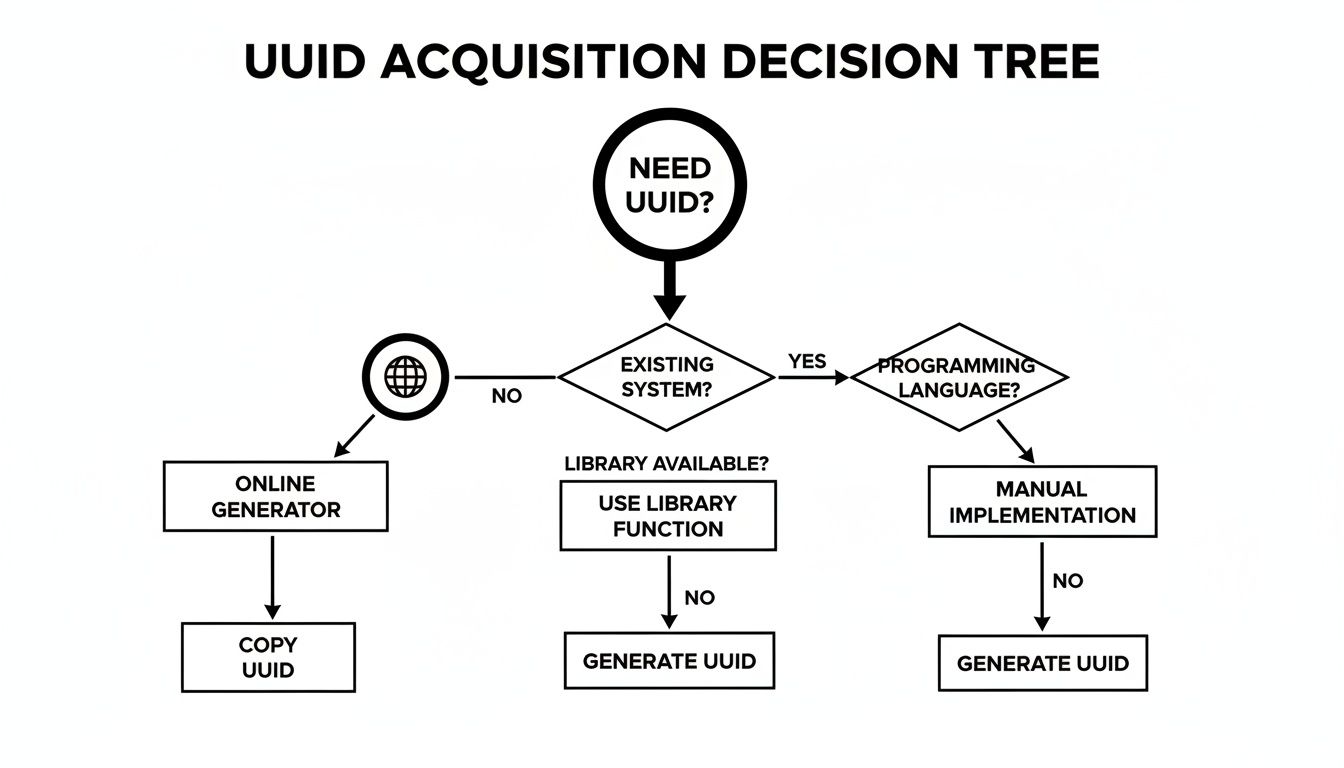
The key takeaway is that while online generators offer the quickest path, your next thought should be choosing a version that fits your project's specific needs.
More and more, we're seeing engineering teams adopt time-ordered UUIDs to boost performance in distributed systems. A v7 UUID embeds a millisecond-precision timestamp right alongside its random bits, making the IDs far more index-friendly for databases. While not every simple online generator offers v7 yet, understanding its timestamp component is valuable. You can get a better feel for how these time values are structured over at our guide on the timestamp converter and generator.
You can see a similar principle in action on other platforms. For instance, some services use short, unique IDs in their URLs to ensure every project has a distinct link, like the ones used in RapidNative's public project identifiers.
Generating UUIDs Locally Without Third-Party Tools
Online tools are great when you need a UUID in a pinch, but what about when you’re offline? Or maybe you're handling sensitive data and aren't comfortable sending any requests to a third-party site. I've been there. The good news is, you don't need an external tool at all.
Every modern browser has a powerful, secure, and completely private way to generate UUIDs built right in. This method uses the Web Crypto API, which is designed specifically for creating cryptographically strong random data. It's the same tech that powers other secure browser functions, so you can be confident you're getting a truly random v4 UUID.
This approach gives you the instant gratification of an online tool with the robust security of a local-only process.
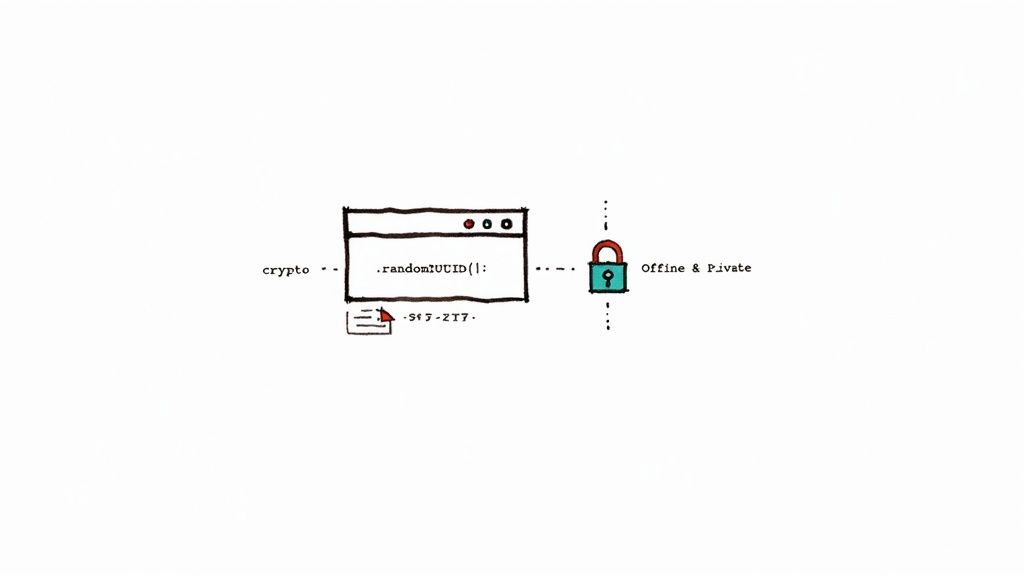
Generate a UUID Right From Your Browser Console
As a developer, this is my go-to trick when I need a secure ID without breaking my workflow. You can pull up your browser’s developer console and generate a UUID in seconds.
Here’s how you do it:
- Open Developer Tools: Just press
F12on your keyboard. You can also useCtrl+Shift+Ion Windows/Linux orCmd+Opt+Ion a Mac. - Switch to the Console: Find and click on the "Console" tab.
- Run the Command: Type this simple JavaScript snippet and hit Enter:
crypto.randomUUID()
The console will immediately spit out a fresh, cryptographically secure v4 UUID, something like f47ac10b-58cc-4372-a567-0e02b2c3d479. Because this command runs entirely on your machine, it’s completely private and works perfectly even without an internet connection.
Pro Tip: This local method is the gold standard for client-side applications. When I need to create a unique identifier for something like a user session or a temporary component ID in a web app,
crypto.randomUUID()is the cleanest and most secure way to do it. It completely avoids network latency and keeps sensitive identifiers confined to the user's browser.
Is It Safe to Generate UUIDs Online? A Look at Security
When you grab a UUID from an online tool, you're essentially trusting that service to give you an ID that's both truly unique and impossible to guess. But not all generators are created equal. The real difference lies in the quality of the randomness happening behind the curtain. A tool that skimps on this can spit out predictable IDs, opening up a serious security hole.
Think of it like trying to secure a building with a set of keys that all look suspiciously similar. It's a disaster waiting to happen. This is exactly why any reputable UUID generator will use a Cryptographically Secure Pseudo-Random Number Generator (CSPRNG). Unlike the simple random functions you might find in basic scripts, a CSPRNG is specifically designed to be unpredictable, which is non-negotiable for anything security-related.
Not All UUIDs Are Created Equal: Versions and Privacy
The version of the UUID you're generating matters just as much as the randomness. The older, timestamp-based v1 UUIDs, for instance, can accidentally leak information you'd rather keep private. They often embed the MAC address of the computer that created them, which could pinpoint the exact hardware used—a privacy nightmare.
That's precisely why v4 and v7 are now the go-to standards. They're built from the ground up to be random, without including any revealing hardware identifiers, making them a much safer bet for modern applications. It's always a good idea to be mindful of general online service security practices when using any third-party tool.
The reliability of any online UUID service really boils down to its randomness source. If the generator has poor entropy or uses a deterministic algorithm, the risk of two people getting the same UUID (a "collision") skyrockets. For this reason, it’s always better to use tools that are transparent about their use of CSPRNGs or lean on robust server-side libraries instead of simple browser-based functions.
The Bottom Line: A UUID's strength is directly tied to the quality of the randomness that created it. Stick with generators that are upfront about using cryptographically secure methods. This is your best defense against predictable IDs and potential data leaks.
This principle of relying on proven, secure technology is a cornerstone of building safe software. You can explore these concepts further in our guide on software development security best practices.
Why UUID Collisions Are a Theoretical Problem, Not a Real One
When you're first learning about UUIDs, the idea of a "collision"—generating the exact same ID twice—can sound like a pretty big deal. It's a valid thought, but let's put that worry to bed. For all practical purposes, the chance of this happening with a properly generated Version 4 UUID is so infinitesimally small it’s not something you'll ever encounter.
Think of it this way: your odds of picking one specific grain of sand from all the beaches on Earth are actually better than stumbling upon a duplicate v4 UUID. It's a mind-boggling scale. When you get a UUID online from a reliable tool, you’re drawing from an unbelievably vast pool of possibilities.

The Math Behind the Uniqueness
Let's look at the numbers, because they are staggering. The most common UUIDs you'll encounter, Version 4, are built from 122 bits of pure randomness. This structure gives us a total of roughly 5.3 undecillion (that’s 5.3 x 10^36) unique combinations.
To put that into perspective, even if you were generating 1 billion UUIDs every single second, it would take you about 86 years to have a 50% chance of a single collision. This is why distributed systems and massive cloud platforms rely on them. You can learn more in this deep dive into UUIDs. It completely removes the need for a central server to hand out unique numbers, which is a huge win for system design.
I’ve heard it said that your application is more likely to be hit by a meteor than to suffer from an accidental UUID collision. That's the level of reliability we're talking about, and it's what makes UUIDs a cornerstone of modern software.
So, go ahead and generate those UUIDs with confidence. The system is fundamentally designed to make collisions a non-issue, freeing you up to focus on what really matters: building great software.
Common Questions About Generating UUIDs
As you start working with UUIDs, you'll likely run into a few common questions. Let's clear up some of the most frequent ones so you can use these identifiers confidently in your projects.
Can a UUID Be a Primary Key?
Absolutely. In fact, using a UUID as a primary key is a standard practice, especially in distributed systems where simple auto-incrementing integers just won't work. If you're concerned about database performance, a Version 7 UUID is a fantastic choice because its time-ordered structure plays nicely with indexing.
That said, a standard Version 4 UUID is still a rock-solid option when your main goal is guaranteed global uniqueness.
Is Client-Side Generation Safe?
It can be, but you have to use the right tool. Modern web browsers offer a built-in function called crypto.randomUUID(), which is specifically designed to be cryptographically secure.
This makes it perfectly safe for generating unique IDs for frontend tasks like managing session tokens or tracking component states, all without needing to call back to a server.
Whether you get a UUID online or generate it locally, the security of the process is everything. Stick with methods that rely on a Cryptographically Secure Pseudo-Random Number Generator (CSPRNG) to avoid predictable, and therefore insecure, IDs.
How Many UUIDs Can I Make?
Most online generators are designed for quick, one-off tasks. Need an ID for a config file or a single database entry? They’re perfect. You can usually generate a handful at a time without any issue.
However, if you need to create thousands or even millions of UUIDs, it's time to move beyond a web tool. For bulk generation, you'll be far better off using a dedicated library in your programming language, like uuid for Node.js or Python.
For secure, fast, and completely offline UUID generation right in your browser, check out the free tools from Digital ToolPad at https://www.digitaltoolpad.com.