
Understanding a GraphQL API's structure is the first step toward building powerful applications. A GraphQL schema acts as a contract between the client and server, but navigating its types, queries, and mutations can feel like exploring a vast, uncharted map. This is where a dedicated GraphQL schema viewer becomes an indispensable part of a developer's toolkit. These tools transform complex schemas into understandable, interactive documentation, visual graphs, and powerful IDEs, drastically reducing the time spent deciphering API capabilities.
The right tool not only simplifies exploration but also enhances productivity by enabling developers to build and test queries directly against an interactive schema. Furthermore, effective API understanding is deeply rooted in robust documentation, ensuring developers can interpret and interact with systems, a goal complemented by GraphQL schema viewers. Explore these technical documentation best practices to see how clear communication enhances the developer experience. Choosing the best GraphQL schema viewer depends heavily on your specific needs, whether you are a solo developer seeking a simple visualizer, a security-conscious team requiring offline-first solutions, or an enterprise needing a full-featured API development environment.
In this comprehensive guide, we'll explore 12 of the best GraphQL schema viewers available today. We will evaluate their strengths, weaknesses, and ideal use cases, complete with screenshots and direct links. Our focus is on practical insights, covering everything from lightweight visualizers and full-featured IDEs to tools that prioritize privacy and local-first workflows. This list will help you find the perfect fit for your development needs, streamlining your interaction with any GraphQL API.
1. Apollo GraphOS Studio (Explorer + Sandbox)
Apollo GraphOS Studio, particularly its Explorer and free Sandbox, is often the first stop for developers working with GraphQL. It combines a powerful, interactive schema browser with a robust query-building environment, making it an exceptional tool for both discovery and day-to-day development. The platform’s standout feature is the Explorer, which guides you through complex schemas with an intuitive, point-and-click interface, helping you build valid queries without needing deep prior knowledge of the schema structure.

For privacy-conscious developers, the Sandbox mode is a key advantage. It can connect directly to your localhost endpoint via introspection without requiring you to create an account or push your schema to Apollo's servers. This provides a secure, local-first workflow for individual developers. The user experience is polished, featuring operation collections, authentication helpers, and a clean reference documentation view. While its core features are free, advanced capabilities like schema history, team collaboration, and federated graph management are part of the paid GraphOS platform.
Key Features & Assessment
| Feature | Assessment |
|---|---|
| Interactive Explorer | Excellent. The best-in-class UX for discovering fields and building queries. It simplifies navigating large, nested schemas. |
| Local Introspection | Excellent. The free Sandbox allows connecting to a local GraphQL server without an account, ensuring schema privacy. |
| Schema Reference | Good. Provides a clean, searchable documentation view directly alongside the query builder. |
| Team & Federation | Good (Paid). Offers a clear upgrade path to a full-featured graph management platform with schema checks and diffs. |
The workflow often involves crafting a query visually in the Explorer and then examining the server's response, which may require you to format complex JSON data for readability. To streamline this, developers can use an external utility like the JSON Formatter and Validator on DigitalToolpad.com to beautify and validate the API output.
Website: apollographql.com
2. GraphQL Voyager (APIs.guru)
GraphQL Voyager offers a unique approach to schema exploration by representing your entire GraphQL schema as an interactive visual graph. Instead of a text-based list, it provides a "map" of all types and their relationships, making it an exceptional tool for understanding the high-level architecture of an API. This visual-first approach is perfect for onboarding new developers, conducting schema design reviews, or simply getting a bird's-eye view of a large and interconnected data model.
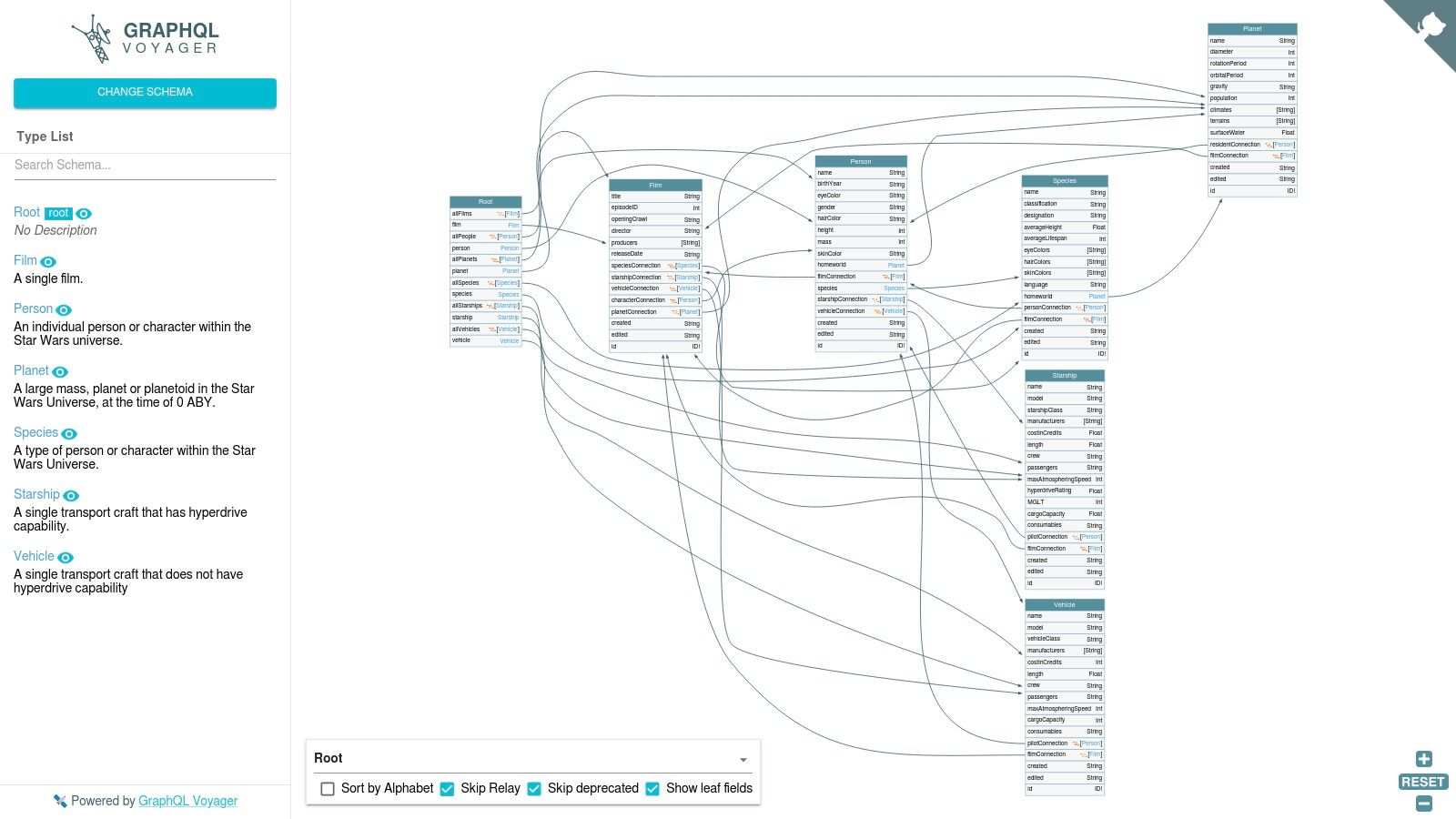
Developed by APIs.guru, Voyager is a dedicated GraphQL schema viewer that prioritizes topology and discovery over query execution. You can point it at any public GraphQL endpoint or provide a schema file, and it will instantly render the relational graph. Its open-source nature means you can easily self-host it for complete privacy, a critical feature for teams working with sensitive data. While it lacks an integrated query runner, its strength lies in answering the question, "How does everything fit together?" before you even start writing a query. The visualization is highly intuitive, allowing you to click on any type to see its fields and connections.
Key Features & Assessment
| Feature | Assessment |
|---|---|
| Interactive Graph | Excellent. A best-in-class visual representation of schema relationships, ideal for high-level understanding and design reviews. |
| Self-Hosting & Privacy | Excellent. Can be run entirely offline or on a private network, ensuring schema data never leaves your environment. |
| Ease of Use | Good. Extremely simple to get started. Just provide a URL or schema file to generate the visualization instantly. |
| Query Execution | Not Available. It is a purpose-built viewer, not an IDE. It does not include features for writing or running operations. |
Voyager is a complementary tool rather than an all-in-one solution. The typical workflow involves exploring the schema visually to understand relationships, then switching to another tool, like Apollo Sandbox, to build and test the actual queries based on the insights gained.
Website: apis.guru/graphql-voyager/
3. GraphiQL (GraphQL Foundation)
As the original, canonical GraphQL IDE created alongside the specification itself, GraphiQL is the quintessential tool for interacting with a GraphQL endpoint. Maintained by the GraphQL Foundation, it provides a reliable, no-frills environment for writing queries, mutations, and subscriptions. Its core strength lies in its simplicity and ubiquity; many GraphQL server libraries and platforms embed GraphiQL by default, making it instantly accessible to developers without any additional setup. The interface is clean, focusing on a query editor, a results pane, and a documentation explorer.
GraphiQL’s auto-generated documentation explorer is its primary feature as a GraphQL schema viewer. It introspects the connected endpoint and presents a clickable, searchable list of all available types, queries, and mutations. This allows developers to drill down into fields, arguments, and return types directly within the IDE. While its feature set is intentionally minimal compared to more modern tools, its open-source nature, pluggable architecture, and ease of self-hosting make it a highly dependable and private choice for local development and schema exploration.
Key Features & Assessment
| Feature | Assessment |
|---|---|
| Auto-Generated Docs | Good. Provides a solid, searchable reference of the entire schema, generated via introspection. A reliable baseline. |
| Query Autocompletion | Good. Offers context-aware, type-ahead suggestions and real-time error highlighting based on the schema. |
| Local Hosting & Privacy | Excellent. As an open-source library, it can be easily hosted locally or embedded, ensuring the schema never leaves your environment. |
| Extensibility | Good. The architecture is pluggable, allowing developers to add custom features, although this requires extra development effort. |
While GraphiQL provides an excellent environment for writing and testing queries, its response panel shows raw JSON. For better readability of nested or complex API responses, developers often copy the output into a separate tool. A utility like the JSON Viewer at DigitalToolpad.com can be useful for formatting and analyzing the JSON data structure.
Website: github.com/graphql/graphiql
4. Altair GraphQL Client
Altair GraphQL Client is a versatile and feature-rich GraphQL IDE that stands out for its cross-platform availability as a web app, desktop application, and browser extension. It offers a powerful combination of a documentation explorer, advanced query features, and robust offline capabilities, making it a strong contender for developers seeking flexibility. Its ability to load a schema from a local file (SDL or introspection result) is a critical feature for environments where live introspection is disabled for security reasons, ensuring it can function as a capable GraphQL schema viewer in restricted contexts.
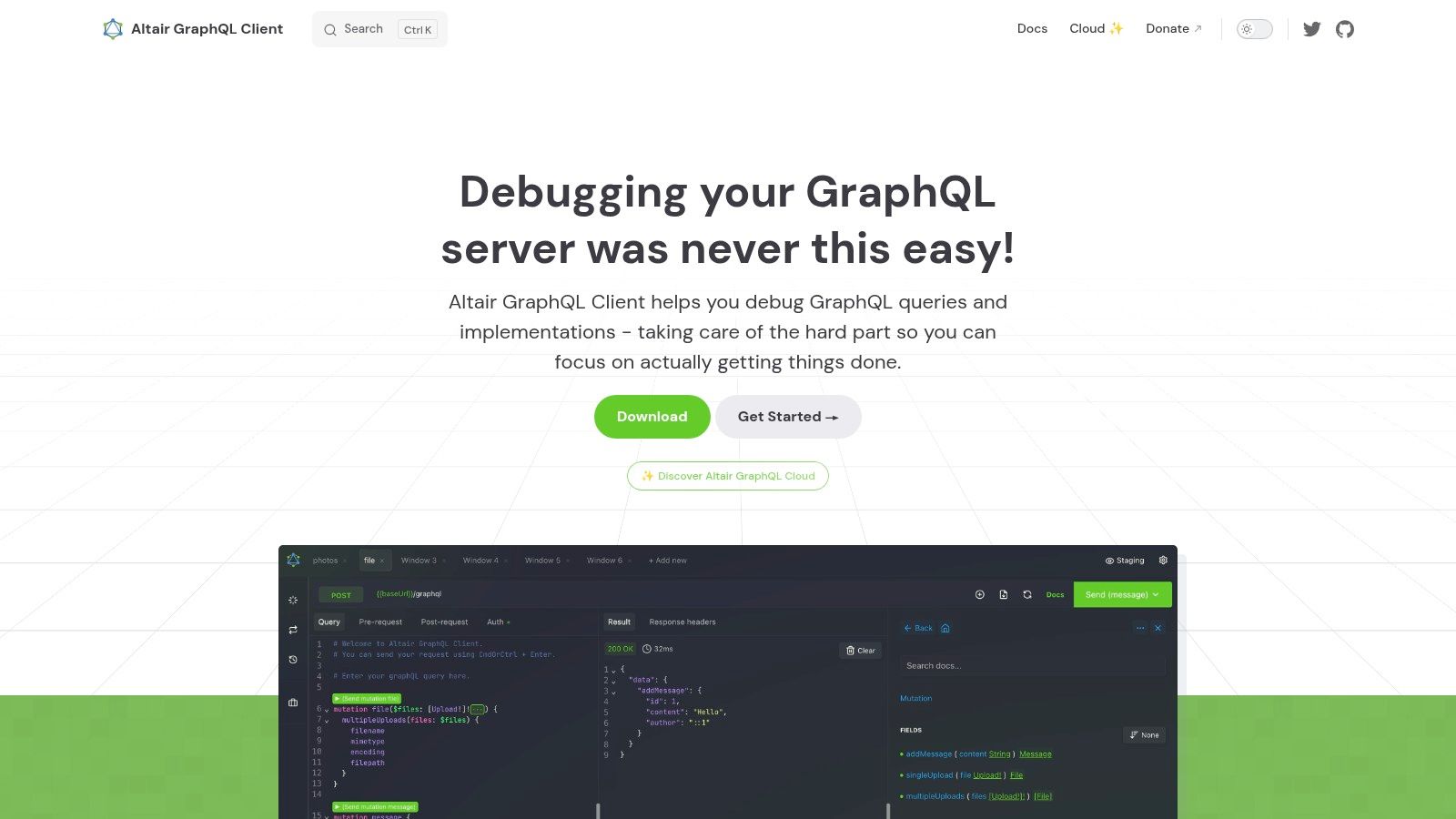
The user experience is clean and highly functional, with features like query collections, environment variable management, and support for subscriptions and file uploads. Altair provides a powerful, searchable documentation pane that makes exploring types, fields, and arguments straightforward. While the core client is free and open-source, Altair also offers paid team collaboration features for syncing collections and sharing queries, though this ecosystem is less mature than some larger platforms. Its privacy-first approach, especially with offline schema loading, makes it an excellent choice for developers who need a powerful tool without cloud dependencies.
Key Features & Assessment
| Feature | Assessment |
|---|---|
| Offline Schema Loading | Excellent. A standout feature for security-conscious teams, allowing schema viewing without live introspection. |
| Cross-Platform Support | Excellent. Available as a desktop app, browser extension, and web client, offering maximum flexibility. |
| Advanced Features | Good. Supports subscriptions, file uploads, and query collections, covering most development needs. |
| Team Collaboration | Good (Paid). Provides a solid entry into team-based workflows with cloud sync, though it's a newer offering. |
Website: altairgraphql.dev
5. Postman (GraphQL client)
For teams already standardized on Postman for their API development lifecycle, its native GraphQL client is a highly convenient and powerful option. It seamlessly integrates GraphQL into existing workflows, allowing you to manage schemas, queries, and tests within the same collections you use for REST and other APIs. Postman fetches the schema directly from your endpoint via introspection and presents it in a clean, browsable documentation format, making it an excellent all-in-one GraphQL schema viewer and request builder.
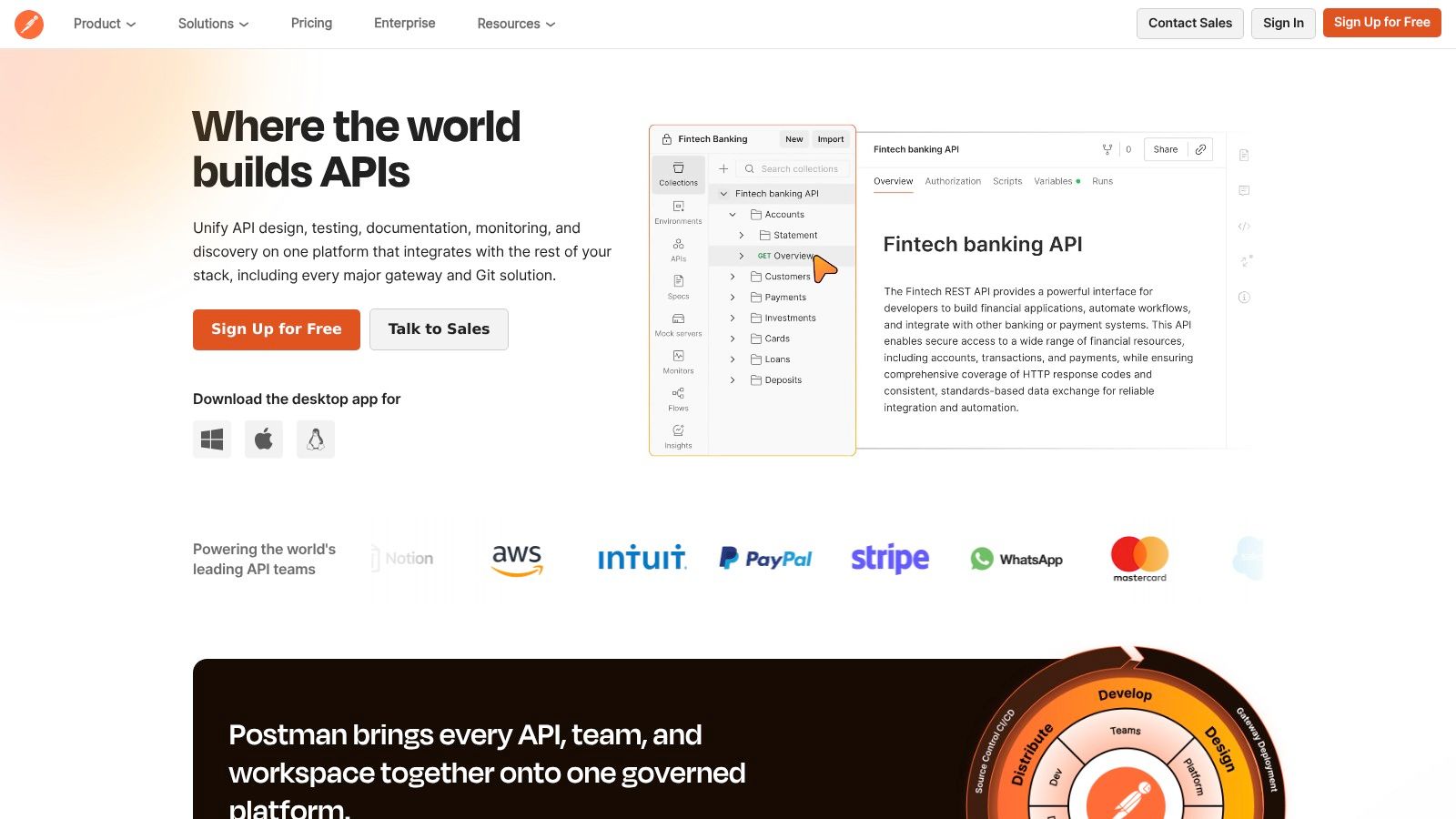
The key advantage of using Postman is its ecosystem. You can leverage environments for variable management (like API keys and hostnames), write test scripts to validate responses, and organize everything into shareable collections. The schema explorer allows you to point-and-click to build queries, automatically adding fields and arguments to the editor. While its visualization is more documentation-focused rather than a graphical topology map, its tight integration with broader API testing and management features makes it an incredibly efficient choice for established Postman users.
Key Features & Assessment
| Feature | Assessment |
|---|---|
| Integrated Workflow | Excellent. Perfect for teams already using Postman for API testing. Keeps all API interactions in one place. |
| Schema Explorer | Good. Provides a solid, documentation-style browser to explore types, queries, and mutations and build requests. |
| Environment & Scripts | Excellent. Leverages Postman's core strengths for dynamic variable use and automated testing of GraphQL endpoints. |
| Collaboration | Good. Queries and schemas can be saved and shared within team collections, streamlining collaboration. |
Postman’s approach to GraphQL focuses on practical testing and integration. As you work with the responses, you may find the need for specialized data handling, which is where a collection of powerful JSON tools on DigitalToolpad.com can become a valuable companion for formatting, parsing, or transforming the output.
Website: postman.com
6. Insomnia (by Kong)
Insomnia, by Kong, is a powerful open-source API client that excels as a local-first GraphQL schema viewer. Its primary strength lies in its seamless integration of schema exploration directly into the development workflow. When you point it to a GraphQL endpoint, Insomnia automatically fetches the schema via introspection, enabling intelligent autocomplete, real-time validation, and linting within its query editor. This tight feedback loop significantly speeds up the process of writing and debugging queries.

The platform is designed for privacy and local development, as it operates entirely on your machine without needing to send your schema to an external server. Its built-in documentation browser is easily accessible with a single click, presenting a clean, searchable list of all types, queries, and mutations. While it doesn't offer a visual relationship graph like some dedicated tools, its speed and integrated approach make it a favorite for developers who need a robust API client that also handles GraphQL schema discovery effectively. The free version is highly capable for individual use, while paid plans add team collaboration features.
Key Features & Assessment
| Feature | Assessment |
|---|---|
| Automatic Introspection | Excellent. Schema is fetched on the fly, powering top-tier autocomplete and query validation without manual setup. |
| Local-First Workflow | Excellent. Perfect for privacy-conscious developers as it runs entirely offline on your desktop. |
| Built-in Docs Viewer | Good. Provides a fast and searchable reference view of the schema, though it lacks a visual graph topology. |
| API Client Features | Good. Comprehensive support for authentication, environment variables, and request chaining makes it a full-featured tool. |
Insomnia is an ideal choice for developers who already use a dedicated API client and want to consolidate their tooling. The ability to manage REST, gRPC, and GraphQL requests in one place, while still having a great GraphQL schema viewer experience, is its key advantage.
Website: insomnia.rest
7. Hoppscotch
Hoppscotch is a sleek, open-source API development platform that offers a lightweight and exceptionally fast alternative to heavier clients like Postman. While not exclusively a GraphQL tool, its dedicated GraphQL environment provides a minimal-friction experience for exploring schemas and testing queries. Its main appeal lies in its speed and simplicity, allowing developers to quickly point it to an endpoint, send queries, manage headers, and inspect responses without the overhead of a full-blown IDE.
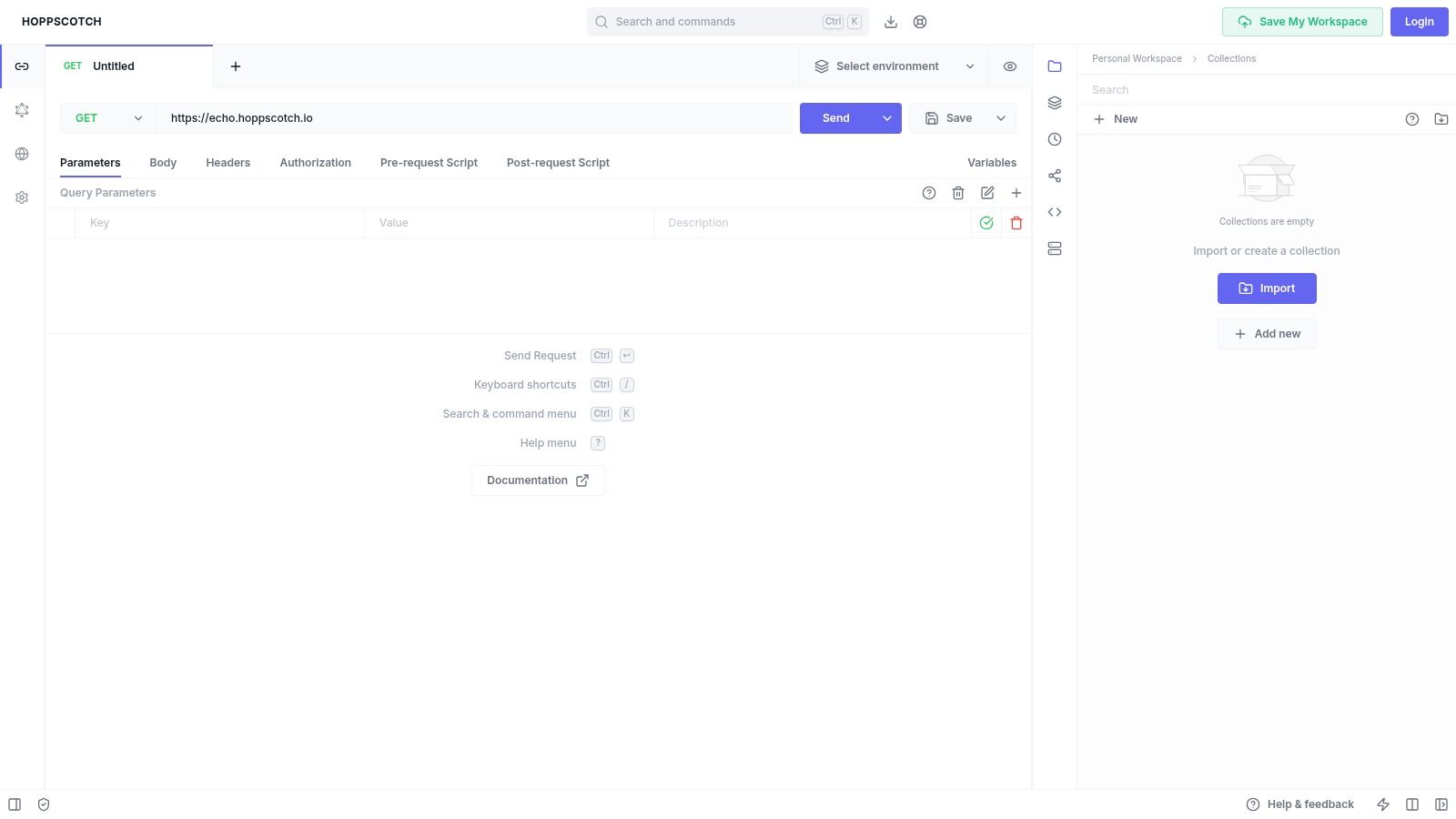
The platform is designed for agility. Users can immediately start working via the web app without an account or opt to self-host the entire platform for complete data privacy and control. Hoppscotch supports collections for organizing requests, environment variables for managing different setups (e.g., staging vs. production), and a range of authentication methods. Its role as a GraphQL schema viewer is functional, providing a basic, clickable schema reference derived from introspection, though it lacks the advanced visual guidance seen in tools like Apollo Studio.
Key Features & Assessment
| Feature | Assessment |
|---|---|
| Speed & Simplicity | Excellent. The user interface is incredibly responsive and intuitive, making it one of the fastest ways to test an API endpoint. |
| Open Source & Self-Hosting | Excellent. The ability to self-host is a major advantage for privacy-conscious teams who need full control over their tools and data. |
| Schema Reference | Good. Provides a functional, auto-generated documentation panel that is helpful for reference, though less interactive than specialized tools. |
| Collaboration | Good. Offers team workspaces and request sharing through its free cloud offering, facilitating easy collaboration. |
Hoppscotch is the ideal choice for developers who value speed and efficiency over an extensive feature set. It excels at quick, ad-hoc API testing and is a powerful, free alternative for individuals and teams seeking an open-source solution.
Website: hoppscotch.io
8. Firecamp
Firecamp positions itself as an API development platform with a strong focus on team collaboration, offering a dedicated GraphQL playground that feels familiar to users of clients like Postman. It provides a structured environment for managing API requests through workspaces and collections, making it a solid choice for teams that need to share, document, and test GraphQL endpoints consistently. The platform is designed to streamline the entire API lifecycle, from initial testing to collaborative debugging.
The GraphQL schema viewer in Firecamp is integrated directly into its playground, providing autocompletion and a clickable doc explorer for easy navigation. Its core strength lies in its team-centric workflow, allowing developers to sync their collections and environments effortlessly. While it may not have the extensive ecosystem of larger competitors, its clean interface and competitive pricing for small teams make it an attractive option. The onboarding process is simple, allowing teams to get up and running quickly.
Key Features & Assessment
| Feature | Assessment |
|---|---|
| Team Workspaces | Excellent. Designed from the ground up for collaboration with shared collections and real-time syncing. |
| GraphQL Playground | Good. A capable and intuitive interface for querying, with integrated schema docs and autocompletion. |
| Multi-Protocol Support | Good. Supports not only GraphQL but also REST, WebSocket, and Socket.IO, making it a versatile API client. |
| Ecosystem & Integrations | Fair. Has a smaller integration footprint compared to more established players like Postman or Insomnia. |
Firecamp is ideal for development teams looking for a unified, collaborative tool that handles GraphQL alongside other common API protocols without the complexity or cost of larger enterprise solutions.
Website: firecamp.io
9. GraphQL Editor
GraphQL Editor approaches schema interaction from a visual-first perspective, treating your schema not just as code but as an interactive diagram. It excels at helping teams design, understand, and document their GraphQL APIs by mapping types and their relationships into a clear, node-based graph. This makes it an outstanding tool for architecting new schemas or for onboarding developers to a complex existing API, as the visual connections make relationships instantly understandable.
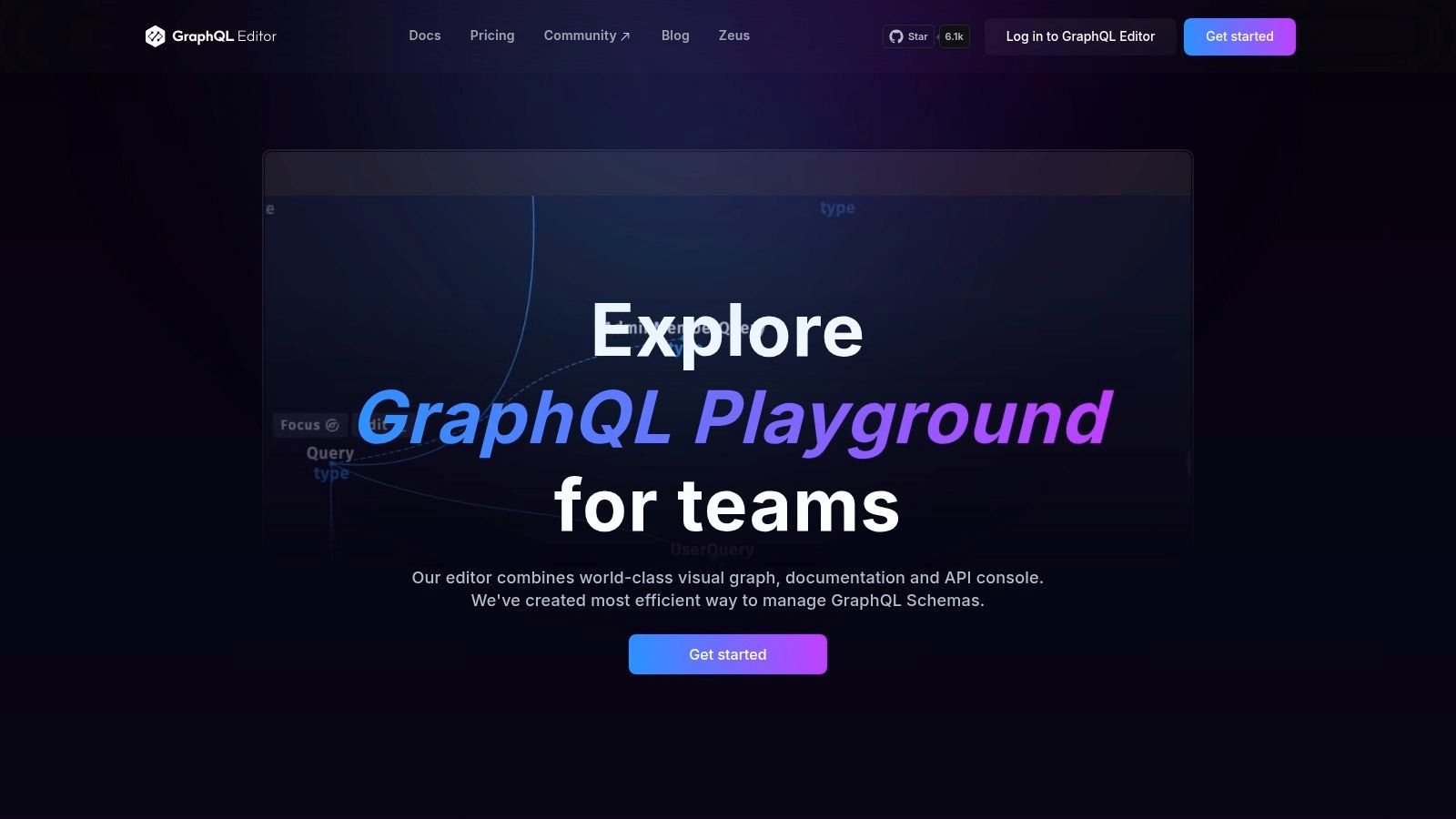
While its core strength is schema design, it also functions as a capable GraphQL schema viewer. You can import an existing schema via URL, file, or by pasting the SDL, and the platform will automatically generate the visual graph. It also includes an integrated documentation browser and a basic API console for running queries. The platform is cloud-based, offering free and paid tiers with features like team workspaces, version history, and real-time collaboration, positioning it as a powerful tool for collaborative design sessions.
Key Features & Assessment
| Feature | Assessment |
|---|---|
| Visual Schema Diagram | Excellent. Its primary strength. The node-based graph is perfect for designing and understanding complex type relationships. |
| Schema Design & Editing | Excellent. Provides a powerful GUI for building and modifying schemas, which then generates clean SDL code. |
| Collaboration | Good (Paid). Team workspaces and versioning make it a solid choice for collaborative API design and review. |
| API Console | Fair. Includes a functional query runner, but it's less feature-rich than dedicated API clients like Apollo Studio or Insomnia. |
The platform's focus on visual design is particularly useful when mapping out how a JSON response structure should be represented in the schema. For developers transitioning from REST APIs, a tool like the JSON to TypeScript converter on DigitalToolpad.com can help define the initial types, which can then be refined visually in GraphQL Editor.
Website: graphqleditor.com
10. Nitro (formerly Banana Cake Pop) by ChilliCream
Nitro, which was formerly known as Banana Cake Pop, is a versatile GraphQL IDE from the makers of the popular .NET GraphQL server, Hot Chocolate. It serves as a comprehensive tool for schema exploration and operation execution, available both as a cross-platform desktop application and as embeddable middleware. This dual offering makes it a flexible choice, particularly for developers already invested in the ChilliCream and .NET ecosystems, where it provides a seamless, integrated experience.
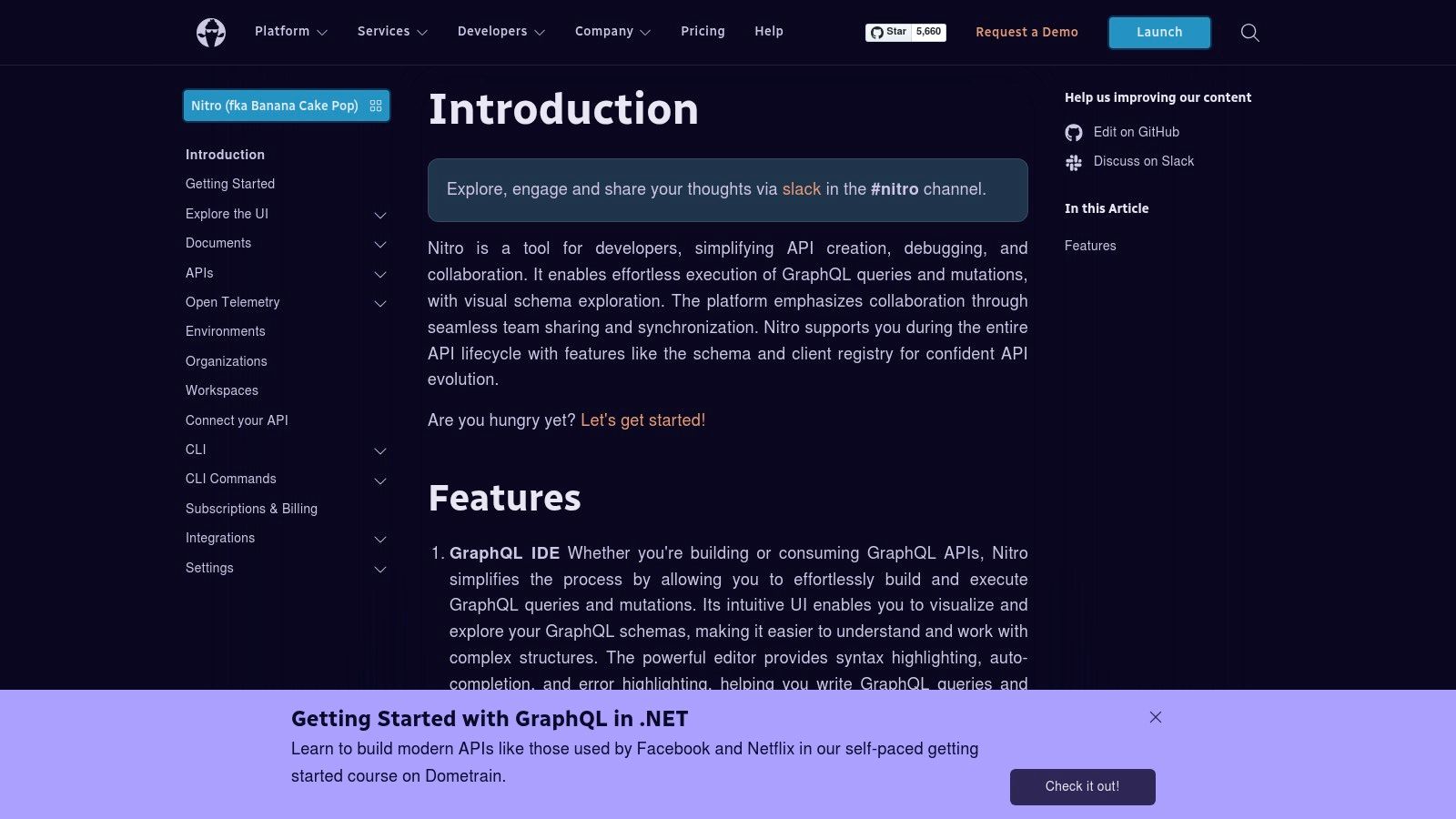
The platform's strength lies in its distribution flexibility. You can install a dedicated desktop app for a native experience or embed Nitro directly into your server middleware, providing an in-browser IDE similar to GraphiQL. This makes it an excellent graphql schema viewer for teams that need both a local development tool and a shared, web-accessible interface for their API. While the core functionality is free, ChilliCream offers paid subscriptions for advanced features like team synchronization and organizational management. The recent rebranding from Banana Cake Pop to Nitro may cause some initial confusion, but the tool itself remains a powerful and polished option.
Key Features & Assessment
| Feature | Assessment |
|---|---|
| Platform Versatility | Excellent. Available as a desktop app (Windows, macOS, Linux) and embeddable middleware for a consistent experience. |
| Ecosystem Integration | Excellent. Provides a first-class experience for developers using the Hot Chocolate GraphQL server for .NET. |
| Schema Exploration | Good. Offers a clean, searchable interface for browsing types, queries, and mutations with detailed documentation. |
| Team Collaboration | Good (Paid). Organization subscriptions unlock features for sharing collections and managing team workflows. |
Website: chillicream.com/docs/nitro
11. JetBrains GraphQL Plugin (WebStorm/IntelliJ)
For developers embedded in the JetBrains ecosystem, the GraphQL plugin transforms IDEs like WebStorm and IntelliJ IDEA into a powerful, schema-aware development environment. Instead of context-switching to an external tool, this plugin brings the GraphQL schema viewer directly into your editor. It excels at introspection, automatically fetching schemas from remote endpoints defined in a .graphqlconfig file and providing deep, code-level integration. This means you get intelligent autocompletion, validation, and go-to-definition for types and fields right where you write your queries.
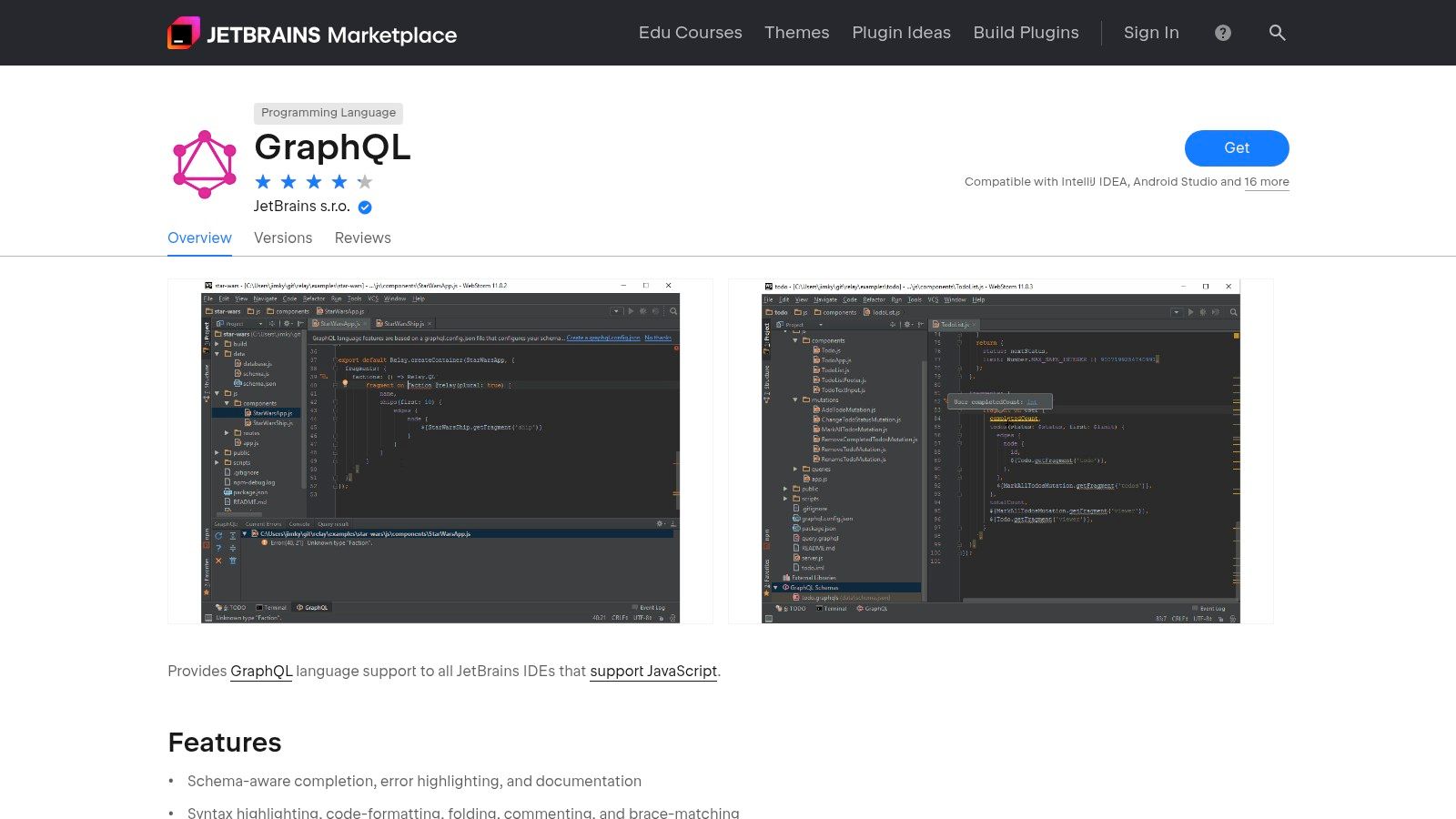
The primary advantage is the productivity boost from its IDE-native features. You can quickly view documentation by hovering over a field, find all usages of a specific type, and even perform safe refactoring. Its ability to manage multiple schema files and endpoints within a single project makes it ideal for complex microservice or federated architectures. While the plugin itself is free, it requires a compatible JetBrains IDE, most of which are commercial products. This makes it a perfect choice for existing users but a significant consideration for those outside the ecosystem.
Key Features & Assessment
| Feature | Assessment |
|---|---|
| IDE Integration | Excellent. Provides seamless, in-editor schema awareness, autocompletion, validation, and refactoring tools. |
| Schema Discovery | Excellent. Automatically introspects remote schemas and supports local schema files via a simple configuration. |
| In-Editor Docs | Good. Offers quick access to schema documentation on hover, improving developer velocity without leaving the code. |
| Cost | Good (Conditional). The plugin is free, but its value is tied to a paid JetBrains IDE subscription for most use cases. |
Website: plugins.jetbrains.com/plugin/8097-graphql
12. Apollo GraphQL VS Code Extension
For developers who live inside Visual Studio Code, the Apollo GraphQL extension brings schema intelligence directly into the editor. Instead of context-switching to a separate browser-based tool, this extension provides a powerful, integrated experience for interacting with a GraphQL schema. It turns VS Code into a first-class GraphQL IDE with features like schema-aware autocomplete, go-to-definition, and inline error highlighting, which significantly accelerates the development of queries, mutations, and fragments.
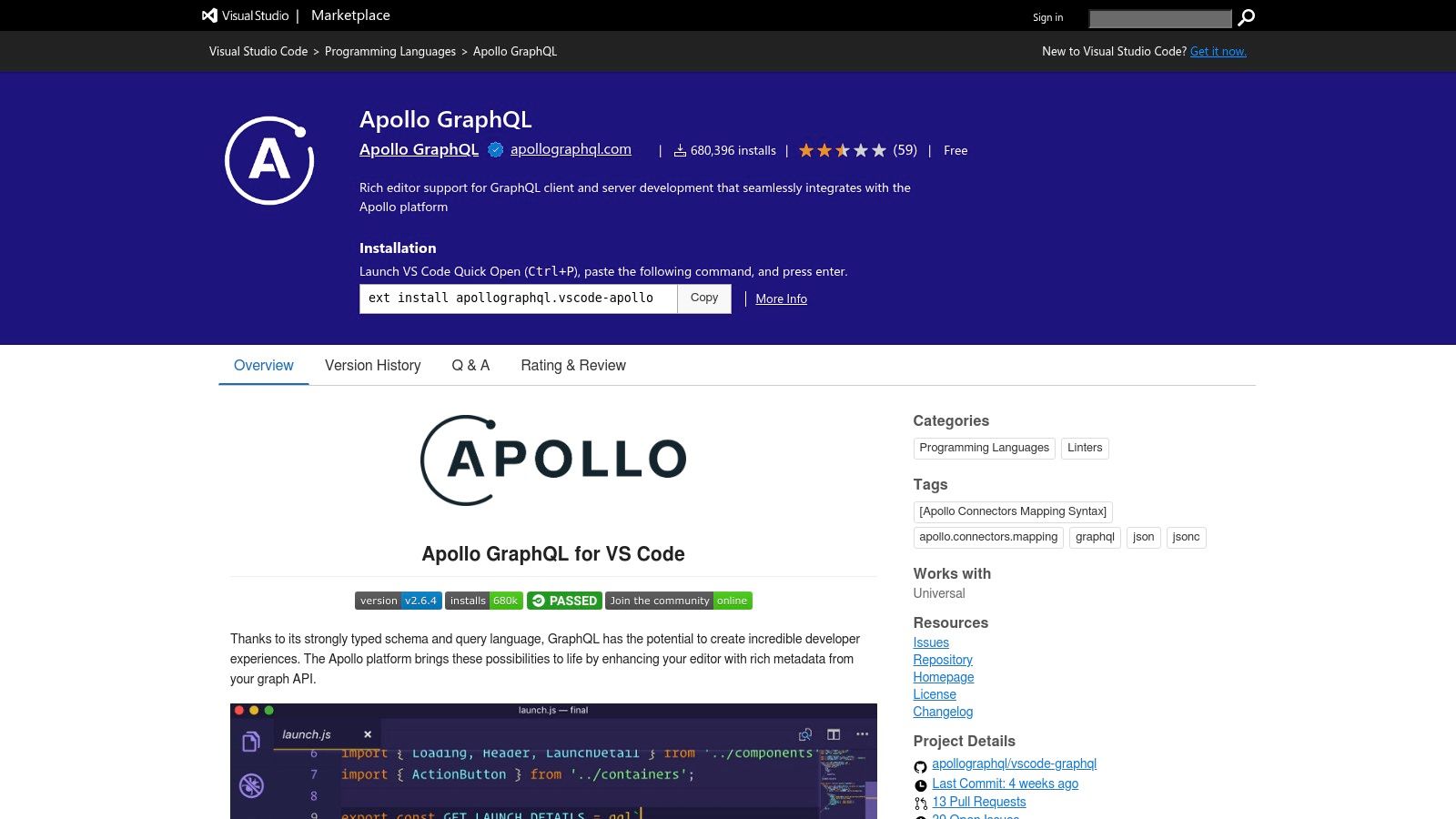
The extension’s core strength is its tight integration with the Apollo ecosystem. When connected to a project using Apollo GraphOS, it can pull schema information directly from the registry, ensuring the entire team is working against the latest version. This setup also unlocks performance insights, allowing developers to see field-level latency data directly inline with their code. While it excels within the Apollo stack, it can also work with local schema files (.graphql or .json), making it a versatile GraphQL schema viewer for any VS Code user.
Key Features & Assessment
| Feature | Assessment |
|---|---|
| Integrated IDE Experience | Excellent. Provides seamless autocomplete, validation, and schema navigation without leaving the code editor. |
| GraphOS Integration | Excellent. Synchronizes with the Apollo registry for up-to-date schemas and unlocks performance metrics. |
| Local Schema Support | Good. Works effectively with local introspection results or .graphql files for offline or non-Apollo projects. |
| Developer Ergonomics | Good. Features like go-to-definition and syntax highlighting make it much easier to write and maintain GraphQL operations. |
Website: marketplace.visualstudio.com
GraphQL Schema Viewers — 12-Tool Comparison
| Tool | Core features | UX / Reliability (★) | Unique selling points (✨ / 🏆) | Target audience (👥) | Pricing / Value (💰) |
|---|---|---|---|---|---|
| Apollo GraphOS Studio (Explorer + Sandbox) | Explorer, schema reference, local Sandbox | ★★★★★ | ✨ path-finding & schema search; 🏆 federation & team workflows | 👥 Teams, Apollo users, schema-first orgs | 💰 Free Sandbox; paid Studio features |
| GraphQL Voyager (APIs.guru) | Zoomable graph visualization of types & relations | ★★★★☆ | ✨ topological “schema map”; self-hostable | 👥 Architects, designers, onboarding | 💰 Free / OSS |
| GraphiQL (GraphQL Foundation) | In-browser IDE: docs explorer, autocomplete, validation | ★★★★☆ | ✨ embeddable baseline IDE; 🏆 ubiquitous & reliable | 👥 Developers, server hosts | 💰 Free / OSS |
| Altair GraphQL Client | Multi-platform IDE, docs, collections, offline schemas | ★★★★☆ | ✨ offline schema loading; cross-platform support | 👥 Devs who need desktop/web + offline | 💰 Free; optional paid cloud/team |
| Postman (GraphQL client) | Schema explorer, query builder, collections & scripts | ★★★★☆ | ✨ API lifecycle integration; 🏆 rich collections & testing | 👥 Teams standardizing on Postman | 💰 Freemium; paid teams |
| Insomnia (by Kong) | GraphQL client with introspection, docs browser | ★★★★☆ | ✨ privacy/local-first friendly UX | 👥 Privacy-conscious devs, local workflows | 💰 Free; paid team features |
| Hoppscotch | Lightweight GraphQL editor, collections, auth | ★★★★☆ | ✨ very fast, self-hostable OSS; 🏆 minimal friction | 👥 Fast prototyping, OSS contributors | 💰 Free; optional cloud |
| Firecamp | GraphQL playground + workspaces, team collections | ★★★★☆ | ✨ team workspaces & easy onboarding | 👥 Small teams focused on GraphQL | 💰 Affordable paid plans |
| GraphQL Editor | Visual schema editor, diagramming, SDL export | ★★★★☆ | ✨ "schema as diagram" UX; 🏆 design-oriented tooling | 👥 Designers, onboarding & schema teams | 💰 Freemium; team plans |
| Nitro (Banana Cake Pop) by ChilliCream | Cross-platform IDE, embeddable middleware | ★★★★☆ | ✨ strong .NET / Hot Chocolate integration | 👥 .NET developers & enterprise teams | 💰 Free core; org subscriptions for advanced |
| JetBrains GraphQL Plugin (WebStorm/IntelliJ) | In-editor completion, validation, refactor, introspection | ★★★★★ | ✨ deep IDE integration & refactoring | 👥 JetBrains users, professional devs | 💰 Plugin free; JetBrains IDE typically paid |
| Apollo GraphQL VS Code Extension | Autocomplete, inline errors, schema merging | ★★★★★ | ✨ inline performance + GraphOS integration | 👥 VS Code users, Apollo stacks | 💰 Free |
Choosing Your Ideal Schema Viewer: Final Recommendations
Navigating the landscape of GraphQL schema viewers can feel overwhelming, but as we've explored, the right tool is rarely a one-size-fits-all solution. The best choice hinges entirely on your specific workflow, team structure, and security requirements. The core takeaway from our deep dive is this: your GraphQL schema is not just a contract, it's a living document, and the right viewer turns it into an interactive, understandable, and powerful development asset.
A powerful GraphQL schema viewer does more than just display types and fields; it accelerates development cycles, simplifies onboarding for new team members, and demystifies complex API architectures. It empowers frontend developers to discover capabilities without back-end assistance and enables back-end engineers to visualize the impact of their changes.
Recapping the Core Decision Factors
Your final decision should be guided by a few critical questions that reflect the key themes we've seen across all twelve tools:
- Workflow Integration: Do you need a standalone application, a browser-based tool, or something deeply integrated into your IDE? For developers spending most of their day in an editor, plugins like the JetBrains GraphQL Plugin or the Apollo GraphQL VS Code Extension offer unparalleled convenience by bringing schema intelligence directly to your code.
- Privacy and Security: Can you afford to send introspection queries to a third-party server, or is a fully offline, local-first approach mandatory? This is the most crucial distinction. For sensitive, air-gapped, or security-hardened environments, desktop clients like Altair, Insomnia, or Postman are non-negotiable, as they can operate entirely on your local machine using a downloaded schema file.
- Collaboration vs. Individual Use: Are you a solo developer or part of a large, distributed team? While tools like GraphQL Voyager are fantastic for individual exploration and documentation screenshots, platforms like Apollo GraphOS Studio are built from the ground up for team-based governance, schema checks, and collaborative graph management.
- Primary Use Case: What is your main goal? Is it pure visualization, query testing and debugging, or comprehensive API lifecycle management? For a quick, intuitive map of your schema's relationships, nothing beats the visual clarity of GraphQL Voyager. For robust query building, testing, and environment management, feature-rich clients like Hoppscotch or Nitro (Banana Cake Pop) provide a complete workbench.
Final Recommendations Tailored to Your Needs
To simplify your next step, we've distilled our findings into a few targeted recommendations based on common developer profiles and organizational needs.
For the Privacy-First Enterprise or Security-Conscious Developer:
Our top recommendation is Altair GraphQL Client. Its robust support for loading schemas directly from local files (.graphql or .json) makes it the ideal choice when production introspection is disabled or when working with highly sensitive data. It offers a clean, powerful, and secure environment without requiring cloud connectivity for its core viewing and querying features. Insomnia follows closely, providing a polished and fast user experience for local development workflows.
For Teams Deeply Invested in a Cohesive Ecosystem:
If your organization leverages federation or is committed to a managed graph, Apollo GraphOS Studio is the clear winner. Its Explorer is more than just a graphql schema viewer; it's an integrated part of a comprehensive platform that handles schema registry, performance monitoring, and launch checks. The benefits of this tight integration for collaborative teams are immense.
For Pure Schema Visualization and Onboarding: When the primary goal is to understand the "shape" of an API, communicate its architecture, or onboard new developers, GraphQL Voyager remains unparalleled. It transforms your schema into an interactive entity-relationship diagram, making complex connections instantly visible. It’s the perfect tool for architectural whiteboarding sessions and for embedding visual documentation.
Ultimately, the goal is to find the GraphQL schema viewer that removes friction and enhances your understanding of the API. Don't hesitate to experiment. Install a desktop client like Altair, try a browser-based tool like Hoppscotch, and integrate an IDE extension. Spending a little time now to find the right fit will pay significant dividends in productivity, clarity, and development speed down the line.
Ready to discover and manage more essential developer utilities? Digital ToolPad curates and reviews hundreds of tools, from API clients to database GUIs, helping you build the perfect, privacy-first development environment. Find your next favorite tool at Digital ToolPad.