
A GUID/UUID generator is a tool that creates a 128-bit unique identifier, but it's more than just a string of random characters. These identifiers, whether you call them Globally Unique Identifiers (GUIDs) or Universally Unique Identifiers (UUIDs), are the backbone for keeping data straight in complex computer systems, from databases and APIs to sprawling distributed networks.
Why Every Developer Needs a GUID UUID Generator
In modern software development, unique identifiers aren't a luxury; they're the foundation of any reliable system. Think of a UUID as a digital fingerprint for a piece of data. It could be a new user account, a log entry, or a transaction ID. Without a surefire way to uniquely identify each record, telling one apart from billions of others becomes a nightmare. This is exactly why a good GUID/UUID generator is so essential.
Having a reliable generator is a non-negotiable part of a developer's toolkit, right alongside other essential developer productivity tools that keep your workflow smooth.
The Core Benefits of Using UUIDs
When you start using a solid UUID generator, the benefits aren't just theoretical: you see real, tangible improvements in how your applications perform and protect data.
Here are the key advantages I've seen firsthand:
- Decentralized Generation: You can create UUIDs anywhere, on any machine, at any time. There's no need to phone home to a central server to ask for a new ID. This is a massive advantage for distributed systems and microservices architectures.
- Enhanced Privacy: Generating IDs on the client-side, especially with offline-first tools like Digital ToolPad, means sensitive information never has to leave the user's browser. It's a huge win for building privacy-conscious applications from the ground up.
- Offline Capability: The power to create unique IDs without an internet connection is a game-changer. It's perfect for apps designed to work offline or in areas with spotty connectivity.
Deciding which UUID version to use can seem complicated, but it often boils down to a few key project requirements like speed, privacy, or the need for offline functionality.
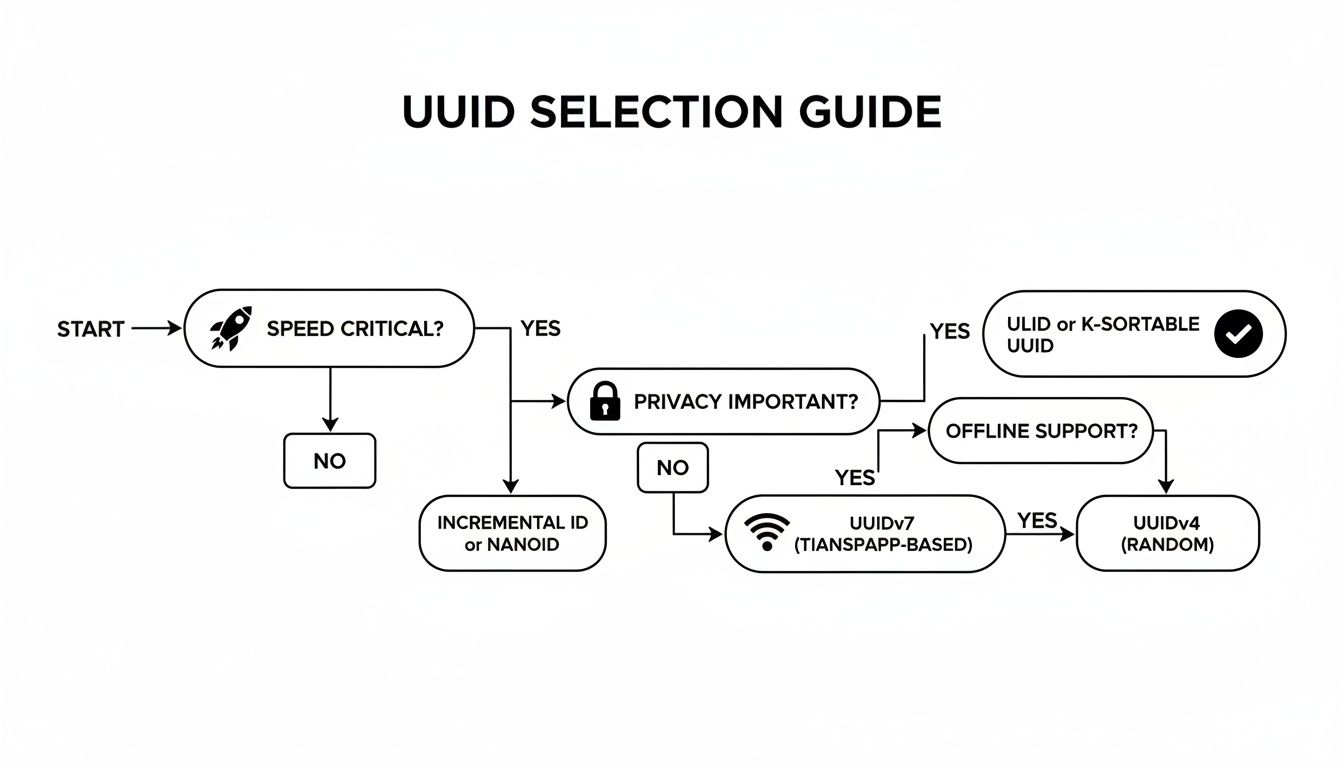
As the chart shows, for most modern, privacy-first web applications, a Version 4 (random) UUID generated directly on the client-side is often the best and simplest choice.
Standardized for Global Reliability
The real power of UUIDs lies in their standardization. This guarantees that an ID generated on your laptop in one country won't clash with one generated in a server farm on the other side of the world. This global interoperability is why UUIDs are trusted in critical infrastructure and enterprise systems everywhere.
The standards, like RFC 4122 for the classic random UUIDs and the newer RFC 9562, ensure that everyone is playing by the same rules. It’s this reliability that makes UUID generators so fundamental to modern software architecture, especially in databases and distributed systems where uniqueness is paramount.
By generating identifiers locally, you eliminate network latency and a potential single point of failure. This simple shift in architecture makes applications faster, more resilient, and inherently more private. It’s a foundational practice for building modern, robust software.
To help you quickly decide which UUID fits your needs, here's a quick breakdown of the most common versions.
Quick Guide to UUID Versions
| UUID Version | Generation Method | Primary Use Case |
|---|---|---|
| Version 1 | Timestamp and MAC address | When you need time-ordered, unique IDs (less common now due to privacy concerns). |
| Version 4 | Randomly generated from a high-quality source | The most common choice; perfect for general-purpose unique identifiers. |
| Version 3 | MD5 hash of a namespace and name | Creating deterministic, repeatable IDs from a known string input. |
| Version 5 | SHA-1 hash of a namespace and name | A more secure version of V3; the preferred choice for name-based IDs. |
Ultimately, for most developers today, Version 4 is the go-to for its simplicity and strong guarantee of randomness. However, if you ever need to generate the same ID from the same input every time, Version 5 is your best bet.
Generating UUIDs Instantly in Your Browser
Sometimes, the best place to create a unique identifier is right where the action is: the user's browser. Forget the old-school model of pinging a server just to get a new ID. Generating UUIDs on the client side is faster, more private, and works even when the user is offline.
This is a game-changer for apps that need to be snappy and secure, especially if you're dealing with sensitive user data. The whole process happens locally, on the user's machine, so nothing ever gets sent over the network. It's a completely serverless workflow. If you want to see this principle in practice, the Digital ToolPad UUID Generator is a great example of a tool designed for secure, offline-first generation.
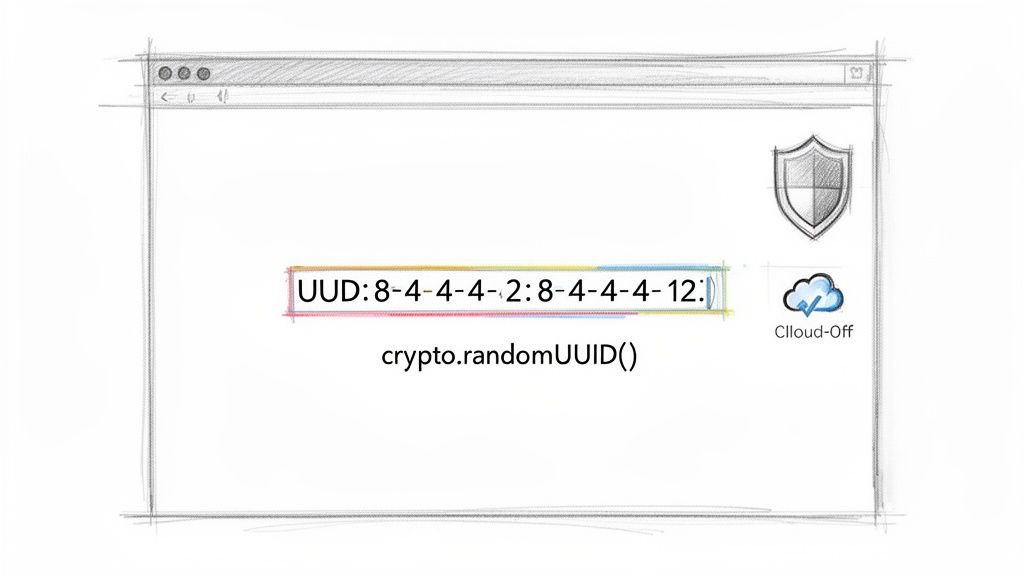
Leveraging The Web Crypto API
Thankfully, you don't need a heavy library to do this. Modern browsers have a powerful, built-in tool called the Web Crypto API. It gives you direct access to cryptographic functions, including a dead-simple method for generating version 4 UUIDs.
The function you'll want to reach for is crypto.randomUUID(). It’s clean, fast, and cryptographically secure, which is the most important part. It pulls from a high-quality source of randomness, so the odds of a collision are, for all practical purposes, zero.
Here’s all it takes to get one in your JavaScript code:
// Generate a new Version 4 UUID const newId = crypto.randomUUID();
// Example output: 'a1b2c3d4-e5f6-4a9b-8c7d-6e5f4a3b2c1d' console.log(newId);
That’s it. One line of code, no dependencies, no server calls. It works in every major browser today, making it a reliable go-to for any web project.
Why This Matters for Performance and Security
Generating UUIDs on the client isn't just a neat trick; it has real, tangible benefits. By cutting out the round-trip to the server, you shave off latency and make your application feel instantly more responsive. Think about a UI where you need a unique key for a new component: you can generate it immediately without waiting for the backend.
Using a client-side GUID UUID generator not only boosts performance but also hardens your application's security posture. By keeping data generation local, you shrink your attack surface, as there is no data in transit to intercept.
Adopting this local-first approach is a fundamental shift in how we build resilient systems. It ensures your app stays functional even if the user has a spotty connection or goes completely offline. For anyone building applications that need to be fast and always available, this isn't just a "nice-to-have"; it's a core part of creating truly robust software.
Mastering UUIDs in Node.js and the Command Line
While generating a UUID in the browser is great for front-end work, backend services and build scripts call for a more automated approach. When you step into the server-side world of Node.js or the command line, you unlock powerful, repeatable ways to create UUIDs without ever touching a graphical interface.
For anyone working on backend systems, pulling in a solid UUID generator is practically muscle memory when setting up a new project or microservice. This is where we move past manual clicks and into the realm of automated, scriptable ID creation.
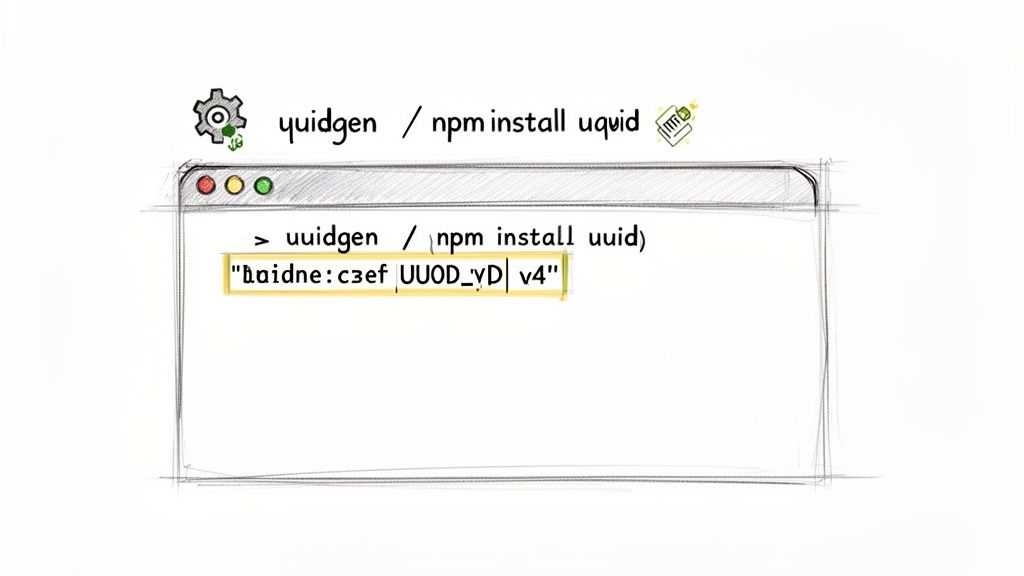
UUID Generation in Node.js
In the Node.js ecosystem, the uuid package is the undisputed champion. It's incredibly lightweight, has zero dependencies, and is dead simple to implement. Seriously, millions of projects rely on this tiny package for everything from database record IDs to API request tracing.
First thing's first, you'll need to add it to your project.
npm install uuid
Once that's done, you can import it and start generating any UUID version you need. In most cases, you'll just want a standard, random Version 4 UUID.
import { v4 as uuidv4 } from 'uuid';
// Generate a random Version 4 UUID
const uniqueId = uuidv4();
// Example output: '9b1deb4d-3b7d-4bad-9bdd-2b0d7b3dcb6d'
console.log(New user ID created: ${uniqueId});
This simple two-line pattern is all you need. It's perfect for creating primary keys for new database entries or generating unique session tokens on the fly.
Quick UUIDs from the Command Line
Sometimes you just need a single UUID, and you need it now. You don't want to spin up a project or write a script. Whether you're testing an API endpoint with curl, manually seeding a database, or just need a unique name for a file, the command line is your fastest option. The best part? The tools are probably already on your machine.
Here’s how to get it done across different operating systems:
On macOS and Linux: The
uuidgencommand is your best friend. It’s been a staple in Unix-like systems forever. Just pop open your terminal, type the command, and hit enter.uuidgen# Output: F8A7A9E5-75F7-4E6F-A718-2B9C8E7C4B21On Windows (PowerShell): If you're on Windows, you can tap into .NET's GUID capabilities directly from PowerShell with a quick command.
[guid]::NewGuid()# Output: Guid# --------# 1a2b3c4d-5e6f-7a8b-9c0d-1e2f3a4b5c6d
These command-line tools are more than just a convenience, they're essential for automation. Think about integrating
uuidgeninto a shell script to tag log files or using PowerShell'sNewGuid()to provision cloud resources. It ensures every automated task gets a unique, traceable identifier.
These methods are absolute gold for DevOps workflows, CI/CD pipelines, and all sorts of day-to-day scripting. Having these commands in your back pocket means you're never more than a few keystrokes away from a reliable UUID. For a deeper look at different generation strategies, check out our full guide on how to get a UUID online and the other approaches you can take.
Most of the time, we want our UUIDs to be completely random. That's the whole point, right? But sometimes, you need the exact opposite: a predictable, repeatable ID. This is where name-based UUIDs shine. Instead of spitting out a new random ID, they generate the exact same UUID for the same input, every single time.
This deterministic magic is the core idea behind Version 3 (MD5) and Version 5 (SHA-1) UUIDs. You give them a starting "namespace" UUID and a unique name (like an email address or a URL), and they produce a consistent identifier. Since SHA-1 is a much stronger hashing algorithm than MD5, Version 5 is the one you should almost always use.
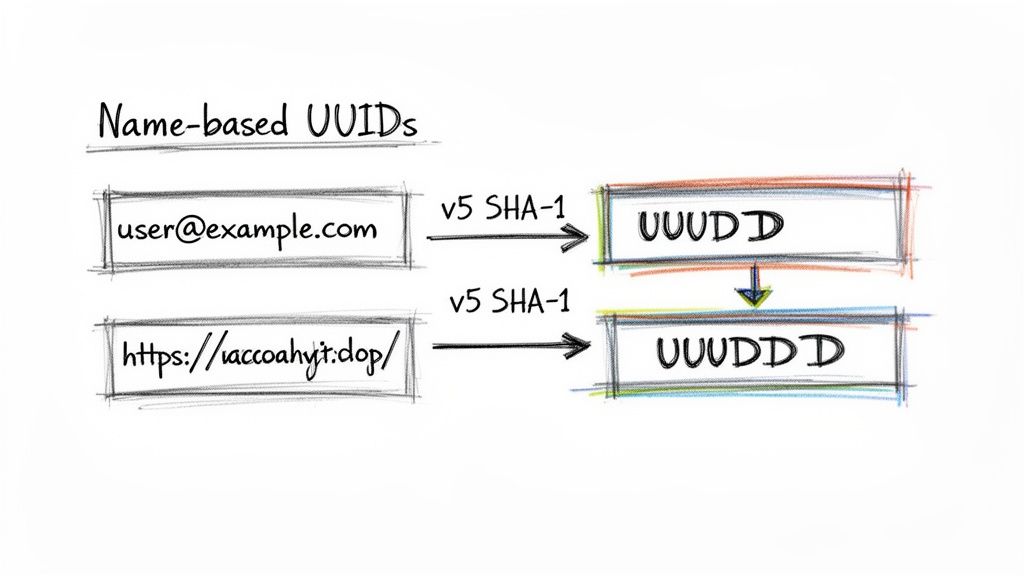
When Predictability Trumps Randomness
So, why would you ever want a predictable ID? The biggest reason is idempotency. Think about an API endpoint for creating a new user. If a network glitch causes the client to send the same "create user" request twice, you don't want two identical accounts. By generating a Version 5 UUID from the user's email, the API can instantly see it's a repeat request and just ignore it, preventing messy duplicate data.
This approach is a lifesaver for building resilient, fault-tolerant systems.
- Deduplicating Content: You can generate a stable ID for an article based on its URL. If your system ingests that same URL multiple times from different sources, it will always resolve to the same UUID, and you won't end up with duplicate entries.
- Consistent Resource Identifiers: Need to track a specific configuration object across different services? Create a fixed identifier based on its contents. Now you can easily match up identical configurations everywhere.
- Idempotent API Operations: Using a name-based UUID as an idempotency key is a common pattern. It allows API clients to safely retry failed requests without the fear of accidentally creating duplicate resources.
The real power of name-based UUIDs is that they let distributed systems agree on an identifier without ever talking to each other. If two separate services have the same namespace and the same input name, they will independently generate the exact same UUID.
Generating Name-Based UUIDs in Node.js
Getting this done in Node.js with the uuid library is surprisingly simple. You just need two things: a namespace and a name. The namespace is just another UUID that acts as a kind of "salt" or seed, making sure the IDs you generate for your app don't accidentally collide with IDs from another system using the same name.
You can create your own custom namespace or use one of the predefined ones for things like URLs or DNS names.
Here’s how you could generate a stable user ID from an email address:
import { v5 as uuidv5 } from 'uuid';
// 1. Define a custom namespace for your application. // This should be a constant, unique UUID for your project. // You can generate one with a v4 generator and then hardcode it. const MY_NAMESPACE = '1b671a64-40d5-491e-99b0-da01ff1f3341';
// 2. The input string (the "name") you want to identify. const userEmail = 'jane.doe@example.com';
// 3. Generate the deterministic v5 UUID. const userId = uuidv5(userEmail, MY_NAMESPACE);
// This will ALWAYS produce the same ID for this email and namespace combination. console.log(userId); // Example output: '4f8a3d7a-3b9b-5b5c-9c0d-7a6b3c2d1e0f'
Adopting this technique can make your systems far more predictable and robust. It's a fantastic way to ensure data consistency and sidestep some of the most common headaches that come with distributed operations. While it's a more specialized tool, it's an absolutely essential one to have in your developer toolkit.
Avoiding Common UUID Pitfalls and Security Risks
While UUIDs are incredibly reliable, two questions always come up: what’s the real chance of a collision, and what are the security risks hiding in the different versions? Getting these right is key to using any GUID generator safely and effectively.
The Myth of UUID Collisions
Let's tackle the biggest question first: what are the odds of two randomly generated Version 4 UUIDs ever being the same? For all practical purposes, it's zero.
The math behind it is just staggering. A Version 4 UUID has 2^122 possible combinations, which works out to about 5.3 undecillion unique IDs. It's a number so vast it’s hard to wrap your head around.
To put that into perspective, you would need to generate over 2.7 quintillion UUIDs before you even had a 50% chance of a single collision. So, unless you're generating IDs at an astronomical scale for millennia, you can sleep soundly. For a deep dive into the numbers, you can read the full research on UUID collision probabilities.
Real-World Security and Privacy Concerns
The more realistic concern isn't about collisions, it’s about accidentally leaking sensitive information. The real danger lies in using the wrong UUID version for the wrong job, which can expose details about your system you’d rather keep private.
Here are a couple of classic pitfalls:
- Version 1 (Time-Based) Leaks: This is a big one. A Version 1 UUID is created using a timestamp and the MAC address of the machine it came from. If you use a V1 UUID in a public URL or an API response, you're essentially broadcasting your server's unique hardware address. That gives an attacker a very specific target for network exploits.
- Predictable IDs: Sometimes, systems use sequential identifiers that just look like UUIDs. If an attacker figures out they are predictable (like being based on time or just incrementing), they can start guessing other valid IDs. This is a well-known vulnerability called an "insecure direct object reference" (IDOR), and it could let them snoop on data they have no business seeing just by changing a number in a URL.
Key Takeaway: When in doubt, always default to Version 4 (random) UUIDs for any public-facing identifier. Its randomness offers no clues about your system's state, hardware, or internal architecture.
Choosing the right kind of identifier is a fundamental security decision. For a broader look at how these choices impact overall system integrity, it's worth exploring mobile app security best practices.
UUID Security and Privacy Considerations
Choosing the right UUID version is crucial for maintaining security and privacy. The table below breaks down the risks and considerations for each common version.
| UUID Version | Potential Security Risk | Privacy Consideration | Recommended Use |
|---|---|---|---|
| Version 1 | Exposes MAC address & timestamp | Leaks device and time information | Legacy systems or when time-ordering is critical in a secure, internal environment. |
| Version 3/5 | No inherent security risk from the ID itself | The input string used for generation could be sensitive if known | Generating deterministic IDs from namespaces like DNS or URLs. |
| Version 4 | None; completely random | The most privacy-preserving option | The default choice for most applications, especially for public-facing identifiers. |
As you can see, Version 4 stands out as the safest bet for general-purpose use, offering robust uniqueness without compromising on privacy.
Best Practices for Safe UUID Generation
To keep your systems secure, just stick to a few simple rules.
First, lean towards privacy-preserving, client-side generation, especially for user-facing applications. This keeps sensitive system details off the table right from the start.
Second, be deliberate about which UUID version you use. If you don't have a specific reason for a time-ordered or deterministic ID, the random V4 UUID is almost always your best and safest choice. For a complete rundown of different approaches, you can check out our detailed guide on the best ways to generate UUIDs.
Following these guidelines helps you get all the benefits of unique identifiers without opening the door to unnecessary risks.
Common Questions About UUIDs
Jumping into unique identifiers for the first time? It's normal to have a few questions. Whether you're trying to nail down a primary key strategy or just need a quick ID for a script, getting the right answers is key. Here’s a quick rundown of what developers usually ask about generating GUIDs and UUIDs.
What's the Real Difference Between a GUID and a UUID?
Honestly, in practice, there isn't one. The terms are used interchangeably these days.
GUID stands for Globally Unique Identifier, which is just the name Microsoft gave to its implementation. UUID is the official standard, short for Universally Unique Identifier. They both refer to the same 128-bit identifier you see in standards like RFC 4122.
So, if you see a tool labeled a "GUID UUID generator," it's going to spit out the same standardized format. Think of it like soda versus pop, just different regional names for the same thing.
Should I Use a Random or a Name-Based UUID?
This is a great question, and it all boils down to a single point: do you need the ID to be predictable?
Go with a Version 4 (random) UUID for pretty much everything. This is your workhorse for database primary keys, session IDs, transaction logs, or any other place you need a truly unpredictable identifier. Its randomness is its biggest feature.
Only use a Version 5 (name-based) UUID when you absolutely need a deterministic ID. This means you have to be able to generate the exact same UUID from the same input string, every single time. It's a lifesaver for things like idempotency keys in APIs or creating consistent IDs for content that’s tied to a URL.
For the overwhelming majority of use cases, a random V4 UUID is the right (and safer) call.
My rule of thumb is simple: if you don't have a specific, compelling reason to need a predictable ID, always default to a random Version 4 UUID. It's the most common and straightforward option out there.
Is It Safe to Generate UUIDs on the Client-Side?
Yes, absolutely. In fact, it's often the best way to do it for both performance and privacy.
Modern web browsers come equipped with the crypto.randomUUID() method, which taps into a cryptographically secure pseudo-random number generator (CSPRNG). This isn't some cheap imitation; it's the same level of security you'd get from a server-side library.
When you generate a UUID with a client-side tool, nothing ever leaves the user's machine. This gives you a few major wins:
- Better Security: No network request means zero chance of data being intercepted.
- Instant Results: The ID is generated immediately, making your application feel much snappier.
- Works Offline: Your app can keep creating new records even if the internet connection drops.
This local-first approach is a solid practice for building fast, secure, and privacy-conscious applications.
Seriously, How Likely Is a UUID Collision?
For all practical purposes, it's zero. The chance of a Version 4 UUID collision is so incredibly small that it's just not something you need to worry about.
The total number of possible V4 UUIDs is 5.3 undecillion (that’s 5.3 x 10^36).
That number is so mind-bogglingly huge that you could generate billions of UUIDs every second for centuries without a meaningful chance of ever creating a duplicate. The entire system was mathematically designed to make collisions a theoretical curiosity, not a real-world problem.
Ready to generate secure, offline-first identifiers right in your browser? The Digital ToolPad suite includes a powerful GUID / UUID Generator that runs 100% on your machine, ensuring complete privacy and instant results.