
JSON (JavaScript Object Notation) is the lifeblood of modern web APIs, configuration files, and data exchange. But dealing with raw, unformatted JSON, often a dense, unreadable wall of text, is a recipe for bugs and frustration. A reliable json formatter online transforms this chaos into a clean, human-readable structure, making it easy to debug, validate, and understand complex data.
Whether you're inspecting an API response, tidying up a config file, or simply trying to make sense of a data dump, the right tool can save you hours of tedious work. For developers who frequently work with JSON data in their Python projects, understanding programmatic methods for serialization, such as dumping JSON in Python, is a vital skill that complements the visual inspection offered by these online formatters.
However, not all formatters are created equal. Some send your data to a server, raising privacy concerns, while others lack essential features like validation, minification, or an interactive tree view. This guide cuts through the noise to bring you the best online JSON formatters available today. We'll explore everything from lightweight, privacy-first tools to powerful, feature-rich editors, complete with screenshots and direct links. Our goal is to help you find the perfect utility for your specific workflow.
1. Free Online JSON Formatter & Validator – Beautify JSON
Digital ToolPad’s Free Online JSON Formatter & Validator stands out as an exceptional choice for developers and security-conscious professionals. This tool prioritizes privacy by performing all formatting, validation, and beautification tasks directly within your browser. Because processing is entirely client-side, your data never leaves your machine, making it a highly secure json formatter online for handling sensitive or proprietary information.
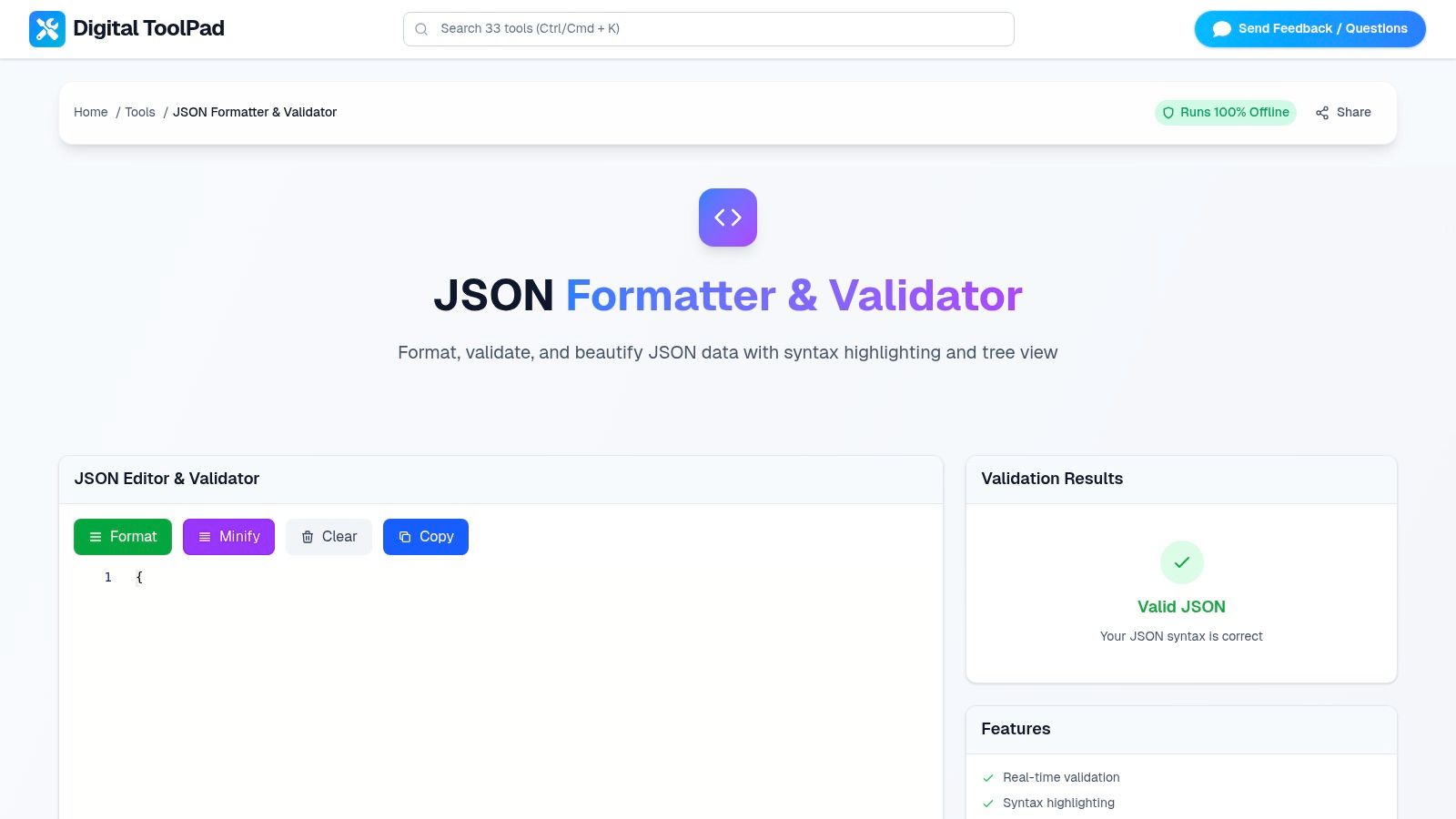
The platform provides a comprehensive, real-time toolkit. As you paste your code, it instantly validates syntax, highlights errors, and allows you to switch between a beautified tree view and a minified compact version. This immediate feedback loop significantly streamlines debugging and data structuring tasks. The interface is clean, fast, and designed to work offline, ensuring deterministic results without latency. Its focus on secure, browser-based functionality makes it ideal for enterprise environments where data compliance is critical.
Key Features & Assessment
- Privacy First: All operations are client-side, meaning no server uploads. This is perfect for developers working with API keys, personal data, or other sensitive information.
- Comprehensive Toolkit: It combines a validator, formatter, beautifier, minifier, and an interactive tree view into one cohesive utility.
- Real-Time Processing: The tool provides instant feedback on syntax errors and formatting changes as you type or paste code.
- Offline Functionality: Once loaded, the tool works completely offline, which is great for environments with restricted internet access or for guaranteed availability.
| Feature | Availability | Use Case |
|---|---|---|
| Client-Side Processing | Yes | Securely formatting sensitive or proprietary JSON data. |
| Real-Time Validation | Yes | Quickly identifying and fixing syntax errors on the fly. |
| Minify & Beautify Toggle | Yes | Preparing JSON for production or improving readability. |
| Interactive Tree View | Yes | Navigating and understanding complex nested structures. |
| Offline Access | Yes | Working without an internet connection. |
| Server-Side API / Cloud Sync | No | Not suitable for automated CI/CD pipelines. |
Usage and Final Verdict
This tool is exceptionally well-suited for developers, DevOps engineers, and QA testers who need a reliable and private json formatter online. Its primary strength lies in its commitment to data security and its robust, all-in-one feature set that operates flawlessly offline. While it lacks cloud-based collaboration features, it excels as a personal productivity and security tool. For anyone prioritizing data privacy and control, this is a top-tier choice. You can explore its capabilities on the Digital ToolPad website.
2. JSONLint
JSONLint stands as one of the original and most straightforward tools in the JSON utility space. Its primary function is to validate and reformat JSON text, making it an excellent choice for developers who need a quick, no-frills tool to check syntax and pretty-print their data. The interface is minimalist, focusing on a single text area where you can paste your JSON or load it directly from a URL.
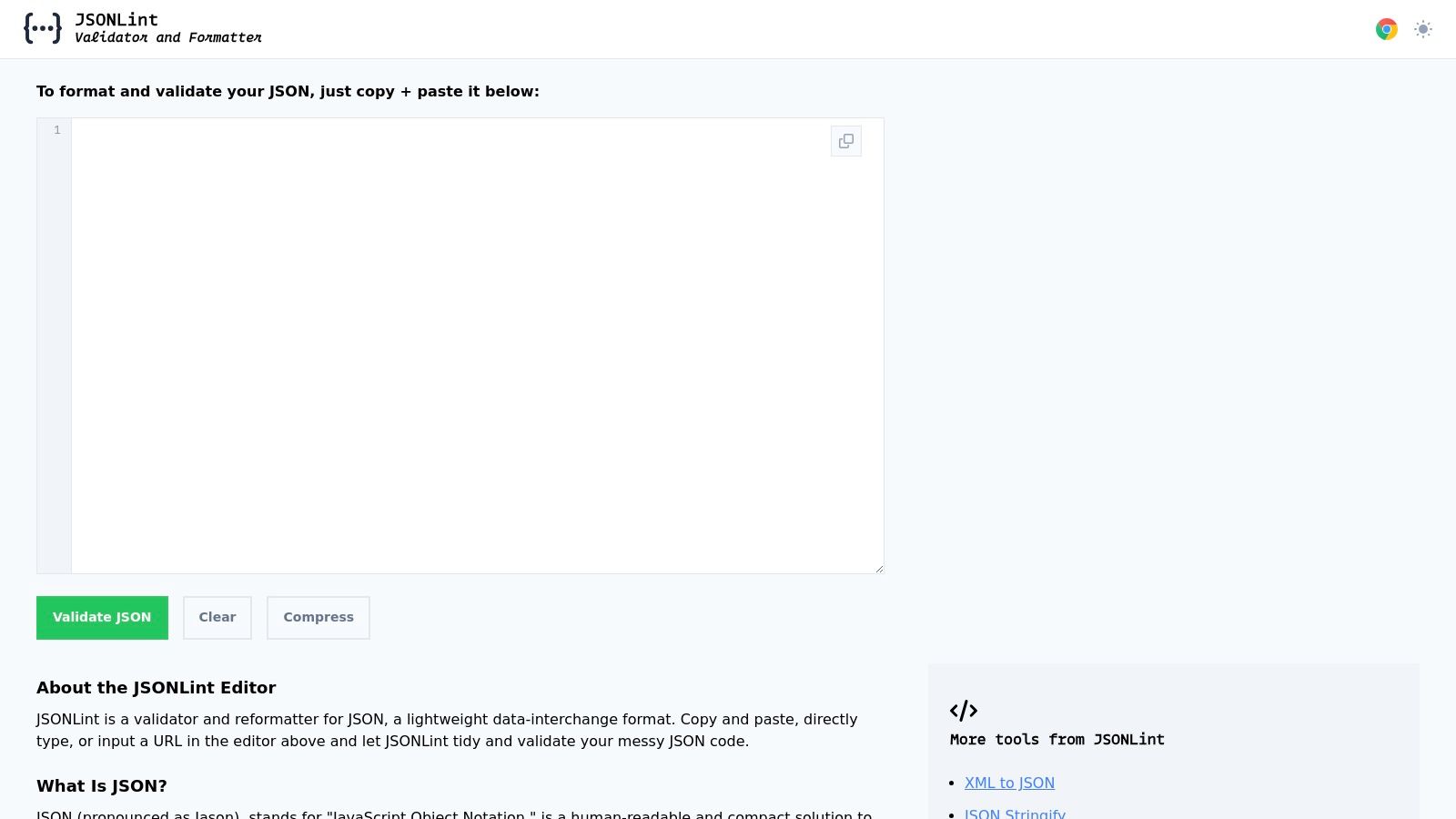
Upon clicking "Validate JSON," the tool instantly processes the input. If the JSON is valid, it displays a clean, indented version. If there are errors, JSONLint provides clear, actionable feedback, often pinpointing the exact line and character where the syntax issue occurred. This makes it an invaluable debugging partner when working with APIs or configuration files.
Key Features & User Experience
JSONLint's strength lies in its simplicity and speed. It offers a dedicated "Compress JSON" option to minify data, which is useful for preparing payloads for production environments. While it lacks advanced features like a tree view or side-by-side comparison, its focused approach ensures a fast and reliable user experience for core formatting and validation tasks.
- Pros: Extremely fast and simple UI; provides clear, copy-friendly formatted output; loads data directly from a URL.
- Cons: No interactive tree view or data exploration tools; no guidance for handling very large files.
- Best For: Quick syntax validation and straightforward pretty-printing without extra complexity.
- Access: https://jsonlint.com/
3. JSON Formatter (jsonformatter.org)
JSON Formatter (jsonformatter.org) expands beyond a simple validator into a comprehensive online toolkit for data manipulation. It provides a robust interface for formatting and validating JSON, but its real power lies in the additional features it offers. Users can upload files, load data from a URL, or paste text directly into a versatile editor that includes a powerful tree viewer for inspecting data hierarchies.
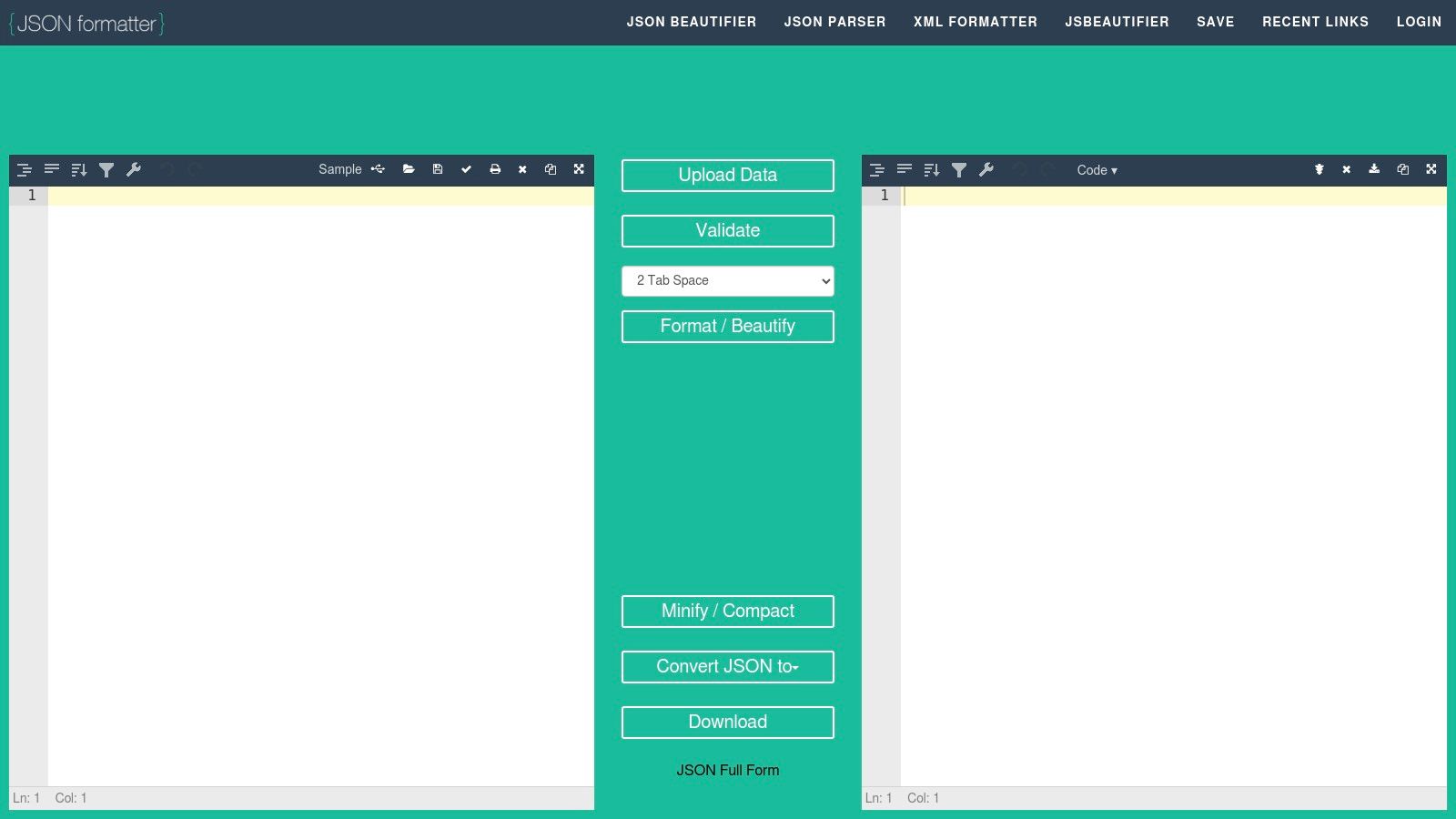
This platform stands out as an all-in-one conversion and inspection tool. It not only handles JSON formatting but also facilitates conversions between popular data formats like XML, CSV, and YAML. This makes it an incredibly useful resource when working in environments where multiple data serialization formats are in play, saving developers the time and effort of using separate tools for each task.
Key Features & User Experience
The user experience is geared toward productivity, offering multiple views and functionalities within a single tabbed interface. Features like the tree view, automatic issue fixing, and data download options streamline common development workflows. While the "Save Online" sharing feature offers collaboration potential, it's worth noting it can be temporarily disabled for moderation. The presence of ads in some views is a minor trade-off for its rich feature set.
- Pros: All-in-one Swiss-army-knife experience; excellent for quick conversions between formats (XML, CSV, YAML); offers an interactive tree view.
- Cons: "Save Online" sharing feature may be unavailable at times; ads are present in some interface views.
- Best For: Developers who frequently need to convert data between JSON, XML, CSV, and YAML.
- Access: https://jsonformatter.org/
4. JSON Editor Online (jsoneditor.io)
JSON Editor Online elevates the concept of a simple formatter to a full-fledged, web-based IDE for JSON data. It offers a powerful, VS Code-like interface that supports multiple viewing and editing modes, including text, an interactive tree, and a table view. This multi-modal approach makes it exceptionally versatile for handling complex datasets, allowing users to visualize and manipulate data in the format that best suits their task. It stands out for its ability to handle very large files and its advanced transformation capabilities.

Beyond standard formatting, the platform includes robust features like a side-by-side JSON comparison tool, JSON Schema validation, and data conversion utilities (e.g., JSON to CSV). The modern, tabbed workspace allows developers to work on multiple files simultaneously, making it an excellent json formatter online for more intensive development and data analysis sessions where a simple text area is not enough.
Key Features & User Experience
The user experience is geared toward power users who need more than just pretty-printing. The ability to switch between text, tree, and table modes on the fly provides unparalleled flexibility for editing and understanding nested data structures. While its feature-rich environment has a slight learning curve compared to simpler tools, the productivity gains for complex tasks are significant. The platform's support for large files (up to 512 MB) is another key differentiator.
- Pros: Powerful feature set with text, tree, and table modes; supports large files and JSON Schema validation; modern UI with a multi-tab workspace.
- Cons: Feature-rich UI can be slightly overwhelming for new users; offline or persistent local behavior can vary by browser.
- Best For: Developers performing heavy JSON editing, data transformation, and schema validation.
- Access: https://jsoneditor.io/
5. Code Beautify – JSON Viewer/Formatter
Code Beautify is a well-known hub for developer utilities, and its JSON Viewer/Formatter is a popular choice for those already familiar with its ecosystem. It provides a robust set of features that go beyond simple formatting, including a tree viewer for data exploration and powerful conversion tools. Users can paste their JSON, upload a file, or fetch it from a URL to begin processing.
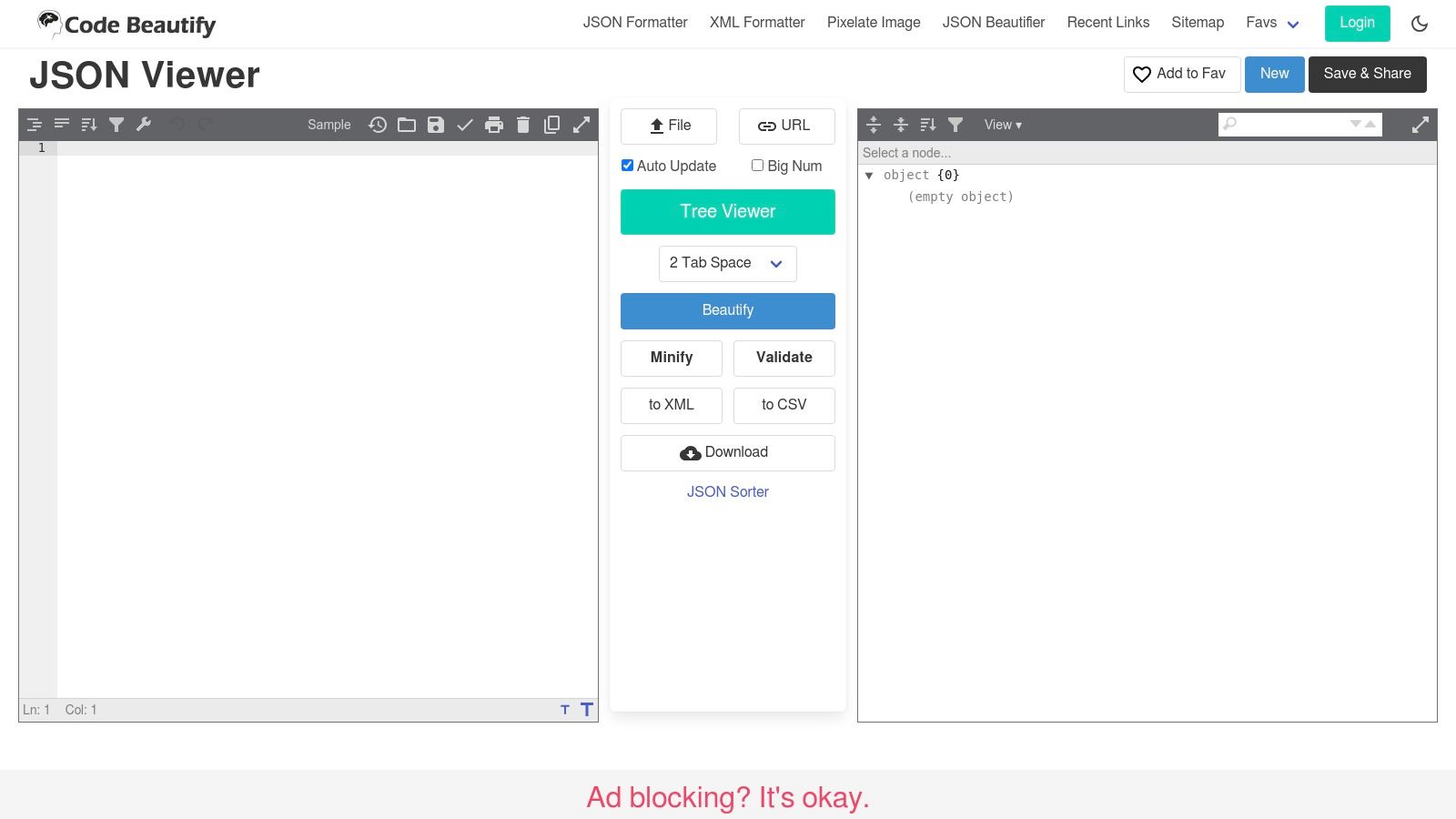
The platform immediately validates and displays the data in both a beautified text area and an interactive tree view. This dual presentation is excellent for both quick copying and in-depth analysis. Its unique strength lies in its ability to convert JSON to other formats like XML or CSV directly within the same interface, making it a versatile tool for data transformation tasks.
Key Features & User Experience
Code Beautify offers a comprehensive experience by bundling multiple functionalities into one tool. The interface allows users to easily beautify, minify, and validate their data, with options to download or share the results. While the site is supported by ads, the convenience of having an extensive suite of developer tools in one place is a significant advantage. Its functionality is similar to other powerful tools, some of which can even convert JSON to TypeScript interfaces for type-safe development.
- Pros: Part of a broad tool ecosystem on the same site; offers conversions to XML/CSV; features an interactive tree view.
- Cons: Interface can feel cluttered with occasional ads; no specific claims about large-file performance.
- Best For: Developers who need an all-in-one platform for formatting, viewing, and converting JSON to other common data formats.
- Access: https://codebeautify.org/jsonviewer/
6. FreeFormatter – JSON Formatter
FreeFormatter is a long-standing and reliable resource offering a suite of developer tools, with its JSON Formatter being a popular choice. It provides a straightforward solution for validating and beautifying JSON data, whether pasted directly or uploaded as a file. The tool is known for its classic interface that prioritizes function over form, making it a dependable choice for developers who need quick, no-nonsense formatting.
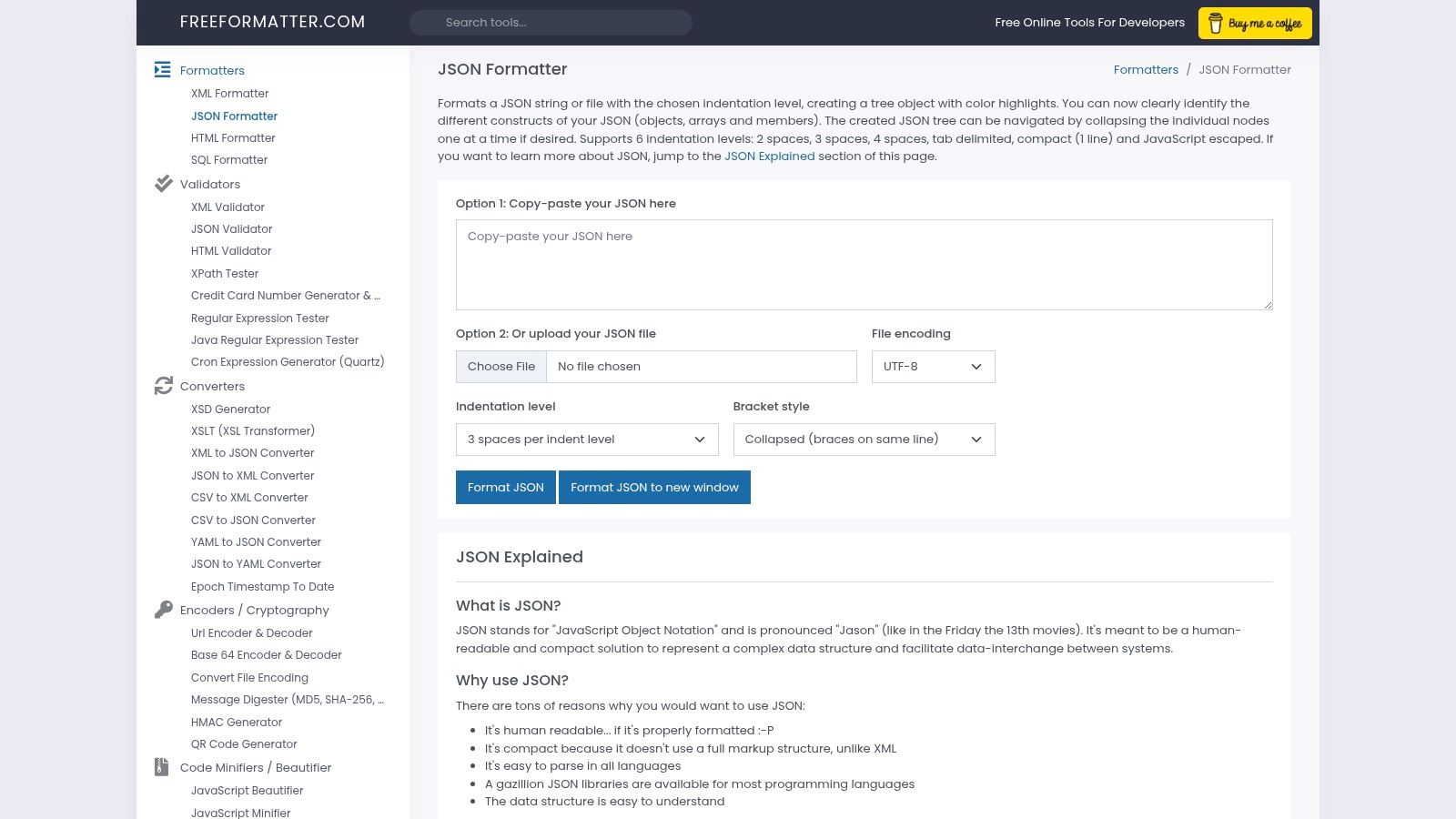
After processing the input, FreeFormatter presents the data in a color-highlighted, collapsible tree view. This makes navigating complex or nested JSON structures manageable. Users can also customize the output by selecting different indentation styles, including 2, 3, or 4 spaces, or a tab character, providing welcome flexibility for various coding standards.
Key Features & User Experience
The main appeal of this online JSON formatter is its simplicity combined with key practical features. The ability to directly upload a .json file is a significant time-saver, and the collapsible tree is excellent for data inspection. While its classic UI may feel dated compared to more modern tools, its performance is consistent for core formatting tasks. It lacks advanced features like side-by-side diffing but excels at its primary purpose.
- Pros: Supports direct file uploads; offers multiple indent styles; provides a colorized, collapsible tree view.
- Cons: Older UI design; lacks advanced editing or comparison features.
- Best For: Developers who frequently work with JSON files and need a quick way to format and visualize them.
- Access: https://www.freeformatter.com/json-formatter.html
7. Online JSON Tools by Browserling
Online JSON Tools by Browserling offers a comprehensive suite of browser-based utilities designed for a wide array of data manipulation tasks. More than just a simple json formatter online, it provides a collection of dedicated micro-tools for prettifying, minifying, validating, and converting JSON data. The platform emphasizes client-side processing, with a clear privacy policy explaining that data remains within the user's browser, which is a significant advantage for those handling sensitive information.
The user experience is straightforward: you navigate to the specific tool you need, like "Prettify JSON," paste your data, and the result is generated instantly. This modular approach keeps each tool focused and uncluttered. The platform's real strength is its breadth, offering converters for formats like YAML, XML, CSV, and Base64, all within the same ecosystem.
Key Features & User Experience
Browserling's collection is ideal for developers who frequently switch between different data transformation tasks. Each utility is simple and effective, providing a one-click solution without unnecessary complexity. While the separation of tools onto different pages can feel slightly disjointed compared to an all-in-one interface, the performance and reliability are consistent across the board. The platform is free for basic use, though a paid plan is required for commercial applications.
- Pros: Extensive collection of JSON and data conversion tools; client-side processing ensures data privacy; simple, single-purpose interfaces.
- Cons: Commercial use requires a paid subscription; tools are on separate pages rather than in a unified UI.
- Best For: Developers needing a versatile toolkit for various JSON manipulations and format conversions.
- Access: https://onlinetools.com/json
8. Prettier Playground
Prettier Playground is the official in-browser environment for the popular Prettier code formatter. While it handles many languages, it serves as an excellent JSON formatter online for developers whose projects already use Prettier. It ensures that any formatting applied online perfectly matches the opinionated styling rules enforced in their local development environments and CI/CD pipelines.
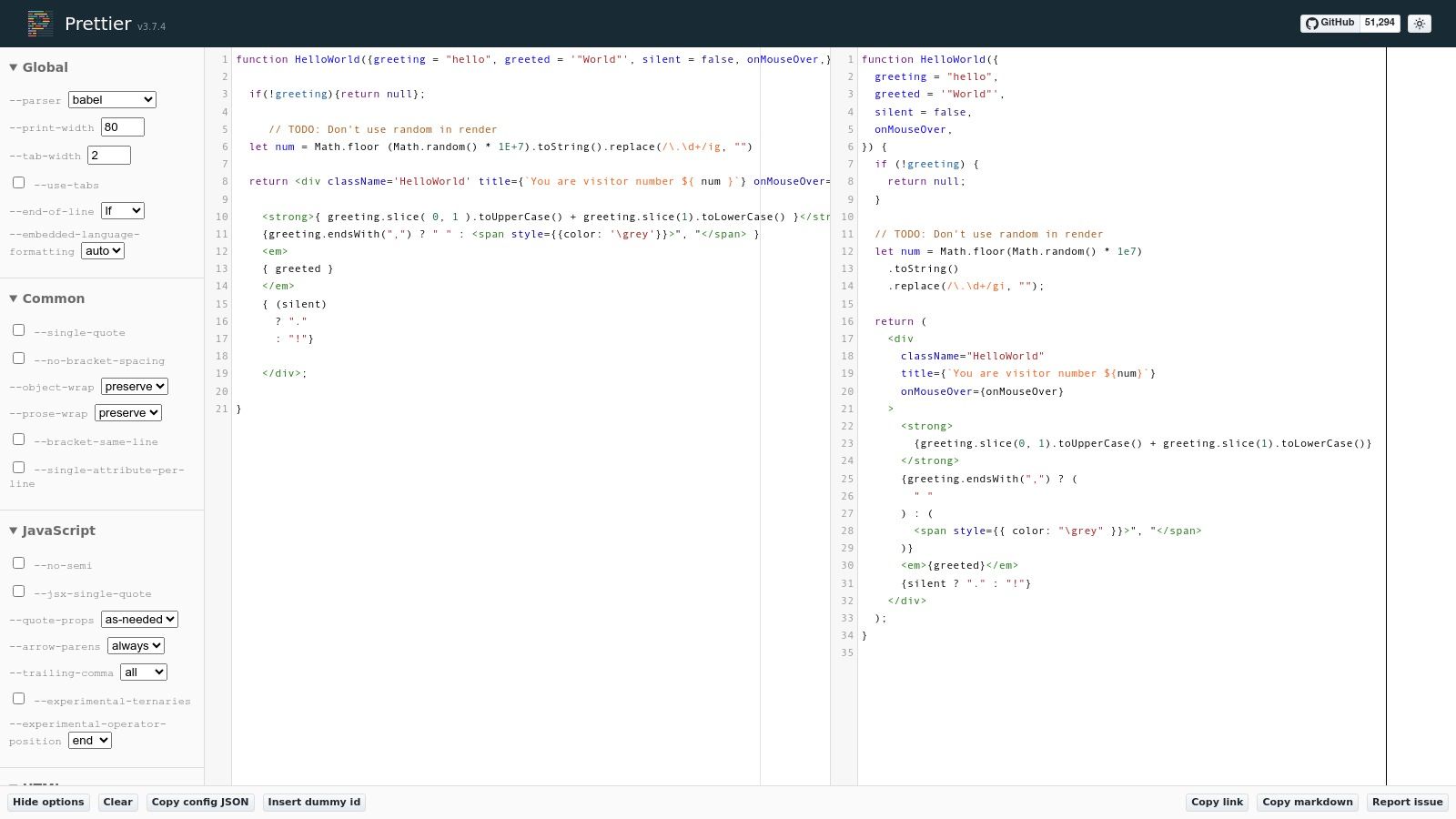
The playground allows you to paste your JSON and instantly see how Prettier will format it. You can tweak formatting options like print width, tab width, and quote style directly in the sidebar, which helps teams test configurations and settle on a consistent project style. It's a specialized tool for ensuring consistency rather than general-purpose validation.
Key Features & User Experience
The primary benefit of Prettier Playground is its role as a "source of truth" for Prettier’s formatting logic. It’s not designed as a validator or a data exploration tool but excels at demonstrating exactly how your JSON will be structured according to its rules. This makes it invaluable for debugging formatting discrepancies between different environments or team members' setups.
- Pros: Perfectly mirrors the Prettier formatting used in development and CI; helps resolve team disputes over code style; simple, clean interface.
- Cons: Opinionated formatting with limited customization; not a validator and provides no error feedback for invalid JSON; lacks a tree view.
- Best For: Developers aiming for consistent JSON formatting that aligns with their project's Prettier configuration.
- Access: https://prettier.io/playground/
9. JSON Crack
JSON Crack takes a unique, visual-first approach to data handling. Instead of just being a simple json formatter online, it transforms JSON data into an interactive, node-based graph. This visualization is incredibly effective for understanding complex relationships, nested structures, and the overall architecture of a data object, making it a powerful tool for debugging and analysis.
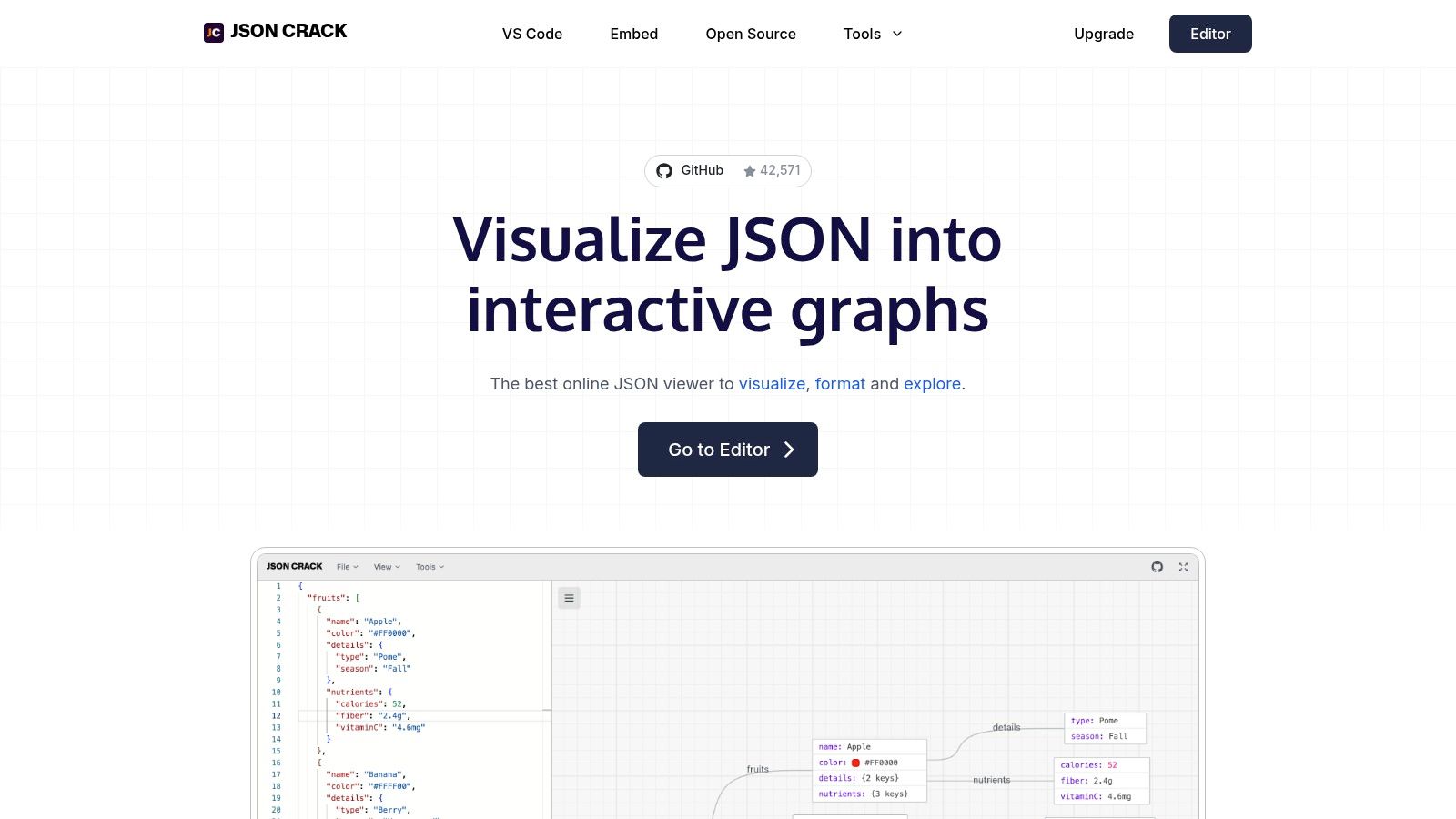
Beyond its graphical interface, JSON Crack is a full-featured utility. Users can edit data in a traditional code view, which syncs with the graph in real-time. It also includes converters to switch between formats like YAML, XML, and CSV, and can generate code definitions such as TypeScript interfaces or Go structs from the input data. This makes it an all-in-one hub for data exploration and transformation.
Key Features & User Experience
The primary strength of JSON Crack is its ability to make sense of convoluted data. The graph view is intuitive, allowing you to collapse and expand nodes, search for keys, and export the visualization as an image for documentation or presentations. While the visualization can become resource-intensive with exceptionally large JSON files, it performs smoothly for most common use cases, offering insights that a text-only formatter cannot provide.
- Pros: Excellent for understanding complex/nested data; quick exports (PNG/JPEG/SVG) for docs; includes data converters and code generation.
- Cons: Graph view can be heavy for extremely large JSON files; offers more features than needed for simple prettifying.
- Best For: Visually mapping and comprehending complex data structures, API responses, and configurations.
- Access: https://jsoncrack.com/
10. jq Playground (play.jqlang.org)
jq Playground is a powerful, interactive tool that goes far beyond simple formatting. It's the official web-based environment for jq, a command-line JSON processor. This platform allows you to apply jq filters to your JSON data directly in the browser, enabling complex transformations, queries, and data extraction, all while providing a beautifully formatted output. It is the perfect online JSON formatter for developers who need to reshape or slice data, not just view it.
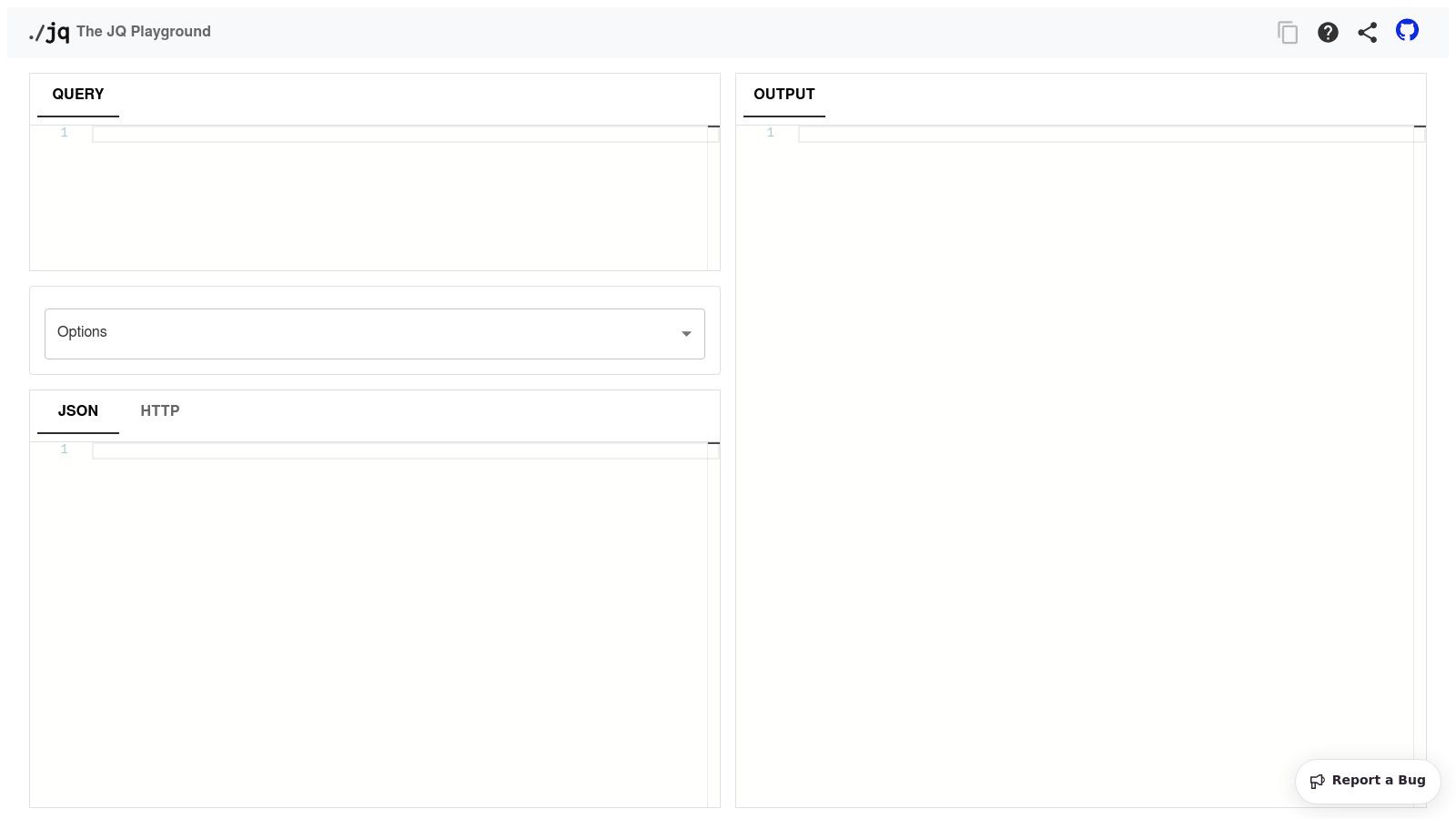
This tool is ideal for learning and experimenting with jq queries before implementing them in scripts or applications. Users can paste their JSON on the left, write a filter in the center, and see the transformed, pretty-printed result on the right. It also supports shareable links, making it a great resource for team collaboration and demonstrating data manipulation techniques.
Key Features & User Experience
The playground's main strength is its ability to combine powerful data transformation with formatting. While it requires learning the jq filter syntax, the interactive feedback loop makes the process intuitive. The interface is clean and split into three logical panes: input JSON, jq filter, and formatted output. It's an indispensable resource for anyone who works programmatically with JSON.
- Pros: Extremely powerful for slicing and transforming JSON data; provides an interactive environment to learn and test
jqfilters; generates shareable examples. - Cons: Steeper learning curve compared to basic formatters; lacks a graphical tree view for data navigation.
- Best For: Developers who need to query, filter, and reshape JSON data, not just format it.
- Access: https://play.jqlang.org/
11. Chrome Web Store — JSON Formatter (Callum Locke)
For developers who frequently interact with APIs directly in their browser, the JSON Formatter extension by Callum Locke is a classic, must-have tool. Instead of being a standalone website, this open-source extension integrates directly into Chrome, automatically transforming raw, unreadable JSON responses into a clean, interactive, and collapsible tree view. It activates seamlessly whenever you navigate to a URL that serves a JSON document, eliminating the need to copy and paste data into another tool.
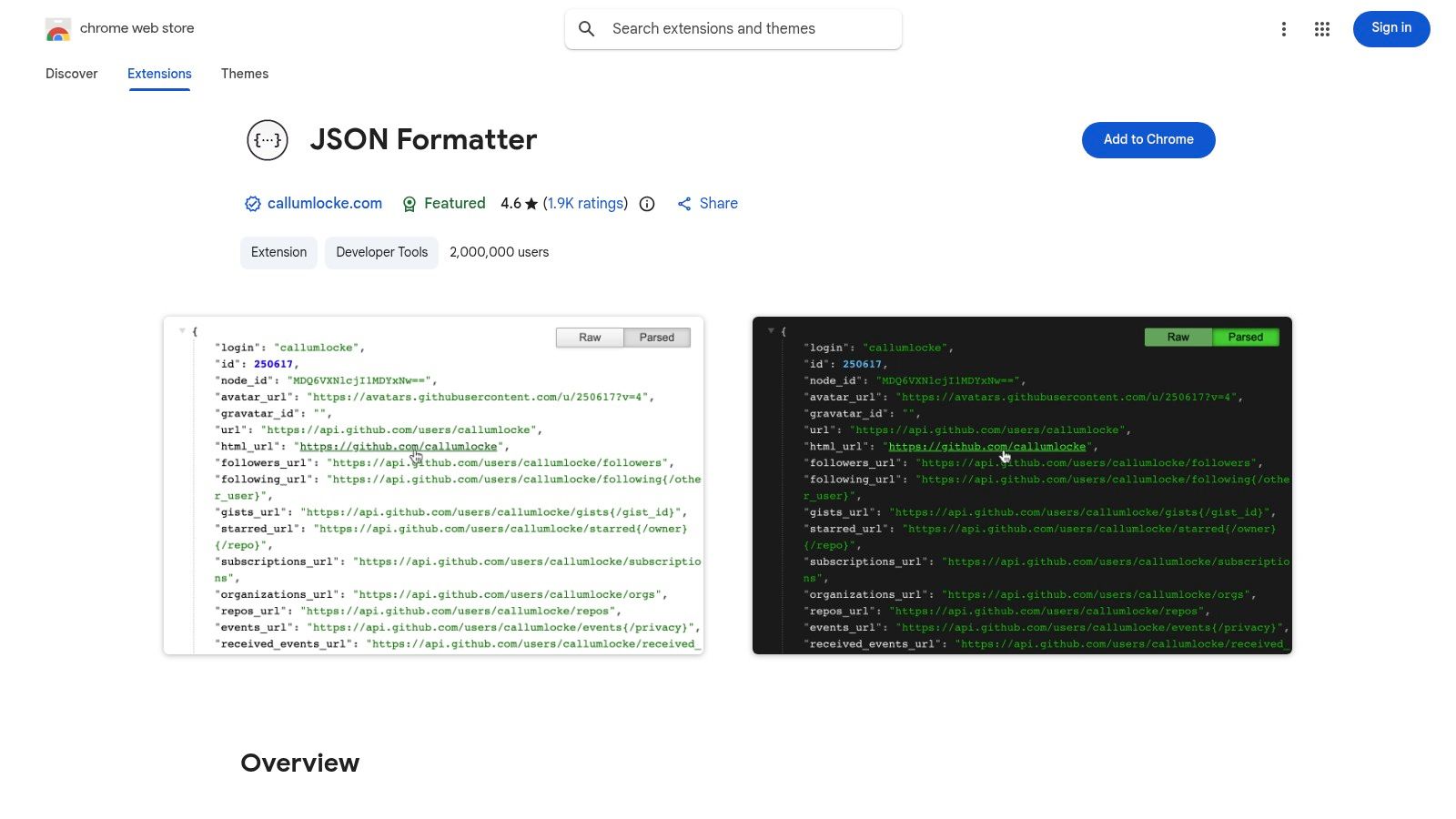
The extension enhances the browser's native capabilities by rendering JSON in a human-friendly format. It includes features like syntax highlighting, clickable URLs within the JSON, and a simple toggle to switch between the raw and parsed views. This makes it incredibly convenient for quick API response inspection without leaving your current workflow or opening new tabs for an online JSON formatter.
Key Features & User Experience
This extension’s core strength is its "install and forget" nature; it just works in the background. It provides a clean interface with indent guides to visualize data structure, a dark mode for comfortable viewing, and a persistent memory for your theme preference. While it is strictly a viewer and not an editor, its direct-in-browser functionality offers unparalleled convenience for viewing API outputs.
- Pros: Automatically formats JSON from any URL in-browser; simple, fast, and trusted open-source extension; supports dark mode and clickable links.
- Cons: It is a viewer only, not an editor; can conflict with other JSON viewer extensions if multiple are enabled.
- Best For: Developers who need to quickly view and analyze JSON API responses directly within their web browser.
- Access: https://chrome.google.com/webstore/detail/json-formatter/bcjindcccaagfpapjjmafapmmgkkhgoa
12. Prettier: Code formatter (VS Code Marketplace)
While not a traditional online tool, the Prettier extension for Visual Studio Code is a dominant force in code formatting, offering a powerful, integrated solution for JSON. It automatically formats JSON documents on save or via a command, ensuring consistency across projects. By using a project's local Prettier configuration file, it guarantees that formatting rules are standardized for every team member, aligning local edits with repository and CI/CD pipeline standards.
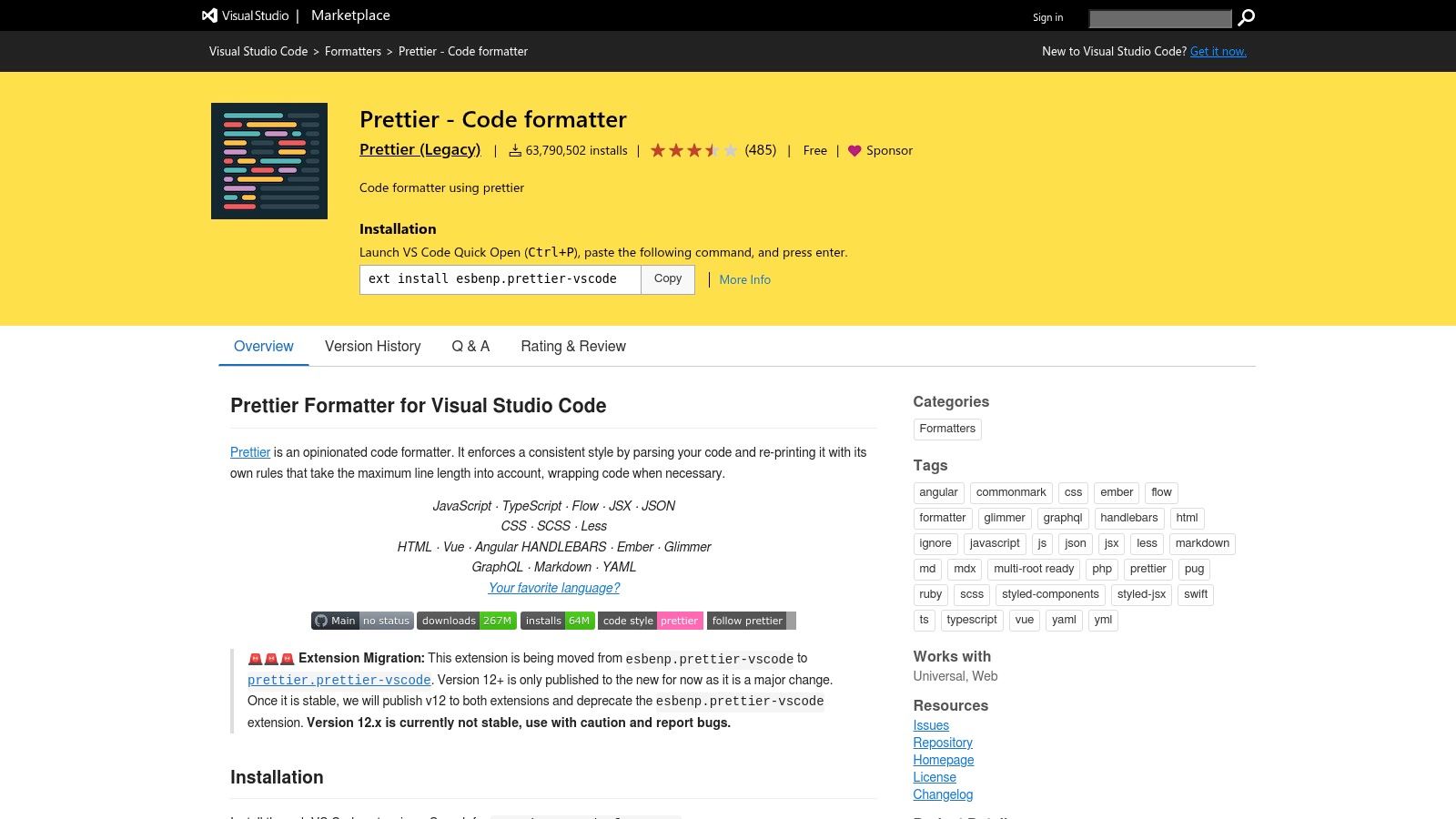
This extension is less of an on-demand json formatter online and more of a deeply integrated workflow tool. It brings professional-grade, opinionated formatting directly into the development environment, eliminating manual formatting steps and preventing stylistic debates. For developers already using VS Code, it is the most seamless way to handle JSON.
Key Features & User Experience
Prettier's key advantage is its "set it and forget it" nature. Once configured, it operates silently in the background, providing a consistent and predictable output every time. Its integration with the wider Prettier ecosystem means that the same rules applied to your JSON can be used for JavaScript, TypeScript, CSS, and other supported languages, creating a unified coding style.
- Pros: Reliable and standard formatter for JSON in VS Code; keeps formatting consistent with the repository and CI; part of a larger, well-supported ecosystem.
- Cons: Opinionated formatting with limited style customization; requires Visual Studio Code and is not a browser-based web application.
- Best For: Developers and teams seeking automated, consistent formatting directly within their VS Code workflow.
- Access: https://marketplace.visualstudio.com/items?itemName=esbenp.prettier-vscode
12 Online JSON Formatter Comparison
| Tool | Key features | UX / Quality (★) | Price & Value (💰) | Target (👥) | Unique selling points (✨ / 🏆) |
|---|---|---|---|---|---|
| Digital ToolPad — JSON Formatter & Validator | Client‑side format/validate, tree view, minify, offline | ★★★★★ Fast, deterministic | 💰 Free, no signup | 👥 Devs & compliance teams | ✨ Local‑first privacy; 🏆 zero‑server processing |
| JSONLint | Pretty‑print, validate, URL load, minify | ★★★★☆ Simple & clear errors | 💰 Free | 👥 Quick validators & copy‑paste fixes | ✨ Line/column error details; URL loading |
| JSON Formatter (jsonformatter.org) | Format/validate, tree, converters (XML/CSV/YAML), share | ★★★★☆ All‑in‑one toolkit | 💰 Free (ads/optional features) | 👥 Users needing conversions | ✨ Built‑in converters & share links |
| JSON Editor Online (jsoneditor.io) | Text/Tree/Table modes, compare, JSON Schema, large files | ★★★★★ Powerful for heavy edits | 💰 Free / open source | 👥 Power users & data engineers | 🏆 Multi‑mode editor; large‑file support (512MB) |
| Code Beautify – JSON Viewer/Formatter | Beautify/minify, tree viewer, sort, convert, downloads | ★★★☆☆ Familiar multi‑tool UI | 💰 Free (ads) | 👥 Devs who use many utilities | ✨ Broad adjacent toolset on one site |
| FreeFormatter – JSON Formatter | File upload, multiple indent styles, collapsible tree | ★★★☆☆ Reliable classic | 💰 Free | 👥 Users formatting from files | ✨ Multiple indent options; file upload |
| Online JSON Tools (Browserling) | Prettify, validate, many converters, client‑side notes | ★★★★☆ Many focused tools | 💰 Free tier; paid for commercial | 👥 Teams with varied JSON tasks | ✨ Large collection of dedicated tools |
| Prettier Playground | Prettier formatting, tweak options, parser demo | ★★★★☆ Matches project formatter | 💰 Free | 👥 Teams using Prettier/CI | 🏆 Mirrors Prettier behavior for consistency |
| JSON Crack | Visual graphs/trees, converters, type generation, exports | ★★★★☆ Visual & exportable | 💰 Free | 👥 Analysts & devs exploring nested data | 🏆 Interactive graph view; PNG/SVG exports |
| jq Playground (play.jqlang.org) | Run jq filters, pretty‑print, share examples | ★★★★☆ Extremely powerful (steep curve) | 💰 Free | 👥 Scripters & data transformers | 🏆 Full jq filtering/transform power |
| JSON Formatter (Chrome ext — Callum Locke) | Auto‑format JSON URLs, collapsible tree, dark mode | ★★★★☆ Convenient in‑browser viewer | 💰 Free extension | 👥 Developers browsing API responses | ✨ Auto‑format on load; toggle raw/parsed |
| Prettier: Code formatter (VS Code) | Format on save, uses project config, editor integration | ★★★★★ Consistent editor formatting | 💰 Free extension | 👥 VS Code users & teams | 🏆 Editor + repo/CI alignment |
Choosing the Right JSON Formatter for Your Workflow
Navigating the landscape of online JSON formatters reveals a diverse ecosystem of tools, each tailored to specific needs and workflows. We've explored everything from simple, no-frills validators like JSONLint to advanced, interactive environments like JSON Crack and jq Playground. Your ideal tool is the one that seamlessly integrates into your daily tasks, whether you're a student learning data structures or a seasoned developer debugging complex API responses.
The choice ultimately hinges on a balance of functionality, convenience, and security. While feature-rich platforms such as JSON Editor Online offer powerful data manipulation capabilities, they often come with the implicit trade-off of server-side processing. This introduces a critical consideration for professionals handling sensitive information: data privacy.
A Decision Framework for Your Needs
To select the best json formatter online for your specific situation, consider these guiding questions:
- What is my primary use case? For quick, one-off beautification of non-sensitive data, any of the top-listed web-based tools will suffice. For complex querying and data transformation, a specialized tool like jq Playground is indispensable. For development environments, an integrated IDE extension like Prettier for VS Code is the most efficient choice.
- What is the sensitivity of my data? This is the most crucial factor. If you are working with API keys, personal identifiable information (PII), or proprietary business logic, you must prioritize a tool that guarantees your data never leaves your machine. This is where client-side, browser-based formatters provide an essential layer of security.
- How important is offline access? Relying on a web service means you're dependent on a stable internet connection. Tools that operate entirely within the browser, like browser extensions or privacy-first web apps, offer the reliability of offline functionality, ensuring your productivity is never interrupted.
Integrating Formatting into a Quality-First Workflow
Adopting a reliable JSON formatter is more than just a matter of convenience; it's a step toward maintaining higher standards of code quality and readability. Cleanly formatted JSON is easier to debug, review, and maintain, directly impacting team efficiency and reducing the likelihood of errors. Proper data structuring is a foundational element that supports broader development best practices. To ensure your code meets rigorous standards beyond just formatting, it's helpful to follow a comprehensive guide like an ultimate code review checklist, which can help catch issues before they escalate.
Ultimately, the best json formatter online is one that you can trust completely. It should not only perform its function flawlessly but also respect the sovereignty and confidentiality of your data. As you move forward, challenge yourself to adopt tools that enhance your workflow without compromising on security. Choose a formatter that empowers you to work efficiently, safely, and with the confidence that your most valuable digital assets remain securely in your control.
Ready for a JSON formatter that prioritizes your privacy without sacrificing features? Digital ToolPad offers a suite of powerful, offline-first developer tools, including a robust JSON formatter that runs entirely in your browser. Format, validate, and transform your data with the assurance that it never leaves your computer. Experience the peace of mind that comes with a secure, reliable, and free toolset by visiting Digital ToolPad today.