
An online writing notepad is really just a straightforward, browser-based app for taking quick notes. You don't have to install any software. It’s built for speed, privacy, and accessibility, giving you a place to jot down ideas, code snippets, or draft text right in your web browser, often with features that work even when you're offline. A great example to start with is the online notepad from Digital ToolPad, which embodies this philosophy.
Why Your Browser Is the New Best Notepad
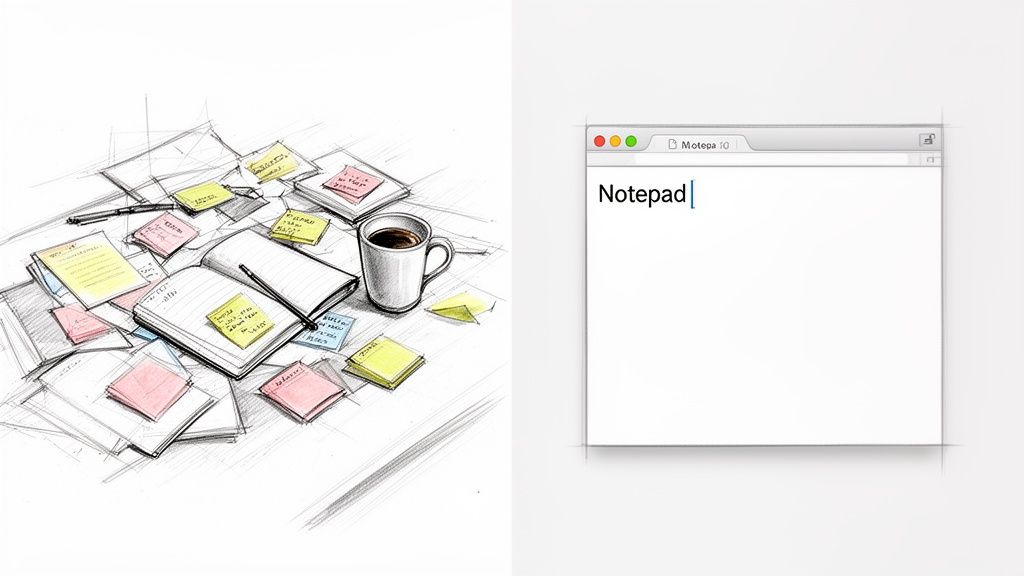
Think of your digital workspace like a real desk. When it's buried under sticky notes, half-finished documents, and random scribbles, it's impossible to think clearly. A clean, organized desk, on the other hand, lets you focus. The same exact principle applies to the digital tools you use every day.
For years, we relied on dedicated desktop applications for note-taking. They're powerful, sure, but they often come with baggage. Slow launch times, constant updates, and files that get stranded on one device. It all adds up. Today, there’s a much smarter, more direct way to work.
The Rise of the Browser-Based Scratchpad
The modern web browser has quietly become its own operating system, fully capable of running sophisticated apps without any installation. An online writing notepad takes advantage of this, giving you an instant, frictionless digital scratchpad. It’s the digital version of grabbing a single, clean sheet of paper.
This isn't just a fleeting trend; it reflects a fundamental shift in how we get work done. The global digital notepad market is projected to grow from USD 1,003.12 million in 2025 to USD 1,431.88 million by 2031, and browser-based online tools are the fastest-growing part of that. This boom is driven by professionals who need quick, no-fuss solutions for their daily tasks.
An online notepad isn't just another tool; it's a workflow philosophy. It prioritizes speed and security by keeping your notes exactly where you need them: in your browser, on your machine.
For developers, writers, and anyone who values their privacy, the benefits are immediately obvious. Instead of firing up a heavy application just to clean up some text or stash a code snippet, you just open a new tab. When you look at how these tools stack up against some of the best writing apps for Mac, you start to see the appeal of ditching installation and syncing altogether.
A Secure and Efficient Workspace
The best online notepads operate entirely on the client-side. What this means in practice is that your data is processed and stored locally in your browser. It’s never sent to a server. For anyone who deals with sensitive information (think API keys, proprietary code, or personal brainstorming), this is a game-changer.
This is exactly the philosophy that went into the Digital ToolPad Online Notepad. It’s engineered to be your secure, go-to digital scratchpad.
- Instant Access: Just open a tab and start typing. There are no logins and no loading screens.
- Complete Privacy: All your text stays on your device. Your work remains confidential, period.
- A Clean Workflow: It gives you a dedicated space for drafting, organizing thoughts, or prepping text for another tool.
By moving to a browser-based notepad, you're not just picking a different tool. You're adopting a faster, more secure way to manage your day-to-day digital notes.
Keeping Your Notes Truly Private
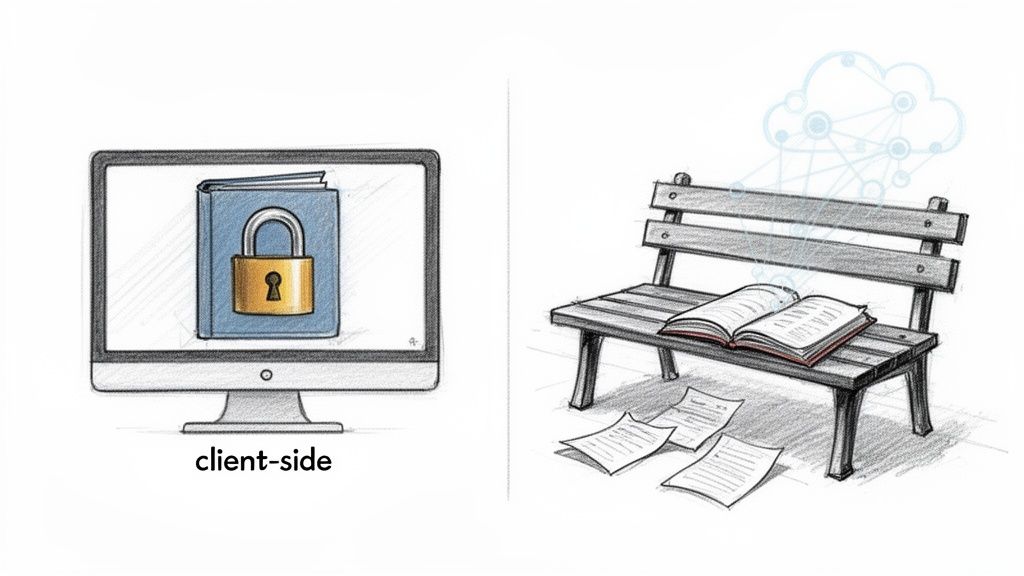
When you start typing in an online writing notepad, have you ever stopped to think about where that text is actually going? The answer is what separates a genuinely private tool from a potential security nightmare. Most web-based notepads send every single character you type across the internet to be stored on their servers.
Think of it as writing in a diary and then handing it over to someone else for safekeeping. You're trusting they won't peek inside, lose it, or let another person walk away with it. This server-side approach exposes your information to company surveillance, curious employees, and, of course, large-scale data breaches.
The Client-Side Advantage
A truly private notepad works differently. It operates entirely on the client-side, which is a technical way of saying it runs completely inside your own web browser. Your data never gets sent to a remote server. This is the simple, powerful idea behind our own Digital ToolPad Online Notepad.
Using a client-side tool is like writing in a personal journal that you keep locked safely in your own desk drawer. Whether it’s a brilliant idea, a customer list, or a sensitive API key, it never leaves your computer. All the processing and saving happens locally, putting you in complete control.
With a client-side notepad, you are the sole guardian of your information. Your thoughts and data are never transmitted, stored, or analyzed by a third party.
This structure gives you some massive benefits right out of the gate:
- Zero Data Breach Risk: If your notes never live on a company server, they can’t be stolen from one. It’s that simple.
- Immunity to Surveillance: There’s no technical way for a company to track or monitor your content because they never see it.
- Compliance Made Easy: For anyone handling data governed by regulations like GDPR, client-side processing means you stay compliant by default.
When you're evaluating any tool, it’s always smart to check its robust privacy policy to see its commitment to protecting user data. If you want to dive deeper, we break down all the options in our guide to choosing an online writing notepad for your needs. At the end of the day, picking a client-side tool is how you ensure absolute privacy.
What Power Users Actually Need in an Online Notepad
When you’re looking for an online writing notepad, you're really making a choice between a digital sticky note and a full-blown productivity workspace. A simple text box works for jotting down a phone number, but for serious work, you need more. Power users (especially developers, writers, and security pros) depend on tools that don't just hold text but actively enhance their workflow.
The real difference comes down to a handful of key features built for efficiency and control. Without them, you’re just typing into a void. With them, you have a tool that anticipates what you need and, most importantly, saves you from those heart-sinking moments of accidentally lost work.
The Power User's Checklist
A top-tier online notepad isn't loaded with gimmicks. It’s all about practical, thoughtful features that solve real-world problems. A well-designed tool, like what we’ve built with the Digital ToolPad Online Notepad, thoughtfully integrates these functions so you barely notice they’re there, until you desperately need them.
Here's what truly separates a basic tool from a professional-grade one:
- Multi-Tab Support: How often are you juggling different ideas, code snippets, or to-do lists? Multi-tab support lets you organize everything in one place without cluttering your browser with a dozen different windows. It’s about keeping your workspace clean and your focus sharp.
- Local Autosave: We’ve all been there. The browser crashes, you accidentally hit refresh, and hours of work vanish. A reliable autosave that uses your browser’s local storage is a non-negotiable. It means your notes are safe, even if you close the tab or lose your internet connection.
- Robust Find and Replace: For anyone editing code, cleaning up logs, or making bulk changes to a document, a powerful find-and-replace function is essential. It saves an incredible amount of time and helps you avoid the tiny manual errors that always seem to slip through.
Advanced Features for Technical Workflows
For developers and technical writers, a notepad has to go even further. The right features can turn a simple text editor into a lightweight, on-the-fly environment for getting quick tasks done without firing up a heavy IDE.
One of the biggest game-changers is syntax highlighting. When you drop in a block of JavaScript, Python, or SQL, the text instantly becomes readable. Keywords, strings, and variables are colored, helping you spot errors and understand the code’s structure at a glance. It’s like turning a wall of black-and-white text into a clearly annotated map.
Another critical feature is native support for plain text formats. If you’re constantly drafting documentation, blog posts, or README files, being able to work directly in a format like Markdown is a massive time-saver. For anyone deep in that workflow, our dedicated Markdown Editor offers an even more focused experience.
The best online writing notepads are built with intent. They understand that a developer needs to quickly validate a JSON object, a writer needs to strip formatting from pasted text, and a project manager needs to juggle multiple to-do lists at once.
To put it all in perspective, here's a quick look at how a basic notepad stacks up against an advanced tool built for professionals.
Online Notepad Feature Comparison
This table shows the clear difference between a simple, bare-bones tool and a more powerful, developer-centric one like Digital ToolPad's Online Notepad.
| Feature | Basic Online Notepad | Digital ToolPad's Online Notepad |
|---|---|---|
| Multi-Tab Support | Single note only | Yes, for managing multiple projects. |
| Local Autosave | No, data is lost on close | Yes, saves to your browser automatically. |
| Find & Replace | Basic text search | Yes, with case sensitivity and regex. |
| Syntax Highlighting | No, plain text only | Yes, for dozens of languages. |
In the end, a notepad for power users isn’t about adding clutter; it’s about doing your essential tasks faster, more reliably, and with less friction. By integrating these key features, a simple browser tab becomes an indispensable part of your daily toolkit.
How Developers and Creators Can Supercharge Their Workflows
A good online writing notepad isn't just a blank page. Think of it less as a place to just store text and more as a busy workshop: a staging area, a cleaning station, and a launchpad all in one. It’s the difference between a simple tool you barely notice and a professional utility that actively helps you get things done.
For developers and content creators, the right notepad becomes the glue that holds a project together. It smooths out all the little friction points in your workflow that, bit by bit, slow you down.
A Developer’s Command Center
Developers are constantly dealing with code snippets, raw API responses, and config files. A solid online notepad acts as the perfect middleman for all these text-based tasks before they’re ready for a specialized editor or terminal. It's your personal cleanroom for prepping data without any distractions.
Here are a few scenarios where it comes in handy:
- Prepping JSON Data: You just got a messy, single-line JSON payload from an API. Before you can make any sense of it, you need to format it. Just paste it into the notepad for a quick cleanup, then send it over to a dedicated JSON Formatter to make it beautiful and check for errors.
- Drafting SQL Queries: When you're building a complicated SQL query, you often do it in pieces. A notepad gives you a zero-pressure space to draft your joins, subqueries, and
WHEREclauses without the fear of running a half-finished command on a live database. - Sanitizing Log Files: Sifting through raw server logs is a headache. With a good find-and-replace feature, you can use the notepad to quickly strip out timestamps, irrelevant IP addresses, or repetitive error messages, leaving only the crucial lines you need to debug the problem.
A Creator's Canvas
Content creators have their own set of headaches, mostly revolving around chaotic formatting and drafting content for different platforms. An online notepad brings a sense of order to this mess, acting as a neutral territory for all your text.
For example, when you copy text from a website, a PDF, or a Word doc, you're also grabbing a bunch of hidden formatting: weird fonts, awkward spacing, and inline styles. If you paste that directly into your CMS or social media scheduler, it can completely break your layout.
By first pasting your text into a simple online writing notepad, you instantly strip away all that messy code, leaving you with clean, unformatted text. It’s the digital equivalent of rinsing your ingredients before you start cooking.
This one simple step can save you countless minutes of frustration fighting with rich text editors. It's also the perfect spot to draft social media updates, brainstorm article titles, or lay out an email newsletter before moving it to its final destination.
This kind of workflow is becoming essential. The market for smart and digital notepads is exploding, jumping from USD 1,964 million in 2024 to an estimated USD 2,150 million in 2025 for smart notebooks alone. Developer habits reflect this trend, too; a 2024 Stack Overflow survey found that 68% of professionals use browser-based editors every day. They need features like the multi-tab, autosaving notepad in Digital ToolPad, which works hand-in-hand with other tools like the Base64 to PDF converter. You can read the full research about smart notebook market growth to see just how fast things are changing.
The infographic below shows the core features that make these powerful workflows possible.
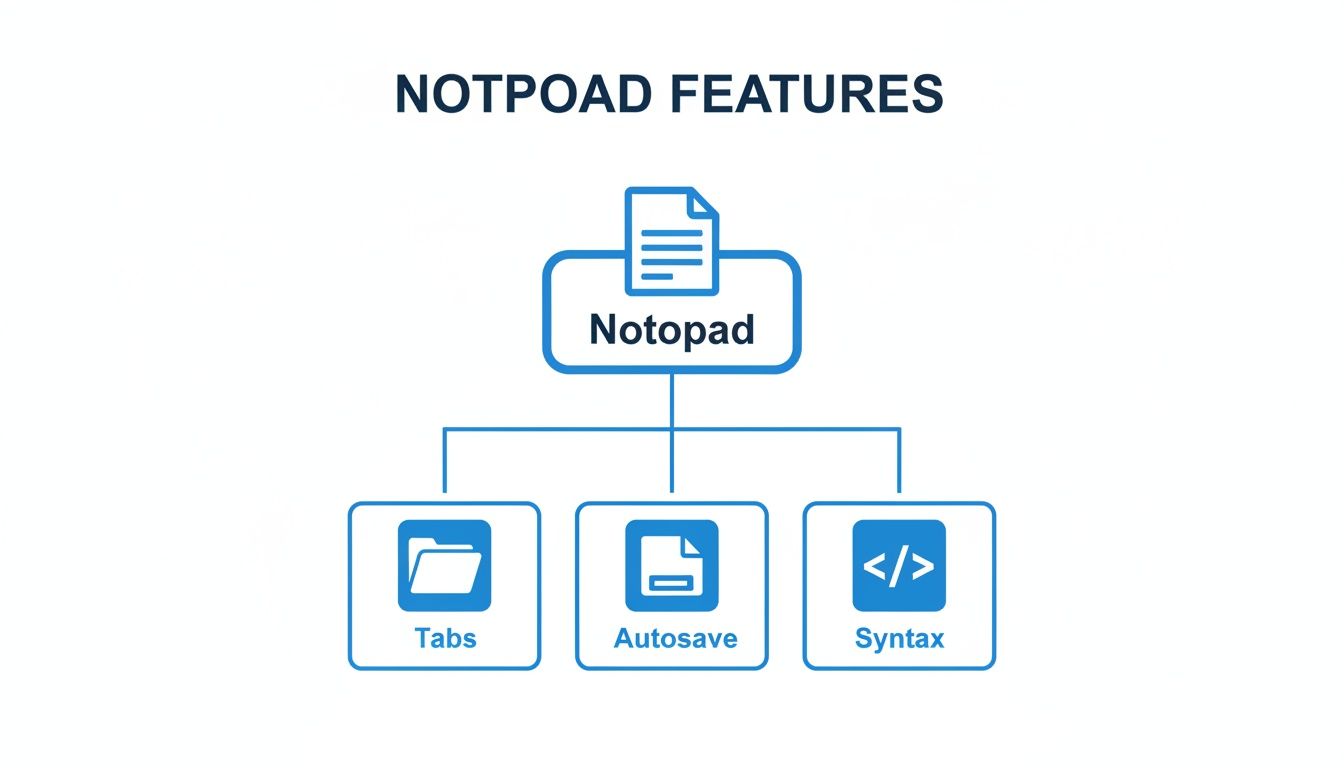
As you can see, things like multi-tab organization, automatic saving, and syntax awareness aren't just nice-to-haves. They're the building blocks that let a notepad become a true hub for your work. These are the very features that make a tool like the Digital ToolPad Online Notepad an essential part of any modern professional's toolkit.
What Makes Digital ToolPad Different?
Most online tools are one-trick ponies. They solve a single problem, and that's it. But real work isn't like that. You often need tools to work together, and you definitely need to trust them with your data. That's the whole idea behind Digital ToolPad. It's not just another collection of random utilities; it's a private, unified workspace built around a few core promises: total privacy, instant speed, and a smart ecosystem of tools that actually talk to each other.
We built this platform because we saw a huge need for reliable digital notes and browser-based tools. The market statistics back this up: it was valued at USD 1.09 billion in 2025 and is on track to hit USD 1.79 billion by 2032. This isn't just a trend; it's driven by professionals who need efficient, secure tools to get through their day. You can see the full research on the digital notes market to get a deeper sense of this shift.
Privacy and Performance by Design
Every single one of the 36+ utilities on Digital ToolPad, including the online writing notepad, runs 100% on the client-side.
What does that mean in plain English? Your data is never, ever sent to our servers. It stays on your device, period.
This approach gives you two game-changing benefits:
- Absolute Privacy: Whether you're working with sensitive code, private financial data, or just your own personal thoughts, it stays completely confidential. There is zero risk of a server getting hacked or your data being seen by anyone else.
- Warp Speed: Since there's no back-and-forth with a server, there's no lag. Tools load instantly and respond in real-time. It feels as quick and snappy as a native desktop application.
A Smart Suite of Integrated Tools
But where Digital ToolPad really shines is in how the tools work together. The online notepad isn't just a standalone feature; think of it as the central hub for a much bigger productivity system. You can draft text, clean up messy data, and then pass it along to another specialized tool with just one click.
We designed Digital ToolPad to be the one place you can turn to for dozens of daily tasks without a second thought. It's a secure workspace where powerful tools are always a tab away, saving you time and protecting your information.
Let’s walk through a common workflow:
- You've just copied a jumbled list of transactions from a PDF. You paste it into the notepad to quickly remove weird formatting.
- With the data now clean, you send it over to the Bank Statement to CSV Converter to get it ready for your accounting software.
- Later in the day, you use the notepad to draft the perfect caption, then pop it into the Quote Image Generator to create a sharp-looking visual for social media.
This kind of interconnected workflow changes everything. Instead of bouncing between a dozen different websites from developers you've never heard of, you have one reliable platform you can trust. Whether you're a developer formatting JSON or a marketer writing copy, Digital ToolPad offers a secure, fast, and genuinely useful environment to get things done.
Frequently Asked Questions
Have a few questions? You're not alone. Let's walk through some of the most common ones people have about online notepads so you can feel confident using them.
Is It Safe for Sensitive Information?
That's a fair question, and the answer really comes down to how the tool is built. Many online notepads you'll find out there send everything you type back to a company server. That immediately creates a risk: if their server gets breached, your private notes could be exposed.
But a tool like the Digital ToolPad Online Notepad is fundamentally different. It's designed to run 100% in your browser. We call this client-side processing, and it's a game-changer for privacy.
What it means is that your data (whether it's a sensitive API key, a password, or just a private idea) never leaves your computer. Since it's never sent over the internet, there's no server to hack and no third party snooping on your work. It’s as private as any app running directly on your desktop.
Because your information is never transmitted in the first place, a client-side notepad offers genuine confidentiality. You are the only one who ever sees your notes, period.
How Does Autosave Work Without a Server?
You might be wondering how your notes get saved if they aren't being sent to the cloud. The magic here is your browser's own local storage. Think of it as a small, secure vault on your computer that a website can use to save data, but only for that specific site.
As you type into the Digital ToolPad notepad, your text is automatically saved to this private storage space. It’s a seamless process. You can close the tab, restart your computer, or even lose your internet connection, and your notes will be right there waiting for you when you come back. It gives you the convenience of cloud autosaving without any of the privacy trade-offs.
Can I Use the Online Notepad Offline?
Yes, absolutely. Once the notepad page has loaded in your browser, you don't need an internet connection anymore. The entire tool is self-contained and runs locally on your machine.
Everything will continue to work perfectly offline, including typing, editing, and the autosave feature. Your work is saved directly to your browser's local storage, not some distant server. This makes it an incredibly reliable tool for:
- Taking notes on a plane or during your commute.
- Working through an unexpected internet outage.
- Using it in secure environments where network access is restricted.
This offline-first approach is a core part of many tools on DigitalToolpad.com. We believe you should be able to get your work done no matter where you are.
At Digital ToolPad, our goal is to build tools that are fast, private, and genuinely useful. Check out our secure Online Notepad and explore the full collection of 36+ client-side utilities designed for smarter, safer work.