
A good random name picker doesn't need the cloud. In fact, the most secure and fastest tools run entirely within your browser. By processing everything locally, sensitive lists (like employee names for a giveaway or user data for testing) never leave your machine. This local-first approach is the gold standard for privacy, and it delivers instant, reliable results without a hint of network lag.
Why Go Offline with Your Random Picker Name Tool

It might seem strange to build an offline tool when everything is moving to the cloud. But for an application like a random name picker, keeping it all local provides some serious, practical advantages that online services just can't touch. The biggest one? You own your data, period.
Think about a dev team that needs to create realistic user profiles for a new fintech app. If they use an online name generator, they're sending potentially sensitive data schemas to a server they don't control. That's a security risk you don't need to take. An offline tool sidesteps that problem completely.
Unmatched Security and Privacy
When a random name picker operates entirely in the browser, not a single byte of your data travels over the internet. This client-side execution is the foundation of a true privacy-first workflow. Everything from parsing your list to shuffling the names and picking a winner happens right on your device.
This is a game-changer when you're dealing with:
- Sensitive Information: You can confidently use lists of employee names, customer IDs, or other private data without worrying about it being intercepted or logged by a third party.
- Meeting Compliance Standards: For industries like healthcare or finance, local-first tools are a simple way to ensure no regulated data ever leaves your secure environment.
- Building Trust: Offering a tool that works transparently offline shows a real commitment to user privacy, which can be a huge differentiator.
This philosophy aligns perfectly with modern security principles focused on minimizing data exposure. For a deeper dive, check out these software development security best practices to get more insight into building secure apps from the ground up.
Superior Performance and Reliability
Another massive win for local tools is pure speed. Online pickers are at the mercy of network latency. A spotty connection can turn a simple task into a frustrating waiting game. An offline app is completely immune to that.
Because it runs directly in your browser, the tool’s performance is only limited by your device's own processing power, which, for a task this simple, is basically nothing. Selections are instantaneous, making for a smooth and satisfying experience.
This reliability is also key for getting deterministic results. When you're testing software, you often need to generate the exact same "random" dataset over and over to track down a bug. An offline tool with a seeding feature guarantees you can do that, without depending on an external service that might change its algorithm or just go down. You’re always in control.
Crafting the User Interface with HTML and CSS
Before we even think about the JavaScript logic that will power our random name picker, we have to build the stage. The user interface is the first thing people see and interact with, so it needs to be clean, intuitive, and get the job done without any fuss. The goal here isn't a flashy, award-winning design; it's pure, unadulterated function.
We'll start with the bare-bones HTML. Think of it as the skeleton of our app. We need a big box for the names, a couple of smaller inputs for settings, and some clear, clickable buttons to make things happen. Everything should be laid out in a way that feels natural, guiding someone from pasting their list to getting their results.
If you're new to this, it's worth spending a little time understanding the fundamentals of User Interface (UI) design. A bit of knowledge here can be the difference between a clunky tool and one that feels genuinely helpful.
Defining the Core Components
The HTML is our blueprint, and every element has a specific role. We’ll assign unique IDs to each one, which is crucial for our JavaScript to find and control them later.
Here's a look at the essential pieces we'll need for our name picker, laid out in a simple table.
UI Components and Their Functions
| Component | HTML Element | Purpose and Key Attributes |
|---|---|---|
| Name Input Area | <textarea> |
A large, multi-line field for users to paste their list of names. Key attribute: id="nameList" |
| Selection Count | <input> |
A field to specify how many names to draw. Key attributes: type="number", id="pickCount" |
| Seed Value | <input> |
An optional field for a seed, enabling deterministic (repeatable) draws. Key attributes: type="text", id="seedValue" |
| "Pick Names" Button | <button> |
The main action button that triggers the random selection process. Key attribute: id="pickButton" |
| Reset Button | <button> |
A secondary button to clear all inputs and results with one click. Key attribute: id="resetButton" |
| Results Display | <div> or <pre> |
The area where the final, randomly selected names are displayed. Key attribute: id="results" |
This straightforward structure keeps the tool incredibly easy to use and focused on its primary job.
The best tools often do one thing really, really well. By sticking to a simple input-action-output flow, we're building a utility that solves a problem instantly, without a learning curve.
Once the HTML foundation is in place, we can sprinkle on some CSS to make it look polished. We're not talking about a major design overhaul, just some simple rules for spacing, alignment, and button styles. Most importantly, the CSS will ensure the tool is responsive, meaning it looks and works just as well on a phone as it does on a big desktop monitor. This practical approach makes our random name picker a truly reliable tool for any situation.
Building the Core Logic with JavaScript
With our clean user interface ready, it's time to breathe some life into it. The entire engine of our random name picker will run on JavaScript, right in the user's browser. This is where we wire everything up: connecting our HTML elements to functional code that can parse lists, manage user settings, and, of course, pick the names.
First things first, we need to grab references to our HTML elements: the textarea, the buttons, and the input fields. From there, we'll attach event listeners. These are simple scripts that wait for a user to do something, like click a button, and then fire off the right JavaScript function to get the job done.
This simple flow is the key to a good user experience. The user provides input, clicks a button, and the script generates the output.

As you can see, it's a direct path from user input to the final result, which is exactly what you want for a tool that’s both intuitive and functional.
Parsing and Sanitizing User Input
The first real job for our script is to take the raw text from the input area and transform it into a clean, usable list of names. People will inevitably paste lists with extra blank lines, rogue spaces, or other formatting quirks. Our code has to be smart enough to handle this without breaking.
A simple function can split the text by new lines, filter out any empty entries, and trim the whitespace from each name. This sanitization step is absolutely critical for accuracy. Without it, the picker might select an "empty" winner, which is less than ideal.
Implementing True vs. Deterministic Randomness
Now for the fun part: the randomness. JavaScript's built-in Math.random() function is more than capable for most use cases, giving us a sufficiently unpredictable result for classroom selections or giveaways. We'll use this to power a modern shuffling algorithm, like the Fisher-Yates shuffle, on our clean list of names.
But sometimes, especially for developers and testers, pure randomness isn't what you need. You need repeatable results. That’s where a seeded random number generator comes in. A seeded function produces a sequence of numbers that looks random but is completely determined by an initial "seed" value.
By providing the same seed, you can generate the exact same "random" sequence of names every single time. This is invaluable for debugging, creating consistent test data, or verifying a lottery's fairness after the fact.
For instance, a developer might use a seeded value to generate a consistent set of test users. The ability to create deterministic, yet random-looking, data is a feature you'll find in many professional toolkits. To get a better sense of how deterministic identifiers work, you can check out tools like a UUID generator that provides similar controlled outputs.
The Complete JavaScript Engine
Here's a commented block of JavaScript that pulls all these ideas together. It has functions for cleaning the input, shuffling the array (with or without a seed), and displaying the results. You can drop this directly into your project.
// A simple seeded random number generator function seededRandom(seed) { let x = Math.sin(seed++) * 10000; return x - Math.floor(x); }
// Fisher-Yates shuffle algorithm function shuffle(array, seed) { let m = array.length, t, i; // While there remain elements to shuffle… while (m) { // Pick a remaining element… i = Math.floor((seed ? seededRandom(seed + m) : Math.random()) * m--); // And swap it with the current element. t = array[m]; array[m] = array[i]; array[i] = t; } return array; }
// Main function to pick names function pickNames() { const nameListValue = document.getElementById('nameList').value; const pickCount = parseInt(document.getElementById('pickCount').value, 10); const seedValue = document.getElementById('seedValue').value;
// 1. Parse and clean the input list
const names = nameListValue.split('\n')
                           .map(name => name.trim())
                           .filter(name => name !== '');

if (names.length === 0 || pickCount <= 0) {
    document.getElementById('results').textContent = 'Please provide a list of names and a valid number to pick.';
    return;
}

// 2. Shuffle the array
const seed = seedValue ? parseInt(seedValue, 10) : null;
const shuffledNames = shuffle([...names], seed);

// 3. Select the winners
const winners = shuffledNames.slice(0, pickCount);
document.getElementById('results').textContent = winners.join('\n');
}
// Attach event listeners to buttons document.getElementById('pickButton').addEventListener('click', pickNames); document.getElementById('resetButton').addEventListener('click', () => { document.getElementById('nameList').value = ''; document.getElementById('pickCount').value = '1'; document.getElementById('seedValue').value = ''; document.getElementById('results').textContent = ''; });
And there you have it. This code is a complete, client-side engine for a powerful and privacy-first random name picker.
Taking the Tool from Functional to Professional
We've got a working random name picker, which is a great start. But the difference between a simple script and a tool people actually love to use lies in the details. It's about anticipating what someone might need, saving them a few clicks, and making the whole experience feel polished and inclusive.
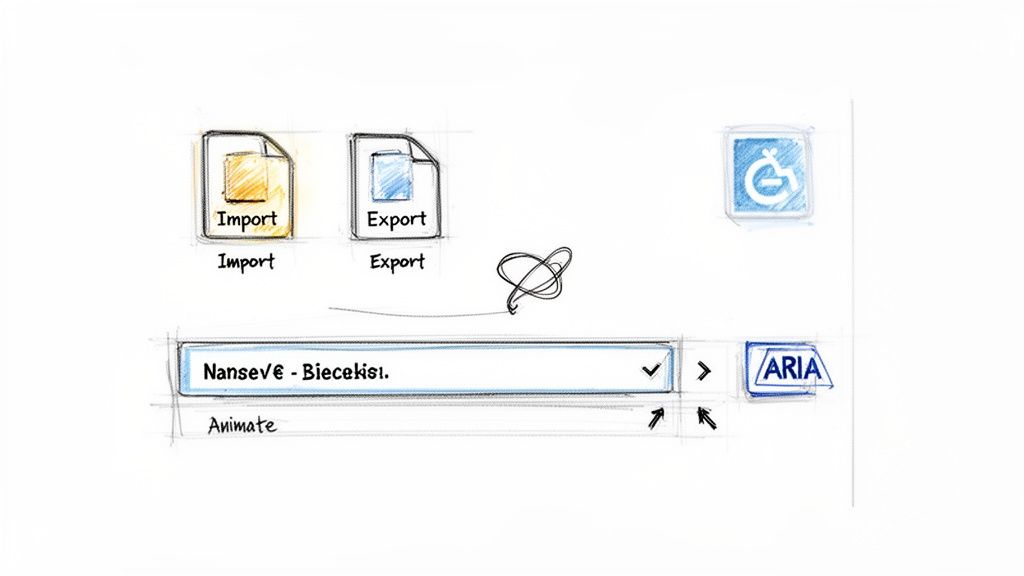
Let's dive into three key upgrades that will make a world of difference: adding import/export for persistent data, using animations for better feedback, and baking in accessibility from the ground up.
The need for good, random-but-realistic data is surprisingly common, especially in development. Think about how much more effective UX testing is with real-looking names instead of just "User A" and "User B." It's no wonder that a free API launched back in 2012 has now served up over 100 million fake user profiles to developers, averaging 30,000 requests a day. You can read more about its journey in the insights from RandomUser.me. This proves that quality-of-life features matter.
Giving Users a Way to Save Their Work
Nothing's more annoying than losing your data. Imagine a teacher carefully curating a list of students for a weekly classroom raffle, only to have to paste it in from scratch every single time. That's just a bad experience. We can fix this with straightforward import and export functions that work with plain text (.txt) files.
Exporting the List: An "Export List" button is the perfect solution. When clicked, it grabs whatever is in the
textareaand bundles it into a downloadable.txtfile. Now the user has a saved copy for next time.Importing a List: On the flip side, an "Import List" button, hooked up to an
<input type="file">element, lets them upload that saved.txtfile. Thetextareapopulates instantly, and they're ready to go.
This one feature is a game-changer for anyone who reuses lists, whether it’s for class rosters, event attendees, or weekly team stand-ups.
Adding a Little Polish with Visual Feedback
The big reveal (the moment a name is picked) should have a bit of flair. Right now, our tool just spits out the winner instantly. It’s efficient, sure, but it lacks any drama or sense of anticipation. A simple animation can fix this and make the tool feel much more dynamic.
Instead of the result appearing immediately when someone clicks "Pick Names," we can create a quick "shuffling" or "roulette" effect. Just cycle rapidly through the names in the results box for a second or two before landing on the final, chosen name.
This small touch does two things: it provides clear visual confirmation that the tool is processing the request, and it adds a little fun to the moment. It's a UX win that makes the tool feel more interactive without getting in the user's way.
Generate the result before starting the reveal animation, and respect reduced-motion preferences. The animated dice roller demonstrates this pattern: its dice settle on a result already chosen in the browser, while an instant mode skips the animation. Keep the final value available as text for keyboard and screen-reader users.
Building for Everyone with Accessibility in Mind
A truly professional tool is one that anyone can use, period. Accessibility shouldn't be a tacked-on feature; it's a fundamental part of good design. We need to make sure our name picker is fully usable for people who rely on assistive technologies like screen readers.
Here are a few key improvements we can make:
- Use ARIA Labels: Some controls can be vague without context. We can add
aria-labelattributes to clarify their purpose. For the main text area, something likearia-label="List of names to pick from"tells a screen reader user exactly what it's for. - Ensure Keyboard Navigability: Every interactive element (the text box, the buttons) must be reachable and usable with just the
TabandEnterkeys. This is non-negotiable for users who can't operate a mouse. - Manage Focus States: When a keyboard user tabs through the interface, they need a clear visual cue for where they are. Styling the
:focusstate of all buttons and inputs with an outline or color change solves this.
These aren't just minor tweaks. They're what ensures our application meets modern web standards and offers an equitable experience for every single user.
Getting Your Tool Out There and Into Your Workflow
Once you’ve put the finishing touches on the code, it's time to get your random name picker into people's hands. There are two great, privacy-focused paths you can take here: making it publicly shareable or keeping it strictly for offline use.
If you want a shareable link, something like GitHub Pages is your best bet. It lets you host a single HTML file for free, so you can easily give team members or friends a link. They can run the tool right in their browser, no installation, no fuss.
The Power of an Offline-First Workflow
But the real magic of this tool is its ability to run completely offline. This isn't just a nice-to-have; it's the whole point. By saving the HTML file directly to your desktop, you’ve created a self-sufficient application that works anywhere you have a web browser.
This opens up some powerful use cases where keeping data local is non-negotiable:
- Populating Test Data for QA: A quality assurance engineer needs to fill out forms with realistic names. With this tool, they can generate hundreds of test names without worrying about that data ever hitting an external server.
- Running Verifiable Raffles: A project manager can hold a transparent team raffle during a meeting, even if the Wi-Fi is down. By sharing the seed value, everyone can independently verify the results were fair and not tampered with. To draw ticket numbers instead of names, use a random number generator with no repeats.
- Creating Realistic Mock Data: Developers often need to create mockups for things like bank statements. The data has to look real but be completely fabricated. Modern name pickers reflect increasing name diversity: data shows the top 100 names in 1880 covered 90% of US births, but now they only cover about 40%. Using an offline tool to generate this kind of varied, realistic data ensures 100% data sovereignty. You can explore more about these naming trends on engaging-data.com.
When you build for an offline model, you're not just creating a utility. You're making a strong statement that you value user privacy and control above all else. The tool just works, anywhere and anytime, with zero strings attached.
Fitting It Into Your Digital Toolpad
This offline-first mindset is at the heart of the Digital ToolPad philosophy. We believe every utility should be a reliable, standalone part of your workflow.
Your random name picker fits perfectly into this ecosystem. You can chain it together with other local tools to build surprisingly powerful, secure processes. For instance, you could pick a winner from your list, then immediately use our privacy-first QR code generator to create a custom prize certificate with an embedded verification link.
The entire process happens on your machine, creating a seamless and incredibly efficient workflow without a single byte of your data ever going online.
Common Questions About Building Name Pickers
Once you've got your name picker up and running, a few practical questions almost always come up. Let's walk through some of the most common ones I hear, so you can feel confident in how the tool works and what it's best for.
Is a Browser-Based Random Name Picker Truly Secure?
Yes, but with a crucial condition: it must run entirely on the client side, just like the one we've built here. Our tool processes everything right inside your browser, which means the names you enter are never sent over the internet to a server.
This "local-first" approach is the whole secret. It sidesteps the risk of data breaches or snooping entirely. Because nothing ever leaves your machine, you get total privacy by default, making it a perfect fit for handling sensitive lists or just meeting company data policies without any extra work.
How Can I Guarantee the Selection Is Truly Random?
For just about any real-world use case, you can absolutely trust the randomness. Combining JavaScript's Math.random() with a solid shuffling algorithm like the Fisher-Yates shuffle provides more than enough unpredictability for classroom drawings, office raffles, or picking a winner for a giveaway.
It's important to know this isn't "cryptographically secure" randomness. You wouldn't use it to generate encryption keys or run a national lottery. But for its intended purpose, it's perfectly fair and reliable. If you ever need repeatable "random" results, like for testing, that's where the seeded function we discussed earlier really shines.
Can This Tool Pick Multiple Winners Without Duplicates?
Absolutely. The logic we put together was specifically designed to handle picking multiple unique winners from the start. The process is simple and foolproof.
Say you need to draw five names from a list of one hundred. The shuffling algorithm first randomizes the entire list. Then, the tool simply grabs the first five names from that shuffled array. This method inherently prevents anyone from being picked more than once.
To try this directly, pick random items from a list, set Items to pick to 5, and run the draw. Remove duplicate names first if each person should have one entry. Selection happens entirely in your browser, and you can save the result as TXT or CSV.
What Are the Limits of a Client-Side Name Picker?
The main constraint you'll ever run into with a browser-based tool is performance with massive datasets. Our name picker can handle lists with thousands (even tens of thousands) of entries without breaking a sweat.
But if you try to load up a list with millions of names, you'll probably notice your browser start to lag or even become unresponsive. For the overwhelming majority of uses, from small-group activities to large event raffles, you'll never come close to hitting this performance ceiling.
At Digital ToolPad, we build powerful, privacy-first utilities that run entirely offline, just like this one. Explore our full suite of secure, browser-based tools at https://www.digitaltoolpad.com.