
A regular expression tester is basically an interactive playground for building and checking your text-matching patterns. Think of it as a digital sandbox where you can see exactly what your regex is doing in real time, highlighting matches and showing you what's being captured, all without touching your live code. That immediate feedback is priceless when you're trying to nail a tricky expression.
Why You Need a Regex Testing Sandbox
Let's use an analogy. Imagine a chef creating a new recipe. They don't just throw new ingredients into the main pot and hope for the best. They work in a test kitchen, adding a pinch of this, a dash of that, tasting and adjusting until it's perfect. Only then does it go on the menu.
A regular expression tester is that test kitchen for your text patterns. Regular expressions (or regex) are incredibly powerful, but let's be honest—they can be a nightmare to get right. The syntax is often cryptic, which can lead to endless, frustrating cycles of trial and error right in your application's code. It's slow, inefficient, and pretty risky.
The Power of Instant Feedback
A regex tester gets rid of all that friction. It gives you a dedicated space with an input for your pattern, a box for your test data, and a panel that shows you the results. As you type, the tool instantly shows you what your pattern is matching—and, just as importantly, what it's not matching.
This instant validation is the real magic of using a tester. It takes the abstract, confusing syntax of regex and makes it visual and concrete. You can immediately see:
- Successful Matches: Which strings your pattern is actually finding.
- Capture Groups: The specific pieces of text your pattern is pulling out.
- Failed Attempts: Where your logic is failing, especially with edge cases.
This visual feedback loop helps you learn the ropes much faster and build far more accurate patterns. It’s an essential part of any developer’s toolkit. In fact, the global software testing market, which covers tools like these, was valued at over USD 103.68 billion and is expected to climb as high as USD 243.78 billion by 2032. If you're curious, you can learn more about the growth of software testing tools and their market impact.
A good regex tester turns confusion into confidence. It provides a safe, interactive space that makes the pattern-building process visual, intuitive, and far less intimidating for everyone from seasoned developers to data analysts just starting out.
In the end, using a regular expression tester isn't just a matter of convenience; it's about being precise and efficient. It lets you craft solid, reliable patterns that do exactly what you expect before they ever get near your production code, saving you hours of headaches and debugging down the line.
Your First Practical Walkthrough with a Regex Tester
Theory is great, but getting your hands dirty is where you really start to learn. Let's fire up a regex tester and see how it works in a real-world scenario. We'll walk through the main parts of the interface and solve a common problem together.
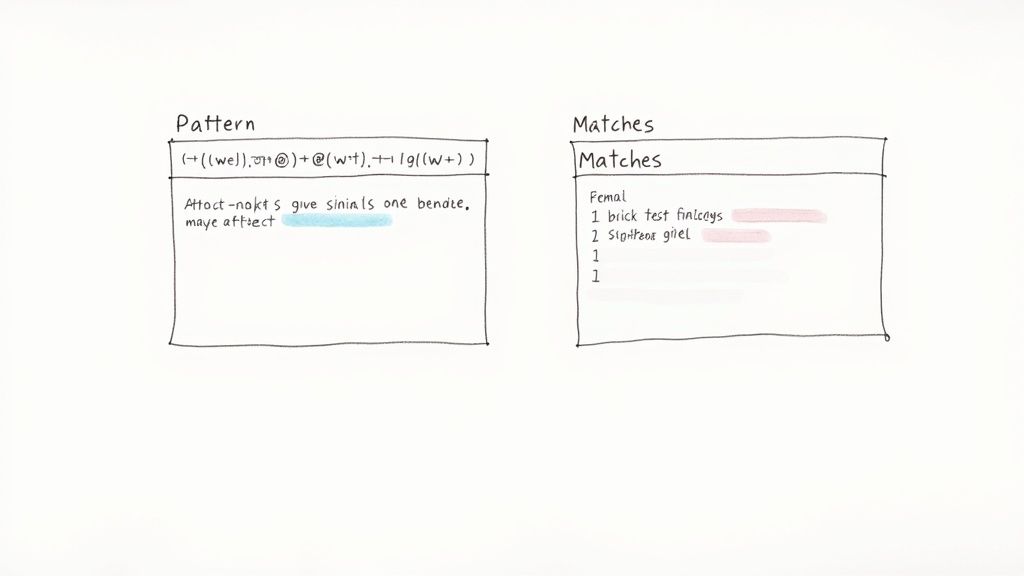
Think of a regex tester as your personal coding dojo. It's a safe space to practice, experiment, and get instant feedback on your patterns without any risk.
Getting to Know the Interface
Almost every regex tester you'll find online has a similar layout, built around a simple but powerful feedback loop. Once you know your way around one, you'll feel at home in any of them. Let's break down the essential components you'll be working with.
Common Regex Tester Interface Components
Here's a breakdown of the essential parts of a typical regular expression tester and what they do.
| Component | Purpose | Example Usage |
|---|---|---|
| Expression Input Field | This is the canvas for your pattern. You'll write or paste your regex here. | Typing \d{3}-\d{3}-\d{4} to find U.S. phone numbers. |
| Test String Area | Your "haystack." This is where you put the block of text you want to search. | Pasting a log file, a customer review, or a snippet of HTML. |
| Results Panel | The magic window. It instantly highlights all matches found in your test string. | Seeing phone numbers light up as you finish typing your pattern. |
| Flavor/Engine Selector | Lets you choose the specific regex engine (e.g., PCRE, Python, JavaScript). | Selecting 'JavaScript' to ensure your pattern is compatible with a web app. |
| Flags/Modifiers | Options that change the pattern's behavior (e.g., case-insensitive, global). | Toggling the 'case-insensitive' flag (i) to match "Apple" and "apple". |
| Explanation/Debugger | Breaks down your pattern into plain English, explaining what each part does. | Using it to understand why (\w+)\s\1 finds repeated words. |
This setup is what makes regex testers so effective. You type a pattern, paste your text, and see the results light up in real-time. No more compiling code or running scripts—just direct, visual confirmation of what your expression is actually doing.
A Step-By-Step Example: Finding Email Addresses
Let's put this into practice with a classic task: pulling all email addresses from a messy block of text. This is a perfect way to see how the different components work together.
Imagine you've pasted the following into your Test String Area:
Please contact support@example.com or reach out to sales-team@company.net for assistance. Invalid emails like user@.com should be ignored.
Our goal is to write a pattern that nails the two valid emails and ignores the bad one. We'll build our expression one piece at a time.
Step 1: The Username Part
An email username can have letters, numbers, underscores, and hyphens. The regex shorthand for a "word character" (letters, numbers, underscore) is \w. We'll add the hyphen to that set inside square brackets [] and use the + quantifier to say "match one or more of these."
- Our pattern starts as:
[\w-]+
Step 2: The '@' Symbol
This one's easy. The @ symbol is just a literal character, so we add it directly to our pattern.
- Our pattern is now:
[\w-]+@
Step 3: The Domain Part
The domain name follows similar rules but also includes periods. We'll combine word characters, hyphens, and the dot character . inside our character set.
- Our final pattern looks like this:
[\w-]+@[\w.-]+
As you type this final pattern into the Expression Input Field, you'll see
support@example.comandsales-team@company.netinstantly highlight in the results panel. That immediate feedback is gold—it proves your logic works without any guesswork.
This interactive cycle of trying something and seeing the result is the number one reason to use a regular expression tester. It turns a frustrating guessing game into a process of discovery.
If you're working with sensitive data, you might want an offline tool where your text never leaves your computer. The Digital ToolPad regex tester runs entirely in your browser, ensuring total privacy while you build and perfect your expressions.
Understanding Different Regex Flavors
You've been there, right? You spend an hour crafting the perfect regex in an online tester. It works flawlessly. Then you drop it into your code, and… nothing. It completely falls apart. Nine times out of ten, the culprit is a mismatch in regex flavors.
Grasping this concept is probably the single biggest leap you can make in your regex journey. Not all regex is created equal.
Think of regex flavors like dialects. A person from London, one from New York, and another from Sydney all speak English, but their slang, phrasing, and even grammar can differ. The core is the same, but the subtle differences can trip you up. It's the same with programming languages—Python, JavaScript, Java, and PCRE (Perl Compatible Regular Expressions) each have their own "dialect" of the regex engine.
Why Flavors Cause So Much Trouble
These differences aren't just trivial quirks; they can make or break your pattern. A feature that’s a lifesaver in one flavor might be a straight-up syntax error in another. This problem bites developers most often when they use a generic online regular expression tester that defaults to a popular flavor like PCRE, while their application is actually running on JavaScript.
For instance, support for some of the more advanced regex features is all over the map:
- Lookarounds: These are incredibly useful for checking what’s around a potential match without actually including it. While positive lookaheads
(?=...)are almost universal, negative lookbehinds(?<!...)were famously unsupported in JavaScript for years. - Named Capture Groups: Naming a group with
(?<name>...)is a godsend for readability compared to remembering cryptic backreferences like\1or\2. But the syntax and availability can vary slightly between engines. - Atomic Groups & Possessive Quantifiers: These are deep-cut optimization features that prevent the engine from backtracking, making complex patterns much faster. They’re powerful but only found in specific flavors like PCRE and Java.
Ignoring these differences will cost you. I’ve seen countless forum posts from people tearing their hair out over a regex that seems perfect but fails in their specific tool, like Splunk (which uses the PCRE flavor). They waste hours debugging a pattern that was doomed from the start simply because it was built for the wrong engine.
Must-Have Features in a Modern Regex Tester
To sidestep all this cross-platform chaos, a modern regular expression tester has to treat flavor support as a top priority. Just matching text isn’t good enough. It needs to mimic the exact environment where your regex will be deployed.
Here's what to look for when you're picking a tool.
1. Flavor Switching This is non-negotiable. The tool must have a simple dropdown or selector that lets you pick your target engine. The ability to instantly toggle between PCRE, Python, JavaScript, and others ensures you’re playing by the right rules.
2. Real-Time Syntax Highlighting and Error Checking A great tester is an active partner, not a passive one. It should give you instant feedback, highlighting parts of your expression and immediately flagging syntax that’s invalid for the flavor you’ve selected. This is how you stop yourself from writing a pattern your application can't even parse.
3. Built-in Reference and Cheat Sheets Nobody memorizes the nuances of every single flavor. A quality tool will have a built-in cheat sheet or an explanation panel that updates as you type. It should tell you what each token does and, crucially, offer notes on its compatibility across different flavors.
Choosing a tester without flavor support is like practicing for a baseball game with a football. You might get the general motions down, but you're setting yourself up for a nasty surprise on game day. Your tool has to match your environment.
Ultimately, respecting regex flavors is what separates the beginners from the pros. By choosing a regular expression tester that lets you lock in the correct engine from the start, you eliminate one of the biggest sources of bugs and ensure the pattern you build is the one that actually works in production.
How to Debug and Optimize Complex Regex
When a simple regex pattern spirals into a complex monster, it quickly becomes slow, brittle, and a total nightmare to maintain. At this stage, you're not just writing a pattern anymore; you're engineering it for performance and reliability. This is where knowing how to properly debug and optimize your expressions becomes absolutely essential.
Turning a buggy, fragile pattern into something rock-solid isn't about guesswork. It requires a methodical approach, and a high-quality regular expression tester is your most important diagnostic tool. It’s for more than just checking if a pattern works—it’s for finding the hidden failures and performance sinks before they ever touch your production code.
Spotting the Performance Killer: Catastrophic Backtracking
The most infamous regex performance trap is catastrophic backtracking. This ugly situation rears its head when a pattern with ambiguous, nested quantifiers—think (a*)* or (a|b)*—tries to match a string that simply can't be matched. The regex engine, desperate to find a valid path, ends up exploring an exponential number of combinations, often freezing the entire application.
Imagine trying to solve a maze where nearly every path splits into more paths, and all of them are dead ends. The engine has to go down every single one and backtrack before it can finally admit defeat. This chews up a massive amount of CPU time. A good regex tester helps you catch this by flagging patterns that take an unusually long time to fail against specific test strings.
This visual shows the cycle you'll go through when coding a pattern, testing it, and figuring out why it fails, especially when different regex flavors are involved.
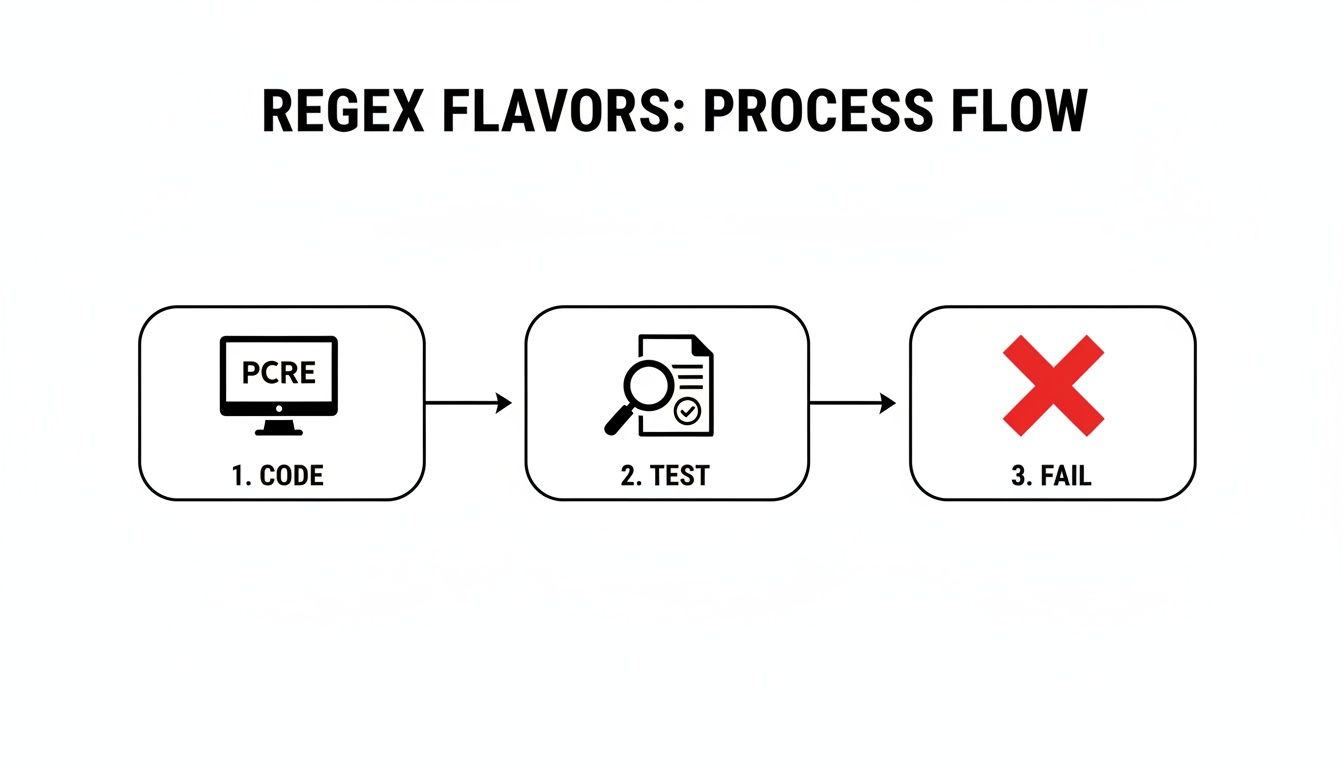
As you can see, an interactive tester sits at the heart of the process, helping you catch problems early and preventing a pattern that works in one environment from blowing up in another.
A Systematic Debugging Process
Don't try to fix a huge, broken pattern all at once. The best way to debug is to break it down into manageable chunks and build it back up, testing it against both things it should match and things it shouldn't.
- Start with the Smallest Piece: Isolate the very first logical part of your expression. For instance, if you’re building a regex to validate a full URL, just start with the protocol (
https?). Test only that part. - Add Complexity Incrementally: Once the first piece is solid, add the next component, like the domain name. Test it again. This way, if something breaks, you know exactly which part you just added is the culprit.
- Test Against "Should Not Match" Strings: This is arguably the most critical step. Craft a few test strings that are almost right but should fail. This is how you find the tricky edge cases where your pattern might be too greedy or overly permissive.
Building a robust regex is like building a brick wall. You lay one brick, make sure it's solid, and then you add the next one. You don't throw the whole wall up and then check for wobbles. You validate your work at every single step.
This careful, piece-by-piece construction, done inside a regular expression tester, is what transforms a fragile pattern into a production-ready asset.
Advanced Optimization Techniques
Once your regex is correct and reliable, you can shift your focus to making it fast. This usually means giving the regex engine hints so it doesn't have to do so much unnecessary backtracking. With the continued growth of data-heavy languages like Python, which leans heavily on regex, these skills are more valuable than ever. In fact, you can explore the latest developer trends to see just how widespread these languages have become.
Here are a couple of powerful tools to have in your optimization toolbox:
- Possessive Quantifiers: By adding a
+to a standard quantifier (turning*into*+or+into++), you're telling the engine: "match this greedily, and never give it back." Once it finds a match for that part of the pattern, it won't backtrack to try a shorter version. This can slash processing time. - Atomic Groups: Written as
(?>...), an atomic group works in a similar way. The engine matches everything inside the group and then "locks it in," refusing to backtrack inside that group to help the rest of the pattern find a match. This is perfect for optimizing parts of an expression that you know have to match in a specific way.
Using these advanced features within your regex tester allows you to directly compare the "before and after" performance. This is how you move beyond just writing patterns that work to engineering patterns that perform brilliantly under pressure.
How AI Is Changing the Game for Regex Testers
Artificial intelligence is making its way into just about every corner of the tech world, and writing regular expressions is no exception. The newest AI-powered regex testers are a far cry from the simple validation tools of the past. They act more like a smart assistant, which is fantastic because it seriously lowers the barrier to entry for what has always been a pretty cryptic skill.
This evolution is part of a bigger picture in software development. Automation and AI are becoming standard in testing, with recent surveys showing that 72% of QA and development teams are already using AI to help generate test cases. With that kind of adoption, an AI-enhanced regular expression tester isn't just a novelty; it's an incredibly useful part of the modern toolkit.
From Plain English to Perfect Patterns
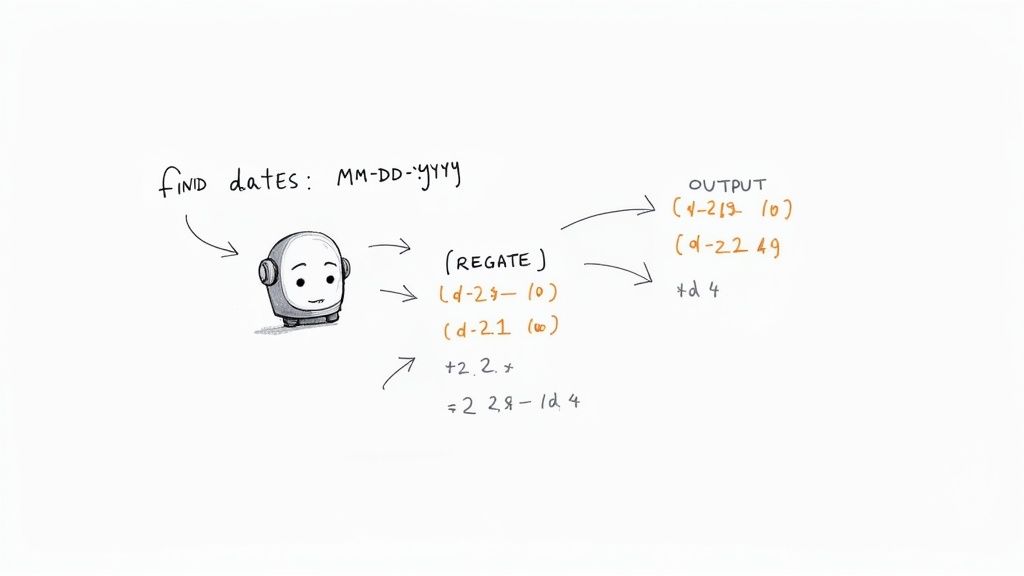
The biggest leap forward with AI is its ability to understand natural language. Instead of banging your head against the wall trying to remember the right syntax, you can now just describe what you want in plain English.
- Your Prompt: "Find all dates in MM-DD-YYYY format."
- AI-Generated Regex:
\b(0[1-9]|1[0-2])-(0[1-9]|[12][0-9]|3[01])-(\d{4})\b
This feature alone turns a potentially frustrating task into a simple conversation. It suddenly makes regex accessible to people who might have avoided it before—like marketers, data analysts, or junior developers. Even for seasoned pros, it’s a huge time-saver that gives you a solid starting point for a more complex pattern. The ChatGPT Code Interpreter as an AI coding assistant is a great example of this, showing how AI can partner with you to write, run, and even fix code, which naturally includes handling regular expressions.
Demystifying Cryptic Expressions
AI is also brilliant at working in reverse, acting as a powerful decoder for confusing patterns. Ever inherited a script with a monstrous, unreadable regex and zero comments? An AI-powered tester can take that string of characters and explain exactly what it does, piece by piece, in simple terms.
An AI regex explainer is like having a seasoned developer looking over your shoulder, translating dense syntax into a clear, actionable breakdown. It’s a game-changer for code maintenance and debugging.
This is huge for both learning and for safely modifying existing expressions. When you understand what each component is doing, you can make changes with confidence, knowing you’re not about to break everything. The best tools have both generation and explanation features, creating a complete feedback loop.
Optimizing for Performance and Accuracy
Beyond just writing and explaining, some advanced AI models can even analyze your patterns and suggest ways to make them better. The AI can spot potential performance issues, like spots that might cause catastrophic backtracking, and recommend more efficient alternatives.
For example, it might suggest you replace a greedy (.*) with a more specific character set or use possessive quantifiers to stop the regex engine from doing unnecessary work. Of course, AI isn't a substitute for knowing the fundamentals, but it’s an incredible partner. It speeds up your work, helps you avoid errors, and makes the whole process of working with regex feel much more intuitive. For those who need these capabilities in a secure, private setting, a tool like the AI regex generator from Digital ToolPad can handle both pattern creation and explanation right in your browser. Check it out at https://www.DigitalToolpad.com/tools/regex-ai.
Why Data Privacy Is Critical When Choosing a Tester
It’s easy to just copy and paste data into a convenient online tool without giving it a second thought. But when that tool is a regular expression tester, this simple act has some serious—and often overlooked—security implications. Picking the right tool isn't just about features; it’s about safeguarding your data.
Think about what you're pasting in. It could be server logs filled with user activity, customer contact lists containing personally identifiable information (PII), or even chunks of your company's proprietary source code. The moment you use a typical web-based tester, you're sending that data to a third-party server. And once it leaves your machine, you've lost control.
This creates a very real risk of data exposure. You're essentially trusting the security of a tool you probably know very little about. Data breaches are a constant threat, and sending sensitive information to an unknown server can quickly land you in hot water with strict regulations like GDPR or HIPAA.
The Dangers of Third-Party Servers
The root of the problem lies in how most online tools work: a server-side processing model. They have to send your data to their backend systems to run the regex engine and send you back the results. This process opens up several potential vulnerabilities.
- Data in Transit: Is your connection actually secure? Are they using modern encryption protocols?
- Data at Rest: Is your data being stored on their server, even for a moment? If it is, how is it secured and for how long is it kept?
- Logging and Analytics: Could your test strings be logged for the site's own analytics or debugging?
Before using any online tool, you absolutely have to understand its data handling practices. At a minimum, always take the time to review a comprehensive privacy policy. Skipping this step is a gamble you can't afford to take with confidential information. If you want to go deeper, exploring software development security best practices will reinforce why minimizing data exposure is so critical.
The moment your sensitive data hits a third-party server, you have created a new, unnecessary attack surface. The safest data is the data that never leaves your control in the first place.
The Secure Alternative: Offline Testers
This is exactly where offline tools have a massive advantage. An offline regular expression tester like Digital ToolPad runs everything locally, right on your machine. Your data is never transmitted over the internet, sent to a server, or exposed to any external network. It operates entirely within the secure sandbox of your own browser.
This local-first approach completely eliminates the risks that come with third-party data handling. For developers, security teams, and businesses working with confidential customer data, internal logs, or proprietary algorithms, using an offline tool isn’t just a nice-to-have—it’s a necessity.
It’s about keeping your workflow both productive and compliant, giving you the peace of mind to test any data set you need, no matter how sensitive it is.
Frequently Asked Questions
Even with the best tools, regex can throw you a curveball. Let's tackle some of the most common questions that pop up, clearing up the confusion and helping you get the most out of your regex tester.
Which Regex Flavor Should I Choose?
The short answer? Always choose the flavor that matches the programming language or system where your regex will actually run. Most good testers offer a dropdown list with options like PCRE, JavaScript, Python, and more.
Testing with the right flavor is a non-negotiable step. It saves you from the headache of a pattern working perfectly in the tester, only to break with syntax errors or weird behavior in your production code. If you're just starting out, PCRE is a great default. It’s packed with features and serves as a solid foundation for many other flavors you'll encounter.
Why Does My Regex Work in the Tester but Fail in My Code?
Ah, the classic head-scratcher. This problem almost always boils down to one of two culprits: string escaping or flag mismatches.
Many programming languages treat the backslash \ as a special escape character inside strings. That means a simple regex like \d+ has to be written as "\\d+" in your code. The extra backslash tells the language, "Hey, this next backslash is for the regex engine, not for me." The other common issue is mismatched flags. You might have the 'case-insensitive' or 'multiline' flag checked in the tester, but forgot to enable it in your code's regex function.
A pattern that works in a tester but fails in your application is a big clue to check your implementation. Scrutinize your language's string escaping rules and make sure the flags (global, multiline, case-insensitive, etc.) are identical in both environments.
Are Online Regular Expression Testers Safe for Sensitive Data?
Absolutely not. You should never paste sensitive, confidential, or personally identifiable information (PII) into a public online regex tester. The moment you do, that data is sent over the internet to a server you don't control, putting it at risk.
This practice can open the door to serious data breaches and compliance nightmares. For any work involving private customer data or internal company information, an offline desktop tester is the only responsible choice. It keeps everything on your local machine, where it belongs.
Ready to test your regular expressions with total privacy and confidence? The suite of tools from Digital ToolPad runs 100% offline in your browser, ensuring your sensitive data never leaves your machine. Explore the entire collection of powerful, secure developer utilities at https://www.digitaltoolpad.com.