
As a developer, you know that a solid UUID generator is an absolute must-have. We use them for everything: database keys, API transaction IDs, and keeping track of components in distributed systems. But the best ones—the ones that really respect your workflow and security—do their job entirely offline.
Why You Should Only Use an Offline UUID Generator
It’s easy to just Google "UUID generator" and use the first online tool that pops up. We've all done it. But every time you hit "generate" on one of those sites, you're making a network request. It might seem harmless, but it introduces subtle yet serious risks.
Think about it. Are you generating an ID for a new user record? A secure session token? You're potentially sending a piece of your application's internal data to a third-party server you know nothing about. You have no idea if they log it, cache it, or who has access to it. It's a security anti-pattern, plain and simple.
Then there's the practical side. Imagine you're on a flight, trying to bang out a new feature and need to seed a local database. No Wi-Fi, no online generator. Your work grinds to a halt. An offline tool keeps you productive no matter where you are.
The Power of Client-Side Generation
This is where an offline, client-side generator completely changes the game. Tools like Digital ToolPad run everything directly in your browser, tapping into its built-in cryptographic functions to create truly random, secure IDs. Nothing ever leaves your machine.
This approach gives you some huge, immediate wins:
- Total Privacy: Generate UUIDs for anything—sensitive financial data, healthcare records, internal logs—without a single worry about data exposure. It's essential for any project with strict compliance needs.
- Unbreakable Workflow: It just works. On a plane, in a secure air-gapped environment, or when your internet goes out. Your productivity is never at the mercy of your connection.
- Zero Latency: Generation is instant. No waiting for a server response. You get the IDs you need the moment you ask for them, keeping you in the zone.
The bottom line is this: your dev tools should support your work without ever compromising security or getting in your way. An offline UUID generator makes sure that creating these fundamental identifiers is always a safe, local, and immediate process.
This "local-first" mindset extends beyond just UUIDs. Take QR codes, for example. If you're testing a mobile app flow, you shouldn't have to send your test endpoint data to an external server just to create a QR code. The same privacy-first logic applies, and you can see it in action with a good offline QR code generator. Adopting these kinds of tools isn't just a convenience—it's a professional best practice that makes your entire development process more robust and secure.
Choosing the Right UUID Version for Your Project
Picking the right type of unique identifier is a foundational architectural decision, and it’s one that’s easy to get wrong. It’s not just about getting a unique ID; it's about understanding the trade-offs between different UUID versions. The choice you make can ripple through your system, affecting everything from data privacy and database performance to security and predictability.
For the overwhelming majority of modern applications, UUID Version 4 (V4) is the one you want. It's the go-to for a reason. V4 UUIDs are generated from cryptographically strong random numbers, making each one entirely unpredictable.
This randomness is their biggest asset. It means an attacker can't guess the next ID in a sequence to scrape data or probe for vulnerabilities. If your IDs are exposed in URLs or APIs, V4 is your best defense against enumeration attacks.
The flip side? That randomness means they aren't sortable by creation time. This can be a pain if you're trying to quickly grab the latest records in a database without a dedicated created_at column. It’s a classic trade-off: security for sortability.
This decision tree helps frame the choice, especially when you're weighing the security of an offline generator against the convenience of an online one.
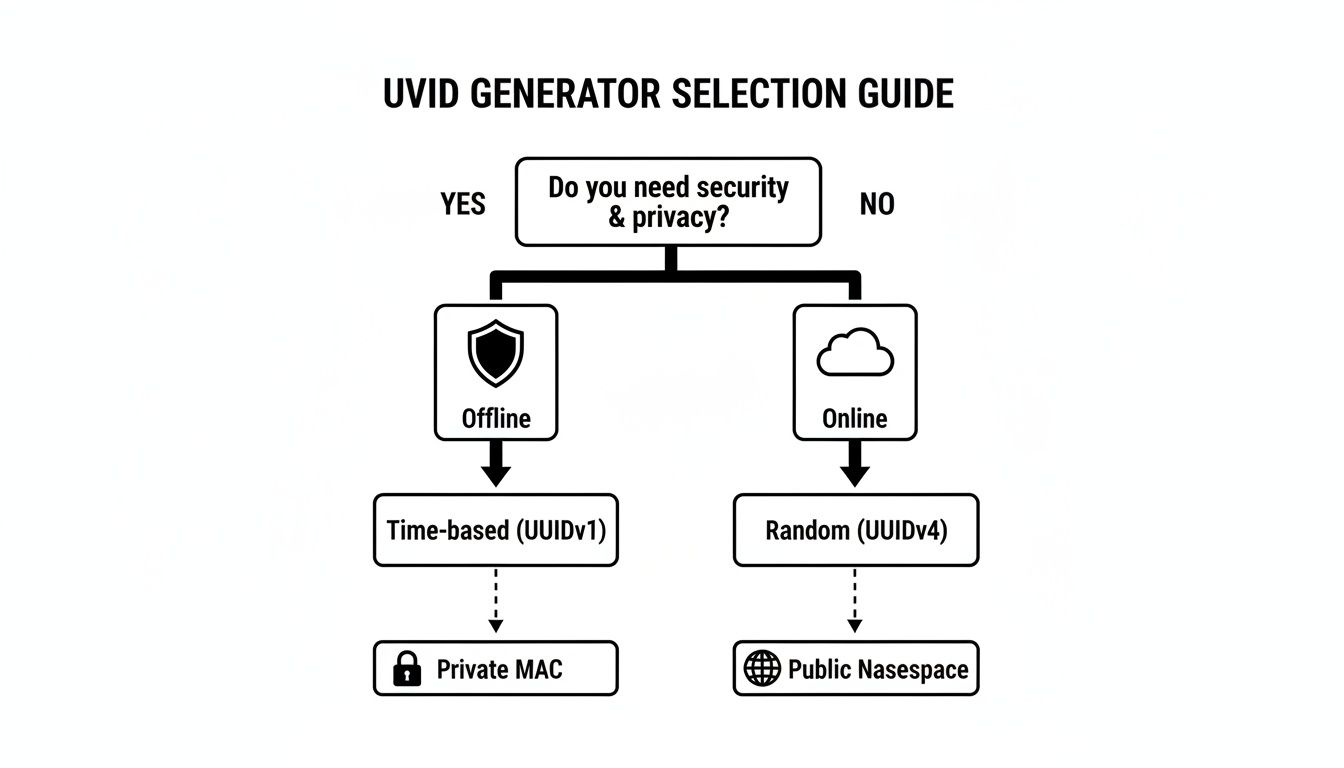
As you can see, when privacy and security are on the line, there’s really only one safe bet: generating your UUIDs offline, where you control the entire environment.
A Developer's Quick Guide to UUID Versions
To make sense of the different options, it helps to have a quick reference. This table breaks down the most common versions you'll encounter in the wild.
| Version | Generation Method | Uniqueness Source | Best For |
|---|---|---|---|
| V1 | Timestamp + MAC Address | Time & Hardware | Legacy systems; situations where time-based sorting is a critical requirement. |
| V3 | Name-based (MD5) | Namespace + Name | Generating deterministic IDs. Deprecated in favor of V5. |
| V4 | Random Number | Cryptographic Randomness | The vast majority of modern applications, especially for public-facing IDs. |
| V5 | Name-based (SHA-1) | Namespace + Name | Idempotent operations, content-addressable storage, or consistent ID generation. |
Think of this as your cheat sheet. When you reach for a UUID, a quick glance here can save you from picking a version that might cause headaches down the road.
Time-Based UUIDs and Their Pitfalls
Let's talk about UUID Version 1 (V1). These identifiers embed two potentially sensitive pieces of information right into the ID itself: a high-precision timestamp and the MAC address of the computer that generated it.
While this structure makes them sortable by time and guarantees uniqueness across different machines, it's a huge privacy risk. Exposing a MAC address can reveal details about your network hardware, and the timestamp tells the world exactly when a record was created.
V1 UUIDs were a clever solution in the early days of distributed computing, but in a world where security is paramount, you should avoid them for any public-facing system or anywhere data privacy is a real concern.
The Power of Deterministic UUIDs
Sometimes, randomness is the last thing you want. You need predictability. That’s where name-based UUIDs, like Version 3 (MD5) and Version 5 (SHA-1), shine.
These versions will generate the exact same UUID every single time you give them the same input "namespace" and "name." This is incredibly powerful for certain scenarios:
- Idempotent API Operations: Prevent duplicate records when a client sends the same request twice.
- Consistent Identifiers: Generate a stable user ID from an email address across multiple microservices.
- Content-Addressable Storage: Ensure a file or data object always gets the same ID, no matter how many times it's processed.
One crucial tip: always choose Version 5 over Version 3. SHA-1 is a much more secure hashing algorithm than the now-broken MD5.
The whole idea behind UUIDs was born from the need for decentralized, offline-first identifiers in early distributed systems. Their history is rooted in creating unique IDs without a central authority, which perfectly aligns with the secure, local-first philosophy that modern privacy tools advocate for. If you want to dive deeper, our guide on how to get a UUID online offers more context on the various ways you can generate them.
How to Generate UUIDs in Your Favorite Language
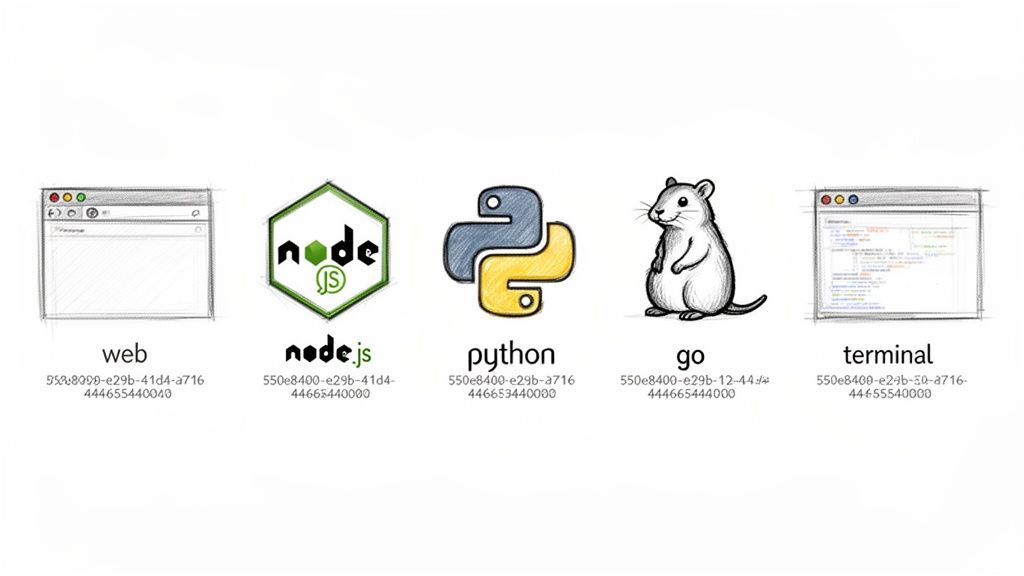
While a good offline uuid generator is a fantastic shortcut for testing and bulk creation, most of the time you'll be generating IDs right inside your application's code. The good news is that modern languages have made this ridiculously easy. You can get a cryptographically secure, random UUID with just a line or two of code, often using libraries baked right into the language itself.
Let's jump into some practical, copy-and-paste-ready examples for the environments you probably work in every day. Each one shows the simplest, most effective way to create a standard Version 4 (random) UUID.
Generating UUIDs in the Browser
Gone are the days of needing a third-party library to create UUIDs on the frontend. Modern browsers have a native, secure method built directly into the crypto object, and it’s the only way you should be doing it.
The method you're looking for is crypto.randomUUID(). It’s supported everywhere that matters and is designed from the ground up to be cryptographically strong by tapping into the operating system's own sources of entropy. This is perfect for creating things like session tokens or temporary client-side record IDs that need to be genuinely unique and unpredictable.
// Generate a new Version 4 UUID right in the browser const newId = crypto.randomUUID();
console.log(newId); // Example output: "3a1b2c3d-4e5f-4a6b-8c9d-0e1f2a3b4c5d"
That one line is all it takes. No imports, no dependencies, just a simple and secure ID.
Server-Side Generation with Node.js
Over on the backend, the Node.js ecosystem offers the same fantastic API through its built-in crypto module. I love this consistency because it means less context-switching between your client-side and server-side JavaScript.
First, you’ll import the randomUUID function from the core crypto module. After that, it works exactly like it does in the browser.
import { randomUUID } from 'node:crypto';
// Generate a new Version 4 UUID on the server const transactionId = randomUUID();
console.log(Processing transaction: ${transactionId});
// Example output: "Processing transaction: 9f8e7d6c-5b4a-4c3d-2e1f-0a9b8c7d6e5f"
This is the rock-solid approach for generating unique identifiers for database records, logging, API request tracing, or any other server task where you need a primary key that just works.
Pro Tip: Stick with the built-in
cryptomodule in Node.js. I've seen older projects use third-party libraries that aren't as secure. The native module guarantees you're getting the best cryptographic security available, which helps protect your app from predictability-related bugs.
Creating UUIDs in Python
Python's "batteries-included" philosophy really shines here. Its standard library comes with a powerful uuid module that handles everything you need without any pip install.
To get a standard V4 UUID, you'll want to use the uuid4() function.
- First, import the
uuidlibrary. - Next, call
uuid.uuid4()to generate the identifier. - Finally, convert the resulting
UUIDobject into a plain string, which is what you'll almost always need for storage or APIs.
import uuid
Generate a new Version 4 UUID
user_id = str(uuid.uuid4())
print(f"New user created with ID: {user_id}")
Example output: "New user created with ID: 7b6a5c4d-3e2f-4a1b-9c8d-7e6f5a4b3c2d"
This is the canonical way to create random UUIDs in any Python project, whether you're building a web backend with Django or just writing a simple data processing script.
Quick Generation from the Command Line
Sometimes you just need an ID right now and don't want to spin up a code editor. If you're on Linux or macOS, your terminal has you covered. The uuidgen utility is a classic for a reason—it's usually pre-installed and dead simple.
Just pop open your terminal and run the command.
uuidgen
It instantly prints a fresh Version 4 UUID to the console. You can copy it or pipe it directly into another command. For a one-off task, it's hard to beat this speed. Of course, if you need to generate a bunch of IDs or integrate them into a bigger workflow, a browser-based offline tool like Digital ToolPad is often a much more efficient choice.
Weaving an Offline Generator into Your Daily Workflow
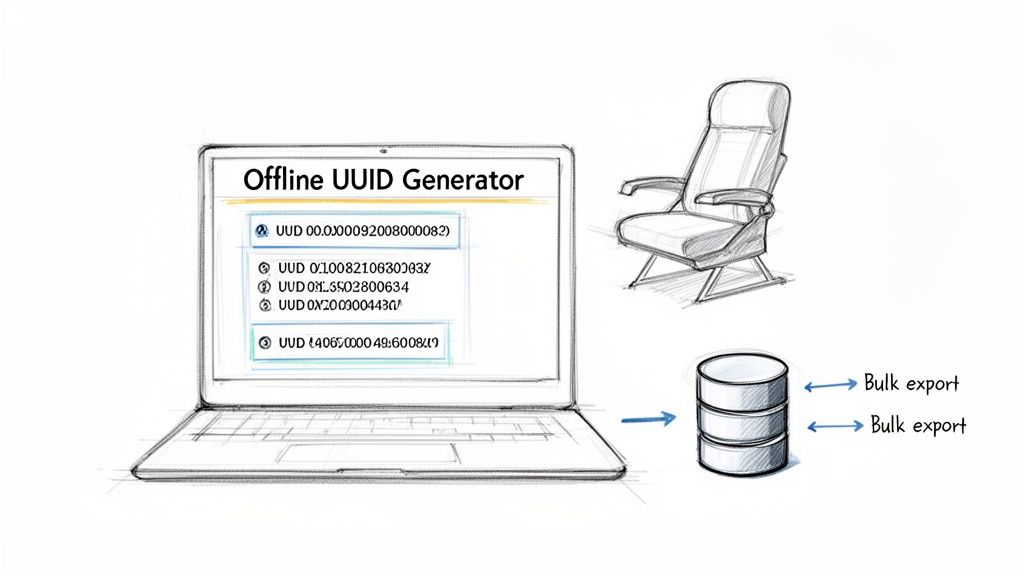
Knowing how to generate UUIDs programmatically is a core skill. But let's be real—sometimes you just need a few IDs right now without firing up your IDE or terminal. This is where a dedicated offline tool stops being a novelty and becomes a practical, time-saving part of your toolkit.
It’s all about making UUID generation an effortless, almost invisible part of your development process.
Think about this common scenario: you're spinning up a new test environment and need to seed a database with 50 unique user records. Writing and running a script just for that feels like using a sledgehammer to crack a nut. An offline uuid generator lets you create a list of 50 IDs in a single click, ready to be pasted directly into your SQL script or JSON fixture.
This instant access is a lifesaver when you're disconnected. Maybe you're on a plane, squashing a bug that requires a new API key for a config file. Online tools are off the table. A good offline generator means your workflow never stalls, giving you the secure identifiers you need, wherever you are.
Practical Scenarios for an Offline Tool
An offline generator isn't just a fallback; for many quick-turnaround tasks, it’s the best tool for the job. It really shines in those moments where speed, convenience, and security all matter.
Here are a few real-world examples I run into all the time:
- Log File Analysis: You get a massive log file and need to verify a specific list of transaction UUIDs. Instead of scripting a solution, you can just paste the list into an offline validator. You get an instant format check without sending potentially sensitive operational data over the internet.
- API Testing with Postman: When I'm building out requests in a tool like Postman, I constantly need fresh UUIDs for things like idempotency keys or new resource IDs. Keeping a browser-based generator open in another tab is just plain faster than context-switching to a terminal for every single request.
- Generating Configuration Data: Setting up CI/CD pipelines or new microservices often means creating unique identifiers for environment variables. An offline tool is a secure and quick way to generate these values without any risk of leaking secrets.
The real power of a good offline generator is its ability to remove friction. It helps you maintain creative momentum by turning what could be a disruptive context switch into a seamless, two-second action.
Streamlining Your Process with Key Features
The best offline tools do more than just spit out a single UUID. They’re packed with thoughtful features designed to solve the little annoyances developers face every day.
Look for a uuid generator that offers powerful workflow enhancements. For example, the ability to generate UUIDs with or without hyphens might seem small, but it saves you from annoying string manipulation later.
Bulk generation is another huge one, especially with an option to download the results as a text or CSV file. This can save a ton of time when you're populating databases or building large test datasets. These are the kinds of features that elevate a simple utility into an indispensable part of your toolkit.
UUID Security and Validation Best Practices
 Creating a UUID is simple, but making sure it’s secure and correctly formatted is where the real work begins. This is what keeps your application safe and reliable. With Version 4 UUIDs, everything hinges on the quality of the randomness. A V4 UUID is only as strong as the entropy used to create it.
This is a critical point: never try to roll your own generator using weak random sources like JavaScript's Math.random(). I've seen this mistake in the wild, and it's a huge security hole. These functions aren't cryptographically secure and can create predictable patterns, leaving you wide open to enumeration attacks where an attacker can guess valid IDs. Stick to battle-tested, built-in libraries like crypto.randomUUID().
Validating UUID Formats
When a UUID comes into your system from a user or another service, you have to treat it as untrusted. Never assume it’s correctly formatted. Sending bad data downstream can cause anything from simple application errors to serious injection vulnerabilities. Your first line of defense here is a solid regular expression.
Here's a go-to regex I use for checking the standard UUID format:
/^[0-9a-fA-F]{8}-[0-9a-fA-F]{4}-[0-9a-fA-F]{4}-[0-9a-fA-F]{4}-[0-9a-fA-F]{12}$/
This pattern locks the input string into the canonical 8-4-4-4-12 hyphenated structure and ensures it only contains hexadecimal characters. Making this check a standard part of your API endpoints and data ingestion pipelines is just good security hygiene. You can dive deeper into this and other key protections in our guide to software development security best practices.
The Myth of UUID Collisions
A question I get all the time is, "What are the chances my uuid generator creates a duplicate?" It’s a natural thing to worry about, but the fear of a collision—where two identical UUIDs are generated—is, for all practical purposes, unfounded.
A Version 4 UUID has 122 bits of pure randomness. The odds of a collision are so astronomically low that you would have to generate billions of UUIDs every second for centuries before you'd even have a tiny chance of seeing a duplicate.
That statistical near-impossibility is precisely why UUIDs are trusted in massive distributed systems. You can confidently rely on the math and the cryptographic integrity of modern generators.
This principle of using secure, unpredictable identifiers is a fundamental concept in web security. To see how this fits into the bigger picture, it's worth getting familiar with the OWASP Top 10 web security risks. The takeaway is always to use robust, well-vetted tools that handle these security details for you. It frees you up to build great features instead of worrying about cryptographic primitives.
Common Questions About UUID Generation
Even after you've got the basics down, a few practical questions always seem to come up when you start using UUIDs in your own projects. Let's clear up some of the most common sticking points I've seen developers run into over the years.
The big one is always about uniqueness. Are they really unique? For any real-world application, the answer is a confident yes. A standard Version 4 UUID has 122 bits of pure randomness, which gives you an astronomical number of possible combinations. The odds of a collision are so low you'd have to generate billions of IDs per second for centuries to even have a tiny chance of a duplicate.
Of course, this all hinges on using a solid uuid generator that pulls from a cryptographically secure source of randomness (a CSPRNG). Thankfully, any modern library or language worth its salt does this by default.
UUIDs vs. Integers: The Great Debate
One of the most frequent debates on any new project is whether to use a UUID or a classic auto-incrementing integer for a primary key. There's no single right answer; it really boils down to what your system needs to do.
- Go with UUIDs if you're building a distributed system. When you have multiple servers or even clients creating records at the same time, UUIDs prevent them from stepping on each other's toes without needing a central coordinator. They're also a smart move for security, since they don't leak information like how many users you have.
- Stick with integers for simpler, single-database setups. If you're not worried about distributed ID generation and a clean, sequential ID is helpful (and sometimes more human-readable), an integer is perfectly fine and often more performant.
What about using them in web addresses? It's a great idea for creating stable, unique resource locators. Just remember, a raw UUID offers zero SEO benefit. The best practice is to combine it with a human-friendly slug.
A great example is a URL structure like this:
/blog/choosing-the-right-uuid-c135b54c-223f-4a7b-97e3-5b8712a32669. The backend gets a rock-solid, unique identifier, while users and search engines get a clean, keyword-rich URL.
UUID vs. GUID: What's the Difference?
Lastly, let's clear up the UUID vs. GUID confusion. Honestly, there isn't much of one anymore.
Functionally, they're the same thing: a 128-bit identifier designed to be unique. GUID, which stands for Globally Unique Identifier, is just the name Microsoft gave to its implementation of the UUID standard. In modern development, you can pretty much use the terms interchangeably. If you see "GUID" in a Microsoft environment like .NET or SQL Server, just think of it as their name for a UUID.
For all your development needs, Digital ToolPad offers a suite of secure, offline tools, including a powerful UUID generator that runs entirely in your browser. Generate, validate, and format UUIDs instantly without ever sending data to a server. Explore the full toolkit at https://www.digitaltoolpad.com.