Base64 encoding is a clever method for turning binary data—things like images, audio clips, or any kind of file—into a simple string of text that any system can understand. It's important to know it’s not a form of encryption; instead, think of it as a safe way to transport data through channels that were built to handle only plain text, making sure the data doesn't get messed up along the way.
Understanding Base64 Encoding in Plain English
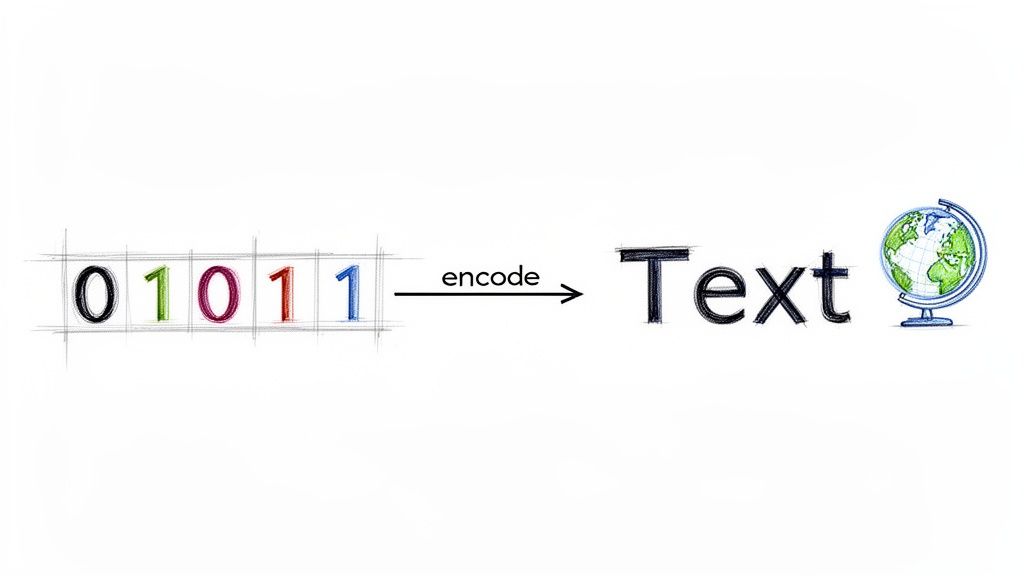
Think of Base64 as a universal translator for computers. Let's say you wanted to send a photograph using an old-school telegraph machine that only understands Morse code for letters and numbers. You couldn't just feed the photo into the machine. You'd first need to invent a system to describe that photo using only the characters the telegraph could handle.
That’s exactly what Base64 does for digital information. It takes the raw binary data that makes up a JPEG, a PDF, or an MP3 file and translates it into a standardized, 64-character text format. This text string can then travel safely through systems, like email protocols or text-based data formats, that might otherwise misinterpret or corrupt the original binary code.
The core purpose of Base64 is not to hide or secure data but to ensure its integrity during transport. It guarantees that the data arriving at its destination is identical to the data that was sent.
Why Is This Translation Necessary?
The internet's foundational systems were originally designed to handle text based on the ASCII character set. This created a huge problem when people needed to send anything more complex. These older systems might see certain byte patterns in a binary file and mistake them for special control commands, which would instantly corrupt the file.
If you're curious about how computers make sense of this raw data, our guide on converting binary to English can give you more background.
Base64 neatly solved this issue by creating a common language that all systems could process without errors. The table below gives you a quick rundown of its key characteristics.
Base64 Encoding at a Glance
This table offers a snapshot of the fundamental properties that define Base64 encoding.
| Attribute | Description |
|---|---|
| Purpose | To represent binary data in an ASCII string format. |
| Character Set | Consists of 64 common characters: A-Z, a-z, 0-9, '+', and '/'. |
| Common Use Cases | Email attachments (MIME), embedding images in HTML/CSS, and transferring data in XML or JSON. |
| Size Impact | Increases the original data size by approximately 33%. |
Essentially, Base64 acts as a reliable wrapper, ensuring complex data can move through simple, text-only environments without getting damaged.
Why Base64 Became an Essential Web Standard
To really get why Base64 encoding is so important, we have to travel back to the early days of the internet. The systems it was built on were, frankly, pretty fragile and were only designed to handle simple text. This created a huge roadblock.
The main culprit was the Simple Mail Transfer Protocol (SMTP), the system that still powers email today. Like many protocols from that era, it was designed to handle only 7-bit ASCII characters. ASCII covers the English alphabet, numbers, and basic symbols—just 128 characters in total. For plain text messages, it worked just fine.
The Binary Data Dilemma
But what happened when you wanted to send something more complex, like a picture or a document? Those files are made of 8-bit bytes, and when you tried to push them through a 7-bit system, things went haywire. The receiving system would often get confused, misinterpreting certain byte values as special commands—like "end of message"—which would corrupt the file and leave you with a jumbled mess.
This meant you couldn't reliably attach a file to an email. The plumbing just wasn't built for it, which was incredibly frustrating for anyone trying to share more than just words.
The core challenge was clear: how could you safely transmit 8-bit binary data over a network that was strictly limited to a 7-bit text-only environment?
A solid, dependable solution was needed—a way to bridge the gap between complex binary files and the simple text-based pipes of the early internet.
The Elegant Solution of PEM and Base64
The breakthrough arrived in 1987 with the formal definition of Privacy-Enhanced Mail (PEM). Buried within this new standard was Base64 encoding, an elegant and surprisingly simple solution. It offered a standardized way to convert any binary data into a safe, universally accepted set of 64 text characters. These characters were guaranteed to pass through any 7-bit system without getting misinterpreted. For a deeper dive, check out the history of this protocol on base64toolbox.com.
By encoding binary data into a Base64 string, developers could finally ensure that a file sent from one computer would arrive intact on another, no matter what systems it passed through along the way. This clever innovation unlocked the ability to share rich content through email and paved the way for countless web technologies we rely on today. It cemented Base64's place as a foundational standard that quietly supports the modern web.
How the Base64 Encoding Process Actually Works
So, what’s really going on under the hood? Base64 isn't magic; it's just a predictable, four-step translation that turns any kind of data into a safe, text-only format. It’s a clever system of grouping and mapping bits.
To see it in action, let's walk through encoding a simple three-letter word: 'Man'.
Step 1: Convert Text to Binary
First things first, we have to get our input data into its most basic form: binary. Every character you type has a numerical value, usually defined by the ASCII standard. Each of those values is represented by a sequence of 8 bits, also known as a byte.
Here’s how the letters in 'Man' break down:
- M is ASCII
77, which translates to01001101in binary. - a is ASCII
97, which becomes01100001in binary. - n is ASCII
110, which is01101110in binary.
When we line these up end-to-end, we get a continuous stream of 24 bits: 010011010110000101101110.
Step 2: Group into 6-Bit Chunks
This is the key insight behind Base64. The process takes that long 24-bit binary string and simply re-slices it into smaller, equal-sized chunks of 6 bits each.
Our 24-bit stream from 'Man' gets split into four 6-bit groups:
010011010110000101101110
Why 6 bits? It’s all about the math. 2 to the power of 6 (2^6) equals 64, which just so happens to be the exact number of characters in the Base64 alphabet. This neat trick makes the next step a direct, one-to-one mapping.
Step 3: Map to the Base64 Character Set
Now, each 6-bit chunk corresponds to a decimal number (from 0 to 63). That number, in turn, points to a unique character in the Base64 index table. This table is made up of uppercase letters (A-Z), lowercase letters (a-z), numbers (0-9), and two special symbols ('+' and '/').
Let's finish our example:
010011is the same as decimal19, which maps to the character T.010110is decimal22, which points to the character W.000101is decimal5, which gives us the character F.101110is decimal46, which maps to the character u.
Put them all together, and you get the final Base64 encoded string for 'Man': TWFu.
Step 4: Add Padding When Necessary
But what happens if your original data isn't a perfect multiple of three bytes (24 bits)? This is where padding comes into play. The Base64 standard requires the final encoded output to always be a multiple of four characters long.
To handle uneven input, the algorithm adds one or two equals signs (
=) to the end of the string. This padding isn't part of the original data; it’s a placeholder that tells the decoder how to reverse the process correctly.
For instance, encoding the word 'Ma' results in TWE=. Encoding just 'M' gives you TQ==. The padding is purely a structural marker, ensuring the integrity of the encoded block is maintained.
Where You'll Find Base64 in the Wild
Understanding how Base64 works is one thing, but its real power shines when you see how it solves everyday problems in web development. The truth is, you probably interact with Base64-encoded data all the time without even noticing. It’s the unsung hero that helps different parts of the modern internet talk to each other.
Whether it’s embedding a tiny icon directly into a webpage or attaching a file to an email, Base64 gives us a reliable way to handle binary data in systems designed to work only with text.
Embedding Media with Data URIs
One of the most common places you'll see Base64 is in Data URIs within HTML and CSS. A Data URI is a neat trick that lets you embed a small file—like an icon or a special font—right into your code, rather than linking to an external file.
By doing this, you can cut down on the number of HTTP requests a browser has to make, which can give a small boost to page load times, especially for sites with lots of tiny images. Instead of the usual <img src="logo.png">, you might see something like this:
<img src="data:image/png;base64,iVBORw0KGgoAAAANSUhEUg...">
That long, nonsensical string of characters? That's the entire image file, converted into Base64. It’s a great technique for tiny assets, but be careful—using it for larger images will make your HTML or CSS files massive and can actually slow things down.
Sending Attachments in Emails
Base64 is absolutely fundamental to how email attachments work. The Multipurpose Internet Mail Extensions (MIME) standard, which governs email formats, relies on Base64 to turn binary files like PDFs, documents, and photos into plain text.
This conversion ensures your attachments can travel through all the different email servers—which are built for text—without getting corrupted. When the email lands in your inbox, your email client decodes the Base64 string back into the original file, and just like that, your attachment is ready to open.
This diagram helps visualize the process, showing how simple text gets turned into its Base64 equivalent.
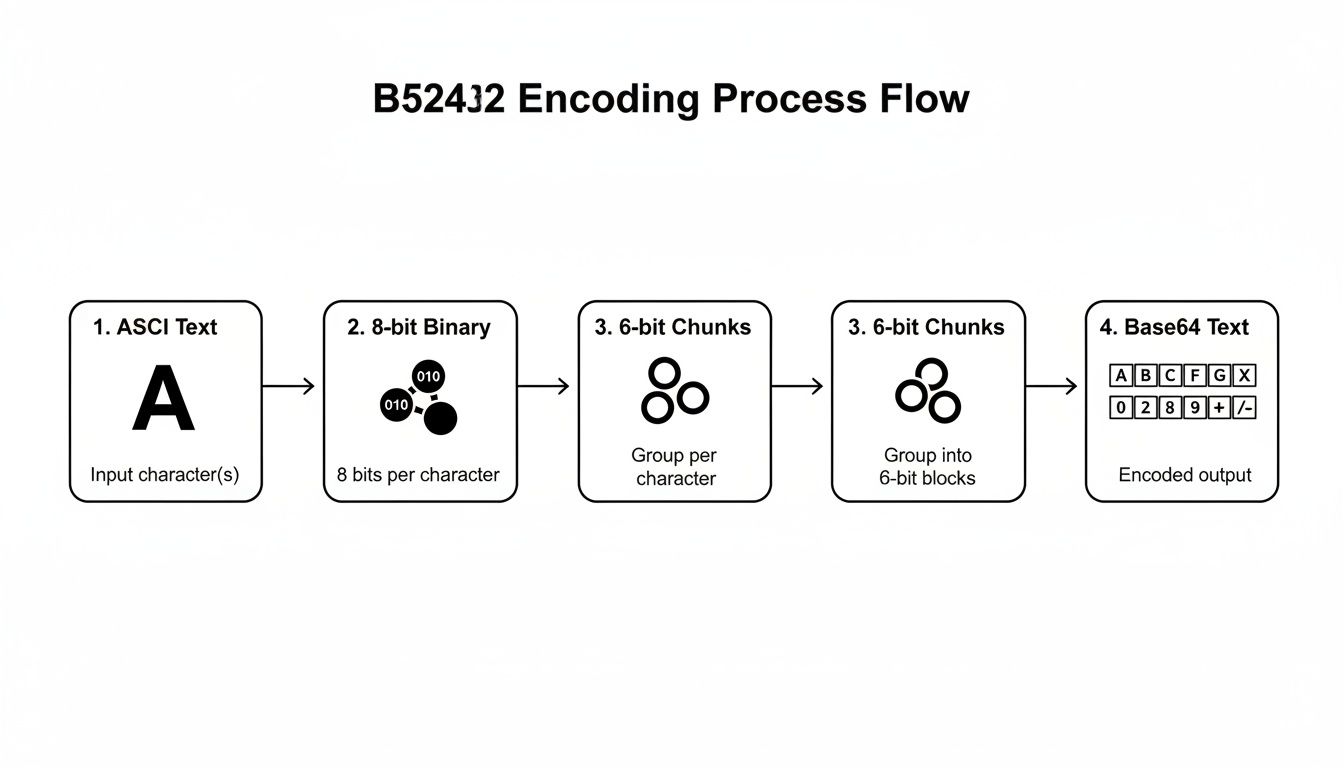
You can see how the original text is converted to 8-bit binary, then rearranged into 6-bit chunks, and finally mapped to the characters in the Base64 alphabet.
Transmitting Data in Text-Based Formats
Base64 also comes to the rescue anytime you need to squeeze binary data into text-only formats like JSON or XML. Since these formats can't handle raw binary, encoding is the only way to embed things like images or files directly inside them.
A classic example is a JSON response from an API that needs to include an image thumbnail alongside other text-based data. The image is encoded into a Base64 string, sent as part of the JSON payload, and then decoded and displayed by the application that receives it.
If you want to play around with this yourself, an online Base64 Encoder Decoder tool is a great way to get a feel for how it works.
But a word of caution: for anything sensitive, you should never paste data into an online tool that sends it to a server. Instead, use a tool that works entirely within your browser. Our own privacy-focused Base64 encoder and decoder runs 100% locally on your machine, ensuring your data never leaves your computer.
Navigating the Performance and Security Trade-Offs
Base64 is an incredibly handy tool, but it's not a magic bullet. Before you start using it everywhere, you need to understand the trade-offs—especially when it comes to performance and security.
These aren't just minor details; they're critical factors that can make or break your application. Getting this wrong can lead to painfully slow websites and, even worse, gaping security holes. Let's dig into what you're actually giving up for the convenience Base64 offers.
The Inevitable Size Increase
The first thing you’ll notice is the performance hit, and it all starts with data size. There's no way around it.
When you encode data with Base64, its size instantly balloons by about 33%. This isn't a bug; it's just how the math works. The algorithm takes every three bytes of your original data (which is 24 bits) and represents them as four ASCII characters (which takes 32 bits). That overhead adds up fast.
Think about embedding a 1 MB image into your CSS as a Base64 string. That image will now take up around 1.33 MB. For a tiny icon, that might be fine. For anything larger, you're creating real problems:
- Slower Page Loads: Browsers have to download and parse that bigger HTML or CSS file, which means users are left waiting longer for your page to appear.
- Wasted Bandwidth: For anyone on a slow or metered mobile connection, that extra data can be frustrating and even costly. It’s a quick way to create a poor user experience.
- More CPU and Memory Usage: Decoding large Base64 strings isn't free. It takes processing power, which can be a real issue on older phones or low-spec devices.
The core takeaway is simple: Base64 is not a form of compression. It’s the exact opposite. Always weigh the convenience of embedding data against the performance cost of its increased size.
The Most Common Security Misconception
This is the big one. An even more critical issue is the widespread misunderstanding about what Base64 does for security. It’s easy to look at a Base64 string and think it’s scrambled or hidden.
It isn't. Base64 is not encryption.
It provides zero confidentiality and should never, ever be used to protect sensitive information. Think of it like a simple substitution cipher you used as a kid—anyone who knows the "secret" can read it instantly. And with Base64, everyone knows the secret.
Any developer or attacker who sees a Base64 string can decode it in seconds with countless free online tools. It offers no real barrier.
Using Base64 to "hide" API keys, passwords, or personal data is a classic and dangerous security blunder. For real protection, you need to use actual encryption algorithms like AES. If you're new to that world, our guide on how to decrypt encrypted text is a great place to start building a solid foundation.
While Base64 itself isn't a security tool, it's often used in systems where security is paramount. To understand the bigger picture, it's worth reading up on comprehensive website security best practices. That will help you see where tools like Base64 fit—and where they absolutely don't—within a proper security strategy.
Adopting a Privacy-First Base64 Workflow
When you need a quick Base64 conversion, what’s your first move? For many of us, the reflex is to Google "Base64 encoder" and use the first online tool that pops up. It's fast and easy, but it comes with a huge, often ignored, privacy risk.
The second you paste your data into that web form and hit "convert," you're sending your information to a server you know nothing about. That snippet of code, configuration file, or piece of sensitive business data is no longer in your control. It could be logged, stored, or exposed in a data breach months from now. For anyone serious about security, that’s a non-starter.
The golden rule of any secure workflow is to keep your data’s exposure to a minimum. Sending information to some random server just to run a simple conversion breaks that rule entirely.
The fix is simple: shift your habit to a privacy-first approach. That means exclusively using offline, browser-based tools for all your Base64 encoding and decoding needs.
The Power of Local-First Processing
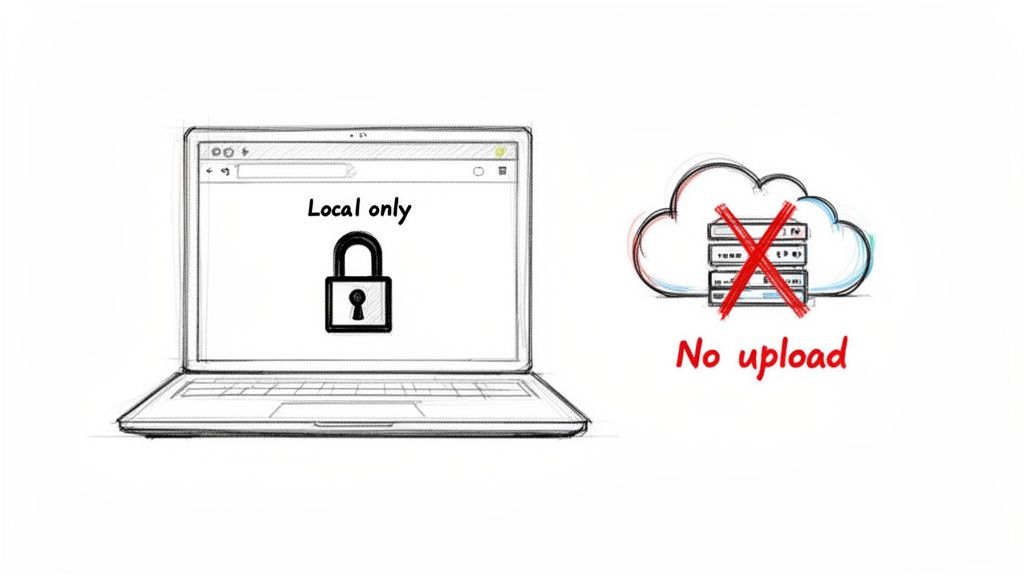
A truly secure Base64 tool does all the heavy lifting right on your machine, inside your web browser. These tools use client-side JavaScript to run the conversion algorithms, which means your data never leaves your computer. No network requests, no third-party servers, no risk.
This local-first workflow isn't just a minor improvement; it's a completely different way of thinking about your data.
- Complete Data Privacy: Your information stays where it belongs—with you. The risk of a third party seeing it drops to zero.
- Enhanced Security: By keeping the entire process offline, you eliminate any chance of data being intercepted during transmission.
- Instant Performance: With no network lag to worry about, conversions happen immediately. It’s as fast as your computer can run.
- Guaranteed Reliability: Need to encode something but the Wi-Fi is down? No problem. The tool works perfectly without an internet connection.
This approach is especially important for development teams that prioritize client-side operations and need total control over how data is handled. Because Base64 encoding is based on a straightforward mathematical process, it produces the same result on any platform without needing a server to check its work. This makes it a perfect fit for a secure, offline workflow. You can get a deeper dive into the essentials of Base64 on blog.logto.io.
By consciously choosing tools that run locally, you make your Base64 workflow not just more efficient, but fundamentally secure.
A Few Lingering Questions About Base64
Even after getting the hang of Base64, a few common questions tend to surface. Let's clear up some of the most frequent points of confusion to round out your understanding.
Is Base64 a Form of Encryption or Compression?
This is probably the biggest misconception out there, so let's be crystal clear: Base64 is neither. Think of it as a translator, not a safe or a shrink ray. Its only job is to convert binary data into a universally readable text format.
Because it's just a translation, anyone can instantly reverse the process. It offers zero security or confidentiality. On top of that, it’s actually the opposite of compression. The encoding process inflates the original data size by about 33%, which is why it's a poor choice for large files where every byte counts.
Why Does Base64 Sometimes End with an Equal Sign?
You've probably noticed that an encoded string sometimes ends with one or two = characters. That's padding, and it's there to keep things neat. The Base64 algorithm works by processing your data in tidy little chunks of three bytes (or 24 bits).
But what if your original data isn't a perfect multiple of three? That's where the equals sign comes in. Appending = (or ==) to the end signals to the decoder that there were some leftover bytes. It ensures the final encoded string is always a multiple of four characters, allowing the decoding process to work perfectly without scrambling the last few bytes of the original data.
Padding ensures that the encoded string maintains its structural integrity. It tells a decoder exactly how to reverse the process without corrupting the final few bytes of the original data.
When Should I Avoid Using Base64 Encoding?
Base64 is a fantastic tool for specific jobs, but it's definitely not a silver bullet. Here are a couple of situations where you should probably reach for something else:
- For Large Files: That 33% size increase is a dealbreaker for things like high-resolution images, videos, or big software packages. The extra bloat eats up bandwidth, slows down load times, and can even increase storage costs.
- For Sensitive Data: Never, ever use Base64 to try and "hide" secrets. API keys, passwords, or personal info are completely transparent once encoded. For anything that needs to be kept confidential, you need real encryption, like AES.
What Is the Difference Between Standard and URL-Safe Base64?
The standard Base64 character set includes + and /. While that's fine for most uses, those two characters are special in URLs—they can be misinterpreted as spaces or path separators, which completely breaks the link.
The fix is simple: a "URL-safe" variant. It just swaps out the troublemakers for characters that play nicely in web addresses.
+gets replaced with-(a hyphen)./gets replaced with_(an underscore).
This small change makes the encoded string perfectly safe to drop into a URL, a file name, or anywhere else the standard characters might cause a headache.
At Digital ToolPad, we build privacy-first, offline utilities to help you work securely and efficiently. Our browser-based tools run 100% on your local machine, ensuring your data never leaves your control. Explore our suite of secure developer tools at Digital ToolPad.