It only takes one misplaced space or a forgotten colon in a YAML file to bring an entire deployment to a grinding halt. That’s why a reliable YAML online validator is such an indispensable tool. It gives your configuration files a quick syntax check, making sure your code is solid before it even thinks about hitting production.
Why YAML Validation Is a Lifeline for Modern Developers
In the world of DevOps, YAML is more than just a data format—it's the language that powers automation. We use it to define infrastructure in Kubernetes, manage complex workflows in GitHub Actions, and configure applications with Docker Compose. With YAML at the core of so many systems, the integrity of your files is directly tied to the stability of everything you build.
A tiny syntax error isn't just a minor annoyance; it's a direct route to system failure.
Picture this: a Kubernetes deployment fails. The team scrambles, spending hours combing through logs, checking network policies, and dissecting pod statuses. After all that, they find the culprit was a single incorrect indentation in a deployment.yaml file. This isn't some far-fetched story. It's a frustratingly common scenario that burns through valuable engineering time and holds up critical updates.
The Real-World Cost of Invalid YAML
The fallout from a simple YAML error can ripple across a project, and for a business, the consequences can be genuinely costly.
Here’s what’s really on the line:
- Production Downtime: A broken Ansible playbook or Kubernetes manifest can easily take live services offline, costing revenue and eroding customer trust.
- Wasted Engineering Hours: Let's be honest, debugging syntax errors is a low-value task. It pulls developers away from building features, and every minute spent hunting for a missing hyphen is a minute not spent innovating.
- Security Vulnerabilities: Misconfigurations can accidentally expose sensitive data or open up security holes. For example, an incorrectly defined network policy in a Kubernetes YAML file might leave a service wide open to the internet.
Using a YAML online validator isn't just about writing clean code. It’s a critical safety net that stops minor mistakes from snowballing into major operational disasters.
Shifting from Reactive to Proactive
Trying to debug YAML after a deployment fails is both inefficient and risky. It makes validation an afterthought. A much better approach is to be proactive. By building a validation step into your workflow early and often, you stop fixing problems and start preventing them from ever happening.
This is where a YAML online validator makes things easy. It gives you instant feedback, letting you catch and correct mistakes in seconds. This simple habit tightens up your workflow and ensures that the configurations you push are not just syntactically correct, but truly ready for the real world. It's your first line of defense against the chaos a single wrong character can unleash.
Choosing the Right YAML Validator for Your Project
With so many YAML validators out there, picking the right one can feel like a chore. They aren't all built the same, and the best tool for you really boils down to your specific needs—especially how sensitive your data is. It's about looking past a simple "valid" or "invalid" check and focusing on the details that make your workflow smoother and more secure.
A good validator doesn't just tell you something is wrong; it helps you fix it. Vague feedback like "parsing error on line 27" is incredibly frustrating. The best tools give you clear, human-readable messages that pinpoint the exact problem, like "unexpected indentation" or "mapping values are not allowed here." That kind of specific feedback can save you a ton of debugging time.
Evaluating Key Features and Functionality
When you’re comparing tools, check what versions of YAML they support. YAML has evolved, and versions like 1.1 and 1.2 have subtle but critical differences, especially in how they handle booleans (on/off) or octal numbers. If your validator isn't aligned with the version your application uses, you can end up with syntax that looks correct but still triggers runtime errors.
The need for these tools has exploded with the growth of DevOps. In fact, over 60% of CI/CD pipelines now use YAML for configuring everything from Docker to Ansible. This massive reliance makes choosing a solid validator more important than ever. You can dig deeper into YAML's role in modern development workflows to see just how integral it has become.
The decision tree below really simplifies the high-stakes outcome of getting your YAML right.
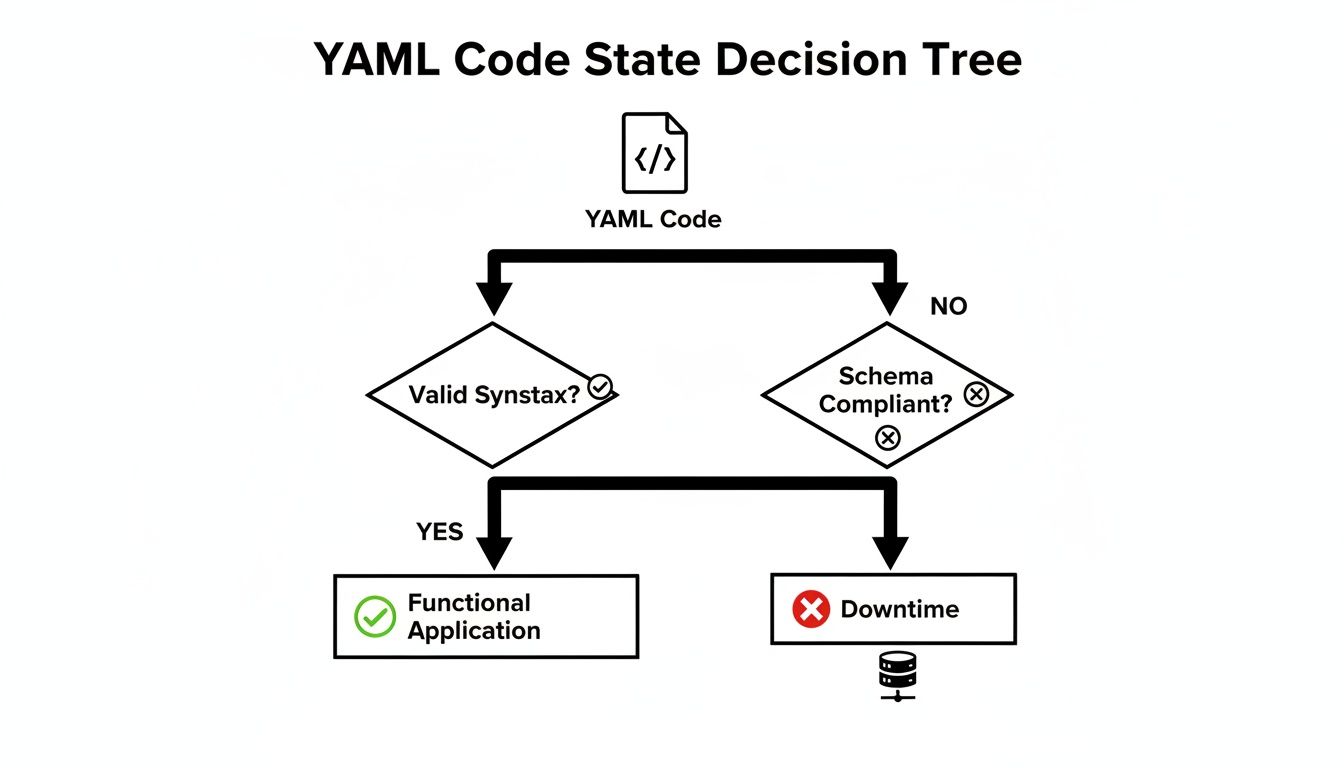
It’s a stark reminder of a simple truth: valid YAML keeps things running, while bad code is a fast track to downtime.
Why Privacy and Security Should Be Your Top Concern
This is probably the single most important factor: how a validator handles your data. Many online tools are server-side, meaning you paste your YAML, and it gets sent to their server for processing. This is a massive security blind spot.
When you use a server-side validator, you are trusting an unknown third party with your configuration data. This could include sensitive information like API keys, database credentials, or internal infrastructure details.
Pasting secrets into a public tool is like leaving your keys in the front door. Even if the service provider is trustworthy, their servers could be breached, or they might log user data for analytics, accidentally exposing your private info. For any professional environment, this risk is just too high.
To help you decide, here's a quick breakdown of the different types of validators and what they're best for.
Comparison of YAML Validator Types
| Validator Type | Key Features | Best For | Privacy & Security Risk |
|---|---|---|---|
| Online (Server-Side) | Web-based, accessible from anywhere, often feature-rich. | Quick, non-sensitive checks; validating public or example files. | High. Data is transmitted and processed on a third-party server. |
| Online (Client-Side) | Runs entirely in the browser; no data transmission. | Securely validating sensitive configs with the convenience of a web UI. | Low. All processing happens locally on your machine. |
| CLI Tools | Runs locally from the terminal; can be scripted and automated. | Integrating into CI/CD pipelines, local development, and automated workflows. | Very Low. Data never leaves your local environment or trusted servers. |
| IDE Extensions | Real-time validation directly in your code editor. | Day-to-day development for instant feedback as you type. | Very Low. Operates within your trusted development environment. |
As you can see, the risk profile changes dramatically depending on where your data is processed. For anything involving sensitive information, client-side or local tools are the clear winners.
The Clear Advantage of Client-Side Validation
This is where client-side validators really shine. These tools are designed to run completely within your web browser, giving you a much more secure alternative.
Here’s why they’re better for sensitive work:
- No Data Transmission: Your YAML never gets sent over the internet. All the validation logic runs locally on your machine using JavaScript.
- Total Privacy: Since your code never leaves your computer, there’s zero risk of it being logged, stored, or intercepted.
- Instant Feedback: Client-side tools are often much faster because they don't need to make a round-trip to a server. You get results immediately.
For any work involving sensitive configurations—whether for Kubernetes, cloud infrastructure, or your own application settings—a client-side YAML online validator is the only responsible choice. It gives you the ease of a web tool without the security headaches, offering a private and powerful way to make sure your code is perfect every time.
A Hands-On Walkthrough of Your First YAML Validation
Theory is one thing, but actually validating a file is where you see the magic happen. Let's walk through a super common scenario: checking a docker-compose.yml file before you commit it. This simple habit can save you from a world of hurt when your containers mysteriously refuse to start.
So, you've just drafted a new configuration. It’s a basic setup for a web service with a server and a database. You’ve double-checked it, and it looks good to go. But even a single misplaced character can bring the whole thing down. This is the perfect time for a quick sanity check.
Getting Your YAML Ready
First thing's first: grab your YAML code. Just copy the entire contents of your .yml file straight from your code editor. Don't worry about formatting it—any decent validator will handle the raw text perfectly.
Let's work with a slightly broken docker-compose.yml file. It looks right at first glance, which is precisely why validators are so essential. They catch the sneaky little mistakes our eyes glide right over.
version: '3.8' services: web: image: nginx:latest ports: - "8080:80" db: image: postgres:13 environment - POSTGRES_PASSWORD=supersecret
See the problem? It's subtle. The environment key is missing its colon. That's a classic typo, especially when you're moving fast.
Making Sense of the Validator's Feedback
Next, you’ll paste this block of code into an online YAML validator. The tool will immediately parse the structure and flag anything that’s out of place. A good validator won’t just tell you it’s "invalid"; it’ll give you clues.
Here’s a great example of what you can expect when a validator catches an error.
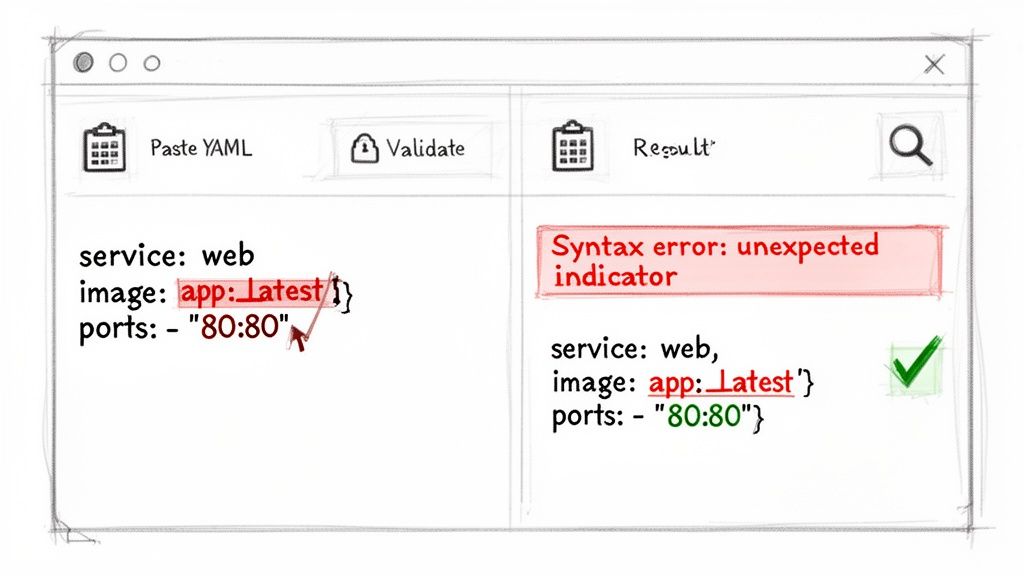
The feedback is both clear and actionable. It pinpoints the exact line where the syntax breaks and gives a helpful error message, guiding you straight to the problem.
For our docker-compose.yml example, the validator would probably spit out an error like, “Implicit map keys need to be followed by a colon” right next to the environment line. That’s not just a warning; it’s a specific instruction. The tool knows environment looks like a key but is missing the colon needed to introduce its value (in this case, a list of variables).
A great validator does more than just find errors—it teaches you. By providing clear, contextual feedback, it helps you understand the underlying rules of YAML syntax, making you a better developer over time.
Fixing the Error and Re-Validating
Armed with this direct feedback, the fix is a piece of cake. Just pop in the missing colon and run the validation again.
Here’s the corrected version:
version: '3.8' services: web: image: nginx:latest ports: - "8080:80" db: image: postgres:13 environment: - POSTGRES_PASSWORD=supersecret
Paste this fixed code back into the validator, and you should get a nice, green success message. That "Valid YAML" confirmation is the green light you need to commit your code with confidence. To practice with a tool that runs entirely in your browser for total privacy, you can explore our powerful YAML editor and validator.
This whole cycle—copy, paste, review, fix, confirm—takes less than a minute. But in that short time, you’ve just eliminated an entire class of potential production errors. Making this quick check a regular part of your workflow is one of the smartest things you can do for the reliability of your configurations. It's a small time investment that pays off big in stability and fewer late-night debugging sessions.
Decoding Common YAML Errors and How to Fix Them
If you work with YAML, you're going to run into cryptic error messages. It's just part of the game. The good news is that most of these errors are the same few culprits showing up again and again. Once you learn to spot them, fixing them becomes second nature.
This is where a good YAML online validator becomes your best friend. It takes a vague "parsing failed" message and points you right to the line and character that’s causing the trouble. Let's break down the most common mistakes I see and how to squash them for good.
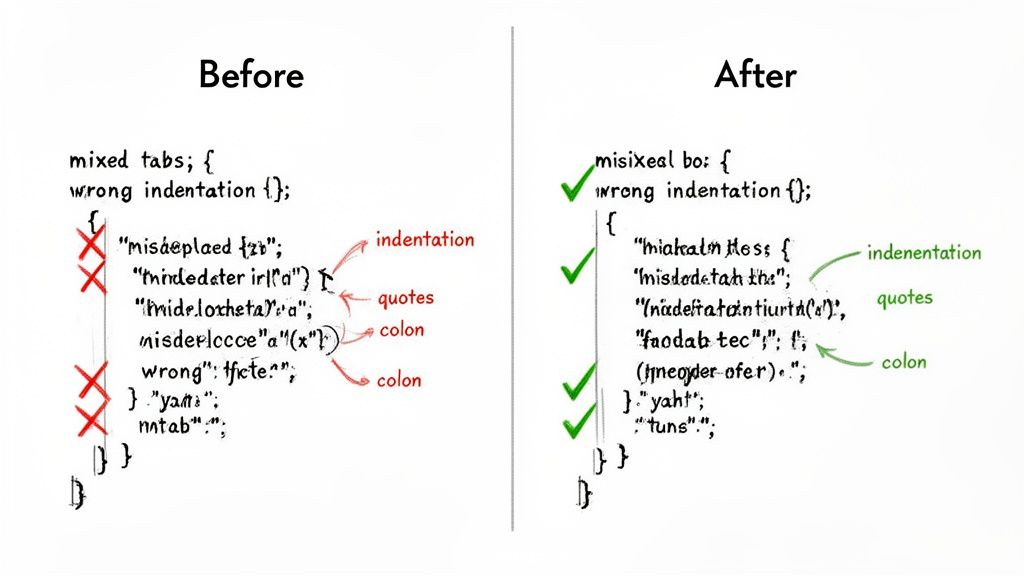
The Indentation Trap: Tabs vs. Spaces
Hands down, the number one mistake in YAML is indentation. Because YAML uses whitespace to define structure, it's incredibly sensitive to how you indent. The golden rule is simple: use spaces, not tabs.
A single tab character hiding among your spaces can break the entire file, even if it looks perfectly aligned in your text editor.
The standard convention is two spaces for each level of indentation. Stick to it religiously.
Here’s a classic example of what goes wrong:
Error: Mixed indentation (tab used for 'image')
services: web: image: nginx:latest # This line uses a tab ports: - "80:80"
The fix is as simple as it is crucial. Just find that tab and replace it with spaces.
Correct: Consistent space indentation
services: web: image: nginx:latest ports: - "80:80"
Misplaced or Missing Colons
Colons (:) are the backbone of YAML's key-value pairs. Forgetting one is an easy typo to make, but it completely confuses the parser. It doesn’t know where the key ends and the value begins.
This usually happens when you’re writing config files quickly and your fingers just miss the key.
Example Error:
Error: Missing colon after 'environment'
database: image: postgres environment - POSTGRES_USER=admin
A validator will catch this immediately. The fix? Just add the colon where it belongs.
Corrected Version:
Correct: Colon added to define the key-value pair
database: image: postgres environment: - POSTGRES_USER=admin
Pro Tip: Do yourself a favor and use a modern code editor with a good YAML extension. It'll highlight syntax errors like this in real-time, saving you a trip to the validator.
Improper Nesting and Hierarchy
Another common headache is getting the nesting wrong. This happens when an item is indented at the wrong level, breaking the parent-child relationship that YAML’s structure depends on.
YAML’s visual hierarchy is its strength, but it’s also unforgiving. A line indented too far or not far enough gets assigned to the wrong parent, and your configuration falls apart.
Example of Bad Nesting:
Error: 'ports' is incorrectly indented
server: app: my-api image: api:v1 ports: # Should be nested under 'server' - "3000:3000"
In this case, ports is on the same level as server, not inside it. The fix is to indent it properly, making it a child of the server key.
Correct: 'ports' is properly nested
server: app: my-api image: api:v1 ports: - "3000:3000"
Don't feel bad if you struggle with this; you're not alone. A survey of 24,000 developers revealed that 59% spend 10-20% of their coding time just debugging YAML issues. Even worse, nested structure validation fails 33% of the time due to mistakes with anchors and aliases.
Quoting Special Characters and Strings
Most of the time, YAML is smart enough to figure out what a string is without quotes. But sometimes, special characters can throw it for a loop.
Characters like :, {, }, [, ], #, |, -, and ! have special meaning in YAML. If your string contains one of these, especially at the beginning, the parser might get confused and think you’re defining a new structure.
When to Quote:
- Booleans: If you need the literal string
"true"or"no"and don't want it converted to a boolean value. - Special Characters: When your string contains any of YAML's reserved characters.
- Empty Strings: Use
""or''to clearly define an empty string.
Getting comfortable with these common fixes will make you much faster and more confident when writing YAML. For those looking to go deeper, understanding how to validate against a schema is the next step. Advanced techniques, like using JSON Schema additionalProperties for flexible validation, let you enforce very specific rules on your data structure, catching logical errors, not just syntax mistakes.
Why You Should Never Validate Sensitive YAML Online
When you're trying to fix a syntax error in your YAML, grabbing an online validator is a natural first step. But there's a huge privacy risk that most developers overlook. Every time you paste your configuration into a typical web-based tool, you're sending that data to a server you don't control. This simple copy-paste action is riskier than you might think.
Just think about what’s actually inside your YAML files. It’s rarely just simple settings; it's often the entire blueprint for your infrastructure. That data can easily include:
- Kubernetes secrets for database or API access.
- Database credentials, sometimes including plain-text usernames and passwords.
- Proprietary application settings that expose your internal architecture.
- Private API keys for critical third-party services.
The moment that data leaves your local machine, you've lost control. Who's to say the service provider isn't logging requests, caching your content, or worse? If they suffer a security breach, your sensitive information is suddenly in the hands of attackers.
The Real-World Fallout from a Simple Mistake
This isn't just theoretical paranoia. A data leak from a quick copy-paste can have disastrous, real-world consequences. An exposed API key could give someone free rein over your cloud accounts, leading to data theft or a massive, unexpected bill from resource abuse.
Beyond the immediate financial damage, accidentally exposing configuration files can trigger serious compliance nightmares. Regulations like GDPR and CCPA have strict rules about handling sensitive data. Mishandling your own infrastructure's secrets, even by accident, can lead to crippling fines and destroy your company's reputation.
The convenience of a quick online check is never worth the risk of exposing your infrastructure's most sensitive secrets. Security can't be an afterthought when you're dealing with configuration files.
The Clear Solution: Client-Side Validators
This is where the difference between server-side and client-side tools becomes so important. A client-side YAML online validator solves the problem by running all the validation logic right inside your web browser. Nothing ever leaves your computer.
Your data stays entirely on your machine, from the second you paste it in until you close the browser tab. This approach delivers the best of both worlds: the easy access of a web tool with the rock-solid security of an offline application. For any professional developer or company that takes security seriously, this is a massive win.
With compliance requirements getting stricter, the move toward local-first tools is picking up steam. In fact, 77% of security-conscious teams now lean on local validators, making client-side tools a must-have for any workflow that can't afford privacy leaks. You can find more details on the rise of client-side validation tools.
By choosing a validator that works 100% locally, you completely remove the privacy risk. You can confidently check any file, no matter how sensitive, knowing your data remains safe and under your control. This peace of mind lets your team keep its standards high without poking holes in your security. If you're interested in other secure, offline utilities, you might also want to check out our guide on creating QR codes without sending data online.
Making Validation Part of Your Daily Workflow
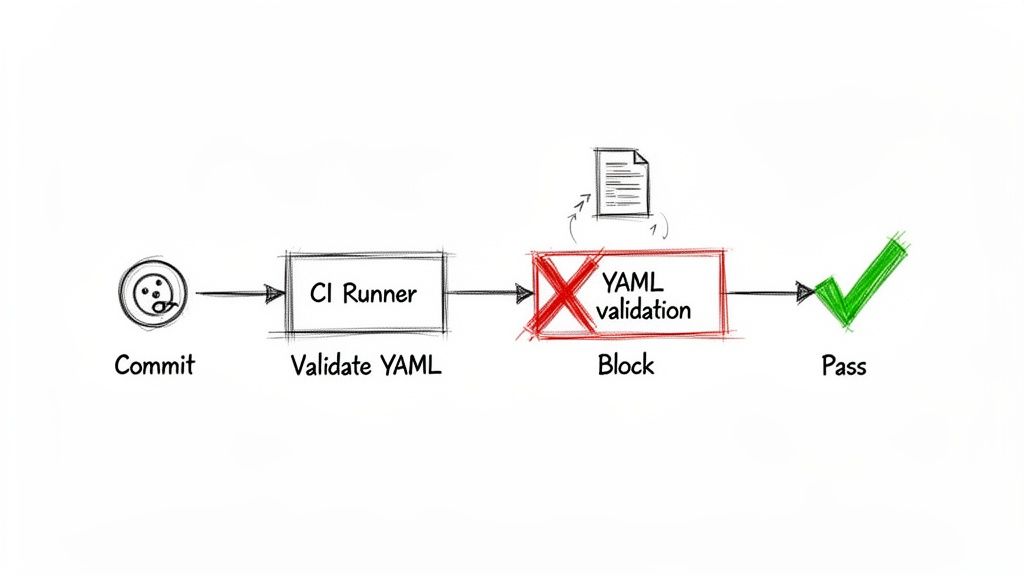
Pasting YAML into a web validator is a good first step, but the real power comes from making validation an automatic, invisible part of your development process. When you build it directly into your workflow, you create a safety net that catches errors before they ever cause a problem. It stops being a manual chore and becomes a quality gate that protects your main branch.
The best place to do this is in your Continuous Integration (CI) pipeline. By setting this up, every single commit gets checked automatically. If a developer pushes YAML with a syntax error, the pipeline immediately fails, blocking the bad code and letting them know exactly what went wrong.
Adding a Validation Job to Your CI/CD Pipeline
Getting a command-line tool like yamllint running in a CI system is surprisingly simple. Let’s take a look at how you'd do it with GitHub Actions. You can set up a workflow that triggers on every pull request, guaranteeing that no malformed YAML makes it through the review process.
Here’s a basic but effective job to add to a file like .github/workflows/lint.yml:
name: YAML Lint
on: [push, pull_request]
jobs: lint: runs-on: ubuntu-latest steps: - name: Check out code uses: actions/checkout@v3
  - name: Run yamllint
    uses: frenck/action-yamllint@v1
This setup uses a ready-made GitHub Action that scans your entire repository with yamllint. If it spots a single mistake, the check fails, and the pull request is flagged. This kind of proactive check is a core part of modern development and fits perfectly alongside strong code review best practices to help teams ship reliable code faster.
Going Deeper with Schema Validation
Syntax is one thing, but structure is another. You can take your validation a step further by checking your YAML against a custom schema. A schema is just a blueprint for your configuration files—it defines required keys, what data types are allowed (e.g., string, number, boolean), and even the acceptable values. This is a game-changer for complex files like Kubernetes manifests or cloud infrastructure definitions.
Schema validation moves beyond "Is this valid YAML?" and starts asking, "Is this a valid configuration for my application?" It catches logical errors a simple syntax linter would completely miss.
Automating these structural checks creates a robust defense against misconfigurations, ensuring every file is not only correct but also consistent. And for teams working with multiple data formats, knowing how to reliably convert YAML to JSON is another essential skill.
Got Questions About YAML Validation? We’ve Got Answers
When you're working with YAML, a few common questions always seem to pop up. Let's tackle them head-on, so you can validate your files with confidence and keep your data secure.
What's the Single Most Common Error in YAML Files?
Hands down, it's incorrect indentation. YAML's structure is built entirely on whitespace, and the golden rule is to use spaces, not tabs. I've seen it countless times—a single misplaced tab or an inconsistent number of spaces can bring everything to a grinding halt. In fact, it's estimated that improper indentation accounts for over 60% of all YAML validation failures.
Is It Really Safe to Use Any Online YAML Validator?
Absolutely not. You have to be careful here, especially if you're working with sensitive data. Many free online tools will upload your YAML content to their servers to run the validation. That's a huge security risk if your file contains API keys, database credentials, or any other private information.
My rule of thumb is simple: if the data is sensitive, stick to a privacy-first, client-side validator. These tools do all the processing right inside your web browser, which means your data never leaves your computer.
Can a YAML Validator Do More Than Just Check Syntax?
Yes, and this is where validation gets really powerful. A basic YAML online validator is great for catching syntax mistakes like bad indentation or a missing colon. But what about the logic of your file?
That’s where schema validation comes in. A schema acts as a blueprint for your YAML, defining things like:
- Which fields are required
- What data types are allowed (e.g., string, boolean, number)
- The overall expected structure
This is a lifesaver for complex configurations like Kubernetes manifests or CI/CD pipelines. It ensures your file is not only syntactically valid but also semantically correct for the application that will use it. It's the difference between a file that looks right and a file that is right.
Ready to validate your YAML securely and efficiently? The suite of offline developer tools at Digital ToolPad runs 100% in your browser, so your sensitive data never leaves your machine. Try our privacy-first utilities today at https://www.digitaltoolpad.com.