
You have a valid YAML file. It powers a Kubernetes manifest, a docker-compose.yml, or a CI config. Then the next tool in your workflow asks for JSON and nothing else.
That mismatch still shows up all the time in DevOps work. The question usually isn't whether you can convert YAML to JSON. It's which method fits the job without adding friction, leaking sensitive config, or creating subtle parsing bugs that only appear later in a pipeline.
A good yaml to json converter isn't just about syntax transformation. It needs to match the way you're working right now. Sometimes that means a browser tool for a fast one-off check. Sometimes it means yq in CI. Sometimes it means putting conversion logic inside your app so you control parsing, validation, and output end to end.
Why YAML to JSON Conversion is Still Essential
You write a clean YAML file for a deployment, hand it to the next tool, and the tool rejects it because it only accepts JSON. That problem is still common because YAML and JSON serve different parts of the workflow.
YAML stays popular where humans read and edit config. JSON stays common where APIs, SDKs, validators, and service integrations want a strict machine-friendly structure. In practice, teams keep both formats around because each one reduces friction at a different step.
That trade-off matters more than the format debate itself.
YAML is easier to scan in pull requests, easier to comment, and usually easier to maintain for infrastructure and pipeline definitions. JSON is easier to pass through application code, schema validation, and HTTP interfaces without extra parsing rules. Converting between them is often the practical compromise that keeps a workflow fast without forcing every tool in the chain to support both formats equally well.
Where this shows up in practice
- Infrastructure definitions: Teams write Kubernetes manifests and similar config in YAML, then convert to JSON for validators, policy engines, or internal services.
- Build and delivery pipelines: YAML works well for authoring CI/CD config, while adjacent tooling may expect JSON payloads or serialized objects.
- Application integration: Many libraries and APIs still treat JSON as the default exchange format, even when the source config started as YAML.
The conversion step is usually simple. Choosing how to do it is where actual trade-offs start.
For a quick check during development, speed usually wins. For repeatable build steps, automation wins. For production config, privacy often wins over convenience, especially when a file includes internal hostnames, tokens, or environment-specific values that should not leave a local machine.
Dadroit's YAML to JSON guide covers the mechanics of parsing YAML into JSON across different tools and languages. That broader point is useful here. Conversion is not just formatting. It affects validation, error handling, and where sensitive configuration data gets exposed during the workflow.
A practical starting point is keeping a small set of trusted YAML tools on Digital ToolPad available for validation, inspection, and format changes, instead of pasting production config into whatever converter shows up first in search results.
The Instant Privacy-First Method Browser Converters
For one-off work, browser converters are the fastest option. Paste YAML on the left, get JSON on the right, copy the result, move on.
The catch is trust. If the file contains anything sensitive, convenience alone isn't enough. You need to know whether the conversion runs locally in the browser or whether the content is being sent somewhere else.

Modern browser converters increasingly focus on that local-first model. Online YAML Tools notes that several providers, including Digital ToolPad, market YAML-to-JSON conversion as instant, free, ad-free, and entirely client-side, which makes this approach suitable for sensitive Kubernetes, Docker Compose, and CI/CD content when you need browser convenience without server-side handling in the workflow described by Online YAML Tools.
When browser conversion is the right choice
Browser tools work best when all of these are true:
- You need speed: You're debugging a file, testing structure, or converting something once.
- You don't want setup: No package install, no shell aliases, no local scripting.
- You want visual feedback: Side-by-side input and output makes mistakes obvious.
- You care about local handling: Client-side processing reduces exposure for sensitive config.
A browser-based YAML JSON converter is especially useful during review and troubleshooting. Mid-level developers often overreach for CLI automation when the task is just, "Does this structure serialize cleanly?" For that job, fast feedback wins.
A simple workflow that works
Use this sequence:
Paste the YAML Keep the original formatting intact. YAML is whitespace-sensitive, so avoid rewrapping lines before conversion.
Check for parser complaints Browser tools usually expose indentation issues immediately. That makes them useful for finding small structural mistakes before you move to automation.
Review the JSON shape Don't just copy the output. Scan arrays, nested objects, booleans, and quoted values.
Copy only after a quick sanity check If the file is heading into an API call or schema validation step, verify that strings that look like numbers are still represented how you expect.
Browser conversion is best when the human is still in the loop and can inspect the output immediately.
What browser tools don't do well
They aren't the best fit for repeatable builds, repo-wide conversion, or policy-controlled pipelines. If you need deterministic output every time code ships, manual paste-convert-copy becomes a liability. It's too easy to skip a validation step or paste the wrong file.
Use browser converters for fast intervention, not for process you need to trust unattended.
Automating Conversions with Command-Line Tools
Once conversion becomes repeatable, move it to the command line. That's where yq earns its place.
A CLI-based yaml to json converter is the better choice when conversion needs to happen in a script, a pre-commit hook, a CI job, or a deployment pipeline. You get repeatability, explicit commands, and versioned automation instead of manual copying.
A practical production workflow is consistent across good tooling guides: validate YAML first, convert with a deterministic parser such as yq, then verify the JSON output. That order matters because malformed indentation, anchors and aliases, and merge keys are common causes of conversion errors, as described in Keploy's conversion guide.
Core yq patterns
Basic file conversion:
yq -o=json '.' config.yaml > config.json
Read from standard input:
cat config.yaml | yq -o=json '.'
Convert and pretty-print a subsection:
yq -o=json '.services.api' docker-compose.yml
That last pattern is useful when you don't need the whole document. In DevOps, partial extraction is common. You might only want one service definition, one environment block, or one nested object to pass into another tool.
A reliable shell workflow
A small script beats a hand-run command when the conversion matters:
#!/usr/bin/env bash
set -euo pipefail

INPUT_FILE="deployment.yaml"
OUTPUT_FILE="deployment.json"

# Validate by parsing the YAML before writing output
yq '.' "$INPUT_FILE" > /dev/null

# Convert deterministically to JSON
yq -o=json '.' "$INPUT_FILE" > "$OUTPUT_FILE"

# Basic verification step
jq '.' "$OUTPUT_FILE" > /dev/null

echo "Converted $INPUT_FILE to $OUTPUT_FILE"
This isn't fancy, and that's the point. Simple scripts survive longer in build systems than clever one-liners.
Where CLI conversion wins
| Use case | Browser tool | yq |
|---|---|---|
| Quick one-off inspection | Strong fit | Fine, but slower to start |
| CI/CD pipeline | Weak fit | Strong fit |
| Batch processing | Weak fit | Strong fit |
| Git hooks and repo automation | Weak fit | Strong fit |
| Human review before copy | Strong fit | Moderate fit |
A command-line parser also makes it easier to keep the conversion close to the source file. You don't have to open a browser, switch context, and move data around.
This walkthrough is worth watching if you're building terminal-based workflows:
What usually breaks in automation
The failure mode isn't usually "JSON couldn't be produced." It's that the output was technically valid but semantically wrong for the next step.
Watch for these:
- Anchors and aliases: YAML supports patterns that don't map cleanly into the mental model many developers expect from JSON.
- Merge keys: They can produce expanded output that surprises anyone who only reviewed the YAML source.
- Large files: Automation may need chunking or streaming strategies if conversion is part of a bigger pipeline with memory pressure.
- Silent type changes: More on that later, but don't assume numeric-looking values survive unchanged.
Build discipline: If the JSON is heading into production, validation before conversion isn't optional. Verification after conversion isn't optional either.
Integrating Conversion Within Your Applications
A common real-world case looks like this: developers edit YAML because it is readable, but the application still has to send JSON to an API, store normalized payloads, or pass structured data to another service. In that workflow, conversion belongs in the code because the code already owns validation, defaults, and failure handling.
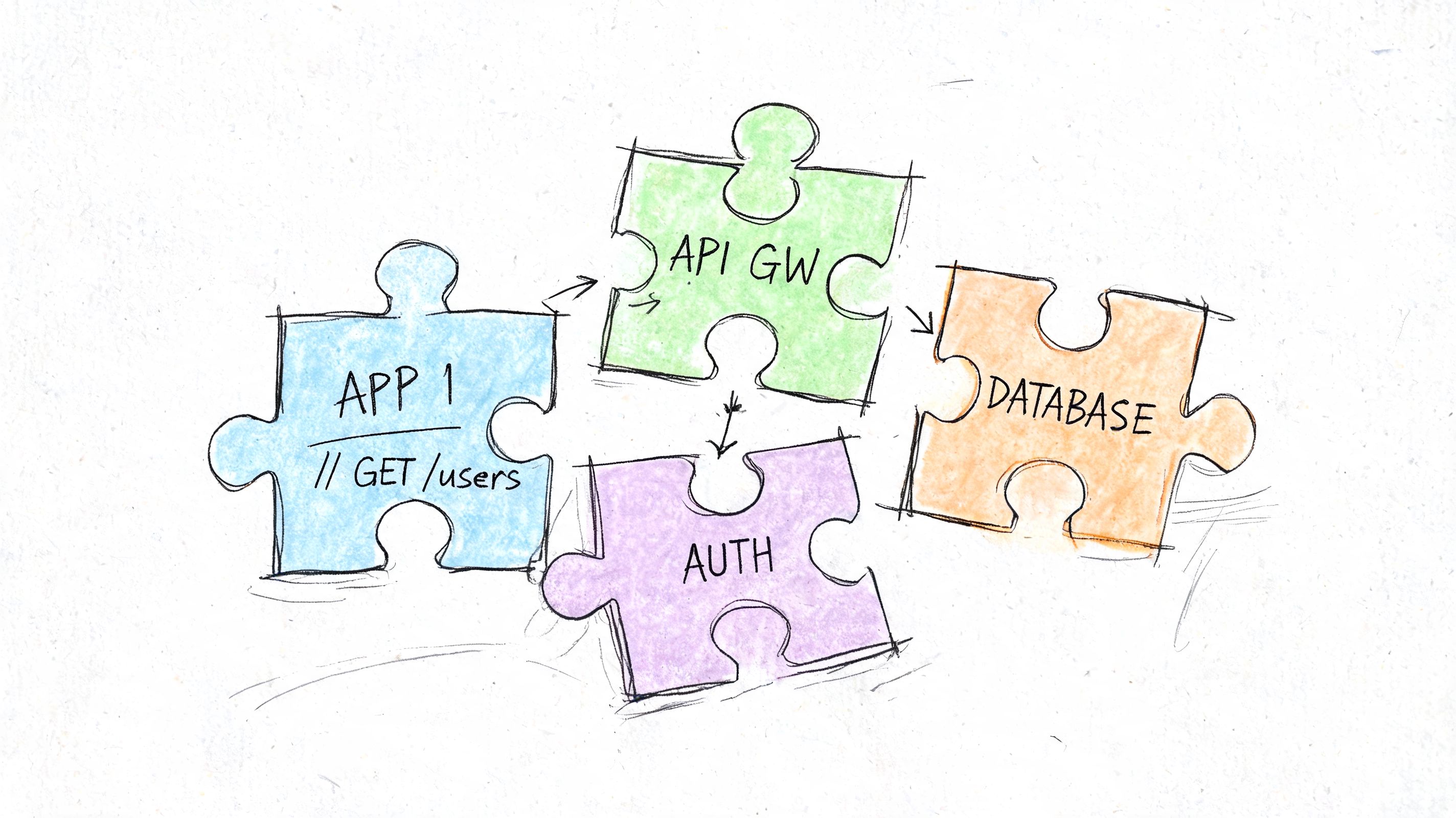
This approach is slower to build than a browser tool or a one-line CLI command. It pays off when conversion is part of the product path and needs consistent behavior every time. It also keeps sensitive config and customer data inside your application boundary, which matters more than convenience in regulated environments or internal platforms.
Python example
Python is a practical choice for config transformation because json is built in and YAML libraries are straightforward to add.
import json
import yaml

with open("config.yaml", "r", encoding="utf-8") as yaml_file:
    data = yaml.safe_load(yaml_file)

json_output = json.dumps(data, indent=2)

with open("config.json", "w", encoding="utf-8") as json_file:
    json_file.write(json_output)

print(json_output)
The flow is simple.
- Parse YAML into native Python objects.
- Serialize those objects to JSON.
- Write the result, return it from a function, or pass it to the next service call.
That pattern works well for internal admin tools, migration jobs, config loaders, and API adapters. If the conversion is happening inside request handling, add clear exceptions and reject malformed input early. Debugging bad YAML is much easier when the app fails with a useful message before the bad data spreads.
Node.js example
Node.js follows the same model. Parse first. Stringify second.
const fs = require("fs");
const YAML = require("yaml");

const yamlText = fs.readFileSync("config.yaml", "utf8");
const data = YAML.parse(yamlText);

const jsonOutput = JSON.stringify(data, null, 2);

fs.writeFileSync("config.json", jsonOutput, "utf8");

console.log(jsonOutput);
This fits service tooling, developer portals, local scripts, and build systems where adding one parser dependency is normal. It is also a good option when the app already speaks JSON everywhere else and YAML only exists at the input edge.
What you gain, and what you now own
In-app conversion gives you the most control. It also gives your team the most responsibility.
Own these parts explicitly:
- Input validation
- Error messages for malformed YAML
- Type expectations
- Output normalization
- Tests for edge cases
The trade-off is straightforward. You get repeatable behavior and better privacy, but you also take on parser upgrades, dependency review, and regression testing. If a YAML library changes how it handles duplicate keys or timestamps, that becomes your production issue.
A good rule is simple: keep conversion in code when the application depends on it to behave correctly. For a one-off support task, use a tool instead of adding permanent logic.
When code is the right call
Choose in-app conversion when:
- The application already accepts YAML from users, repos, or upstream systems.
- JSON output is part of business logic, not just a convenience step.
- You need custom validation before emitting JSON.
- You want the same behavior across environments without relying on a separate CLI install.
- Privacy requirements rule out pasting data into external tools.
If you are evaluating productized approaches alongside custom code, Convertix_io's product showcase is one example of how teams package conversion into a broader workflow.
Do not choose this path just to avoid installing yq. Application integration is the heaviest option operationally. Every parser rule, failure case, and output quirk now belongs in your codebase and your test suite.
Choosing Your Conversion Method A Comparison
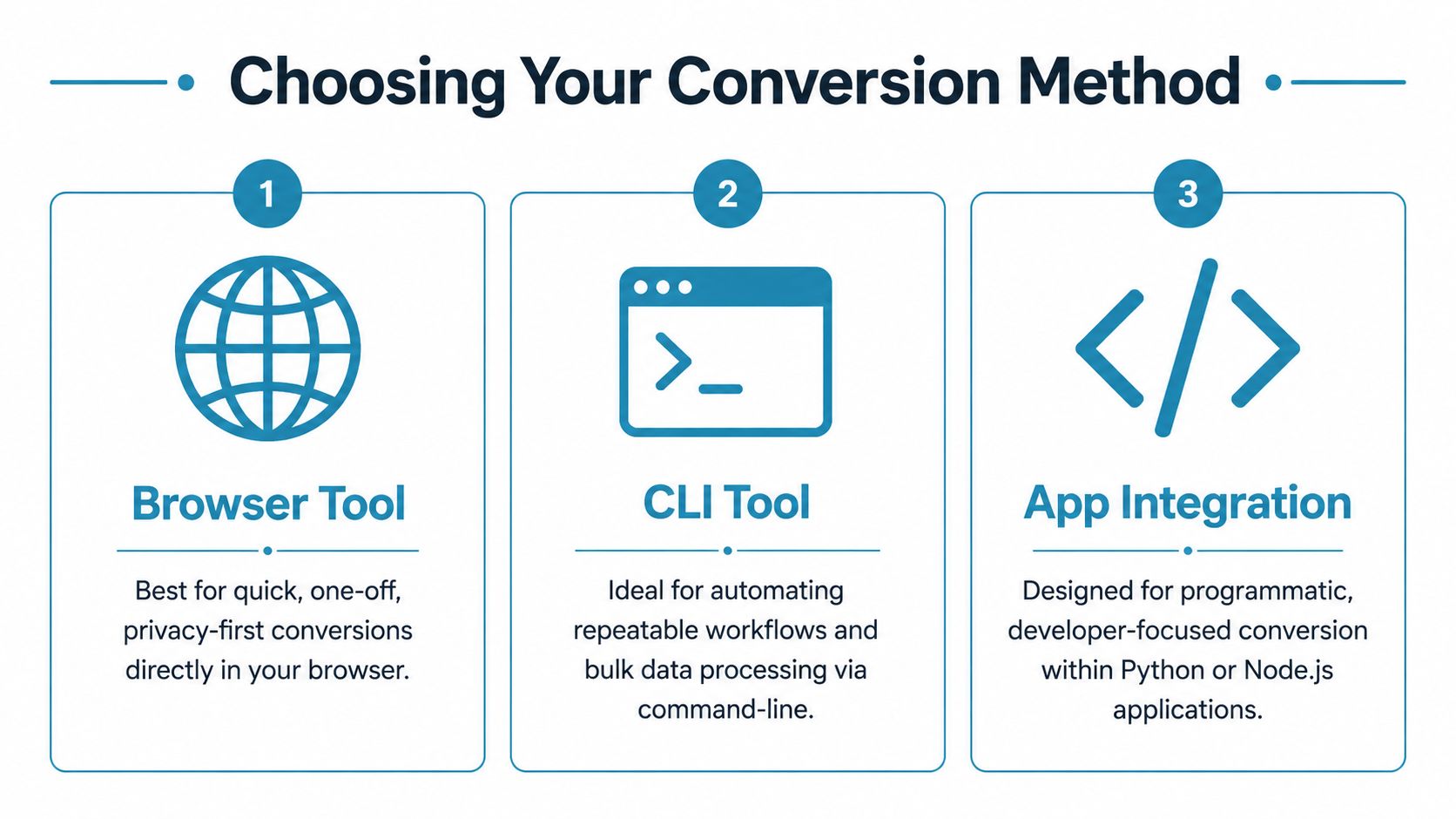
The best yaml to json converter depends less on features and more on the shape of the work. A quick support task, a CI pipeline, and an application integration are three different jobs.
Fast decision guide
| Method | Best for | Main strength | Main trade-off |
|---|---|---|---|
| Browser tool | One-off conversions, visual checks | Immediate feedback and low friction | Weak for automation |
| CLI tool | Pipelines, scripts, batch work | Repeatability and easy automation | Requires setup and command familiarity |
| App integration | Product logic and internal platforms | Full control over parsing and handling | Highest implementation burden |
Use this rule of thumb
- Choose a browser tool when a developer is actively inspecting the result and needs the answer now.
- Choose a CLI tool when the same conversion will happen again and should never depend on memory or manual steps.
- Choose app integration when conversion is part of how the system itself behaves.
Privacy changes the decision too. For sensitive config, browser tools are only a strong option if they process data locally. CLI and in-app methods keep the data closer to your controlled environment, but they take more setup.
If you want a broader look at how tools in this category are presented and compared, Convertix_io's product showcase gives another useful reference point for evaluating product positioning, use cases, and where lightweight converters fit in a larger tooling environment.
The wrong choice patterns
Developers usually waste time in three ways:
- Using a browser tool for something that belongs in CI
- Writing custom app code for a job
yqalready solves cleanly - Using a random online converter without thinking about sensitive config
The right method feels boring. That's a good sign. Reliable conversion should disappear into the workflow instead of becoming a task you keep revisiting.
Navigating Conversion Pitfalls and Edge Cases
Most conversions succeed syntactically. The primary trouble starts when the output is valid JSON but no longer means exactly what the original YAML meant.
The biggest trap is type fidelity. A documented yq issue shows that a whole-number float such as 50.0 in YAML can be emitted as the JSON integer 50, which drops type information and can break downstream validation in schema-sensitive applications, as shown in the tracked yq issue on type conversion.
That kind of change is easy to miss in review. It looks harmless to a person reading the file. It isn't harmless if the receiving system distinguishes between integer and float, or expects a value to remain quoted.
Values that deserve extra scrutiny
Check these after conversion:
- Decimals and whole-number floats:
50.0isn't always treated the same as50. - Quoted scalars: Version strings, IDs, and numeric-looking labels can be interpreted differently if quotes disappear upstream.
- Booleans and nulls: YAML has parsing rules that can surprise people who expected everything to behave like plain text.
- Timestamps and date-like strings: If a parser infers a type you didn't intend, downstream consumers may reject or reinterpret the value.
YAML features that can trip you up
YAML supports constructs that don't have a neat one-to-one representation in JSON. Anchors, aliases, and merge keys are the usual suspects.
If you're handling infrastructure or deployment files, validate the YAML before conversion and inspect the expanded result. A dedicated YAML online validator is useful before any conversion step because structural problems are easier to fix in YAML than after they've been flattened into JSON.
Don't assume that valid output means faithful output.
A practical checklist before you ship the JSON
Compare representative fields Spot-check numbers, booleans, nested arrays, and any field that feeds a schema validator.
Review merged structures If the YAML uses aliases or merge behavior, inspect the expanded JSON carefully.
Keep fixtures for tricky files One clean sample file isn't enough. Store edge-case examples in tests.
Validate where the JSON will be consumed A JSON linter only proves syntax. It doesn't prove compatibility with the downstream API or application schema.
This is why experienced teams treat conversion as data handling, not formatting. The file may look right and still be wrong where it counts.
Frequently Asked Questions About YAML to JSON
Is YAML to JSON conversion lossless
Not always. The structure usually converts cleanly, but some values can change representation depending on the parser and the content. Type-sensitive fields deserve a manual check or automated test.
Should I validate YAML before converting it
Yes. That's the safest sequence for production work. Parse and validate the YAML first, then convert, then verify the JSON output against what you expected.
What should I use for large files
For large files, browser tools become less practical. Command-line parsers and library-based conversion are a better fit because you can script them and manage how processing happens. Some workflows may need chunking or streaming to avoid memory pressure.
Can I automate this in CI
Yes. That's one of the best uses for yq or a language-native parser. Keep the steps explicit: validate input, convert deterministically, and verify the output before any deployment step uses it.
Can I convert JSON back to YAML
Yes. Most ecosystems that parse one format can emit the other. The right direction depends on where humans need readability and where machines need strict interchange.
What's the safest option for sensitive configs
Use a method that keeps data under your control. That often means a local CLI workflow, in-app conversion, or a browser tool that runs entirely client-side and doesn't send pasted content to a server.
If you want a fast, privacy-first place to handle config transformations and related developer tasks, Digital ToolPad is worth keeping in your toolkit. It focuses on local-first browser utilities, which is a practical fit when you're working with sensitive YAML, JSON, and other structured data and don't want that content leaving your device.