
A pomodoro timer is the tool that powers the Pomodoro Technique, a time management method that slices your work into focused 25-minute sprints, separated by short breaks. The whole system is brilliantly simple and designed to sharpen your concentration, cut down on mental fatigue, and make massive tasks feel way more manageable.
Why the Pomodoro Timer Is a Developer's Secret Weapon
Let's face it—a developer's typical day is a minefield of distractions. You've got Slack notifications pinging, CI builds breaking unexpectedly, and the siren song of documentation rabbit holes. Trying to maintain deep focus in that chaos can feel next to impossible.
This is where the Pomodoro Technique, driven by a simple timer, becomes more than just a productivity hack. It’s a mental framework for taking back control.
The technique works because of a psychological principle called timeboxing. When you commit to a single task for just 25 minutes, you create a manageable sense of urgency. The goal feels achievable, which is often all you need to beat the procrastination that kills momentum before you even start. It’s not about grinding harder; it’s about working smarter within clear, defined boundaries.
Fighting Off Developer Burnout
For anyone writing code, cognitive fatigue is a constant threat. Staring at complex logic for hours on end is a surefire way to drain your mental battery, leading to sloppy mistakes and, eventually, burnout. The Pomodoro method’s built-in breaks are the antidote.
These short, five-minute rests aren't for a quick email check or a scroll through Twitter. They are for genuinely unplugging.
- Get away from your monitor. Give your eyes a break from the screen.
- Stand up and stretch. A little movement gets the blood flowing and re-energizes your brain.
- Grab some water. Staying hydrated is surprisingly critical for clear thinking.
This deliberate disengagement gives your brain a chance to process information and recharge. You come back to the next 25-minute session feeling refreshed, ready to solve problems with a clear head. It's a strategy for managing your energy, not just your time.
The real magic of the Pomodoro Technique isn't the work sprint; it's the disciplined break. It forces you to respect your cognitive limits, which ironically makes you more productive in the long run.
From a Kitchen Timer to Your Secure Workflow
The Pomodoro Technique has humble beginnings, starting with a single tomato-shaped kitchen timer in an Italian dorm room. Francesco Cirillo developed the method back in the late 1980s, eventually landing on the classic 25-minute interval.
He shared it with the world as a free PDF around 2006, and it was downloaded over 2 million times by 2013. This history helps explain why so many people and companies now look for offline or local-first Pomodoro timers. They want to capture that original, low-tech spirit while making sure it fits into a secure, modern workflow. You can dive deeper into the method's origins on Pomodo.io.
Your First Pomodoro Session Done Right
Jumping into the Pomodoro Technique is one thing, but making it stick takes more than just hitting "start" on a timer. The real goal of your first session isn't just to work for 25 minutes—it's to experience a full, uninterrupted cycle of deep focus. That small win is what builds the momentum to turn this method into a genuine habit.
The secret to a successful first run? Picking the right task. Don't go for a massive epic like "build the entire authentication feature." That's a recipe for failure. Instead, break it down into a single, concrete action that feels achievable in one sitting. Something like "write the user model schema" or "set up the initial test file for the login component" is perfect.
This approach brings structure to the often-chaotic developer workday, turning a jumble of tasks into a clear, focused path forward.
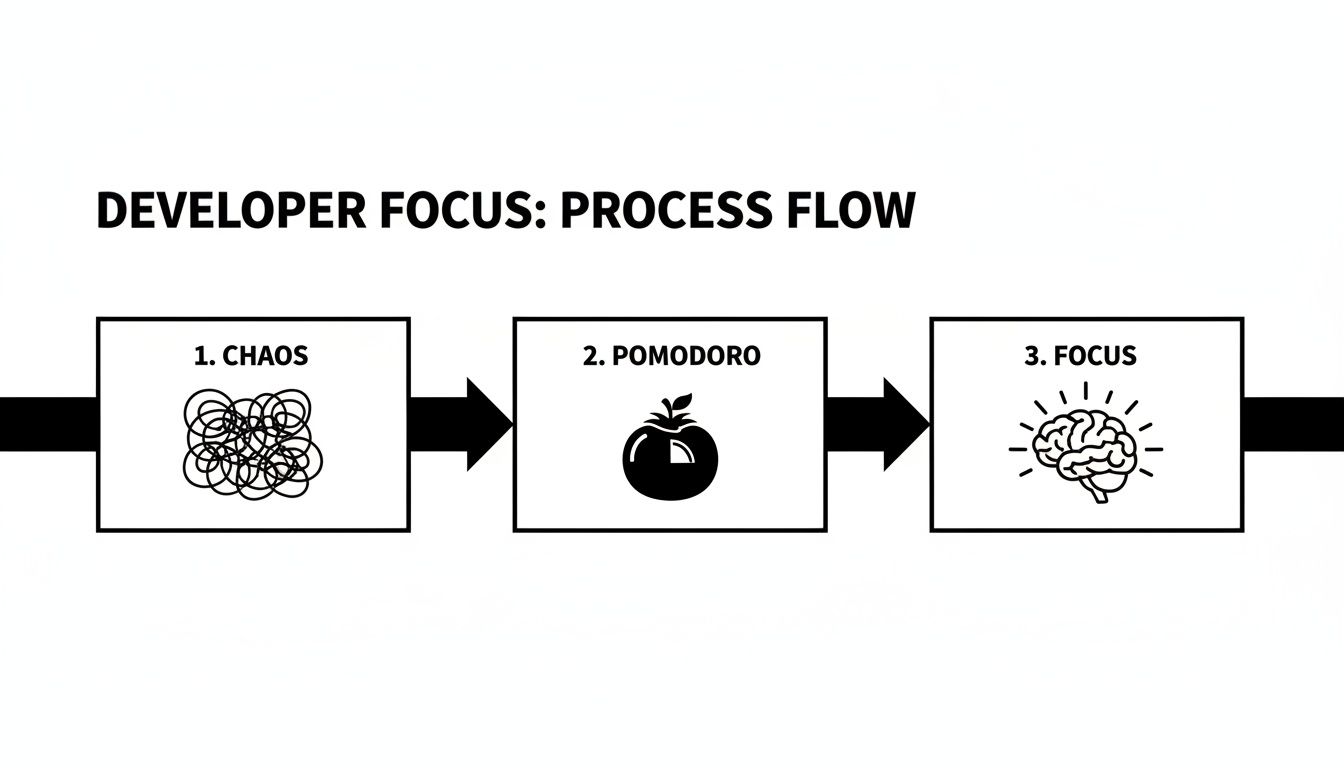
As you can see, the technique is designed to move you from a state of constant distraction to one of deep concentration, all guided by the simple rhythm of a timer.
To get a clearer picture of the standard cycle, here's a quick breakdown of what your first few sessions will look like.
The Classic Pomodoro Workflow at a Glance
| Step | Duration | Action Required |
|---|---|---|
| 1. Choose a Task | ~1 minute | Pick a single, focused task from your to-do list. |
| 2. Set the Timer | ~30 seconds | Set your Pomodoro timer for 25 minutes. |
| 3. Work on the Task | 25 minutes | Work with zero interruptions until the timer rings. |
| 4. Take a Short Break | 5 minutes | Step away from your desk. Stretch, grab water, reset. |
| 5. Repeat & Long Break | After 4 Pomodoros | Take a longer break of 15-30 minutes to fully recharge. |
This rhythm is what keeps your mind fresh and prevents burnout over a long workday.
Setting Up Your Workspace
Before you even think about the timer, you need to prep your environment. This is as much about your digital space as your physical one. Your mission is to build a fortress around your focus.
- Silence the real world: Put your phone on silent and, more importantly, move it out of arm's reach.
- Declutter your screen: Your browser should only have tabs open that are absolutely essential for the task. Close the rest.
- Mute the pings: Turn off notifications for email, Slack, Teams—anything that might pop up and pull you away.
Think of it as creating a defensive bubble around your attention for the next 25 minutes. This small bit of prep work sends a powerful signal to your brain that it’s time to get serious.
Now, let's get your timer configured. A simple browser-based tool is perfect for getting started since it's instant and requires no setup. Just set the work interval to 25 minutes and the short break to 5 minutes. That’s all you need; don't overcomplicate it.
Navigating Inevitable Distractions
Even with the best preparation, your own brain will be your biggest source of distraction. You’ll suddenly remember an email you need to send or think of another bug to fix. Whatever you do, don't act on it.
Instead, keep a notepad or a simple text file open nearby. When a random thought pops up, quickly jot it down and immediately pivot back to your task. This "capture and release" technique is incredibly effective. You're acknowledging the thought without letting it derail you, essentially telling your brain, "I see you, but we'll deal with that later."
For a deeper dive into the core principles, this a simple guide to the Pomodoro Technique is a great resource.
When the timer finally dings, stop. I mean it. Stop immediately, even if you’re mid-sentence or one line of code away from a breakthrough. Stand up, stretch, and get away from your computer for your five-minute break. This discipline is what prevents burnout and keeps your mind sharp for the next round.
Congratulations—you've just completed your first successful Pomodoro.
Weaving the Pomodoro Timer into Your Workflow
Alright, let's get practical. Moving from the theory of the Pomodoro Technique to actually using it in your day-to-day coding is where the magic happens. This isn't just about watching a clock; it's about fundamentally restructuring how you attack your work. Instead of staring down a massive to-do list, you start assigning focused bursts of energy to specific, tangible goals.
Think about it this way: you could dedicate one full Pomodoro to finally squashing that annoying bug that's been lingering in the backlog. Or maybe you'll block off two Pomodoros back-to-back to build out that new UI component from scratch. Suddenly, abstract tasks become concrete, measurable units of work.
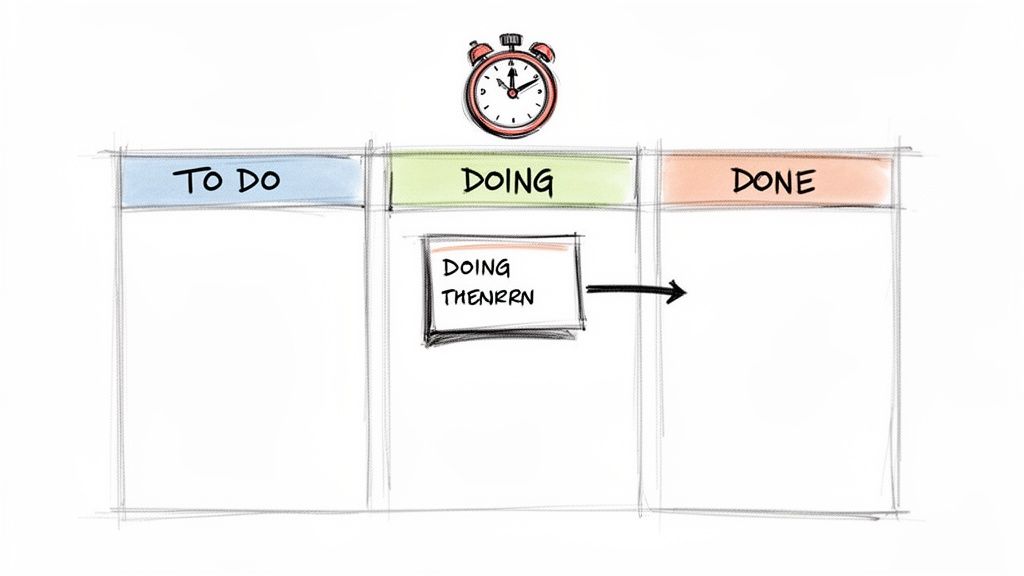
And this isn't just for solo coding sessions. The rhythm fits surprisingly well into team collaboration. For instance, you can use one of your longer breaks to give a pull request the focused review it deserves, instead of just skimming it between meetings.
Connecting Pomodoros to Your Task Board
The real power of a pomodoro timer kicks in when you tie it directly to your project management tools—whether that's Jira, Trello, or even a physical Kanban board on the wall. This simple habit makes your progress visible and gives your day a predictable rhythm.
Before you even write a line of code, take a look at your task board and assign a "Pomodoro estimate" to your top-priority tickets. This act alone brings immediate clarity to your day.
- Small Bug Fix: I'd estimate 1 Pomodoro. This tells me it's a quick, focused dive to diagnose and patch a known issue.
- New API Endpoint: This feels like 3 Pomodoros. Breaking it down, that’s one for the initial setup and boilerplate, one for the core logic, and a final one for writing some initial tests.
- Refactor Legacy Code: Definitely 4-5 Pomodoros. This signals a complex task that requires deep concentration, probably spread across a full morning.
This estimation process does more than just fill your calendar. It forces you to deconstruct big, intimidating problems into smaller, much more approachable steps. You're no longer "working on the new feature" all day; you're completing specific, timed intervals dedicated to its smaller parts, which is a huge psychological win.
The classic Pomodoro setup—25 minutes of work, 5-10 minutes of break—maps beautifully onto a modern developer's day. A typical 8-hour day has about 16 full pomodori. In agile teams, I've often seen a small feature or a test suite get knocked out in two to four pomodori (50–100 minutes).
Integrating with Developer Tools
Beyond your task board, you can weave the Pomodoro philosophy right into your technical habits. This is where I've seen some of the biggest gains in both focus and the quality of my code. Each Pomodoro becomes a self-contained unit of work that’s tied to a specific action.
For example, a typical session for me might look like this:
- Start Pomodoro 1: Create a new git branch:
feature/user-auth-form. - During the 25 minutes: I'll focus only on building the basic form component and its state management.
- Timer Rings: I immediately commit the work with a clear message like
feat: initial setup for user auth form. - Take that 5-minute break. No cheating!
- Start Pomodoro 2: Now, I'll write the unit tests for the component I just built.
This approach syncs your mental focus with your version control, creating a clean, logical commit history that your future self (and your team) will thank you for. If you deal with a lot of repetitive or automated tasks, our guide on using a crontab generator can also be a lifesaver for scheduling scripts and freeing up more mental bandwidth.
For those who want to get really systematic, grabbing a dedicated Pomodoro Technique planner can make a huge difference. When you start turning massive projects into a series of small, focused sprints, you build momentum and make steady, visible progress every single day.
Choosing a Secure and Offline Pomodoro Timer
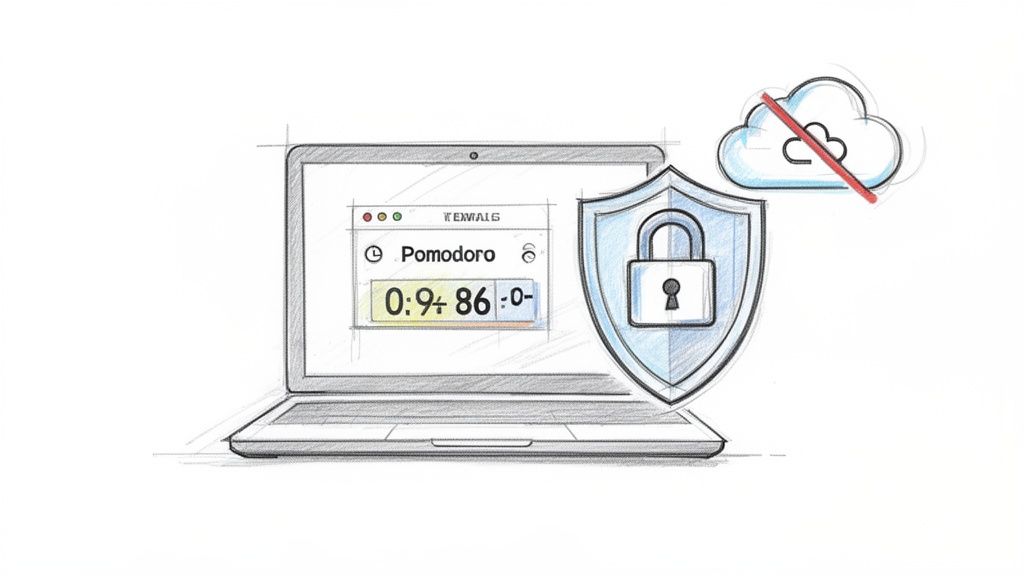
In a world full of data-hungry apps, the last thing you need is for your focus tool to become another privacy risk. For developers or any professional handling sensitive information, a simple, offline pomodoro timer isn't just a nice-to-have—it's a necessity. The second your productivity app connects to the cloud, you've lost control.
Sure, cloud-based timers are convenient, but they're often tracking your every move. They log your tasks, monitor your work habits, and sometimes even store your project names. This might seem harmless, but it paints a detailed picture of your workflow and, potentially, your company's intellectual property. An offline, browser-based tool sidesteps this problem entirely because it runs 100% on your local machine.
The Case for Client-Side Timers
When a tool runs "client-side," all the magic happens right inside your browser. Nothing gets beamed over to an external server, which means you keep complete ownership of your data. This local-first approach brings some serious advantages to the table.
- Zero Data Exposure: Your to-do lists and project details stay on your computer, period. This is non-negotiable when you're working with proprietary code or confidential client data.
- Instant Performance: With no network lag, the timer is snappy and responsive. It starts and stops the instant you click, so it never interrupts your flow.
- No Sign-In Required: Forget creating yet another account, resetting forgotten passwords, or scrolling through endless terms of service. You just open it and go.
A good offline timer is lightweight and reliable. It stays out of your way until you need it, helping you focus instead of becoming one more digital distraction.
By keeping your productivity data off the network, you're not just protecting privacy; you're creating a more resilient and distraction-free work environment. It's a simple change that hardens your security posture.
The Problem with Network-Dependent Tools
Now, let's contrast that with tools that need a constant internet connection. They introduce dependencies and potential points of failure right into the middle of your workflow.
A sudden network outage could knock your timer out of commission right when you're in the zone. What's more, many online services use unique identifiers to track user sessions—a practice that can feel pretty invasive. If you ever need unique IDs for local scripts or tasks, you can always generate them yourself with a secure UUID generator without sending a single byte of data over the internet.
At the end of the day, the best pomodoro timer is one you can trust completely. Choosing a secure, offline tool means your productivity system is there to support you without ever compromising your privacy. It’s a simple but powerful way to take full ownership of both your focus and your data.
Advanced Pomodoro Techniques for Deep Work
So you've gotten the hang of the classic 25/5 rhythm. That's a great start, but the real power of the Pomodoro Technique comes from its flexibility. That standard interval is more of a guideline than a hard-and-fast rule, and once you realize that, you can start molding it to fit your actual work.
Think of the 25-minute block as a training wheel. It's perfect for getting started, but when you're deep in the zone architecting a new software module or writing a complex spec, that 25-minute alarm can feel like a jarring interruption just as you're hitting your flow. This is where you graduate to customizing your work and break intervals to match what's on your plate.
Customizing Your Intervals for Task Complexity
Let's be honest, not all work is created equal. Replying to emails is a completely different mental exercise than debugging a race condition. So why would you use the same timer for both?
A fascinating study actually found that some of the most productive people don't stick to 25 minutes at all. They tend to work for longer, more focused periods—averaging around 52 minutes—followed by a solid 17-minute break.
This longer cycle, sometimes called the 50/10 method, is a game-changer for developers. It gives you just enough time to really load a complex problem into your head and make serious headway before the break. You get the restorative benefits without feeling like you've hit a wall.
Here’s a practical way to think about it:
- Standard Tasks (25/5): This is your bread and butter for things like clearing your inbox, fixing small bugs, or knocking out pull request comments. Quick wins that fit nicely into short sprints.
- Deep Work (50/10): Reserve this for the heavy lifting. Think coding a brand new feature, untangling a nasty bug, or writing detailed technical documentation. This gives you the runway you need to really get into a state of flow.
- Creative Bursts (90/20): Sometimes you need a really long, uninterrupted stretch. For exploratory work like initial design mockups or brainstorming a system's architecture, a 90-minute session can be what you need to unlock a breakthrough. Just make sure you follow it with a substantial break to recharge.
Extending Pomodoro Principles to Your Team
This isn't just a technique for solo work. Pomodoro's core ideas can seriously boost your team's focus and collaboration if you get everyone on the same page. When you sync up your timers, you create a shared rhythm that protects everyone's time for deep work.
A perfect example is pair programming. Instead of just diving in, try kicking off a synchronized 50-minute Pomodoro. It forces both of you to be fully engaged and focused on the problem at hand. When the timer dings, you both stop, take a real break away from the keyboard, and come back refreshed. This simple structure prevents one person from getting burned out while the other is still warming up.
The same thinking works wonders for meetings. Ditch the aimless one-hour call. Instead, try running it as two hyper-focused 25-minute Pomodoros with a clear agenda for each block. It keeps the conversation tight and shows respect for everyone's time.
And when you're working through complex problems together, tools like an offline AI chat can be a great way to brainstorm solutions or draft code snippets without sending sensitive data to the cloud.
Ultimately, it’s all about bending these timeboxing principles to create a more intentional and productive workday, whether you're flying solo or collaborating with the whole team. It's about making the timer serve you, not the other way around.
Tackling Common Pomodoro Questions
Diving into a new productivity system like the Pomodoro Technique always brings up a few questions. Getting ahead of these common hurdles is the best way to build a solid habit that actually sticks. Let's walk through some of the most frequent things people wonder about when they first start using a pomodoro timer.
"What Do I Do When I Get Interrupted?"
This is probably the biggest one. You're deep in the zone, and a colleague taps you on the shoulder. Or a "must-read" notification flashes on your screen. So, what's the right move?
The official Pomodoro rule is pretty strict here: a Pomodoro is indivisible. If an interruption is so urgent that it absolutely can't wait, you have to stop the timer. Deal with whatever came up, take a quick breather, and then start a completely new 25-minute session.
For those less critical "oh, I need to remember to..." thoughts that pop into your head, just scribble them down on a notepad and get right back to your task. The goal is to train your brain to stay on track until that timer rings.
"What If I Finish My Task Early?"
It’s a great feeling—you’ve crushed your task, but there are still ten minutes left on the clock. It's so tempting to just end the session and grab your phone, but hold that thought. Honoring the full block of time is key to building deep focus.
Use that extra time for what’s called "overlearning." It's a chance to double-check your work and tee up what's next.
- Review and Refine: Look back at the code you just wrote. Is there a way to make it cleaner? Could you add a few helpful comments?
- Tidy Up Your Notes: Organize any documentation or notes you made while working on the task.
- Prep for the Next Pomodoro: Spend a minute or two outlining the first few steps of your next task. This makes getting started on the next session so much easier.
This keeps you in a productive mindset and makes the transition to your next Pomodoro block feel seamless after your break.
The real win here is protecting your focus for the entire 25-minute block. That discipline is what trains your brain to ignore distractions and stay locked in until the timer gives you the all-clear.
"Can I Change the Timer Lengths?"
Of course. The classic 25/5 minute work/break cycle is a fantastic starting point, but it's not a one-size-fits-all solution. The core principle is alternating between focused work and a genuine break—the exact timing is up to you.
Many developers find that 25 minutes just isn't enough time to sink their teeth into a complex problem. You might find a 50-minute focus session followed by a 10-minute break works much better for deep work.
Feel free to experiment and find a rhythm that feels right for you and the kind of tasks you're tackling. Once you find a cadence that clicks, try to stick with it. Consistency is what helps build that predictable, productive momentum throughout your day.
At Digital ToolPad, we build privacy-first tools designed to support your focus without compromising your data. Check out our full suite of offline utilities that run right in your browser.