
When you need to create a QR code, especially for something sensitive, using an offline qr barcode code generator is the only way to go. These tools work entirely within your browser, meaning your data (whether it's a private URL, a login token, or internal inventory data) never gets sent to a third-party server. It’s a simple, powerful way to maintain privacy and control.
Why Keeping QR Code Generation Offline is a Game-Changer
In a world obsessed with the cloud, doing things offline can feel a bit old-school. But for generating QR codes and barcodes, it’s not just a preference; it’s a critical security practice. The real magic of a browser-based, offline generator comes down to one thing: data sovereignty.
You own and control the entire process, from start to finish.
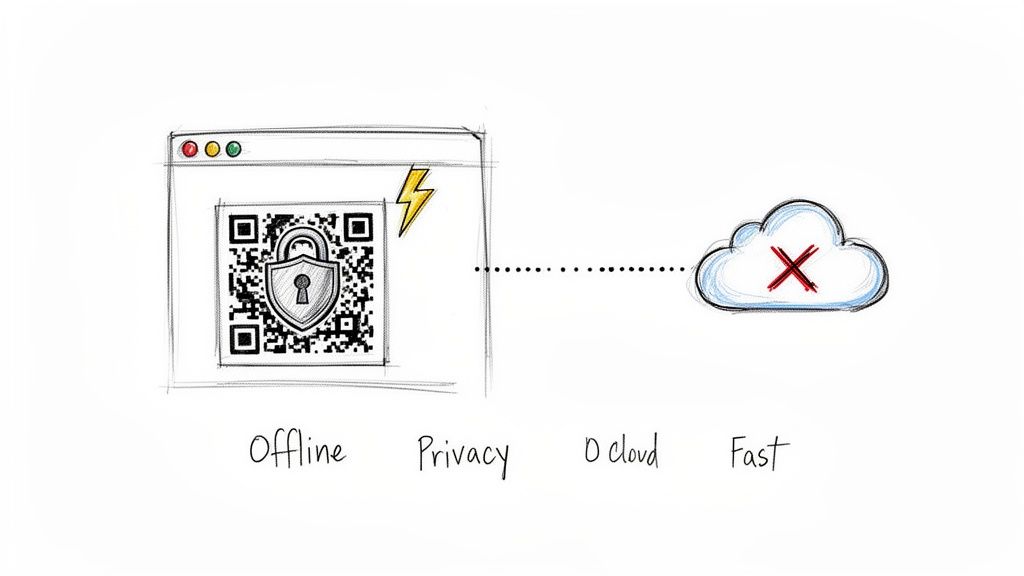
Think about it: online tools make you send your information across the internet to their servers. An offline tool, on the other hand, does all the heavy lifting right on your own machine. Nothing ever leaves your device.
The Beauty of Client-Side Processing
When a generator runs locally in your browser, it's using your computer's power, not some distant server. This design choice pays off in several huge ways:
- Absolute Privacy: Your data stays with you. This isn't just nice to have; it's a must for anyone handling confidential information in fields like healthcare or finance.
- Instant Results: With no network lag, codes appear the moment you hit "generate." This is a lifesaver when you're creating codes in bulk or just need one on the fly.
- Works Anywhere: Internet down? No problem. An offline tool is always ready, making it incredibly reliable no matter where you are.
This local-first approach is crucial in so many real-world situations. Imagine a hospital creating patient wristbands with QR codes. Transmitting that protected health information is a non-starter. Or a developer generating one-time login tokens; those secrets can't ever be exposed to an external service.
Choosing the Right Barcode for Your Needs
Before you start generating, it's helpful to know which barcode type fits your project. Each format is designed for a specific purpose, from retail products to internal asset tracking. Here's a quick rundown to help you decide.
| Barcode Type | Primary Use Case | Data Capacity | Best For |
|---|---|---|---|
| QR Code | Marketing, payments, URLs | High (Alphanumeric) | Linking to websites, sharing Wi-Fi credentials, vCards. |
| Code 128 | Logistics, inventory | Medium (Alphanumeric) | Asset tracking, shipping labels, internal supply chains. |
| EAN-13 | Retail (Global) | Low (Numeric) | Product identification for consumer goods sold worldwide. |
| UPC-A | Retail (North America) | Low (Numeric) | Product identification primarily in the U.S. and Canada. |
This table should give you a solid starting point for picking the right format and ensuring your barcodes are scannable and effective for their intended use.
A Growing Market Demands Better Security
The demand for these tools is exploding. The global QR Code Generator Market was valued at USD 1.02 billion in 2024 and is projected to hit USD 2.95 billion by 2032. This isn't just a niche tool anymore; it's becoming mainstream.
As usage climbs (37.5% of adult smartphone users in the U.S. scanned a QR code in 2022), the need for privacy-first tools becomes more urgent than ever.
In regulated industries, sending data to a third-party server isn't just a risk; it's often a compliance violation. An offline qr barcode code generator eliminates this problem entirely by ensuring the entire workflow happens on your machine.
Ultimately, opting for an offline generator is about maintaining control. It lets you create what you need without sacrificing security or performance. By cutting out the cloud dependency, you build a more robust and trustworthy workflow. For a deeper dive, check out our guide on the best practices for using a QR code generator.
Creating Your First QR Code Securely in Your Browser
Jumping into QR code generation is surprisingly simple, and doing it entirely in your browser means your data never leaves your computer. The first thing you need to figure out is what information you want the code to hold. Are you pointing people to your website? Sharing your Wi-Fi password? Or maybe just encoding a snippet of text for an internal inventory system?
With a browser-based qr barcode code generator, you just paste or type that info directly into the text field. Since all the magic happens locally on your machine, it's completely private.
Choosing the Right Error Correction Level
Next up is error correction. This is a crucial feature that builds redundancy into the QR code, so it still works even if it gets a little scuffed up or a corner is torn. You’ll usually see four levels to pick from.
- L (Low): Can withstand about 7% damage. This is fine for digital use or in clean environments where the code won't face much wear.
- M (Medium): Recovers from up to 15% damage. It's the default for a reason: a solid, reliable choice for things like flyers, posters, and product packaging.
- Q (Quartile): Bumps recovery up to 25%. Think about using this for QR codes in more industrial settings or on items that get handled a lot.
- H (High): The toughest of the bunch, recovering from up to 30% damage. The main reason I use this one is if I'm planning to overlay a logo in the middle of the QR code, since the logo itself blocks out part of the data.
Keep in mind that higher error correction makes the QR code pattern denser and more complex. For most day-to-day uses, Level M strikes a perfect balance and is what I recommend starting with.
This screenshot gives you a good idea of what a typical interface looks like: you've got a clear spot for your data and separate controls for all the customization options.
Adjusting Size and Exporting Your Code
Finally, it's time to get your finished QR code. You'll want to set the size in pixels, making sure it's big enough for where it's going to live. A tiny code on a massive trade show banner is a classic rookie mistake: no one will be able to scan it. I also recommend adding a "quiet zone," which is just some empty space around the code. This border helps phone cameras lock onto it without getting confused by surrounding graphics.
I've seen this happen too many times: someone prints a QR code that's way too small. A good rule of thumb is to make sure your printed code is at least 1 x 1 inch (or about 2.5 x 2.5 cm) for reliable scanning from a normal distance.
Once you have everything dialed in, you can export the image. PNG is a great all-around format for websites, emails, or any digital use. But if you're printing, especially on something that might be resized like a business card or billboard, SVG is the way to go. Since it's a vector file, it will stay perfectly sharp and crisp no matter how big or small you make it.
If you're looking for a practical way to apply these skills, check out this a guide on how to create QR codes for rental properties. It’s a perfect example of how these simple steps can be used in a real-world business context.
Generating Linear Barcodes Like Code128, EAN, and UPC
QR codes get a lot of attention, but sometimes you just need the simple, rugged efficiency of a classic linear barcode. A solid offline qr barcode code generator should handle more than just 2D codes; it’s essential for creating 1D formats like Code128, EAN, and UPC. Think of these as specialized tools, each honed for a specific task.
Knowing which one to grab from your toolkit is the first hurdle.
Picking the Right Linear Barcode
Your choice really boils down to one question: where will this barcode live?
For anything happening inside your own walls (tracking assets in a warehouse, managing files, or labeling internal equipment), Code128 is the undisputed champion. Its biggest strength is flexibility. It happily encodes letters, numbers, and even special characters, making it perfect for creating custom IDs that fit your system, not someone else's.
On the other hand, EAN and UPC barcodes are built for the retail world, and they play by much stricter rules.
- The EAN-13 format is the global standard for consumer goods sold pretty much anywhere outside of North America. Pick up a product in Europe or Asia, and you'll find an EAN-13.
- UPC-A is its North American cousin, slapped on nearly every item you'd find in a U.S. or Canadian store.
Digital ToolPad's barcode generator creates Code 128, EAN-13 and UPC-A in your browser and calculates the check digit for you, and the bulk barcode generator turns a list of values into printable label sheets.
This flowchart gives a great visual overview of the core settings you'll need to think about, whether you're making a QR code or a traditional barcode.
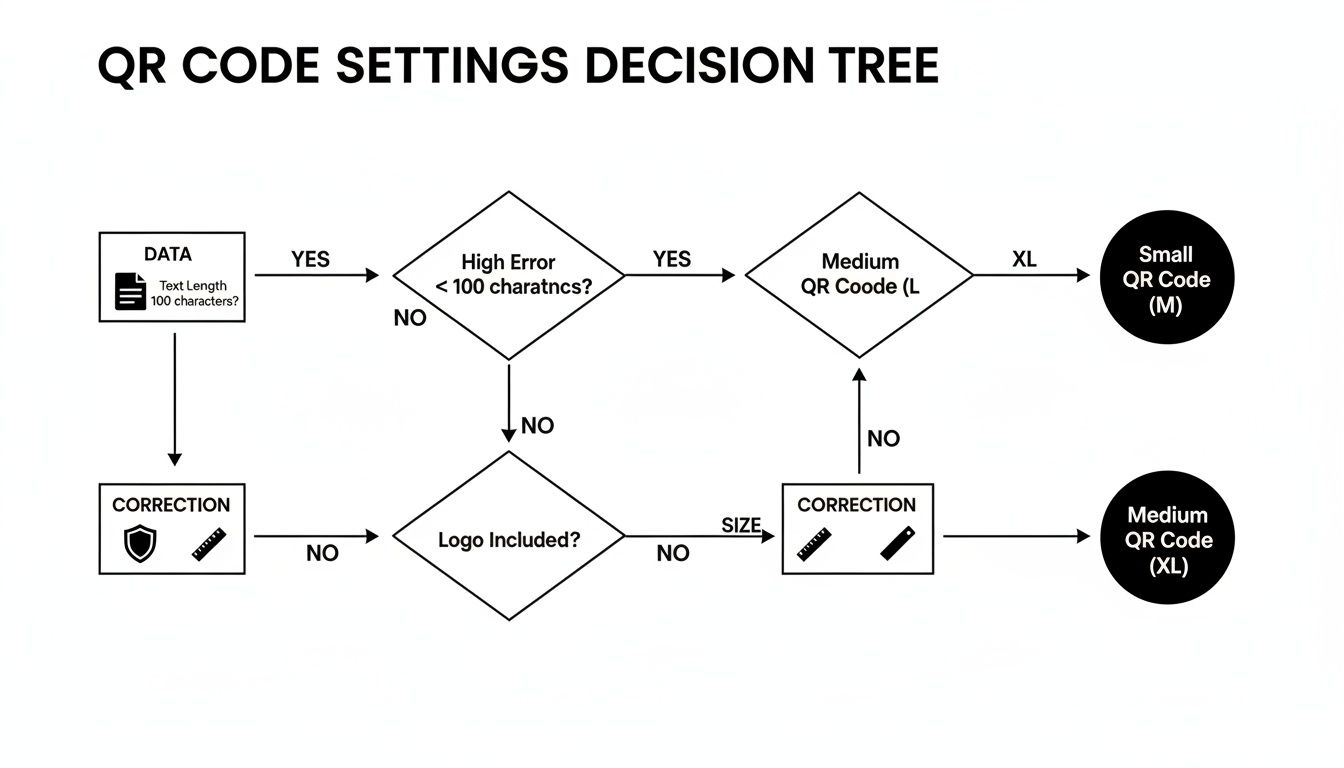
As you can see, your input data, how much damage the code needs to withstand (error correction), and the final size are fundamental choices you have to make upfront.
Getting the Data and Dimensions Right
The first thing you'll notice when making these barcodes is how picky they are about data. Code128 doesn't care if you give it something like "WAREHOUSE-A-SKU-1138." It just works.
Try feeding that same alphanumeric string to a UPC or EAN generator, and it will immediately throw an error. These formats are numeric-only, and for good reason.
- UPC-A: Demands exactly 12 digits. No more, no less.
- EAN-13: Requires exactly 13 digits.
This strictness is a feature, not a bug. It’s what ensures a chocolate bar from Switzerland scans perfectly at a checkout counter in Ohio.
Once your data is correct, you have to think about the physical barcode itself. A barcode that won't scan is just a weird-looking rectangle.
I’ve seen it happen a thousand times: someone makes the bars too thin or shrinks the whole thing down to fit a tiny label. The result? The scanner can't tell the black bars from the white spaces, and you get a scan failure. This holds up checkout lines and causes major headaches in a busy warehouse.
Look for settings like "bar width" and "height." Most generators give you control here. As a rule of thumb, aim for a height that’s at least 15% of the barcode's total length.
Also, make sure the human-readable text (the actual numbers printed below the bars) is turned on. It’s an incredibly simple but vital backup. When a scanner inevitably fails, that text allows for quick manual entry. Getting these settings right turns your barcode from a simple image into a reliable business tool.
Customizing QR Codes While Protecting Your Privacy
Let's be honest, a standard black-and-white QR code gets the job done, but it doesn't exactly grab your attention or reinforce your brand. By adding logos, custom colors, and unique patterns, you can transform a purely functional tool into a smart marketing asset. And the best part? You can handle all this customization with a privacy-focused qr barcode code generator, meaning your designs and data never leave your own machine.
The real trick is finding that sweet spot between a beautiful design and rock-solid scannability. Adding a logo is probably the most popular customization. From my experience, the key is to place it smack in the middle of the code and crank up the error correction to the highest setting (Level H). This tells the code to build in enough redundancy to work perfectly even with part of its data covered by your logo.
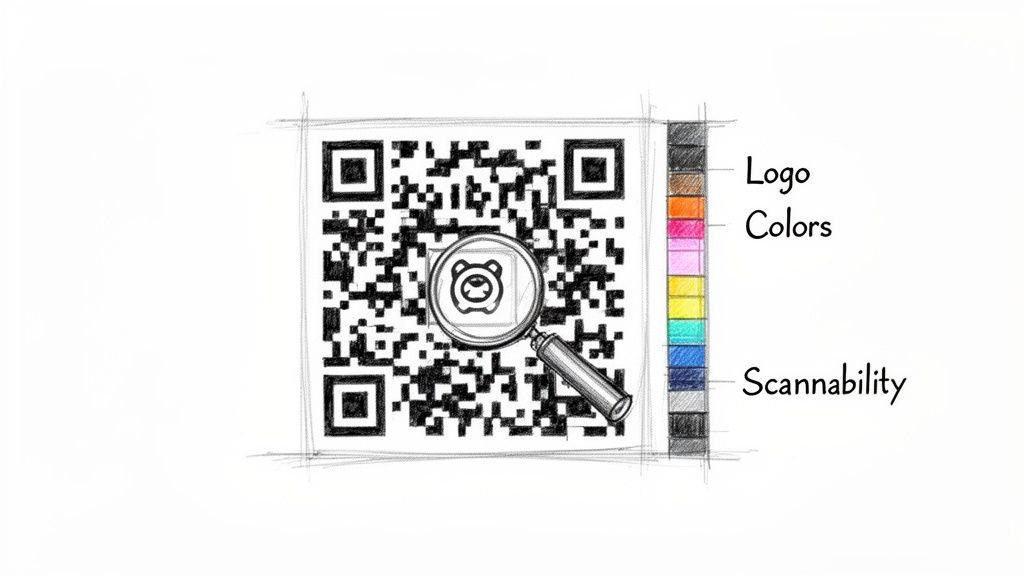
Playing with colors also requires a bit of care. The single most important factor here is contrast. A light gray pattern on a white background simply won't scan. Always, always stick to a dark pattern on a light background to give scanners a clear image to read.
The Critical Difference: Static vs. Dynamic QR Codes
It's important to understand that when you use an offline generator, you're creating a static QR code. This isn't just a technical detail; it's a fundamental choice about control and privacy.
A static code burns the data (whether it's a URL, a Wi-Fi password, or contact info) directly into the pattern itself. Once you generate it, that code is permanent and completely self-contained. It will work forever without relying on anyone else's servers.
On the other hand, a dynamic QR code is a different beast. It doesn't contain your final URL. Instead, it holds a short redirect link that points to a third-party service, which then sends the user to your intended destination.
- Static Codes: The data is locked in. This makes them perfect for permanent links, product packaging, and any situation where you need absolute reliability and privacy.
- Dynamic Codes: You can change the destination URL later. While that sounds flexible, it introduces a middleman. That service can go down, change its pricing, or start tracking your users.
Choosing a static code means you own it, end to end. There’s no third-party service that can fail you or compromise your users' data. For any sensitive or mission-critical use, static is hands-down the safer, more robust option.
You'll see dynamic QR codes everywhere: they captured 65% of the market share in 2024 because they offer tracking analytics and the ability to update links on the fly. But as you can see from the trends shaping the QR code market, that convenience comes at the cost of your control and your users' privacy. That's why a good offline, static generator is still an essential tool for anyone serious about security.
Practical Tips for Customization That Works
To make sure your custom QR code is scannable in the real world, you need to follow a few simple rules I've learned over the years.
First, test, test, and test again. Before you send anything to the printer, scan your code with multiple apps on different phones. A code that works flawlessly on a new iPhone might give an older Android device trouble.
When embedding a logo, a good rule of thumb is to keep its size below 25-30% of the total QR code area, even when using high error correction. If your logo is really detailed, it’s often better to use a simplified or monochrome version to reduce the visual clutter.
And don't forget to size your logo image correctly before you upload it. A quick pass through an online image resizer can save you a lot of headaches. Stick to these guidelines, and you can create a beautiful, branded QR code that’s just as reliable as its plain black-and-white cousin.
Integrating Generation into Your Developer Workflow
For any developer, efficiency is everything. Manually creating codes one by one is fine for a one-off task, but it’s a complete non-starter for any project at scale. The real power behind a client-side generator is how easily it plugs into automated workflows, letting you pump out hundreds or even thousands of unique codes in a matter of seconds.
This is a game-changer for so many real-world scenarios. Think about generating personalized event tickets, printing a run of unique product labels for inventory, or creating individual ID badges for a new group of employees. Instead of a soul-crushing manual process, you can build a simple script to chew through a data file and spit out ready-to-use barcodes.
Automating with Batch Processing
The most straightforward way to automate this is through batch processing. At its core, this just means feeding a structured data file (usually a CSV or JSON) into a script that handles the heavy lifting with a JavaScript library. Each row in your file instantly becomes a unique QR code or barcode.
For example, say you have a CSV file with three columns: employeeID, name, and department. A simple script can loop through each record, combine the data into a single string, and generate a unique Code128 barcode for every person's ID badge. And because the entire operation runs in your browser or a local environment, sensitive employee data never leaves your machine. You could even use our UUID generator to create unique identifiers for each asset before encoding them.
The core principle is simple but powerful: bring the generator to the data, not the other way around. This client-side model keeps your workflow secure, fast, and completely independent of external services or internet connectivity.
Practical Code Snippets and Libraries
You don't have to build this from scratch. There are several fantastic open-source JavaScript libraries that make this incredibly easy. Libraries like qrcode.js or jsbarcode are lightweight, have great documentation, and are a breeze to get running.
A basic implementation might look something like this:
// Example using a fictional library import BarcodeGenerator from 'barcode-lib';
const employeeData = [ { id: 'EMP001', name: 'Alice' }, { id: 'EMP002', name: 'Bob' } ];
employeeData.forEach(employee => { const container = document.createElement('div'); BarcodeGenerator.create(container, employee.id, { format: 'CODE128' }); document.body.appendChild(container); });
This snippet shows the basic logic: loop through your data and call the generation function for each item. The output can be rendered as an SVG or a Canvas element, which you can then programmatically save as a PNG or SVG file for printing or digital use.
This kind of automation is more relevant than ever as QR codes become essential for digital transactions. The global QR code payment market, valued at USD 14.7 billion in 2024, is projected to soar to USD 38.2 billion by 2030. This explosion means developers need reliable, deterministic tools for creating secure codes on the fly, without relying on external servers.
Don't Skip the Verification Step
Finally, I can't stress this enough: never skip verification. Before you send a batch of 1,000 barcodes to the printer, take a moment to spot-check a few of them with a scanner app on your phone. Make sure they decode to the correct information.
This simple five-minute check can save you from a costly and embarrassing production mistake, ensuring every single code works exactly as intended out in the real world. For those looking to integrate QR code generation into their systems, especially for cryptocurrency transactions, A Developer's Guide to QR Code Crypto Payments offers valuable insights into building and integrating dynamic QR codes.
Answering Your Top Questions About QR and Barcode Generation
Even the most straightforward tools can spark a few questions, especially when you're generating something as critical as a QR code or a product barcode. I've seen a lot of the same queries pop up over the years, so let's clear up some of the most common points of confusion to help you sidestep potential headaches.
Getting these details right from the start can save you from costly reprints or codes that just don't work in the wild.
Static vs. Dynamic QR Codes: What's the Real Difference?
One of the first things people get tangled up in is the static versus dynamic debate. It's a crucial distinction, and knowing which one to use is all about control and reliability.
A static QR code is the real deal. All your data (a website URL, a Wi-Fi password, or a simple text message) is encoded directly into the black and white squares. Think of it as being hard-wired. Once you generate it, it's completely independent and will work forever, no strings attached. This is what offline generators, like the one we're discussing, create by default.
A dynamic QR code is a different beast entirely. It doesn't actually contain your data. Instead, it holds a short URL that points to a server managed by a third-party service. That server then redirects the user to your final destination. While this lets you change the destination link later, it introduces a major dependency. If that company goes out of business or their service goes down, your QR code breaks.
For anything mission-critical, a static QR code is almost always the smarter, safer bet. You get total independence and privacy, ensuring your code works on your terms, forever, without ever having to worry about a third-party service failing or snooping on your data.
How Much Error Correction Do I Actually Need?
Error correction is your QR code's built-in insurance policy. It cleverly adds redundant data to the pattern, which means the code can take a hit (get scuffed, smudged, or even have a chunk missing) and still scan perfectly. You have four levels to choose from, and picking the right one depends entirely on where the code will live.
- Low (L): Perfect for clean, controlled environments, like on a website or in a digital presentation.
- Medium (M): Your go-to for general use. Think flyers, business cards, and posters.
- Quartile (Q): A solid choice when you expect a bit more wear and tear, like on product packaging.
- High (H): Absolutely essential if you plan to overlay a logo in the middle of the code or if it will be in a harsh environment.
Cranking up the error correction makes the QR code's pattern denser, but that trade-off gives you a much more robust and reliable code in the real world.
Can I Make Official Retail Barcodes with This?
This is a big one for anyone developing product packaging. The short answer is yes... and no. You can absolutely use a generator to create the final, scannable image for a retail barcode like a UPC or EAN. It will be perfectly compliant.
However, the generator can't invent the number for you. For a barcode to be officially recognized in retail supply chains, you have to get your numbers from the source. This means registering with an organization like GS1 to get a unique company prefix. From there, you assign your own product-specific numbers.
Once you have that official number string, you pop it into the generator, and voilà, you have a legitimate, globally unique barcode ready for your product.
But for internal tracking (like managing inventory with Code128 or labeling assets), you don't need to register anything. You're free to create whatever numbering scheme makes sense for your own operations.
Ready to create secure, private, and reliable codes right in your browser? The Digital ToolPad suite offers a powerful offline QR and barcode generator that runs 100% on your device, ensuring your data never leaves your control. https://www.digitaltoolpad.com