
A random name picker does exactly what it says on the tin: it pulls one name, at random, from a list. You’ve probably seen them used for classroom activities or social media giveaways. But when you’re dealing with sensitive data—like employee IDs or customer emails—a basic online spinner just won't cut it. That's where a secure, offline random name picker becomes critical, keeping everything on your device and away from prying eyes.
Why an Offline Random Name Picker Is Essential
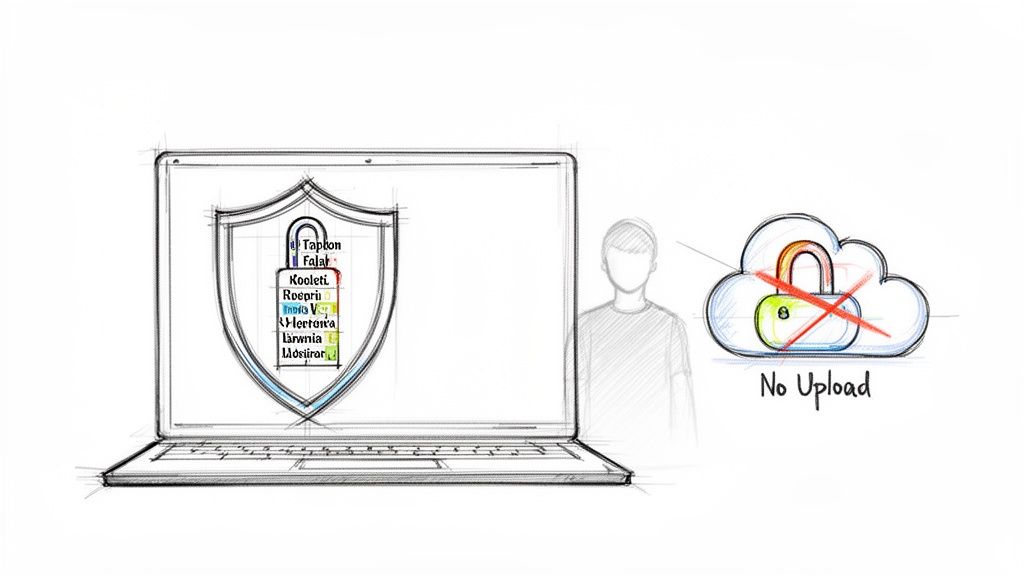
When the stakes are low, any online spinning wheel will do the job. But for developers, security teams, and anyone handling sensitive information, that casual approach is a non-starter. A simple cloud-based tool can quickly turn into an accidental data leak.
Just think about the kind of lists you might use in a professional setting: employee IDs for a prize draw, customer emails for a beta test, or even project identifiers for an on-call rotation. The moment you paste that data into a typical online tool, you're uploading it to a third-party server. That's a risk most businesses can't afford to take.
The Problem with Cloud-Based Tools
The fundamental issue with most online name pickers is their architecture. They need your data on their server to run the selection process. Once that list leaves your machine, you’ve lost control. This isn't just a theoretical problem; it creates very real compliance and security headaches.
For any organization in a regulated industry like finance or healthcare, sending personal data to a third party can trigger a whole series of security reviews and Data Protection Impact Assessments (DPIAs). Even if a service like Wheel of Names is GDPR compliant, the act of data transfer itself can violate strict internal policies. In fact, recent surveys show over 60% of enterprise CISOs cite vendor data handling as a top cloud security concern. That alone is often enough to get a simple web tool blacklisted for internal use.
An offline, browser-only implementation fundamentally changes this equation. When a random name picker runs entirely with client-side JavaScript, the data never leaves the device. This local-first model is central to Digital ToolPad's philosophy.
Embracing a Local-First Approach
A client-side random name picker sidesteps all these risks. Everything—from pasting your list to the final shuffle—happens right in your browser. This approach is a game-changer for a few key reasons:
- Complete Data Privacy: Your lists are never sent over the internet. That means no chance of interception or third-party logging.
- Enhanced Security: By keeping sensitive information on your local machine, you eliminate the risk of a server-side data breach exposing your data.
- Compliance Assurance: Teams in highly regulated fields can finally use these tools without worrying about data sovereignty and residency rules.
- Offline Functionality: No internet? No problem. The tool works anywhere, anytime.
This local-first model gives developers the confidence to paste in sensitive identifiers, like those created with our offline UUID generator, knowing they're ticking all the right security boxes.
Designing a Secure User Interface for Data Input
A great tool is one people can actually use, and for our offline name picker, that starts with getting the data in. The whole point is privacy, so we need to give users flexible ways to input their lists without that data ever touching a server. Everything has to happen right there in the browser.
The simplest path is always best, so we’ll start with a basic <textarea>. It’s the perfect, no-fuss solution for anyone wanting to copy and paste a list of names. It natively handles both comma-separated and newline-delimited formats, which covers probably 90% of use cases right out of the box.
Handling Pasted and Typed Lists
Let's be realistic: user-pasted data is always a mess. Our application needs to be smart enough to clean it up before we even think about shuffling names. This means a few essential client-side cleanup jobs.
- Trimming Whitespace: The first thing to do is trim leading and trailing spaces. If someone pastes
" Bob ", we need to see it as"Bob". - Filtering Empty Lines: Pasted lists often come with extra blank lines. We need to filter those out completely so an empty entry never gets a chance to be picked.
- Splitting Delimiters: Your logic should be flexible enough to split the list whether it's separated by commas, newlines, or even a mix of the two.
These little data sanitization steps are what separate a frustrating tool from a professional one. They ensure the list we’re working with is exactly what the user intended, which makes the whole process more reliable.
Building a Secure File Import Feature
Pasting is fine for a dozen names, but what about a few hundred? For that, we need a file import option. We can build this securely using the FileReader API, a native browser feature that lets us read a user-selected file's contents directly into memory. No uploads, no servers.
By processing files entirely on the client-side, we stick to the core promise of an offline tool. Data from a
.csvor.txtfile never leaves the user's machine. This is absolutely fundamental for building trust and ensuring compliance.
As you build out the UI, it's crucial to be transparent about how you're handling data. For a solid example of clear communication, you can look at qrstar's Privacy Policy.
Putting these features together takes some attention to detail, but it's a non-negotiable part of building a secure application. To dive deeper into these concepts, it's worth reviewing software development security best practices. By merging a clean interface with robust, client-side data handling, you end up with a random name picker that’s both a breeze to use and genuinely secure.
Implementing a Fair and Reproducible Shuffle
The whole point of a random name picker is, well, randomness. But for any professional setting—think compliance audits, legal prize drawings, or even just picking project leads fairly—that randomness needs to be both bulletproof and verifiable. Simply calling Math.random() in a loop just doesn't cut it.
The heart of a truly trustworthy shuffle lies in its source of randomness. While Math.random() is easy, it's not cryptographically secure, making it predictable under the right conditions. For anything that needs to stand up to scrutiny, you should always reach for the browser's built-in crypto.getRandomValues(). This API taps directly into the operating system's entropy pool, giving you a much higher quality of randomness that's fit for security-sensitive work.
Our process is designed from the ground up to keep your data completely on your device.
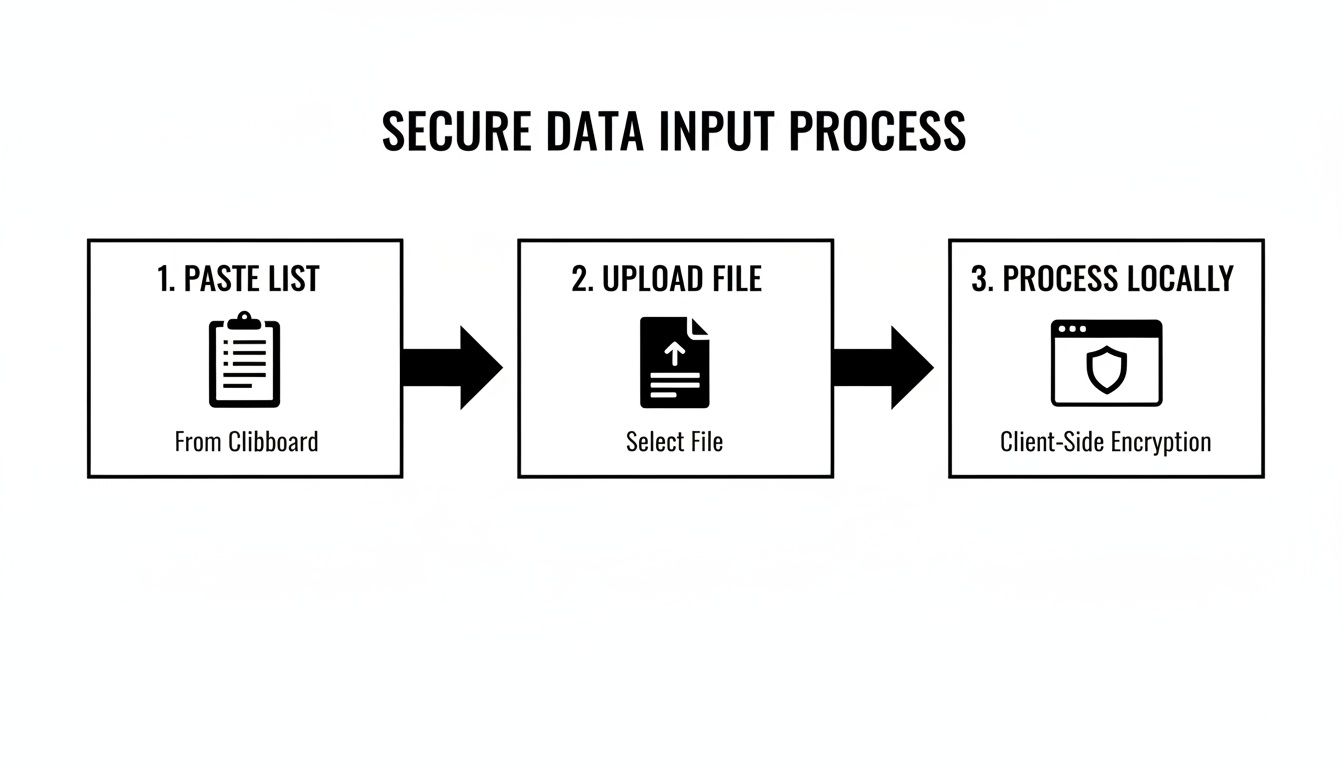
As you can see, whether you paste data or upload a file, it never leaves your browser. All the shuffling and processing happens locally, completely isolated from any server.
The Power of Seeded Randomness
True randomness is chaotic by nature, but when you need to prove a result was fair, chaos is your enemy. This is where a seeded random number generator (RNG) is an absolute game-changer. A "seed" is just an initial value—a string of text or a number—that kicks off the randomization algorithm.
Here’s the magic: if you use the exact same list of names and the exact same seed, you will get the exact same "random" result, every single time. This is reproducibility, and it's your best friend for audits.
Imagine a company-wide raffle where someone questions the outcome. With a seeded shuffle, you can just provide the original list and the seed you used. Anyone can plug those back into the tool and see the identical result, instantly proving the draw was legitimate and transparent.
A professional-grade random picker combines a high-entropy source with a seeded algorithm. This gives you the best of both worlds: a shuffle that's completely unpredictable to an outsider but perfectly reproducible for anyone who has the key—the seed.
Comparing Randomness Generators for Browser Tools
When building a client-side tool, you have a few options for generating random numbers in JavaScript. Here's a quick comparison of the most common methods and where they fit in.
| Method | Security Level | Use Case | Reproducibility |
|---|---|---|---|
Math.random() |
Low | Non-critical tasks like games or simple animations. | Not directly reproducible. |
crypto.getRandomValues() |
High | Security-sensitive applications like key generation or secure shuffles. | Not reproducible by design (pulls from system entropy). |
Seeded RNG (e.g., a library like seedrandom.js) |
Medium-High | Verifiable and auditable results, like raffles or scientific simulations. | Perfectly reproducible with the same seed. |
For our tool, we'd use crypto.getRandomValues() to generate a strong, unpredictable seed and then feed that into a seeded RNG algorithm. This gives us both top-tier security and perfect reproducibility.
The Fisher-Yates Shuffle Algorithm
Once you have a solid RNG, you need an algorithm to actually shuffle the names. The modern Fisher-Yates shuffle (often called the Knuth shuffle) is the industry standard for a reason. It's fast, efficient, and mathematically proven to produce an unbiased result where every possible order is equally likely.
In practice, the logic is pretty simple:
- You start from the last name in the list and work your way backward.
- For each position, you pick a random name from the part of the list you haven't touched yet.
- Then, you just swap the current name with that randomly chosen one.
This simple process guarantees every name has an equal shot at landing in any spot. Making sure this process works flawlessly, especially with secure inputs and fair algorithms, is where solid quality assurance in software development becomes essential.
Statistically, every name in a list of N entries should have a 1/N chance of being selected. This can lead to some counter-intuitive results. For example, in a 1,000-name list, one person has a 0.1% chance per draw. If you run 10 independent draws (and put the name back each time), there's still a 99% chance that a specific person is never picked. This can feel unfair to users, which is why many tools remove winners after each spin to better match our human expectation of fairness.
To shuffle a complete list without writing code, use Digital ToolPad's List Randomizer. It uses Fisher–Yates with browser cryptographic randomness, keeps processing local, and lets you copy or export the resulting order.
Building the Picker Logic and Displaying the Results
Alright, you've got a securely shuffled, perfectly randomized list of names. Now for the fun part: turning that static array into a living, breathing random name picker that a real person can actually use. This is all about building the core logic that handles the drawing and shows the results in a clear, unambiguous way.
The first thing a user will want to do is decide how many winners they need. Is it a single grand prize winner? Or maybe you're picking a group of ten people for a beta test. Your UI needs a simple input for this number, as it’s the key that drives the whole picking process.
From there, you have to decide what happens to a name after it's been picked. This choice leads to two very different modes, each with its own real-world use case.
Unique Winners Versus Allowing Duplicates
The most common approach, and the one people usually expect, is picking without replacement. Once a name is drawn, it’s out of the running for good. This is a must for prize draws, raffles, or assigning unique tasks—it guarantees every winner is unique. Let's be honest, nobody wants to see the same person win all three top prizes.
The other option is picking with replacement. Here, a name is put back into the pool after being selected, so it has an equal chance of being picked again. While less common for simple giveaways, this is super useful for things like statistical sampling or simulations. Imagine you're randomly auditing a user account every hour; you'd want every user to have a fair shot each time, so you'd put them back in the mix.
For a general-purpose tool like this, defaulting to "unique winners" (without replacement) is the way to go. It’s what users intuitively expect from a raffle, and it avoids any confusion or complaints about fairness.
For a ready-to-use option, pick several entries without replacement from your own list. Enable Remove duplicates if each distinct name should have one entry. An entry can be selected only once within a draw; a new draw starts from the full list again.
Managing State and Displaying the Winners
As your tool runs, you need to keep track of what's going on. In practice, this means managing two key lists: the names still waiting to be picked, and the list of winners you've already selected.
So, when a user hits that "Pick a Winner" button, your script needs to perform a few simple actions:
- Grab the first name off your pre-shuffled array.
- Move that name from the "remaining names" list over to the "winners" list.
- Update the UI to show off the new winner—make it big and obvious!
- It's also helpful to display a running count of how many picks are left.
You'll just repeat this loop until you've hit the target number of winners. Oh, and don't forget a "Reset" button. It’s essential for letting the user clear the results and start a new drawing from scratch without having to refresh the whole page.
Don’t Forget Accessibility When Announcing the Winner
Just showing the winner's name on the screen isn't enough. What about users who rely on screen readers? It's a critical accessibility step to make sure the result is announced clearly and immediately.
You can make the whole experience inclusive by using ARIA (Accessible Rich Internet Applications) attributes. Simply adding an aria-live="polite" attribute to the container where the winner’s name appears signals screen readers to announce the change as soon as the name pops up. It’s a tiny bit of code that makes a huge difference, ensuring everyone gets to feel the excitement of the draw.
Adding Essential Export and Sharing Features
A random name picker is really only as useful as what you can do with the results. Once the drawing is over, people need a solid way to save and share what happened, especially in a professional setting where you have to be transparent. The trick is to add these features without breaking the tool's core promise of privacy, which means generating everything right there in the browser.
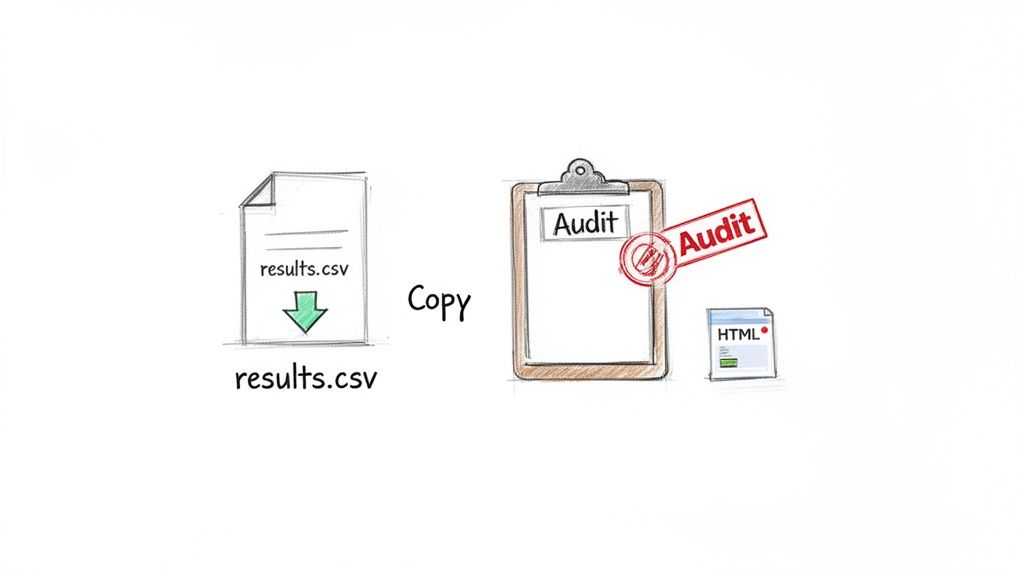
The go-to options are plain text (.txt) and comma-separated values (.csv). They're dead simple, work everywhere, and are a breeze to generate with JavaScript. You just create a Blob with the list of winners, then programmatically create and click a download link. The browser takes care of the rest, saving the file locally. No data ever has to hit a server.
Simple Sharing and Robust Auditing
For a quick share, you can't beat a "Copy to Clipboard" button. It's a small touch that adds a ton of convenience. Using the browser's modern Clipboard API, users can instantly copy the winner list and paste it into Slack, an email, or anywhere else they need to communicate the results fast.
But when the stakes are higher—think compliance audits or a legally regulated giveaway—a simple list of names just won't cut it. You need to prove the drawing was fair. This is where creating a self-contained HTML audit file becomes your killer feature.
This single file can bundle everything needed for verification:
- The complete original list of names.
- The randomization seed used for the shuffle.
- The final, ordered list of winners.
Because the HTML file contains both the inputs and the final output, anyone with the file can independently verify the results. It provides a complete and transparent audit trail, elevating your tool from a simple spinner to a professional-grade solution.
For any kind of enterprise use, a verifiable audit trail isn't just nice to have; it's non-negotiable. By generating a self-contained HTML file with the list, seed, and results, you provide irrefutable proof of a fair drawing—all without data ever leaving the user's machine.
This need for verifiable methods has been a long time coming. Web-based random number generators started popping up in the late 1990s when browser JavaScript got powerful enough. As they became more common, the demand for stronger, more trustworthy randomness grew, leading to the cryptographically secure generators we have in modern browsers today. You can explore more about the history of list randomization to see how far we've come.
Integrating with Other Tools
Don't forget that the output from your name picker can be the input for another process. For example, what if you need to generate a unique QR code for each winner so they can claim a prize?
It's actually pretty straightforward. You can pass each winner's name or a unique ID into a tool like Digital ToolPad's own privacy-first QR code generator (https://www.DigitalToolpad.com/tools/qr-code-generator). This creates a seamless and secure workflow that takes you from selection all the way to redemption, making your tool part of a much more powerful and connected ecosystem.
Common Questions About Offline Name Pickers
When you're building or selecting a random name picker, especially for professional settings, a bunch of questions immediately pop up. Teams often worry about fairness, security, and how the tool will perform. Getting these answers right is key to trusting it with your data.
Let’s tackle some of the most common questions we hear from developers and security-minded folks looking at browser-based solutions.
Is a Browser-Based Random Name Picker Genuinely Random?
Yes, but with a big caveat: it has to be built the right way. The secret is to steer clear of old-school methods like Math.random() and instead hook into the browser's crypto.getRandomValues() API. This modern API pulls from the operating system’s own sources of entropy—think mouse movements, keyboard timings, and other hardware noise—to produce cryptographically secure random numbers.
While it's technically pseudo-random, the quality is so high that it’s unpredictable for any practical purpose. This makes it more than good enough for security-sensitive work and guarantees a shuffle that's statistically sound.
How Can I Actually Prove a Drawing Was Fair?
This is where seeded algorithms become your best friend. A "seed" is just an initial value, like a string of text, that you plug into the random number generator. The magic is that if you use the same seed with the same list of names, you'll get the exact same "random" result every single time. It's deterministic.
To prove a drawing was fair, all you need to do is record three things:
- The complete, original list of participants.
- The exact seed string used for the shuffle.
- The final list of winners.
Armed with that information, anyone can run the process themselves and verify they get the identical outcome. It creates a fully reproducible and auditable trail, which is a must-have for compliance checks or any high-stakes giveaway where trust is paramount.
The ability to reproduce a shuffle with a specific seed is the gold standard for transparency. It removes all doubt about the integrity of the process by making the outcome verifiable by any third party.
Why Choose an Offline Tool Over a Simple Online Wheel?
It all comes down to privacy and security. The second you paste a list of names, employee IDs, or sensitive email addresses into a standard online spinner, you’ve just sent that data to someone else's server.
That single action can create a data leak and might even put you in violation of your company’s security policies or data regulations like GDPR. An offline, browser-based tool, on the other hand, does all its work right there on your local machine. Your data never leaves your computer, which completely shuts down the risk of it being exposed.
Can This Kind of Tool Handle Really Large Lists?
Absolutely. Because all the number-crunching happens in your browser with JavaScript, the tool's performance is really just limited by your own computer's power. Modern JavaScript engines are incredibly fast and can easily shuffle lists with tens of thousands of names in milliseconds.
The only real bottleneck you might ever hit is the browser's memory, but for almost any practical scenario—even with thousands of entries—it’s going to feel instant.
Ready to build your own secure, offline tools or just need a reliable Digital ToolPad for your daily development tasks? Our privacy-first suite runs 100% in your browser, ensuring your data always stays with you. Explore our collection of powerful, client-side utilities at https://www.digitaltoolpad.com.