
A timer pomodoro that's truly privacy-first is a refreshingly simple concept. It's a browser-based tool for the Pomodoro Technique that does all its work right on your local machine. Nothing gets sent out—no data goes to external servers. This means your work habits and what you're focused on stay completely confidential.
Why a Privacy-First Pomodoro Timer Is a Developer's Secret Weapon
We're surrounded by cloud-based productivity tools, and it's easy to forget how much information even a simple timer can gather. For developers, security pros, or anyone who handles proprietary information, that's a risk you might not even realize you're taking. Every online timer you start could be logging your work patterns, project names, and active hours, building a digital footprint you have no control over.
This is why moving toward privacy-first, browser-based tools isn't just a niche trend—it's a fundamental security practice. A tool like Digital Toolpad’s Pomodoro timer, which runs entirely on your machine, guarantees that your focus metrics and workflow details are for your eyes only.
Keeping Your Work Under Wraps
The Pomodoro Technique is a tried-and-true method for getting into a state of deep focus. It has surprisingly humble beginnings, born from a university student's simple need to concentrate. Francesco Cirillo invented the technique back in the late 1980s when he grabbed a tomato-shaped kitchen timer (a "pomodoro" in Italian) to force himself into just a few minutes of focused study. That small commitment grew into a global time management system built on 25-minute work sprints followed by short breaks—a rhythm proven to sustain mental energy. You can dig deeper into its history and effectiveness on CWI.edu.
When you're using such a powerful technique, the last thing you want is for your tool to become a weak link.
A local-first Pomodoro timer isn’t just about cutting down on distractions. It’s about maintaining operational security when your work involves confidential client data, unreleased code, or sensitive business strategies.
Take a look at the screenshot below. It shows a clean, minimalist browser-based timer that works perfectly offline.
Notice the straightforward controls. You can set work and break intervals without any login or account creation, which is always a dead giveaway of a privacy-focused design.
Building More Secure Workflows
Using a local timer puts you back in the driver's seat of your own productivity data. This approach fits seamlessly with other secure practices, like using offline tools for team decisions. For example, you could run this timer while using other local utilities, like a secure random name picker to assign code reviews without sending team data to a third-party service.
For developers and security-conscious teams, the advantages are crystal clear:
- No Data Leaks: Your work habits, project details, and productivity metrics are never transmitted or stored on someone else's server.
- Easier Compliance: This helps you meet strict data regulations like GDPR or HIPAA by ensuring no personal or professional data ever leaves your machine.
- Zero Dependencies: It just works. You don't need an internet connection, so there's no reliance on third-party servers that could go down at any moment.
At the end of the day, a privacy-first timer pomodoro elevates a simple productivity hack into a solid piece of your security toolkit.
How to Customize Pomodoro Cycles for Deep Work
The classic 25-minute timer with a 5-minute break is a brilliant starting point, but let’s be honest—developer tasks rarely fit into such a neat little box. A quick UI tweak might take 15 minutes, but untangling a complex legacy system can demand hours of pure, uninterrupted focus. Real productivity isn’t about blindly following a rule; it’s about adapting the tool to the job.
For anyone working with sensitive or proprietary information, the choice of timer is a critical first step. An offline, browser-based tool is non-negotiable for keeping your work habits and project details secure.
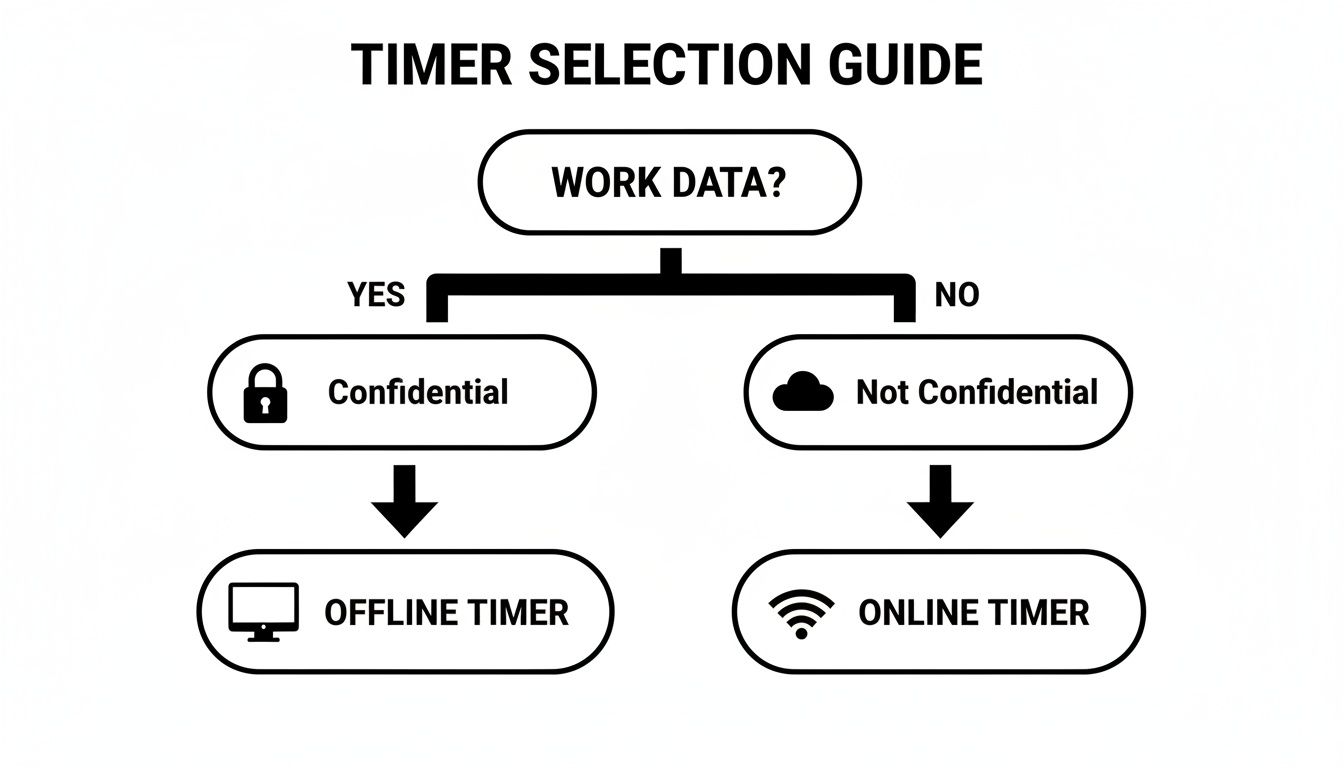
When your work is confidential, an offline timer is the only truly secure option. It ensures nothing about your workflow ever leaves your machine.
Fine-Tuning Timings for Technical Tasks
The Pomodoro Technique isn't just about a timer; it’s a strategy for managing mental energy. It forces you to balance intense focus with deliberate rest to keep your mind sharp and avoid burnout.
But if you’ve ever tried to hunt down a nasty race condition or map out a new API, you know that a 25-minute sprint can feel painfully short. Just as you finally load the entire problem into your head and hit a state of flow, the alarm goes off, shattering your concentration. For deep, complex work, you need a longer runway.
I’ve found that when I'm deep in a debugging session, a 50-minute focus interval followed by a 15-minute break works wonders. It gives my brain enough time to get fully immersed and make real progress, while the longer break is just enough to reset without losing context.
Shorter, more repetitive tasks, on the other hand, often benefit from the opposite approach. You can build incredible momentum by keeping the cycles quick and snappy.
Here are a few timing strategies I've used for different developer scenarios:
- Quick UI Fixes: A 15-minute focus session with a 3-minute break is perfect for knocking out small, rapid changes without losing momentum.
- Writing Documentation or Unit Tests: The standard 25/5 cycle usually hits the sweet spot here, providing a steady, methodical rhythm.
- High-Level Architectural Planning: For this kind of "big picture" thinking, I'll often block out a 90-minute deep work session followed by a full 30-minute break to properly decompress.
Sample Pomodoro Timings for Developer Tasks
Finding the right rhythm is a personal journey, but this table can give you a solid starting point for different types of development work.
| Task Type | Focus Interval | Short Break | Long Break After | Best For |
|---|---|---|---|---|
| Code Refactoring | 45 minutes | 10 minutes | 3 cycles | Methodical, focused work that requires sustained attention to detail. |
| Debugging | 50 minutes | 15 minutes | 2-3 cycles | Complex problem-solving where context-switching is costly. |
| New Feature Development | 40 minutes | 10 minutes | 4 cycles | A balanced approach for creative coding and implementation. |
| UI/CSS Tweaks | 20 minutes | 5 minutes | 5 cycles | Quick, iterative tasks where maintaining momentum is key. |
| Writing Tests | 25 minutes | 5 minutes | 4 cycles | Repetitive, structured work that benefits from a consistent pace. |
| Code Review | 30 minutes | 5 minutes | 4 cycles | Detailed analysis that needs regular, short breaks to maintain sharpness. |
Experiment with these timings and don't be afraid to adjust them based on how you feel. The goal is a sustainable rhythm, not a rigid set of rules.
Adjusting Your Long Break Cadence
The final piece of the puzzle is deciding when to take that longer, more restorative break. The standard is after four Pomodoros, but that’s just a guideline.
On a day when you’re on a tight deadline, you might push through five or even six cycles before stopping. On the flip side, if you’re tackling something that’s incredibly draining, taking a long break after just two or three cycles can be the key to maintaining high-quality output all day.
The beauty of the technique is its flexibility. A study from Duke University’s Academic Resource Center even points to alternative intervals like 52 minutes of work followed by a 17-minute break as being highly effective. The key is to listen to your own energy levels and build a system that works for you.
Integrating Your Timer with a Local-First Workflow
A timer is useful, but its real power comes out when it slots neatly into your existing habits. Instead of just being a standalone clock, a good browser-based timer can become the central hub for your entire local workflow, creating a private and highly effective ecosystem right on your machine. The goal here is to make productivity feel natural, not like another tool you have to manage—all without relying on the cloud.
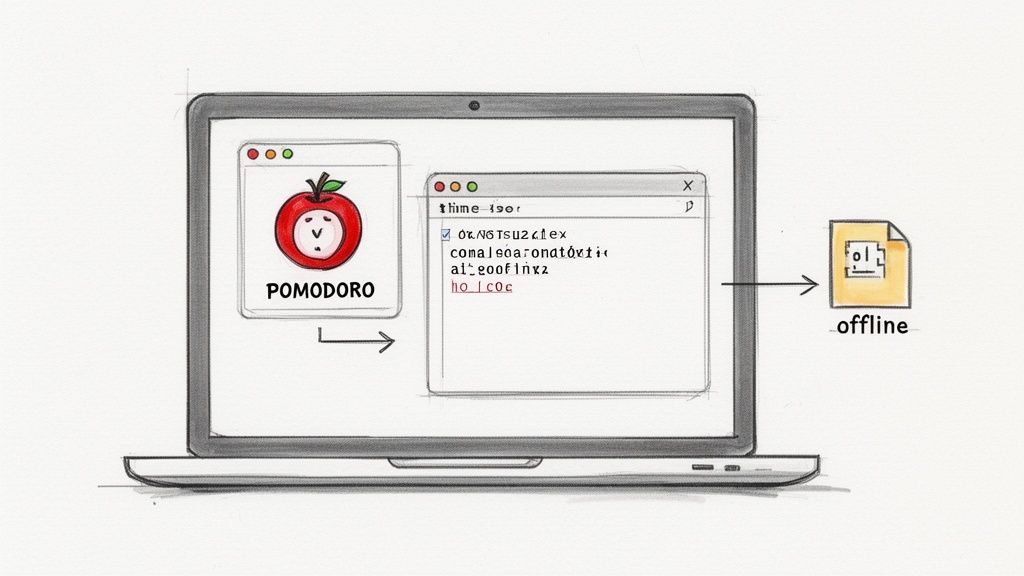
The trick is to sync your timer pomodoro cycles with the other offline tools you already use every day. This creates a powerful, self-contained loop where your data never has to leave your computer. The predictable rhythm of the Pomodoro Technique is the perfect metronome for this kind of setup.
Building a Cohesive Local Environment
Let's walk through a real-world scenario. You kick off a 45-minute Pomodoro to tackle a specific coding task. While the timer runs in one browser tab, you have a local markdown editor like Obsidian or VS Code open for notes. Everything is immediate, your focus is sharp, and your entire workflow stays offline.
Then, when your scheduled five-minute break starts, you can use that time for a quick, self-contained task in another tab. Maybe you need to run a Base64 encoding operation or generate a unique ID. For instance, if you're working on a database entry and need a secure key, you can use a local UUID generator without ever pinging an external service.
This simple shift turns your breaks from passive pauses into small, productive moments that keep the momentum going.
By chaining focused work sessions with quick, local utility tasks, you build a highly efficient development loop. The timer acts as the conductor, orchestrating the rhythm of your deep work and administrative tasks without ever compromising your privacy.
This approach is also fantastic for time-boxing those important but easy-to-procrastinate-on activities that every developer faces. You can set aside specific Pomodoros for tasks that need your full attention.
Here are a few ways I've used this myself:
- Code Reviews: I'll dedicate one or two uninterrupted 30-minute Pomodoros to really dig into a teammate's pull request. No distractions, just focused review.
- Unit Testing: It's easy to put off writing tests. I'll block out a focused 45-minute session just for boosting test coverage on a new feature.
- Documentation: After building a new function, I immediately commit to a 25-minute Pomodoro to write clear, helpful documentation while it's still fresh in my mind.
When you integrate your timer pomodoro into a local-first workflow, you're building a secure and predictable work environment. Your productivity becomes a closed system on your own machine, shielding your habits from outside tracking and keeping sensitive project data completely under your control. It's the foundation of a truly private and efficient way to work.
Let's be real: interruptions are going to happen. No matter how focused you are, distractions are a fact of life. But they don’t have to completely torpedo your productivity. The secret to making a timer pomodoro work is having a game plan for these interruptions before they pop up. It's all about knowing the difference between a random "aha!" moment and a genuine fire that needs putting out.
First, you have to protect the Pomodoro. If a brilliant idea for a completely different project strikes you mid-sprint, fight the urge to follow that rabbit trail. Instead, grab a sticky note or open a plain text file and scribble it down. The whole process should take less than 10 seconds. Then, dive right back into what you were doing.
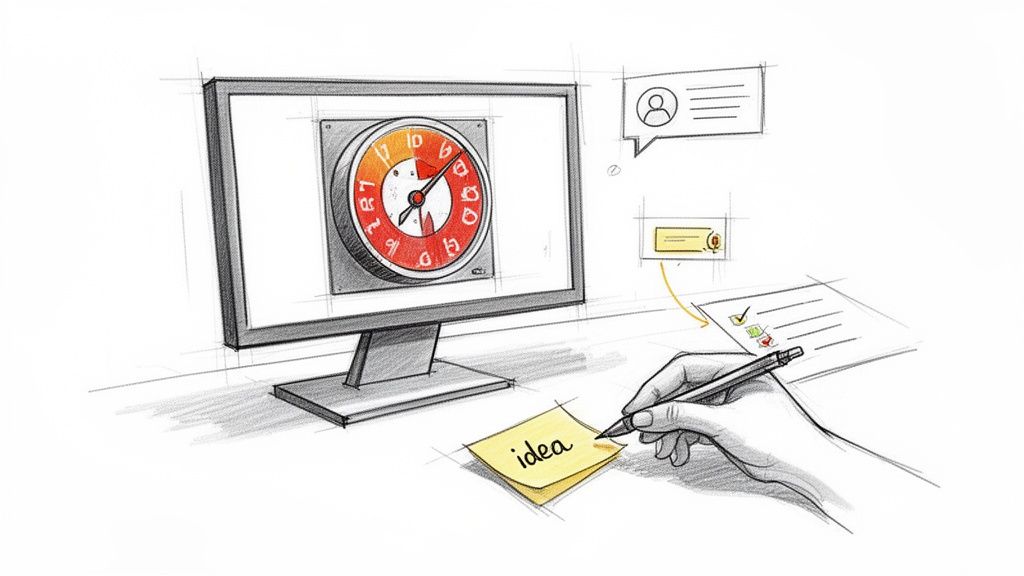
Just getting that idea out of your head and onto paper frees up your brain to stay locked in on the task at hand until the timer dings. This is a lifesaver for anyone who struggles to stay on one thing at a time. In fact, for developers or anyone dealing with focus challenges, this technique is a game-changer. You can find more strategies like this in these ADHD time management tips to boost productivity.
What About People?
External interruptions—that urgent Slack message, the tap on the shoulder—need a slightly different playbook. The goal here is to make a deliberate choice, not just react. When someone needs you, ask yourself one simple question: "Can this wait 15 minutes?"
If it can, politely let your colleague know you're in a focus block and you'll circle back as soon as you're done. Most people totally get it.
But what if it's a true emergency? If the server is on fire or a critical deadline is at risk, don't just pause your timer. Stop the Pomodoro completely.
Your focus time is sacred. If you absolutely have to deal with something urgent, kill the current session. Handle the issue, take a quick breather to reset your brain, and then begin a fresh Pomodoro from scratch. This helps you avoid the "pause and forget" trap and keeps you in control of your schedule.
This is where a simple browser-based timer really proves its worth. There are no complicated menus or settings—just one click to stop and another to start over. This kind of flexibility lets you adapt to the chaos of a real workday without feeling like your whole system has crumbled. By treating each Pomodoro as a single, unbreakable chunk of focus, you ensure one little interruption doesn't derail your entire afternoon.
Using Pomodoro for Secure Team Collaboration
The Pomodoro Technique isn't just a solo productivity hack. I've seen it scale incredibly well across entire engineering teams, especially in environments where security and compliance are paramount. It's about more than just individual focus; it's about creating a collective rhythm that respects deep work and, just as importantly, protects sensitive information.
Think about it for pair programming. You can have both developers kick off a synchronized 45-minute cycle. For that block of time, they are completely aligned and shielded from outside noise. It creates an intensely productive bubble perfect for wrestling with a tricky bug or architecting a new feature.
Another powerful move is to set team-wide "focus blocks." Imagine blocking off two hours every morning where the entire team agrees to run Pomodoro cycles. No meetings. A collective pact to keep chat notifications to a minimum. This gives everyone the green light to dive into their most complex work without the constant dread of context switching.
Keeping Your Team's Work Compliant and Secure
When your team is handling financial, health, or legal data, the tools you choose can become a huge liability. A cloud-based timer, no matter how simple it looks, could be logging metadata about employee work patterns—a serious compliance risk. This is where a 100% offline tool like Digital ToolPad's timer is no longer a nice-to-have; it's a necessity.
Because it runs entirely in the browser, absolutely no data is ever sent to an external server. This local-first design is key to meeting strict data sovereignty rules like GDPR and HIPAA, since no information about who is working on what, or when, ever leaves the local machine. If you want to go deeper on data protection, our guide on end-to-end encryption is a great place to start.
By choosing an offline Pomodoro timer, you're not just managing time; you're actively reinforcing your organization's security posture. It's a simple change that eliminates an entire category of data leakage risk, providing peace of mind for both your team and your clients.
This is especially true in modern software development. The Pomodoro Technique has been widely adopted by engineering teams because it clicks so well with agile concepts like timeboxing and sprints. For organizations that live and breathe security, the structured nature of Pomodoro work supports the kind of deterministic, repeatable patterns needed for deep concentration on complex code. You can find more on its widespread use in technical fields across the industry.
Real-World Scenarios for Secure Teams
So, what does this look like in a real, compliance-sensitive company?
- Financial Institutions: A dev team building a new trading application uses synchronized Pomodoros. Every session, from debugging to planning, is timed locally. This guarantees zero metadata about their proprietary algorithms ever leaves the company network.
- Healthcare Tech: A team building a patient portal implements team-wide focus blocks to hit a tight deadline while staying HIPAA compliant. The offline timer ensures that no employee activity logs—which could indirectly reveal project priorities—are ever created or stored.
- Legal Firms: A legal tech team relies on Pomodoro cycles to manage sprints for client-specific software. Using a privacy-first timer keeps all work on confidential case management systems completely compartmentalized and secure.
Ultimately, bringing a secure timer pomodoro into your team's workflow is about building a culture that values both focused work and data privacy. It's a small change with a massive impact, boosting productivity while hardening your operational security from the ground up.
Common Questions About Privacy-First Pomodoro Timers
When you start weaving a Pomodoro timer into a workflow where privacy is paramount, a few practical questions always pop up. Here are some of the most common ones I hear from developers and security-conscious professionals, with straightforward answers to help you get started without putting your data at risk.
Is This Just for Coding? Can I Use It for Other Tasks?
Absolutely. The Pomodoro Technique is incredibly flexible and works for any kind of task that demands your full attention. It’s not just a coding tool; it's fantastic for wrangling all the administrative stuff that comes with a developer's job.
Think about it: you can use a 25-minute Pomodoro to keep a meeting on schedule and actually end on time. Or you could use it for planning your next sprint or cranking out documentation. The structured time blocks are perfect for breaking down those big, often tedious, administrative tasks into something you can actually tackle.
The trick is to dedicate each session to one specific goal. Using a privacy-first browser tool for this means that even your meeting notes and planning activities stay completely confidential, which is a must for sensitive strategy sessions or team discussions.
What if the Standard 25/5 Cycle Just Doesn't Work for Me?
The classic 25/5 minute work/break cycle is just a starting point—it's definitely not a hard-and-fast rule. The real magic of the technique is finding a consistent rhythm of focused work followed by a real break. If the standard timing feels off, you absolutely should change it.
I've worked with many developers who find that 25 minutes is just too short to get into a deep flow state, especially when they're hunting down a nasty bug. If that sounds like you, try experimenting with longer focus periods.
- A 45-minute focus session with a 10-minute break is a popular alternative.
- For really deep work, a 50/15 cycle can be incredibly effective.
On the flip side, some tasks are just mentally draining, like code reviews or wading through dense technical docs. For those, shorter cycles might be your best bet. A quick 15-minute sprint followed by a 3-minute break can help you maintain high-quality focus without totally burning out. The best thing to do is pay attention to your own energy levels and tweak the times until you find a rhythm that feels right for you and the task at hand.
How Does an Offline Pomodoro Timer Actually Improve Security?
This is a critical question for anyone who handles sensitive information. An offline, browser-based Pomodoro timer like the one on Digital ToolPad runs entirely on your local machine. It’s 100% client-side, which means not a single byte of your data ever gets sent to an external server.
That might seem like a small technical detail, but the security implications are huge.
With a true offline timer, your work habits, task names, and active hours are never logged, tracked, or analyzed by a third party. Many online timers and mobile apps require you to create an account or use analytics that scoop up this metadata, creating a genuine security risk in corporate environments or for freelancers working on confidential client projects.
By using a tool that keeps everything local, you achieve complete data privacy. You eliminate the risk of your productivity data getting exposed in a data breach, which helps you meet strict data protection policies like GDPR without any extra work.
How Can I Track My Completed Pomodoros Privately?
Just because a privacy-first timer doesn't send your data to a server doesn't mean you can't track your own progress. The best solutions here are often the simplest and most secure.
The original method is still one of the best: good old pen and paper. Keep a notebook on your desk and just make a checkmark next to your task after each completed Pomodoro. It’s a simple, tangible, and surprisingly satisfying way to see what you've accomplished.
If you prefer a digital-but-private solution, just use a local text file or a notes app that doesn't automatically sync to the cloud. This gives you a clear log of your work that you can use for future task estimates, all while keeping your personal productivity metrics completely confidential and under your control.
Ready to build a more focused and secure workflow? The Digital ToolPad Pomodoro Timer runs 100% in your browser, ensuring your work habits and data remain completely private. Start your first session today.