
A private UUID/GUID generator is a workhorse tool that creates unique identifiers right on your own machine. The key benefit? Your data never leaves your control. Whether you're working on a plane or handling sensitive information, a client-side generator gives you instant, secure, and compliant UUIDs without pinging some third-party server.
Why You Need a Private UUID Generator
If you're a developer, you know the drill. You need unique IDs for everything—preventing data collisions in distributed databases, tracking user sessions, or tagging transaction logs in a microservices setup. Online generators are handy, but they come with a catch: you have to send a request over the internet, opening up potential security and privacy holes.
A private, offline UUID/GUID generator slams that door shut.
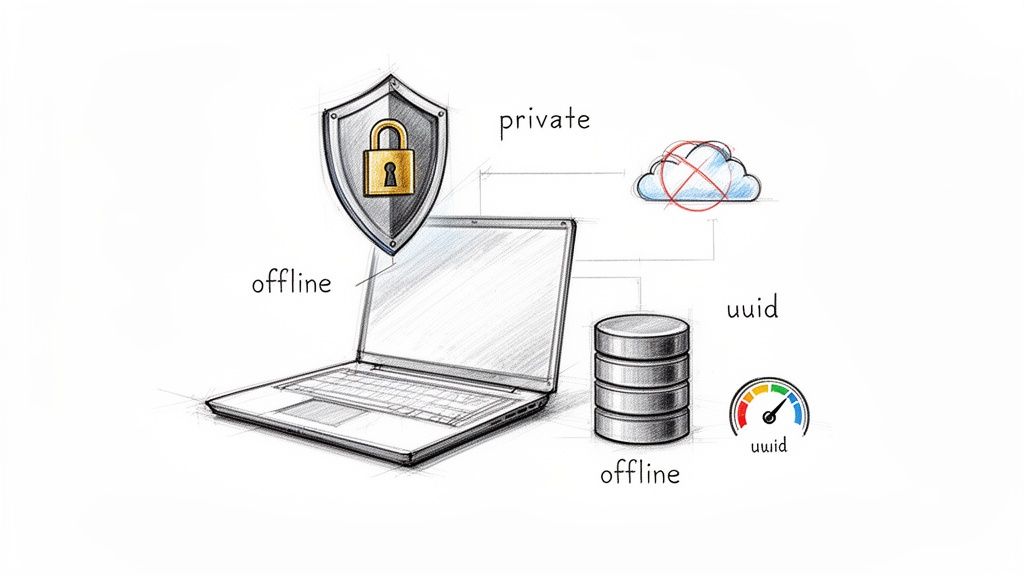
By running the generation process locally, either in your browser or through a command-line tool, you keep complete sovereignty over your data. For many industries, this isn't just a "nice-to-have"—it's a strict compliance requirement.
The Value of Local-First Generation
The real magic of a local generator boils down to control and speed. Think about these practical, real-world advantages:
- Ironclad Security: Absolutely no data is transmitted to an external server. This is non-negotiable when you're generating identifiers for confidential user info, financial transactions, or internal system records.
- Works Anywhere, Anytime: You can generate UUIDs on a spotty Wi-Fi connection or completely offline. It’s perfect for developers on the move or for applications built to run in disconnected environments.
- Instantaneous Speed: Generation happens in a flash because there are no network round-trips. This eliminates a potential performance bottleneck, especially in scripts that need to churn out thousands of identifiers in a hurry.
The idea of a universally unique identifier has been around for a while. It actually dates back to the 1980s with Apollo Computer's Network Computing System, which eventually became the 128-bit standard we all rely on today. This standard was so foundational that it was adopted by major organizations and even implemented by Microsoft as GUIDs.
Key Takeaway: Using a private generator transforms UUID creation from a potential liability into a secure, internal process. It’s a natural fit for any privacy-first architecture, giving you and your users some well-deserved peace of mind.
At the end of the day, whether you're assigning a primary key to a new database row or creating a unique ID for a project, doing it privately is simply the smarter, safer move. It’s a lot like using other specialized local tools, like our handy random name picker for creating test data—having the right utility for the job makes you more productive and secure.
Generate Instant UUIDs Directly in Your Browser
Look, sometimes you just need a UUID right now. You don't want to spin up a terminal or write a quick script. Maybe you're mocking up an API response, need to populate a test database on the fly, or just have to slap a unique ID on a document. For moments like these, a browser-based tool is your best friend.
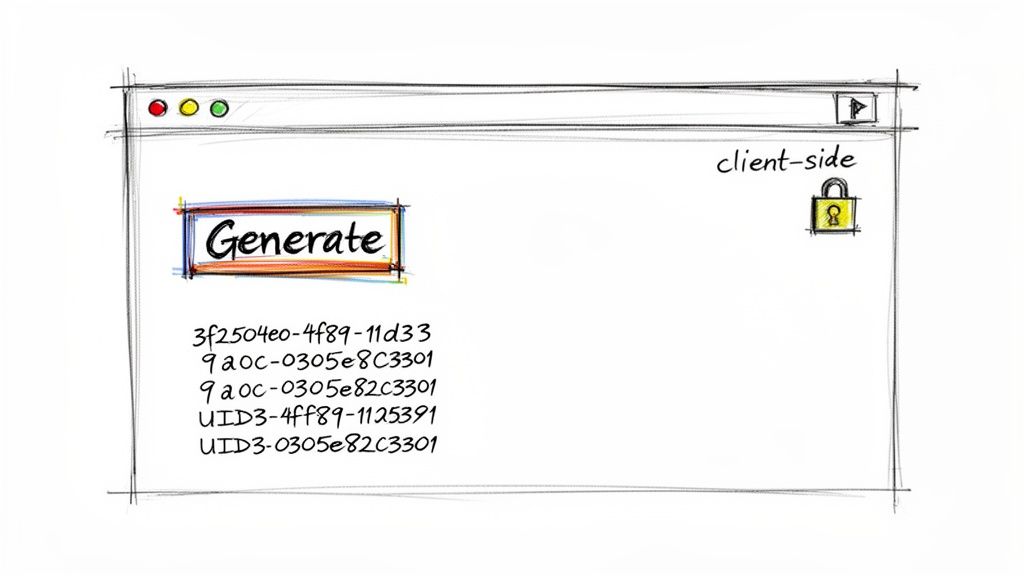
The trick is to find a uuid-guid generator that runs entirely on the client side. This means all the magic happens locally, right inside your browser. When you click that "generate" button, your browser's own cryptographic functions do the work. Nothing gets sent over the network, making it completely private and secure.
A Simple Workflow for Quick UUIDs
The real appeal of a client-side tool like the one from Digital ToolPad is its dead-simple approach. There’s no setup. You land on the page, and you get what you need, instantly. It’s perfect for non-developers or for those quick, one-off tasks where you can’t afford to waste time.
Let's say you're a QA tester who needs 10 unique IDs to hammer a new feature. Instead of bugging a developer or messing with a script, you can get them in seconds.
- One-Click Generation: A big, obvious button is usually all it takes to create a new Version 4 UUID.
- Easy Copying: A single click should let you grab the ID and paste it wherever you need it.
- Bulk Creation: Need a bunch of them? The best tools let you specify how many you want and generate a whole list at once.
This kind of tool removes all the friction. It’s a perfect example of a utility that was built to do one thing and do it incredibly well.
This offline-first approach is more than just convenient; it's a foundational element of a secure development lifecycle. By keeping generation local, you eliminate an entire class of potential data leaks associated with third-party online services.
Privacy and Performance in One Package
Because everything is handled by JavaScript running in your browser, the tool feels instantaneous. There's no network lag to deal with, which is a big deal when you're trying to generate a large batch of identifiers.
And the privacy angle is huge. When you use a trusted client-side uuid-guid generator, you're getting the same level of security you’d expect from a command-line tool on your own machine. This makes it a fantastic option for developers in tightly regulated fields like finance or healthcare, where data sovereignty isn't just a buzzword—it's a hard requirement.
You get the convenience of a web UI with the rock-solid security of an offline app. It’s the ultimate grab-and-go solution for unique identifiers.
Create UUIDs Programmatically and from the Command Line
While a browser tool is great for grabbing a one-off UUID, most of the time, we developers need to generate them right where we work: in our code and on the command line. This is all about speed and automation. When you’re building an application or scripting a deployment, you need a way to create unique identifiers without breaking your flow.
The good news is that generating UUIDs is a solved problem. Nearly every modern operating system and programming language has built-in, native support for creating them. That means you can spin up a secure Version 4 UUID instantly, with no external libraries or network calls needed.
Generating UUIDs from Your Terminal
Your command line is more than just a place to run scripts; it's a powerful and immediate uuid-guid generator. Whether you're in the middle of writing a bash script or just need a quick ID without reaching for your mouse, these commands are lifesavers.
For macOS and Linux Users:
If you're on a Unix-like system, you almost certainly have the uuidgen utility ready to go. Just pop open your terminal and run it.
uuidgen That’s it. A fresh, random v4 UUID will print directly to your console, ready to be copied or piped into another command.
For Windows Users: On Windows, you can get the same result with a quick PowerShell command.
This taps into the .NET framework's GUID structure to create an identifier right inside your PowerShell session.
Pro Tip: I love creating aliases to make this even faster. For example, in my
.bashrcor.zshrcfile, I havealias guid="uuidgen | tr -d '\n' | pbcopy". Now, I just typeguid, and a new UUID is instantly generated and copied to my clipboard. Super efficient.
Code Snippets for Popular Languages
Embedding UUID generation directly into your application code is just as simple. Here are some quick, copy-and-paste examples for creating random v4 UUIDs in the languages many of us use every day.
This image breaks down the standard structure of a Version 4 UUID, pointing out the specific bits that are fixed to define its version and variant.
It’s a good reminder that while a v4 UUID is mostly random, those few reserved bits are crucial for ensuring it’s correctly identified and compatible across different systems.
JavaScript (Node.js)
In modern JavaScript, the go-to method is the crypto module. It’s built-in and, as the name suggests, cryptographically secure.
import { randomUUID } from 'crypto';
const myUUID = randomUUID(); console.log(myUUID); // Example Output: 'f8c3de3d-1fea-4d7c-a8b0-29f63c4c3454'
Python
Python's standard library comes with a fantastic uuid module. Generating a new ID is a clean one-liner.
import uuid
Generate a random v4 UUID
my_uuid = uuid.uuid4() print(my_uuid)
Example Output: '123e4567-e89b-12d3-a456-426614174000'
Go
For Go, the de facto standard is the google/uuid package. It's robust and widely used in the community.
package main
import ( "fmt" "github.com/google/uuid" )
func main() { id := uuid.New() fmt.Println(id.String()) } // Example Output: "a0eebc99-9c0b-4ef8-bb6d-6bb9bd380a11"
Java
Java has included a UUID class since version 1.5, making this a core, reliable feature of the language.
import java.util.UUID;
public class Main { public static void main(String[] args) { UUID myUUID = UUID.randomUUID(); System.out.println(myUUID.toString()); } } // Example Output: 067e6162-3b6f-4ae2-a171-2470b63dff00
By sticking to these native, battle-tested methods, you can be confident your application is generating UUIDs efficiently and securely without bloating it with unnecessary dependencies. For more insights on how to get UUIDs online safely, you can explore our guide on the topic.
Choosing the Right UUID Version for Your Project
Picking a UUID version feels like a small technical choice, but it can have a big impact on your system's performance, security, and even how predictable it is. They aren't all the same, and you can't just swap them out. Each version was designed for a specific job, and getting it right is key to building a solid application.
For most developers today, the default choice is Version 4 (v4). Think of it as the reliable workhorse. A v4 UUID is generated using random (or pseudo-random) numbers, which means it’s completely unpredictable. That randomness is exactly what you want for things like public-facing URLs, session IDs, or API keys where you don't want anyone guessing the next ID in a sequence.
On the other hand, you have Version 1 (v1) UUIDs. These are created from a mix of the current timestamp and the MAC address of the computer that made it. While this guarantees they're unique, it also makes them predictable. If someone knows when and where a v1 UUID was created, they have a good shot at figuring out others, which is a serious security no-go for anything sensitive.
This flowchart can help you visualize the decision process, whether you're just grabbing a quick ID from the terminal or building generation into a larger application.
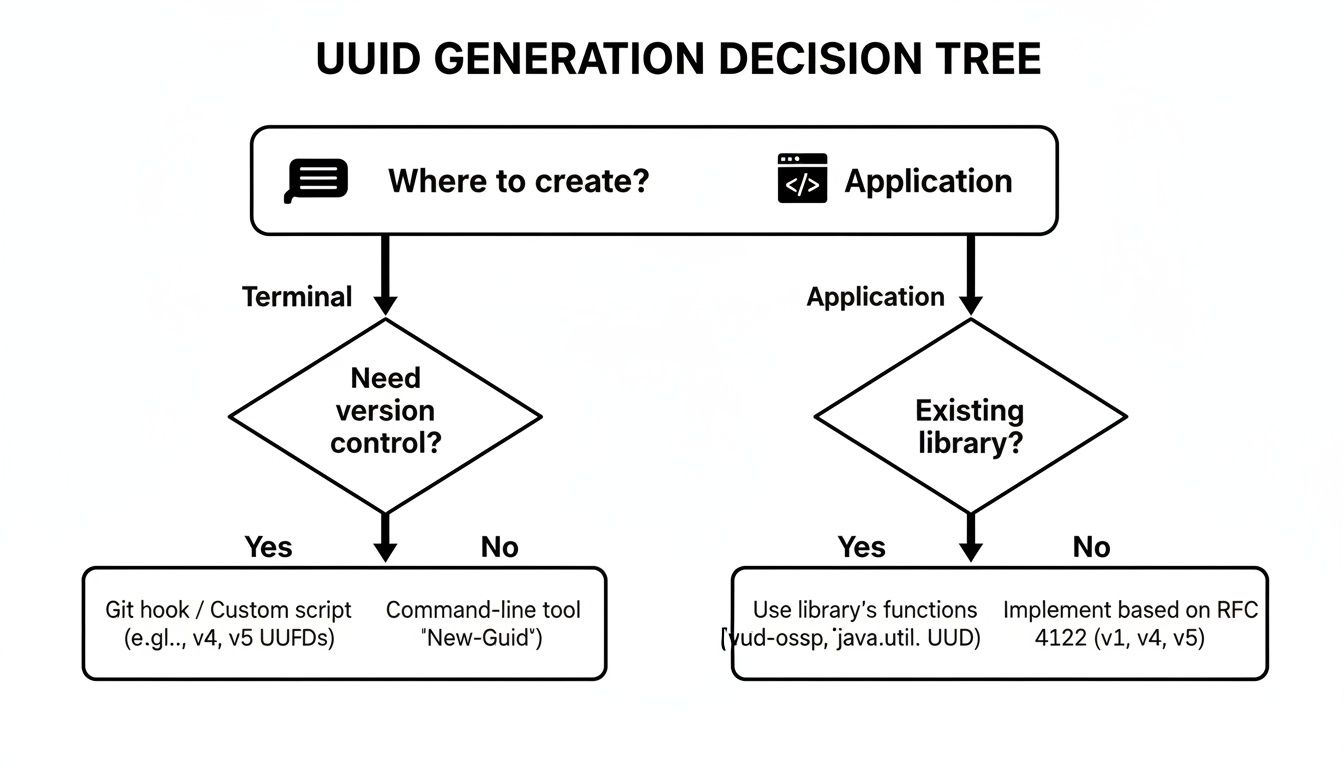
As you can see, the right tool often comes down to whether you're doing a one-off task or setting up an automated workflow where identifiers need to be generated programmatically.
When to Prioritize Determinism or Sortability
Sometimes, you actually don't want randomness. That’s where name-based UUIDs like Version 5 (v5) shine. A v5 UUID is made by hashing a "namespace" and a "name" together using SHA-1. The magic here is that it's completely deterministic—the same inputs will always spit out the exact same UUID.
This is incredibly handy in a few specific scenarios:
- Idempotent Operations: You can run a process multiple times with the same data and never worry about creating duplicate records.
- Data Deduplication: Generate a consistent ID for a file or piece of content to easily check if you've already stored it.
- Resource Identifiers: Create stable, predictable URLs for an article based on its title, for example.
There's also a newer option gaining traction: Version 7 (v7). It cleverly combines a Unix timestamp (with millisecond precision) at the start of the ID with random bits at the end. This makes v7 UUIDs chronologically sortable, which is a huge performance win for databases. New records can be inserted into an index without causing the fragmentation that plagues purely random v4 UUIDs.
Understanding Collision Probability
A common question I get is about the risk of a "collision"—accidentally generating the same random UUID twice. The good news is the odds are so mind-bogglingly small that it's not something you need to lose sleep over.
Version 4 UUIDs have a massive space of 2^128 possible combinations. To put that in perspective, even if you generated one trillion UUIDs every single second, it would take over 10 trillion years before a collision was statistically likely, a fact well-documented in the history of GUIDs.
For the vast majority of projects, a v4 UUID is the safest and simplest bet. Its randomness provides great security through obscurity, and the collision risk is practically zero for any real-world application.
So, how do you choose? It really boils down to your specific needs. If you need pure, unpredictable uniqueness, go with v4. If you need reproducible IDs from the same inputs, look at v5. And if you're building a high-performance system where database indexing is critical, the sortable v7 is an excellent modern choice.
Security Best Practices for Using UUIDs Safely
UUIDs are workhorses in modern development, but if you're not careful, they can open up some nasty security holes. The biggest mistake I see developers make is using a predictable UUID for something that absolutely needs to be secret.
The golden rule is pretty straightforward: never use sequential or time-based UUIDs (like Version 1) for anything that needs to be unguessable.
Think about password reset links, session tokens, or even the URLs for a private document. A v1 UUID is built from a timestamp and a MAC address—both of which can be predictable. An attacker who figures out the pattern could start guessing other valid IDs, potentially gaining access to data they should never see.
This is exactly why any modern uuid-guid generator worth its salt defaults to Version 4. The cryptographic randomness baked into v4 makes it the only sensible choice for security-sensitive work.
Always Choose Randomness for Security
When you’re generating an identifier for an API key or a public-facing resource, you want it to be impossible to guess. That's the whole point. This is where v4 UUIDs shine, as they're created using a cryptographically secure random number source. There’s simply no pattern to exploit from one ID to the next.
This isn't just a UUID thing; it's a fundamental principle of building resilient software. If you're interested in diving deeper, we've put together a comprehensive guide on software development security best practices that covers other essential habits.
Key Takeaway: For any public-facing or security-critical identifier, always use a cryptographically secure random UUID (Version 4). Reserve predictable or sequential identifiers for internal, non-sensitive use cases only.
Embrace Privacy by Design
Here’s something that often gets overlooked: how you generate your UUIDs is a security decision in itself.
Using an offline, client-side tool reinforces a privacy-first approach right from the start. When you generate an identifier on your own machine, you guarantee that no metadata—not even the fact that you requested an ID—ever leaves your control. No network requests, no server logs, nothing.
This local-first generation lines up perfectly with today’s data sovereignty and compliance demands. It’s worth remembering that UUID technology is deeply embedded in computing; billions of devices rely on them at the firmware level through standards like UEFI and ACPI. Generating them offline ensures this powerful, collision-resistant system remains entirely within your secure perimeter. You can learn more about UUIDs' role in fundamental computing standards to appreciate just how foundational they are.
Common Questions About UUID and GUID Generation
Once you start using UUIDs in your projects, a few questions almost always come up. I've heard them countless times from developers just getting started. Let's clear up some of the most common points of confusion so you can use these identifiers with confidence.
What Is the Difference Between a UUID and a GUID?
This is easily the number one question, but the answer is refreshingly simple: they are the same thing.
GUID, which stands for Globally Unique Identifier, is just what Microsoft calls its implementation of the open UUID standard. So, if you're deep in a Windows or .NET environment, you'll see GUID everywhere. But under the hood, it's the same 128-bit identifier defined by RFC 9562. For all practical purposes, you can use the terms interchangeably.
When Should I Use a UUID Instead of an Auto-Incrementing ID?
The classic "UUID vs. auto-increment" debate really boils down to your system's design. There’s a time and a place for both.
Go with UUIDs for Distributed Systems. This is their killer feature. If you have multiple services, databases, or even offline clients creating records independently, UUIDs are your best friend. Think microservices, IoT devices, or any setup where you can't rely on a single central authority to issue IDs. Each part of the system can generate its own IDs without ever worrying about a collision.
Stick with Auto-Incrementing IDs for Simple, Centralized Databases. For a standard monolithic application with one database, a classic auto-incrementing integer is often simpler and can be a bit more efficient for indexing. The big downside? It can expose business metrics (e.g.,
user/503tells everyone you have at least 503 users) and can become a bottleneck in high-throughput systems.
My rule of thumb is to ask one simple question: "Where are my IDs being created?" If the answer is "in more than one place," a UUID is almost always the right call.
Are UUIDs Safe to Use in Public URLs or API Keys?
Yes, but this comes with a huge asterisk: only if you use a random Version 4 UUID. A v4 UUID is generated using a cryptographically secure random number generator, which means there's no pattern. You can't guess the next one, which makes it perfect for creating hard-to-guess resource URLs, like /documents/f8c3de3d-1fea-4d7c-a8b0-29f63c4c3454.
On the other hand, you should never expose a time-based Version 1 UUID in a URL. Because it's partly based on a timestamp and MAC address, it's predictable and can leak information. While v4 UUIDs are great for obscurity, remember they are not a replacement for proper authentication and authorization.
Can a UUID Ever Be Repeated?
Theoretically? Yes. In the real world? No. The odds of two randomly generated v4 UUIDs colliding are so astronomically low that you can safely treat it as impossible.
The v4 UUID space has 2^122 possible combinations (a few bits are used for the version and variant). To give you a sense of that scale, you’d have to generate trillions of UUIDs per second for billions of years to have even a tiny chance of a collision. It's this mind-boggling uniqueness that makes them so reliable. You can trust them.
Ready to generate secure, private identifiers without the risk of online tools? The Digital ToolPad offers a suite of powerful, 100% client-side utilities, including a fast and reliable UUID/GUID generator that runs entirely in your browser. Get started for free at Digital ToolPad.