
Need to turn ciphertext back into plain text without ever touching an external server? Running decryption commands locally keeps your secrets in memory and out of prying eyes.
Fast Workflow To Decrypt Encrypted Text
This roadmap shows you exactly which offline commands tackle each encoding or cipher—no cloud services required.
Decoding Common Encodings
- Base64 decoding with OpenSSL
- Hex decoding with xxd or OpenSSL
- URL decoding with Python’s urllib.parse.unquote
Handling AES And RSA
When a simple decode isn’t enough, turn to block and key-based decryption. Use OpenSSL’s AES-128-CBC mode for symmetric data, supplying your -K and -iv parameters. Meanwhile, for public-key blobs, the rsautl command in OpenSSL does the heavy lifting.
You can chain these steps in a shell script or CI pipeline to peel away multiple layers of obfuscation in one go. It’s a reliable way to keep keys out of disk history and avoid accidental leaks.
Always verify your results by opening the output file in a text editor or comparing it to a known plaintext. Silent failures often come from a misplaced IV or a typo in the key.
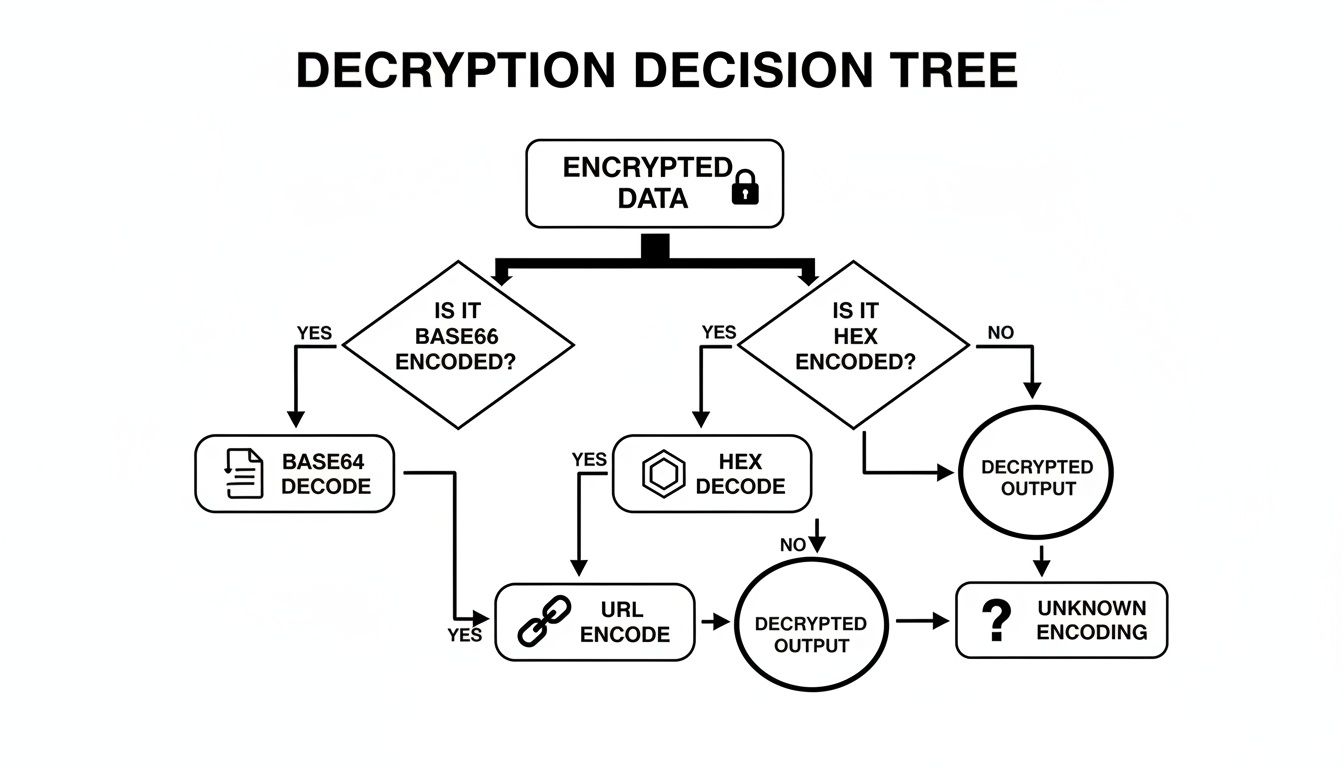
Here’s a quick cheat sheet to get you started with the most common methods.
Quick Decryption Workflow Summary
| Method | Tool | Example Command |
|---|---|---|
| Base64 | OpenSSL | openssl base64 -d -in file.b64 |
| Hex | xxd | xxd -r -p in.hex > out.txt |
| URL | Python | python -c "import urllib.parse; print(urllib.parse.unquote(input()))" |
| AES-CBC | OpenSSL | openssl aes-128-cbc -d -in in.enc -out out.txt -K YOURKEY -iv YOURIV |
| RSA | OpenSSL | openssl rsautl -decrypt -inkey key.pem -in cipher.bin -out plain.txt |
Keep your keys rotated and test scripts regularly. A little maintenance today saves hours of head-scratching tomorrow.
Understanding Key Concepts In Text Decryption
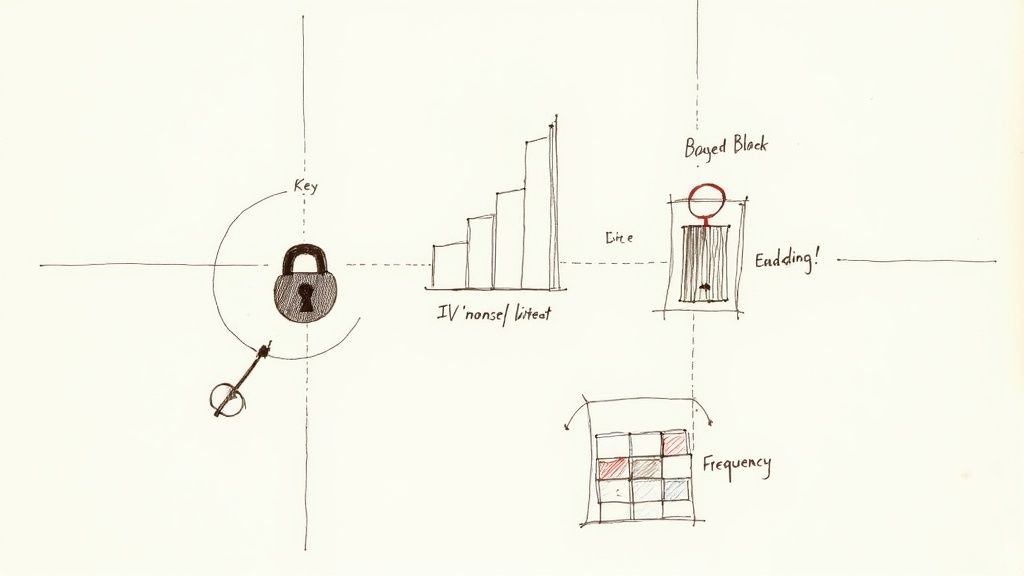
Decrypting ciphertext is simply the art of restoring scrambled data to its original form. Behind the scenes, you’re juggling secret keys, IVs and a suite of mathematical transforms.
Encryption adds entropy and padding to enlarge the playing field for attackers. If you ignore proper padding schemes—think PKCS#7 or OAEP—it’s almost guaranteed to misfire. Getting comfortable with padding will clear up many early headaches.
Key highlights:
- How symmetric and asymmetric algorithms each depend on secret values
- Why IVs in CBC or GCM modes foil repeating patterns and reveal no structure
- The role of randomness in making ciphertext a tough nut for brute-force attacks
A surprisingly common blunder is poor key management. Lose your AES key, and your data stays locked for good. That’s why adopting a deterministic, offline workflow is so important.
Basic ciphers still bow to frequency analysis—letter counts and statistical tables go a long way. Modern practitioners use language models to speed up this step, echoing the WWII codebreakers.
When Entropy Meets Security
During World War II, one of the most dramatic decryption battles revolved around the German Enigma. Invented by Arthur Scherbius in the 1920s, its rotating rotors created over 150,000,000,000,000,000,000 possible settings each time a key was pressed. Every message looked brand new.
For a deeper look at how cryptography evolved, explore the Timeline of Cryptography.
Key Takeaway: Well-managed keys and strong randomness should be your first line of defense before you even attempt decryption.
Catching padding mismatches or IV misalignments early on saves hours of head-scratching.
Understanding Keys And IVs
Keeping tabs on keys and IVs is where many decryption efforts stumble. Here’s a quick reference:
| Key Type | Algorithm | Use Case |
|---|---|---|
| Symmetric | AES, DES | Bulk Data |
| Asymmetric | RSA, ECC | Key Exchange |
Best practices:
- Rotate your keys regularly to limit exposure
- Verify the hash of decrypted output against an expected value
- Store IVs alongside ciphertext so you never lose context
A local-first tool like Digital ToolPad gives you total offline control. Its deterministic modules ensure no hidden network calls sneak in.
Practical Example In Python
Let’s walk through a simple AES-CBC decryption using PyCryptodome. Plug in your key and iv, then run the script to see each step laid out.
- Remember to zero out key material after use to protect sensitive memory
Setting Up Tools And Environment
A typo in a config file or a misplaced secret can turn a simple script into a data-leak nightmare. In this section, you’ll install and validate OpenSSL on Windows, macOS, and Linux. From there, we’ll build a dedicated Python workspace using PyCryptodome, and wrap up with best practices around environment variables and GUI-based key storage.
Before diving in, double-check:
- Your OS package manager can fetch OpenSSL binaries
- Python 3.8+ is present and ready
- You’ve sketched out an offline directory structure for consistent, repeatable runs
Installing OpenSSL
OpenSSL’s installation steps shift slightly between platforms. On Windows I reach for Chocolatey: choco install openssl.light. macOS users can rely on Homebrew with brew install openssl. And most Linux distros will accept sudo apt-get update && sudo apt-get install openssl (or the yum equivalent).
Once it lands on your drive, grab the official checksum and run sha256sum (or certutil -hashfile on Windows). A matching hash means you’re working with an untampered binary—any discrepancy is a red flag.
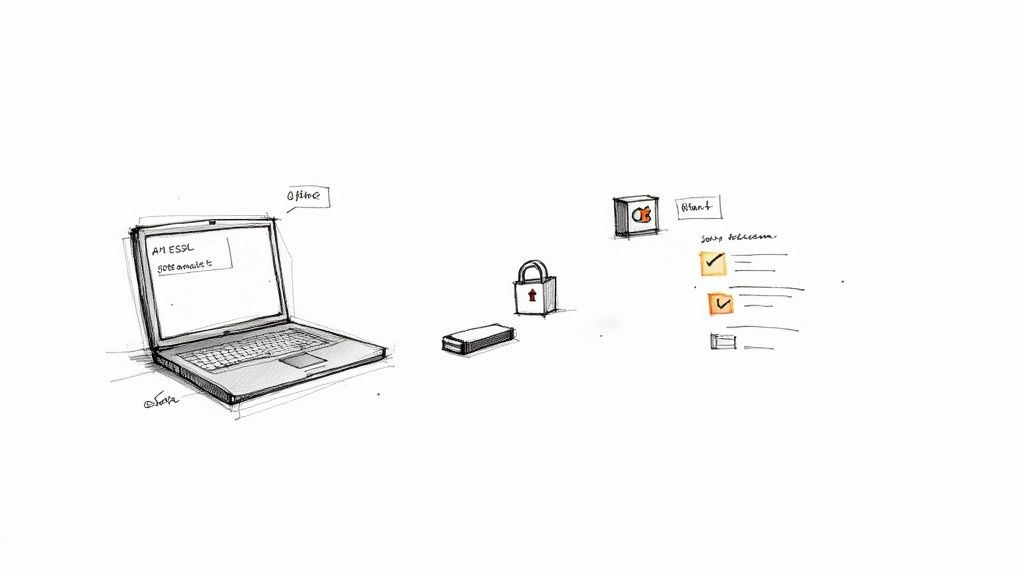
This snapshot shows a clean checksum match, proving that your OpenSSL download is authentic. It’s a simple safeguard that pays huge dividends once you start decrypting sensitive material.
Configuring Python Environment
Isolating your crypto routines prevents clashes. I always spin up a fresh virtual environment with python -m venv venv. Then activate it using source venv/bin/activate on Unix or .\venv\Scripts\activate on Windows.
Inside that sandbox, install PyCryptodome via pip install pycryptodome. For quick URL testing, grab our URL tool at https://www.DigitalToolpad.com/tools/url-encoder-decoder without polluting your command history.
When it’s time to feed secrets into scripts, export environment variables instead of hard-coding them. For example, add export AES_KEY="your_base64_key_here" to your ~/.bashrc, but don’t echo that value.
Keep all key material out of version control and avoid dumping it to your shell log.
A few habits to adopt immediately:
- Store secrets in a
.envfile with strictchmod 600permissions - Immediately
unsetsensitive variables after use - Rotate your keys on a regular cadence
Managing Keys Safely
A local-only GUI for key storage can simplify day-to-day operations—just be sure it never phones home. The idea is a self-contained toolkit for crypto work, minus unexpected telemetry.
I organize my workspace like this:
| Folder | Purpose |
|---|---|
| bin | OpenSSL and script binaries |
| env | Python virtual environment |
| keys | Encrypted key backups |
| workspace | Ciphertext and plaintext |
With this structure, you can decrypt files in an air-gapped lab without fretting over leaks. I even keep a dedicated USB stick in a Faraday bag, each stamped with a date-hash so there’s zero confusion when swapping tools. Now your local environment is locked down and ready for safe, reproducible decryption experiments.
Decrypting Common Encodings And Classical Ciphers
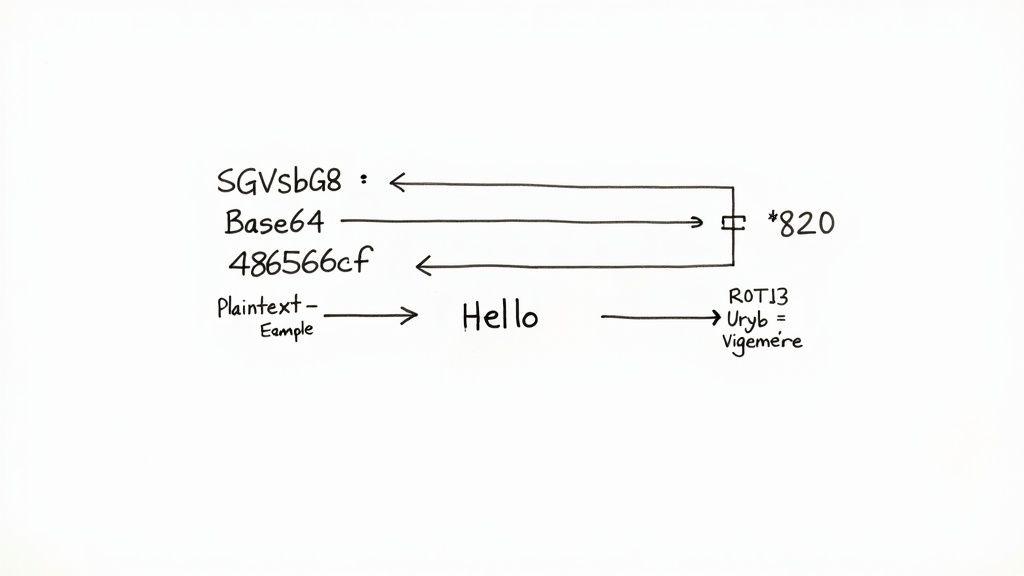
Often the first hurdle is stripping away simple wrappers—Base64, hex or URL-encoded layers hiding API keys or config snippets. A handful of one-liners will reveal what’s underneath in seconds.
For a zero-server, local solution, check out our Base64 encoder and decoder at https://www.DigitalToolpad.com/tools/base64-encoder-decoder
Decoding Base64 Tokens
A string like QWxhZGRpbjpPcGVuU2VzYW1l looks like gibberish until you decode it. Run a quick offline command:
echo 'QWxhZGRpbjpPcGVuU2VzYW1l' | openssl base64 -d
Or in Python:
import base64; print(base64.b64decode('QWxhZGRpbjpPcGVuU2VzYW1l').decode())
Missing padding shows up as errors. Simply add = until length mod 4 == 0 and you’ll stop those silent failures.
Keep padding tidy and avoid random silent errors.
Cracking Caesar Shifts
In CTFs you often see “Khoor Zruog” which is a classic +3 shift. Flip it with:
tr 'A-Za-z' 'X-Wx-za-vA-W-Z' < cipher.txt
Or script it in Python:
plain = ''.join(chr((ord(c)-65-3)%26+65) if c.isupper() else c for c in cipher)
Automating shifts 1–25 and scoring each against a wordlist usually spots the right plaintext quickly.
- Test shifts 1–25
- Score against dictionary matches
- Pick the highest-scoring candidate
Solving Vigenère Challenges
Vigenère uses a repeating key to obscure text. If your keyword is “KEY”, you might run:
decrypt-vigenere -k KEY < encrypted.txt(available in the cifrados package)
In pure Python:
from itertools import cycleplain = ''.join(chr((ord(c)-65)-(ord(k)-65)%26+65) for c,k in zip(cipher, cycle('KEY')))
Spot repeating patterns every N characters to guess key length, or turn to PyCryptodome’s helper functions.
Spotting Mixed Layers
Sometimes strings are Base64 inside URLs, then hex-encoded again. A tiny shell loop handles multiple layers:
for method in base64 hex url; dodata=$(echo "$data" | openssl base64 -d 2>/dev/null || echo "$data")doneecho "$data"
This tries each decoder in turn and leaves the data intact if a method fails.
Automating Common Tasks
When you have dozens of files to decode, shell scripts and GNU parallel are lifesavers. Always redirect stdout and stderr to logs, and use trap to clean up temp files.
ls *.enc | parallel "openssl base64 -d -in {} -out {.}.txt"- Build Python chains with
urllib.parse,binasciiandbase64—modular, testable and repeatable
Back in the late 1990s, researchers shattered DES’s myth of strength through brute-force. The DES crack taught us how compute power ends small key spaces (see the full report: https://digifors.cs.up.ac.za/issa/2004/Proceedings/Research/062.pdf).
Mastering these classical tricks saves hours on both investigations and puzzle challenges. When you hit a stubborn blob, revisit charset mismatches or hidden padding issues before you roll out dictionary or brute-force attacks.
Building tiny test functions with known plaintext ensures you catch quirks fast. Log every input and output for smoother debugging. Soon, you’ll tackle encrypted text with steady confidence.
Comparison Of Classical Decryption Methods
Below is a side-by-side look at common text decryption approaches, their use cases, relative difficulty, and recommended tools.
| Method | Use Case | Difficulty | Recommended Tool |
|---|---|---|---|
| Base64 | API tokens and config data | Easy | OpenSSL or Python |
| Hex | Binary dumps and logs | Easy | xxd or OpenSSL |
| ROT13 | Simple obfuscation | Very Easy | tr or Vim builtin |
| Caesar | Shifted puzzles | Easy | Custom script or tr |
| Vigenère | Classical keyed text | Moderate | decrypt-vigenere or PyCryptodome |
Armed with this quick reference, you can pick the right method and tool before diving into scripts or brute-force loops.
Decrypting Advanced Encryption Techniques
Encrypted blobs in the wild rarely come neatly packaged. You’ll often see a patchwork of jumbled passphrase data sitting next to public-key wrappers. I typically begin by stretching the password with PBKDF2 until I have a rock-solid AES key. Next, I slot in the right initialization vector—either for AES-CBC or AES-GCM—and wrap up by loading my RSA private key to tackle the asymmetric layer.
Before you fire off any decrypt commands, pause for a moment to verify your crypto libraries. Checking published checksums or code signatures may feel tedious, but it’s the best guard against sneaky backdoors.
Verify Crypto Library
A tiny slip here can undermine your entire workflow. I always:
- Fetch the official checksum from the project’s download page
- Run
sha256sum(or your tool of choice) to compare the hash - Scan the change logs for any odd commits or new contributors
These quick checks build confidence in your tools before you ever touch the ciphertext.
Derive AES Key With PBKDF2
Turning a simple passphrase into a battle-ready AES key takes just one OpenSSL command:
- Run
openssl enc -pbkdf2 -k secretPass -Pto print out salt, key, and IV. - A random salt defends against rainbow tables.
- Cranking up the iteration count adds CPU cost, slowing down brute-force attacks.
Pro tip: export your key and IV into environment variables. That keeps secrets out of your shell history and ensures repeatable, offline runs.
Decrypt Symmetric Blocks
For AES-CBC, my go-to is:
openssl aes-256-cbc -d -in data.enc -out data.txt -K $KEY -iv $IV
When you need AES-GCM, just tack on the tag:
openssl aes-256-gcm -d -in data.enc -out data.txt -K $KEY -iv $IV -tag $TAG
GCM mode is unforgiving about a bad tag or the wrong IV length. Always confirm your IV is 12 bytes to dodge silent failures.
Key Tip Checking stderr for errors catches issues early and saves hours of head-scratching.
If the IV is prefixed to your ciphertext, slice it out before decrypting. For example:
dd if=cipher.bin bs=1 skip=12 of=payload.bin
The 2013 shocker around the NSA’s backdoor in Dual_EC_DRBG reminds us that even published standards can harbor weaknesses. Learn more about this Dual_EC_DRBG incident on the NIST news site](https://www.nccoe.nist.gov/news-insights/cornerstone-cybersecurity-cryptographic-standards-and-50-year-evolution).
Load RSA Key In Python
When it’s time to unpack RSA blobs, Python’s cryptography library makes life simpler:
- Read your PEM:
with open('key.pem', 'rb') as f: pem_bytes = f.read() - Load the private key:
key = serialization.load_pem_private_key(pem_bytes, password=b'mypass') - Decrypt the data using OAEP with SHA256 for both MGF1 and the main digest:
plaintext = key.decrypt(ciphertext, OAEP(...))
If your PEM is malformed or the password is off, the loader throws an exception right away—no silent failures here.
When things look garbled, dig into a hex dump of your ciphertext. A tiny typo in an environment variable or a wrong byte offset can derail the whole process.
| Method | Example Command or Code Snippet |
|---|---|
| PBKDF2 | openssl enc -pbkdf2 -k secretPass -P |
| AES-CBC | openssl aes-256-cbc -d -in data.enc -out data.txt -K $KEY |
| AES-GCM | openssl aes-256-gcm -d -in data.enc -out data.txt -K $KEY -tag $TAG |
| RSA-Python | serialization.load_pem_private_key |
Secure Local Workflows
I always lean on Digital ToolPad’s offline suite to keep everything deterministic and air-gapped. Running each step in your browser—or a locked-down sandbox—means zero unexpected network calls and effortless auditing.
Best Practice Archive your salt, key, IV, and decrypted output in a local vault for future reference and reproducibility.
Troubleshooting And Tips For Secure Decryption
Often that unreadable output is just one tiny slip-up in your decryption chain. I’ve been there—overlooked a mismatched key size or botched a hex-to-byte conversion, only to watch my data refuse to make sense.
- Double-check the key length. AES-256, for example, demands a 256-bit key.
- Use a reliable hex-to-binary converter. One bad nibble and the whole process fails.
- Ensure your IV and block sizes match the cipher’s requirements to avoid truncated data.
When padding errors pop up, zeroing in on those extra bytes often solves the mystery. Confusing PKCS#7 with ANSI X.923 will silently cripple your plaintext.
Important: Peek at stderr first. It’ll flag missing IVs or padding issues before you waste time elsewhere.
For offline pattern checks, I drop snippets into our Regex Tester. It spots anomalies faster than most shell scripts.
In mixed-encoding scenarios, a quick hex dump can reveal stray carriage returns or random bits. Once, I tracked down a Windows CRLF sneaking into a binary stream:
- Strip
\rcharacters with:tr -d '\r' - Verify file formats with
fileorhexdump - Compare raw blob lengths before and after transfer
Key Management And Secure Logging
Leaving keys lingering in memory is a security risk. My rule: zero out sensitive variables the moment I’m done using them.
Sanitize every input to block unexpected data injections. Attackers are always looking for an opening.
- Unset environment variables immediately after use
- Store secrets in a file protected with
chmod 600 - Use hardware tokens like YubiKey to isolate critical keys from the OS
Character-set mismatches can corrupt non-ASCII blobs without warning. I normalize everything to UTF-8 before decryption.
Tip: Early encoding normalization prevents those “why is this emoji breaking my script?” moments.
Ethics Compliance Reminder
Always secure explicit permission before decrypting any data you didn’t encrypt yourself. A single stray byte could breach legal or corporate policies.
Keep an audit trail of every command and decision. Clear documentation is your best defense if questions arise.
Note: Detailed logs aren’t just best practice—they’re your insurance policy against compliance issues.
Stay methodical, challenge your assumptions, and review relevant legal guidelines to remain fully compliant.
FAQ
Q1: What If I Don’t Know The IV For AES Decryption?
Initialization vectors usually travel with the ciphertext or hide in protocol headers. When it’s nowhere to be found, dive into the protocol documentation or pull a packet capture to hunt it down.
If all else fails, you can brute-force small IV ranges that follow a known pattern—but keep the key space tight to avoid endless loops.
Q2: Can I Automate Batch Decryption Safely?
Absolutely—provided you treat keys like the crown jewels. Store them in an encrypted vault or in-memory keystore, never spilling them to disk. Wrapping each process inside a container or VM adds another layer of isolation.
Integrate your decryption workflows into your CI/CD pipelines and rotate keys regularly.
Key Takeaway
Secure memory handling and frequent key rotation let you scale batch jobs without exposing secrets.
Q3: How Do I Identify Unknown Cipher Types?
Begin by checking file signatures and headers—classical ciphers often leave behind recognizable markers. Tools like Binwalk or a quick Python script for frequency analysis can point you in the right direction.
If those clues don’t pan out, work through common encodings before launching into a full-scale brute force:
- Run the
filecommand to inspect magic numbers. - Open the first few bytes in a hex editor.
- Automate frequency analysis focused on English text patterns.
Tip
Always eyeball raw bytes in a hex-dump viewer before drawing conclusions.
Legal And Ethical Guidelines
Q4: Is Decrypting Encrypted Text Legal And Ethical?
Only proceed if you own the data or have explicit permission. Unauthorized decryption can breach privacy regulations and corporate policies. When in doubt, loop in your legal or compliance team.
Ready to tackle decryption tasks offline? Give Digital ToolPad a spin for deterministic, local workflows: Digital ToolPad