
JSON (JavaScript Object Notation) is the backbone of modern web APIs, configuration files, and data exchange. But raw, unformatted JSON is a nightmare to read, debug, or validate. A reliable online JSON formatter is an essential utility in any developer's toolkit, instantly transforming a compressed, single-line data blob into a human-readable, beautifully indented structure. Yet, not all formatters are created equal. The wrong tool can expose sensitive data, struggle with large files, or lack the features you need for efficient debugging and validation.
This guide moves beyond basic feature lists to provide a detailed comparison of the best online, offline, and integrated JSON tools available today. We'll analyze real-world use cases, crucial privacy considerations, and the subtle differences that separate a good tool from a great one. Choosing the right utility is a small but impactful decision, and understanding How To Improve Developer Productivity often starts with optimizing these daily-use tools.
Whether you're a security-conscious engineer handling sensitive data or a hobbyist looking for a quick formatting solution, this list will help you find the perfect fit. Each entry includes a screenshot, a direct link, and a practical analysis to help you make an informed choice for your specific workflow.
1. Free Online JSON Formatter & Validator - Beautify JSON
For developers and security-conscious teams, the Free Online JSON Formatter & Validator from Digital ToolPad is a standout choice. It delivers a comprehensive suite of tools in a completely client-side environment, ensuring that sensitive data never leaves your machine. This privacy-first architecture eliminates cloud exposure and network latency, making it an ideal online JSON formatter for enterprises with strict compliance requirements or anyone handling confidential information.
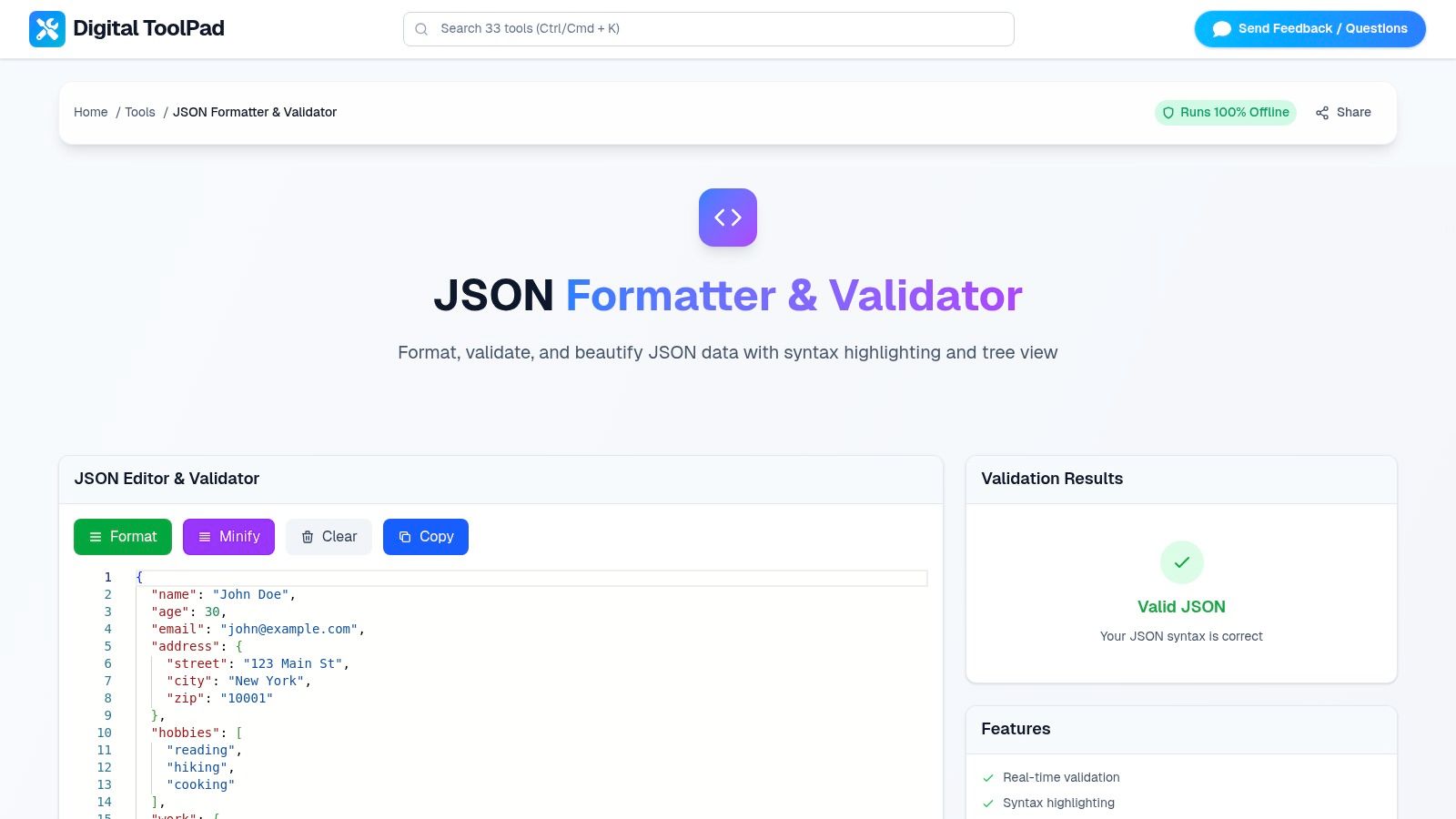
Unlike many cloud-based alternatives, this tool performs all operations-formatting, validation, beautifying, and minifying-directly within your browser. The user experience is fast and frictionless, with an interactive tree view and syntax highlighting that provide instant feedback. It is an exceptional utility for debugging API responses, preparing payloads, or simply cleaning up complex data structures for better readability.
Key Features and Use Cases
- 100% Client-Side Processing: All operations happen locally, guaranteeing that your data remains private and secure. This is crucial for developers working with proprietary code, API keys, or personal user data.
- Comprehensive Toolset: It's more than just a beautifier. The platform includes a validator to check for syntax errors, a minifier to compact data for production, and an interactive tree explorer for navigating nested objects.
- Offline Capability: Since it runs entirely in the browser, the tool works without an internet connection once loaded, making it a reliable utility for any environment.
- No Sign-Up Required: Access is immediate and free, with no accounts or subscriptions needed.
Practical Assessment
While the browser-based design is a major strength for privacy and speed, it can introduce limitations when handling exceptionally large JSON files (e.g., hundreds of megabytes), which may strain browser memory. It also lacks built-in API access or collaborative features for automated CI/CD pipelines or team-based editing workflows. However, for the vast majority of daily development tasks, its robust feature set and unparalleled security make it a top-tier choice. You can explore all the features on the Free Online JSON Formatter & Validator page.
2. JSONLint
JSONLint stands out as a classic, no-frills online JSON formatter that prioritizes validation and in-browser convenience. While the website offers a straightforward copy-paste interface, its real power lies in its official Chrome extension, which automatically detects and prettifies raw JSON opened directly in a browser tab. This feature is invaluable for developers who frequently interact with APIs that return unformatted JSON, saving them the manual step of copying data to a separate tool.
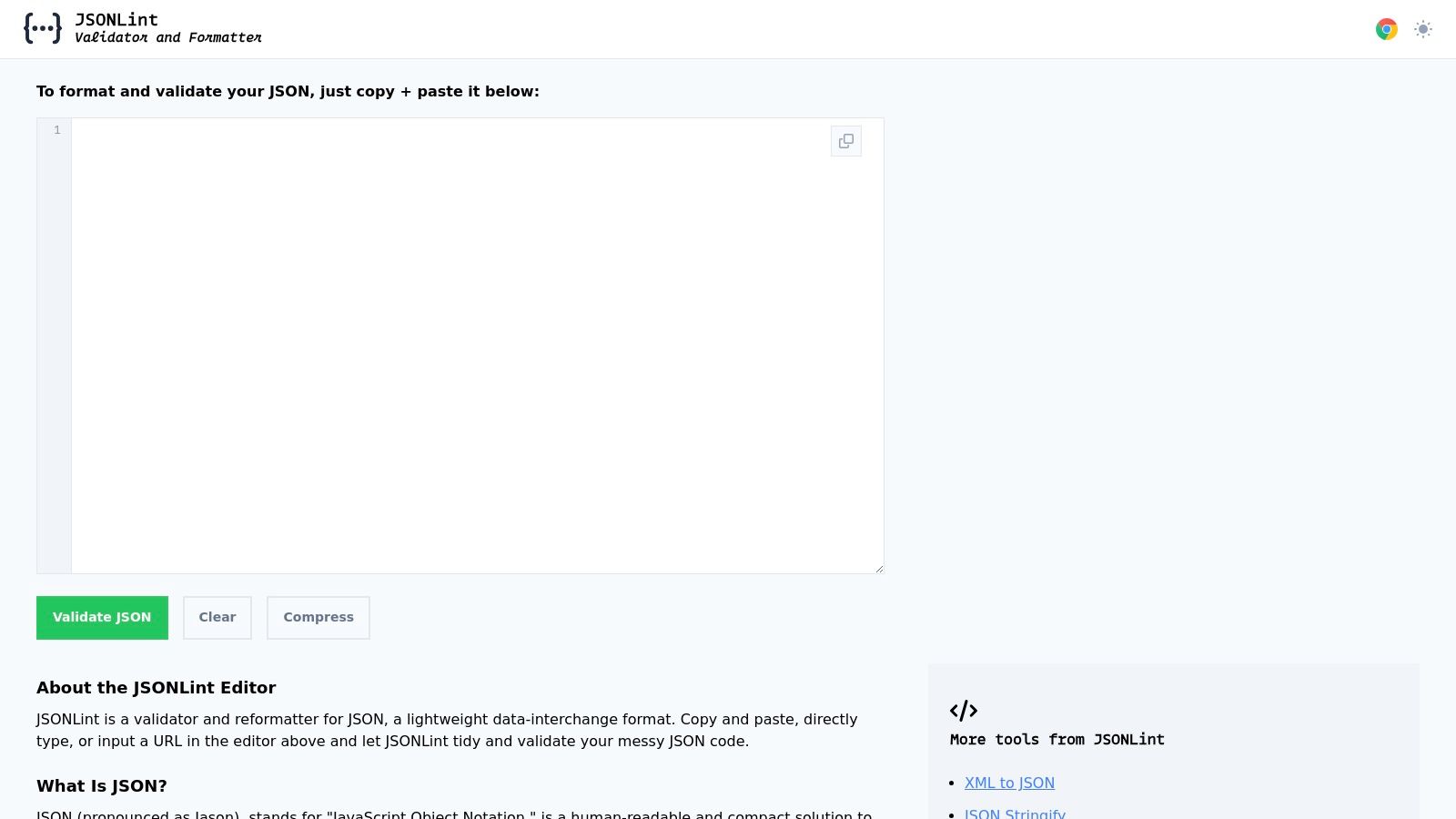
The platform emphasizes client-side processing, which is a significant advantage for users concerned about data privacy. Its browser extension enhances this by providing a collapsible tree view, clickable URLs, and human-readable timestamps on the fly. Although the web-based editor lacks the advanced features of dedicated IDEs, JSONLint excels at its core mission: making JSON readable and valid, fast. It is an excellent choice for quick validation tasks and seamless browser integration.
Quick Facts: JSONLint
| Feature | Details |
|---|---|
| Pricing | Free |
| Key Differentiator | Official Chrome extension for in-browser formatting |
| Privacy Focus | Emphasizes client-side processing |
| Use Case | Quick validation and pretty-printing of API responses in the browser |
Visit JSONLint
3. JSONFormatter.org
JSONFormatter.org is a versatile online JSON formatter that extends its utility beyond simple validation and pretty-printing. It carves out a niche by offering robust data conversion tools, allowing users to transform JSON into other common formats like XML, CSV, and YAML directly in the browser. This multi-format capability makes it an incredibly useful tool for developers working in diverse data ecosystems, eliminating the need for separate converters.

The platform supports multiple data input methods, including direct paste, file upload, and fetching from a URL, which adds a layer of convenience for handling various data sources. While its public “save online” feature is temporarily disabled for safety improvements, its core formatting and conversion functionalities remain fast and accessible. It is an excellent choice for users who need a quick, no-install tool that handles both JSON formatting and multi-format data transformation in one place.
Quick Facts: JSONFormatter.org
| Feature | Details |
|---|---|
| Pricing | Free |
| Key Differentiator | Built-in conversion from JSON to XML, CSV, and YAML |
| Privacy Focus | Client-side processing for core formatting; site notes limitations on disabled "save online" feature |
| Use Case | Quick formatting and converting JSON to other data formats for interoperability |
Visit JSONFormatter.org
4. CodeBeautify – JSON Viewer/Formatter
CodeBeautify offers a comprehensive suite of developer tools, and its JSON Viewer/Formatter is a powerful part of that ecosystem. More than just a simple pretty-printer, this tool serves as a multi-functional JSON utility. It allows users to not only beautify and validate their data but also to convert it into other formats like XML or CSV directly within the interface. This makes it a one-stop-shop for many common data transformation tasks that developers face daily.
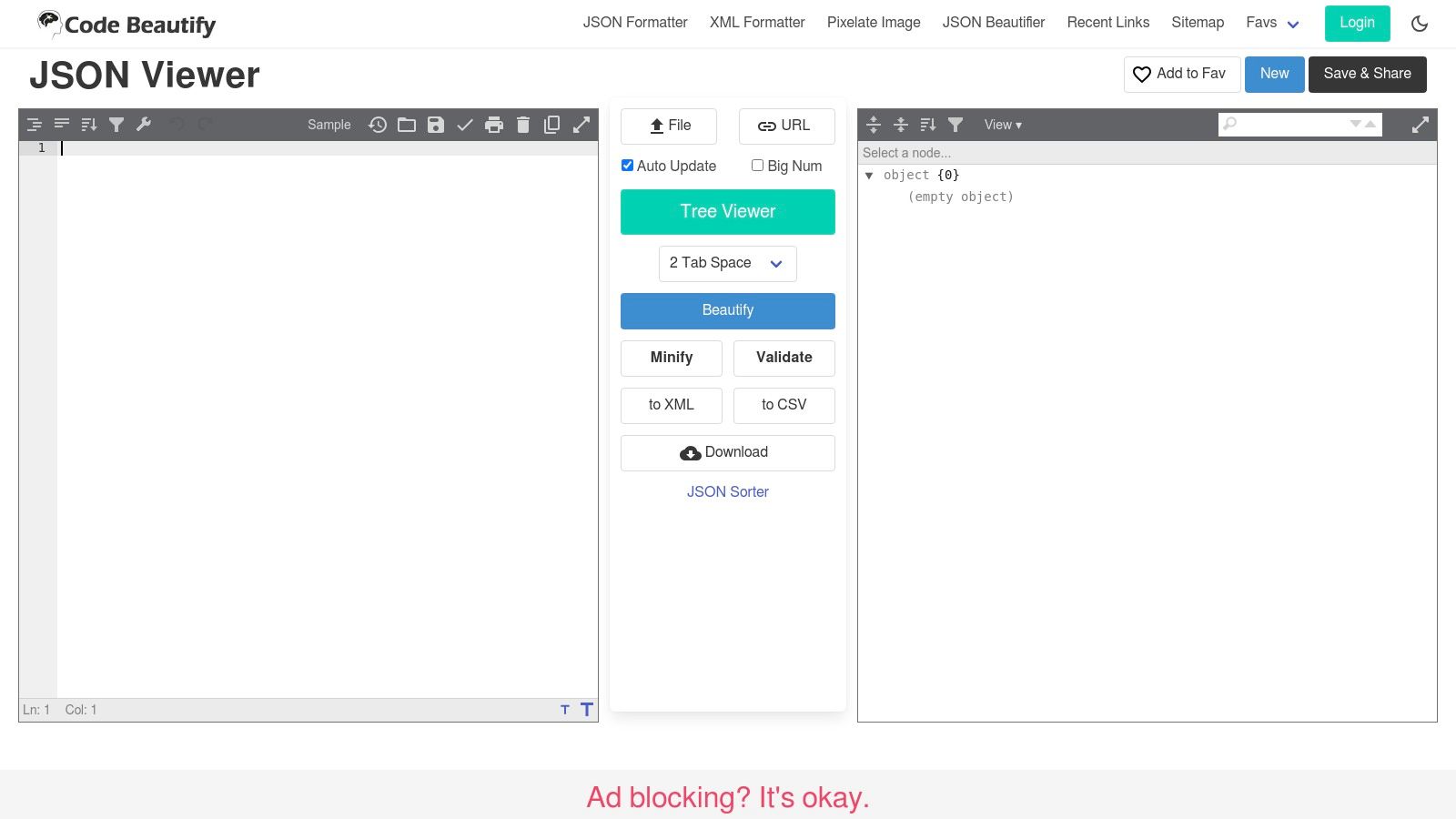
The platform stands out by bundling numerous functionalities, including adjustable indentation levels and the ability to download the formatted or converted results as a file. While its interface can feel busy with ads compared to more minimalist tools, its strength lies in its versatility. For developers who frequently need to switch between formatting, validating, and converting data, CodeBeautify eliminates the need for multiple single-purpose websites. It is an ideal online JSON formatter for users who appreciate having a wide range of utilities readily available in one place. You can explore more about these and other similar utilities among the various JSON tools available at DigitalToolpad.
Quick Facts: CodeBeautify – JSON Viewer/Formatter
| Feature | Details |
|---|---|
| Pricing | Free (ad-supported) |
| Key Differentiator | Integrated suite of tools for converting JSON to XML/CSV and downloading results |
| Privacy Focus | Processes data in the browser; standard ad network privacy policies apply |
| Use Case | All-in-one formatting, validation, and data conversion for developers |
Visit CodeBeautify – JSON Viewer/Formatter
5. JSON Editor Online (jsoneditor.io)
JSON Editor Online elevates the concept of an online JSON formatter by offering a powerful, VS Code-inspired editing environment directly in the browser. It moves beyond simple validation and pretty-printing, providing multiple view modes including text, tree, and table, which allow users to interact with data in the most intuitive way for their needs. This tool is designed for developers who require a more robust feature set without installing a dedicated desktop application, making it ideal for complex editing and transformation tasks.
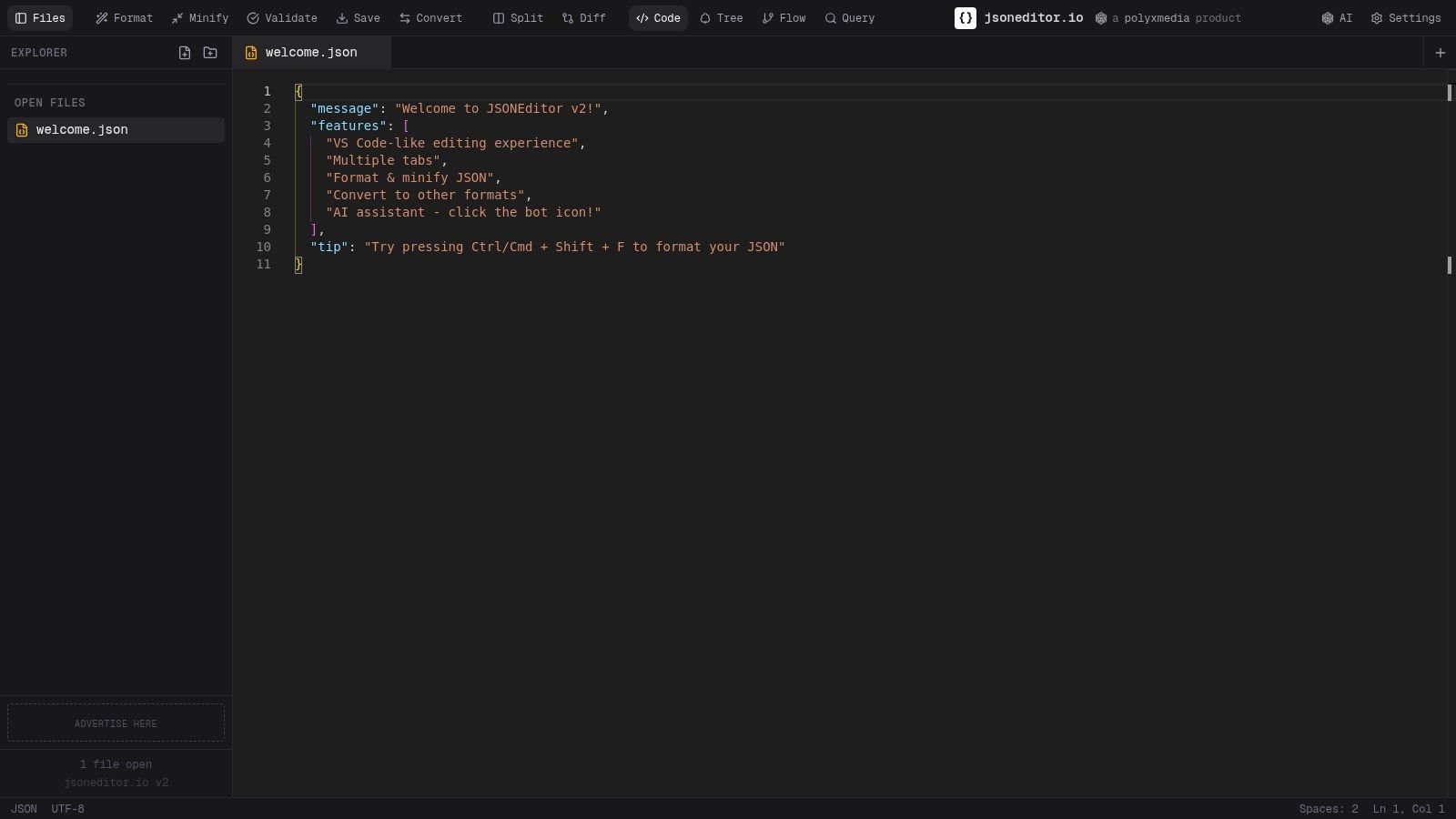
The platform’s standout features include JSON Schema validation, the ability to compare and transform JSON structures, and impressive support for very large files up to 512 MB. It also supports YAML and XML, extending its utility beyond a single data format. While its advanced capabilities and more complex interface might be overkill for a quick format job, it excels as a comprehensive online editor for in-depth data manipulation. Its offline support further enhances its appeal for users who need consistent access. For those working with JSON data structures in typed languages, you can learn more about converting JSON to TypeScript to streamline your development process.
Quick Facts: JSON Editor Online
| Feature | Details |
|---|---|
| Pricing | Free |
| Key Differentiator | Multiple view modes (tree, text, table) and large file support (up to 512 MB) |
| Privacy Focus | Offers offline support for processing data locally in the browser |
| Use Case | In-depth editing, transforming, and validating complex or large JSON files |
Visit JSON Editor Online
6. Online JSON Viewer (jsonviewer.stack.hu)
Online JSON Viewer (jsonviewer.stack.hu) is a testament to simplicity and longevity, offering a reliable, lightweight service since 2008. This tool focuses on one core function: transforming raw JSON data into a clean, navigable tree view. Its interface is minimal, presenting a text area for input and a "Viewer" tab to display the formatted results. Users can paste data, upload a file, or fetch it directly from a URL, making it a versatile choice for quick formatting tasks.

The platform's primary differentiator is its transparent commitment to privacy and its enduring presence. The author explicitly states that JSON data is processed in the browser and never stored on the server, a crucial assurance for users handling sensitive information. While its feature set is basic compared to more complex online editors, its speed and trustworthiness have earned it a loyal user base. It stands as a prime example of an effective, single-purpose online JSON formatter that prioritizes user privacy and stability.
Quick Facts: Online JSON Viewer
| Feature | Details |
|---|---|
| Pricing | Free (with an optional one-time purchase to remove ads) |
| Key Differentiator | Long-standing reputation (since 2008) with a clear privacy focus |
| Privacy Focus | Explicitly states no server-side storage; all processing is client-side |
| Use Case | Fast, privacy-conscious viewing and formatting of JSON from various sources |
Visit Online JSON Viewer
7. Prettier (official)
Prettier is widely recognized as the de-facto standard for opinionated code formatting, and its capabilities extend seamlessly to JSON. While primarily known for its CLI and editor integrations, Prettier’s official website offers a browser-based playground that functions as an effective online JSON formatter. It enforces a consistent, widely accepted style, eliminating debates over syntax and ensuring that any formatted output is clean, predictable, and highly readable across different environments. This makes it an essential tool for teams striving for a uniform codebase.
The platform’s strength lies in its simplicity and authority. You simply paste your JSON, and it instantly applies its non-configurable formatting rules. Unlike dedicated JSON viewers, the Prettier playground focuses purely on the formatting task, not on data exploration or validation. Its massive ecosystem of editor plugins and CI/CD integrations means that the formatting you get online will be identical to what you get in your local development workflow, guaranteeing consistency from prototype to production.
Quick Facts: Prettier (official)
| Feature | Details |
|---|---|
| Pricing | Free (Open-Source) |
| Key Differentiator | Opinionated formatting ensures universal consistency across all platforms |
| Privacy Focus | All processing is done client-side in the browser |
| Use Case | Standardizing JSON structure for codebases, configs, and team collaboration |
Visit Prettier
8. Prettier – Code formatter (VS Code Marketplace)
While not a traditional online JSON formatter, the official Prettier extension for Visual Studio Code is an essential tool for developers seeking automated, integrated formatting. It brings powerful, opinionated code styling directly into the editor, handling JSON alongside many other languages. Its primary strength is its seamless "format-on-save" capability, which automatically prettifies JSON files the moment they are saved, ensuring consistent styling across an entire project with zero manual effort.
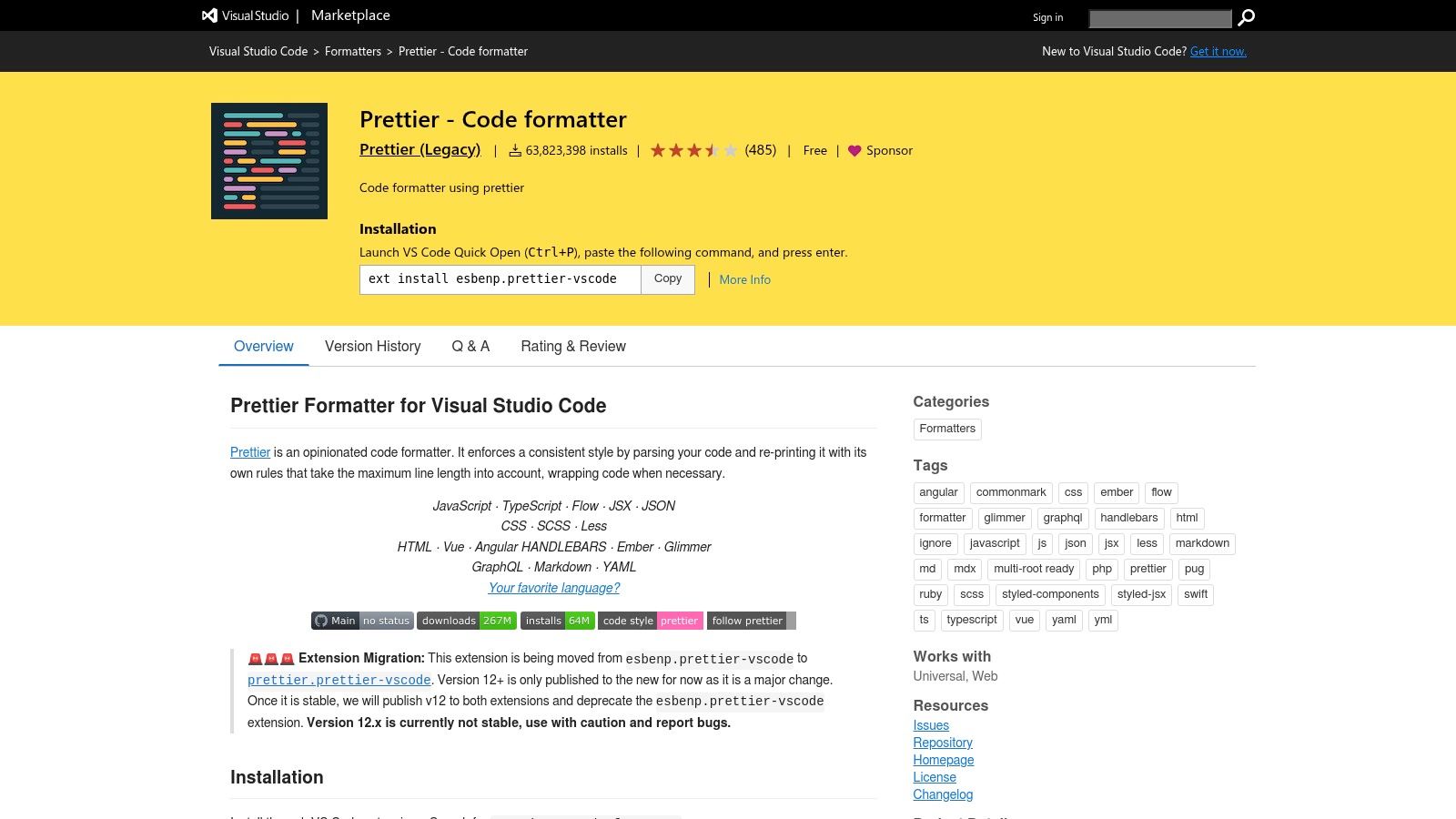
This extension is ideal for developers who live in VS Code and want to enforce a consistent coding standard without switching contexts to a web tool. Since it operates locally within the IDE, it offers complete data privacy. Although it requires VS Code to function, its popularity and active maintenance make it a reliable choice for any developer’s toolkit. Users should ensure they install the official extension from esbenp.prettier-vscode to avoid malicious copycats.
Quick Facts: Prettier – Code formatter
| Feature | Details |
|---|---|
| Pricing | Free |
| Key Differentiator | Integrates directly into VS Code for automatic "format-on-save" workflows |
| Privacy Focus | Fully offline; operates locally within the VS Code editor |
| Use Case | Developers seeking automated, consistent JSON formatting within their IDE |
Visit Prettier – Code formatter
9. JSON Formatter (Chrome Web Store) by Callum Locke
As one of the most popular and mature browser extensions for this purpose, JSON Formatter by Callum Locke transforms raw JSON opened in a browser tab into a clean, collapsible tree view. Its primary function is to make API responses instantly readable without needing to copy data to a separate online JSON formatter. The extension is incredibly lightweight and privacy-focused, operating entirely client-side with no tracking, advertising, or unnecessary permissions, which has earned it the trust of over two million users.
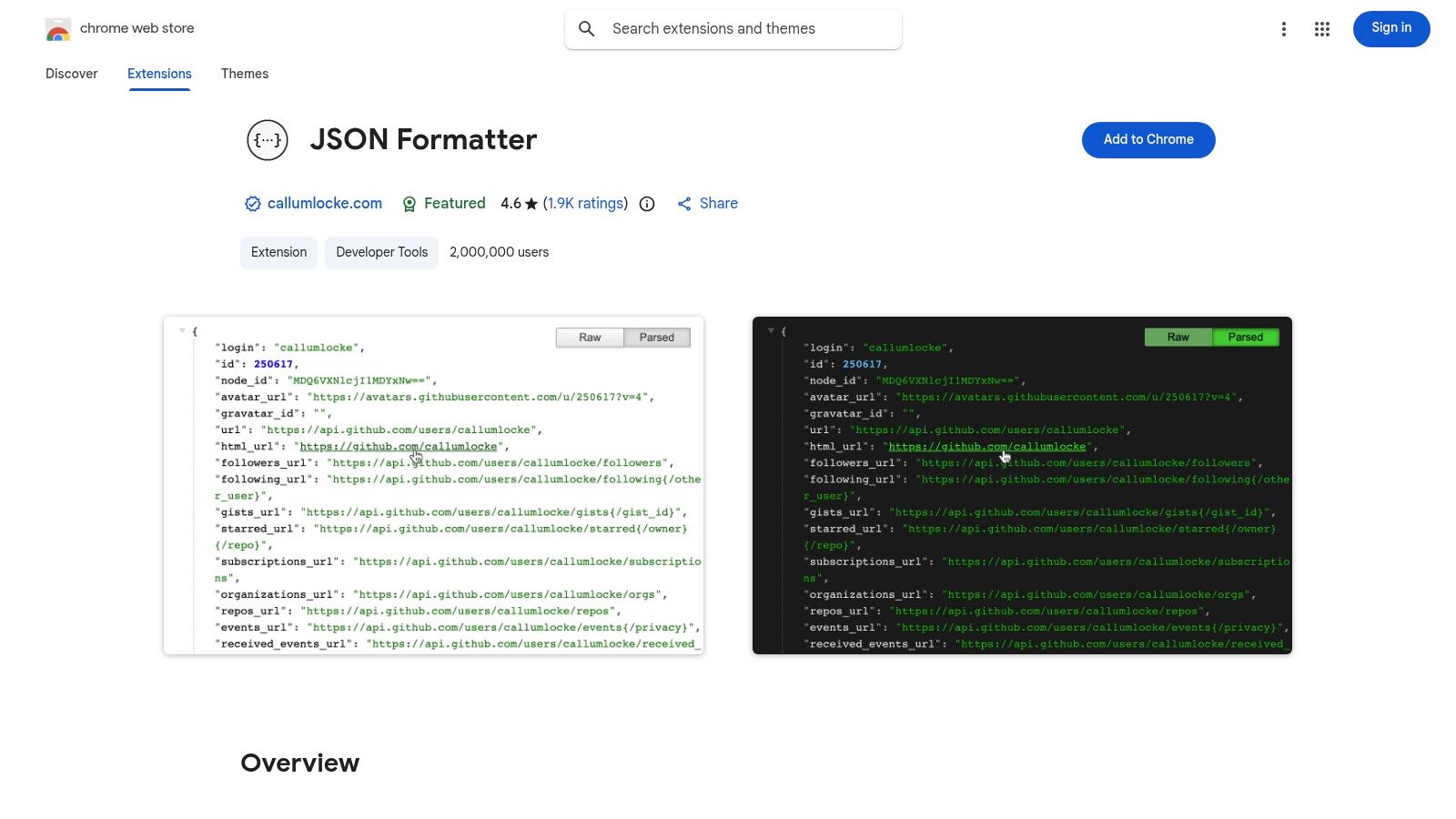
Key features include clickable URLs, a dark mode theme, and a simple toggle to switch between the parsed and raw JSON views. When exploring the top free Chrome extensions for web scraping, integrating a tool like this is essential for efficiently handling and reviewing the extracted data. While it lacks advanced editing or validation capabilities, its performance and simplicity make it an indispensable utility for any developer who regularly works with JSON-based APIs directly in their browser.
Quick Facts: JSON Formatter (Chrome Web Store)
| Feature | Details |
|---|---|
| Pricing | Free |
| Key Differentiator | Mature, lightweight extension with 2M+ users and a strong privacy focus |
| Privacy Focus | No tracking, advertising, or data collection; fully client-side |
| Use Case | Automatic in-browser formatting of API responses and .json files |
Visit JSON Formatter
10. JSONView (Firefox Add-ons)
For Firefox users, JSONView is an essential add-on that transforms raw, unformatted JSON in the browser into a readable, interactive format. It functions similarly to Chrome's JSONLint extension by automatically detecting and pretty-printing JSON responses when you navigate directly to an API endpoint. This eliminates the need for an external online JSON formatter, streamlining the process of inspecting API data within your development workflow.
The add-on provides clear syntax coloring and collapsible sections, which are invaluable for navigating large and complex JSON payloads. While its primary function is viewing rather than editing, its lightweight and focused nature makes it a highly efficient tool. The developers are transparent about permissions, noting that it requires access to website data to function, but it processes everything locally. For developers who live in Firefox, JSONView is a must-have utility for quick and easy JSON inspection.
Quick Facts: JSONView (Firefox Add-ons)
| Feature | Details |
|---|---|
| Pricing | Free |
| Key Differentiator | Seamless, automatic JSON formatting directly within the Firefox browser |
| Privacy Focus | Client-side processing; data is not sent to external servers |
| Use Case | Pretty-printing API responses for Firefox users without leaving the browser |
Visit JSONView (Firefox Add-ons)
11. Postman
While primarily known as a comprehensive API development platform, Postman includes a powerful built-in JSON formatter that is indispensable for developers. Its "Pretty" view automatically beautifies JSON responses within the API testing workflow, eliminating the need to copy data to an external tool. This integration is Postman’s key advantage, as it streamlines the process of inspecting and debugging API payloads directly where they are received.

The platform offers multiple response views like Pretty, Raw, and Preview, complete with syntax highlighting and collapsible nodes, which greatly simplifies navigating complex data structures. Although the pretty-printing feature can sometimes depend on correct Content-Type headers, Postman provides options to force JSON formatting when needed. For developers already using Postman for API testing, its integrated online JSON formatter is an efficient, context-aware tool that enhances productivity without interrupting their development cycle.
Quick Facts: Postman
| Feature | Details |
|---|---|
| Pricing | Free tier available; paid plans for teams |
| Key Differentiator | JSON formatting is integrated directly into the API request/response workflow |
| Privacy Focus | Data is handled within your Postman account; offers team-based controls |
| Use Case | Formatting and validating JSON responses while testing and debugging APIs |
Visit Postman
12. JetBrains WebStorm
While not an online JSON formatter in the traditional sense, JetBrains WebStorm earns its spot by offering superior, integrated JSON tooling within a professional Integrated Development Environment (IDE). It moves beyond simple formatting to provide deep intelligence, including advanced validation against JSON Schema, intelligent code completion, and native support for the JSON5 specification. This makes it ideal for developers working on complex projects where JSON is a core part of the application configuration or data exchange.
WebStorm's strength lies in its project-aware context. It can automatically download and map schemas from sources like SchemaStore.org or use local schemas to provide rich validation and auto-completion. While it is a paid commercial product and requires installation, its capabilities far exceed what a browser-based tool can offer. For developers already in the JetBrains ecosystem, its powerful JSON features are a seamless part of their existing workflow, eliminating the need for an external tool entirely.
Quick Facts: JetBrains WebStorm
| Feature | Details |
|---|---|
| Pricing | Paid (Subscription-based with a free trial) |
| Key Differentiator | Deep JSON intelligence with JSON Schema validation and code completion |
| Privacy Focus | Fully offline processing as a desktop IDE |
| Use Case | Developers needing advanced, project-integrated JSON tooling |
Visit JetBrains WebStorm
Top 12 JSON Formatter Tools Comparison
| Tool | Core features | UX / Quality (★) | Price & Privacy (💰) | Target audience (👥) | Unique selling points (✨ / 🏆) |
|---|---|---|---|---|---|
| Free Online JSON Formatter & Validator - Beautify JSON (Digital ToolPad) | Format, validate, beautify, minify, interactive tree | ★★★★☆ | 💰 Free; 100% client-side, offline | 👥 Devs & security-sensitive teams | ✨ Runs fully in-browser; deterministic; 🏆 privacy-first |
| JSONLint | Browser prettify + Chrome extension; collapsible tree | ★★★☆☆ | 💰 Free; client-side emphasis | 👥 Quick validators & casual devs | ✨ Chrome extension integration; simple validator |
| JSONFormatter.org | Format, validate, JSON→XML/CSV/YAML; file/URL import | ★★★★☆ | 💰 Free; sharing temporarily limited | 👥 Devs needing conversions | ✨ Multi-format converters; quick web UI |
| CodeBeautify – JSON Viewer/Formatter | Tree viewer, validate, convert, adjustable indent | ★★★☆☆ | 💰 Free | 👥 General devs & learners | ✨ Large toolkit of related utilities |
| JSON Editor Online (jsoneditor.io) | Text/tree/table modes; schema validation; large files | ★★★★★ | 💰 Free / open-source; offline support | 👥 Power users & editors | 🏆 Advanced editor features; handles very large files |
| Online JSON Viewer (jsonviewer.stack.hu) | Tree viewer, import via HTTPS; privacy notes | ★★★★☆ | 💰 Free; optional one-time ad removal | 👥 Users wanting simple, trusted tool | ✨ Long uptime (since 2008); clear privacy stance |
| Prettier (official) | Opinionated JSON formatter; standalone/browser & integrations | ★★★★★ | 💰 Free (OSS) | 👥 Teams wanting consistent formatting | 🏆 De-facto standard formatter; predictable output |
| Prettier – VS Code extension | Format-on-save; editor integration across languages | ★★★★★ | 💰 Free | 👥 VS Code users / teams | ✨ Seamless IDE integration; automatic formatting |
| JSON Formatter (Chrome) by Callum Locke | Auto-format tabs to collapsible tree; dark mode | ★★★★★ | 💰 Free | 👥 Chrome users browsing JSON | 🏆 Very mature; 2M+ installs; privacy-friendly |
| JSONView (Firefox Add-ons) | Syntax coloring, collapsible sections, navigation | ★★★★☆ | 💰 Free | 👥 Firefox users | ✨ Lightweight, focused viewer; actively maintained |
| Postman | Pretty/Raw/Preview JSON views; visualizations for payloads | ★★★★☆ | 💰 Free tier; paid plans for teams | 👥 API testers & integrators | ✨ Integrated API workflow; visualization tools |
| JetBrains WebStorm | JSON/JSON5 editing, schema mapping, completion | ★★★★☆ | 💰 Paid (commercial license) | 👥 Professional developers & teams | 🏆 Deep JSON intelligence inside full IDE |
The Final Verdict: Which JSON Formatter Should You Use?
Navigating the landscape of JSON utilities reveals a clear truth: the ideal online json formatter is not a one-size-fits-all solution. Your choice hinges on a critical balance between workflow integration, feature requirements, and, most importantly, data privacy. We've explored a wide spectrum of tools, from simple web-based beautifiers to powerful IDE integrations, each with distinct strengths and weaknesses.
The journey through these options has highlighted several key takeaways. Convenience often comes at the cost of security; many browser-based formatters transmit your data to a server for processing, a risk that is unacceptable for proprietary code, API keys, or personal information. Furthermore, while feature-rich tools like Postman or JSON Editor Online offer immense power, their complexity can be overkill for the simple, daily task of making a JSON string readable.
Choosing Your Formatter: A Needs-Based Approach
To make a confident decision, evaluate your specific use case. Your selection process should be guided by answering a few practical questions:
- What is the sensitivity of my data? If you are handling any sensitive, confidential, or proprietary information, your choice must prioritize privacy. A client-side, offline-first tool is the only truly secure option in this scenario.
- Where do I spend most of my time? For developers living in an IDE like VS Code or WebStorm, an integrated extension like Prettier is the most efficient choice. It automates formatting on save, seamlessly blending into your existing workflow without context switching.
- How complex are my JSON tasks? For quick validation or beautifying a small snippet, a simple tool like JSONLint or JSONFormatter.org is perfect. For advanced needs like schema validation, data transformation, or a tree-based view, a more robust solution like JSON Editor Online or Online JSON Viewer becomes necessary.
- Do I need an all-in-one toolkit? If your work involves more than just JSON formatting, such as API testing or mock server creation, a comprehensive platform like Postman provides a consolidated, powerful environment that justifies its learning curve.
Ultimately, the most effective tool is one that enhances your productivity without compromising your security posture. For quick, ad-hoc tasks, a reliable browser-based tool is invaluable. For consistent, project-wide code quality, an integrated IDE extension is non-negotiable. And for handling sensitive data, an offline-first utility is the only responsible choice. By aligning the tool's capabilities with your specific operational needs and security standards, you can ensure that you are not just formatting JSON, but also optimizing your entire development process for speed, accuracy, and safety.
Ready to embrace a tool that prioritizes your privacy without sacrificing functionality? Digital ToolPad offers a powerful, 100% offline online json formatter that runs entirely in your browser, ensuring your sensitive data never leaves your computer. Try our suite of secure, client-side developer tools today and experience a faster, safer workflow at Digital ToolPad.