
Ever stared at a giant, single line of JSON data and felt your eyes glaze over? That's a common feeling. At its core, a JSON formatter is the simple but brilliant tool that takes that compressed, unreadable string and breathes life into it with proper indentation and line breaks. Its whole job is to improve readability, turning a jumble of text into something you can actually parse, debug, and understand.
What Exactly Is a JSON Formatter

Think about trying to read a book that has no paragraphs or punctuation. It would be a nightmare. That's exactly what it feels like to work with raw JSON—an intimidating wall of text that’s nearly impossible to navigate. A JSON formatter acts as your personal typesetter, taking that chaos and instantly arranging it into a clean, structured, and legible format.
Here's another way to look at it: imagine a messy closet with clothes and shoes thrown everywhere. That’s your raw JSON. A formatter is the friend who comes over, hangs up the shirts, pairs the shoes, and puts everything neatly on a shelf. All of a sudden, you can actually see what you have and find what you need without digging through a pile.
To show you just how stark the difference is, let's look at a simple example.
Before and After Using a JSON Formatter
This table visually demonstrates the immediate impact of using a JSON formatter on a raw data string, highlighting key improvements.
| Attribute | Before Formatting (Raw JSON) | After Formatting (Beautified JSON) |
|---|---|---|
| Structure | A single, unbroken line of text. | A multi-line, indented structure. |
| Readability | Extremely difficult for humans to read. | Easy to scan and understand visually. |
| Hierarchy | Nested objects and arrays are hidden. | The parent-child relationships are clear. |
| Debugging | Syntax errors like missing commas are hard to spot. | Errors stand out and are simple to identify. |
| Example | {"id":123,"user":"john.doe","isActive":true,"roles":["admin","editor"]} |
|
As you can see, the "after" version is worlds apart from the original. This simple transformation is why formatting is an essential first step for any developer.
The Immediate Impact On Readability
This process, often called "pretty-printing" or "beautifying," is way more than just a cosmetic fix. It's a foundational part of any workflow that involves API responses, configuration files, or any other source of JSON data. The neatly organized output makes it incredibly easy to follow nested objects and arrays.
For developers, this clarity unlocks a few huge advantages:
- Faster Debugging: Mismatched brackets or a missing comma? They stick out like a sore thumb when the code is properly indented.
- Clearer Data Comprehension: You can immediately grasp the data's schema just by looking at it. The hierarchy reveals how different data points relate to one another.
- Improved Collaboration: When you share formatted JSON, everyone on the team sees a clean, consistent version of the data, which makes discussions much more productive.
The core function of a JSON formatter is to translate machine-optimized data into a human-readable format. This simple transformation saves countless hours of debugging and prevents costly errors caused by misinterpreting jumbled code.
The visual difference is night and day. What starts as a confusing blob of text becomes a logical, tree-like structure that’s actually intuitive to follow. To see how our collection of offline-first utilities can help, check out the various JSON tools on DigitalToolpad.com. The right tool makes all the difference in managing data effectively and securely.
Why Every Developer Needs This Tool
Let's be honest, a JSON formatter is more than just a nice-to-have utility; it’s a non-negotiable part of any serious developer's workflow. Its impact on productivity, code quality, and even project deadlines is huge. Trying to work with complex data structures without one is like navigating a maze blindfolded.
This seemingly simple tool helps you sidestep costly mistakes and makes the entire development cycle run smoother. The benefits are immediate, whether you're a solo dev hacking on a personal project or part of a massive enterprise team.
Speed Up Your Debugging
One of the biggest wins you'll get from a JSON formatter is how much faster you can debug. We've all been there: a single misplaced comma or a missing bracket in a massive JSON file brings an entire application to a grinding halt. Trying to spot that tiny error in a single, minified line of text is a nightmare.
A formatter instantly lays everything out in a clean, indented structure, making syntax errors stick out like a sore thumb. Suddenly, you can find and fix problems in seconds, not hours.
By turning a chaotic wall of text into a structured, readable format, a JSON formatter transforms a painful debugging session into a quick proofreading job. Over a project's lifespan, that adds up to hundreds of saved hours.
This is especially true when you're dealing with API responses. When an endpoint sends back something unexpected, the very first step is to format it. Only then can you actually see what’s going on and figure out why.
Make Teamwork and Collaboration Easier
When you’re on a team, consistency is everything. If you're passing data back and forth, everyone needs to be on the same page. A formatter guarantees that the whole team sees the same clean, organized data, which cuts down on a ton of confusion during code reviews and pairing sessions.
Without a standard, you might have one developer trying to debug a raw API response while another is wrestling with a messy config file. A shared formatting standard creates a common language, making it far easier to talk about data structures and solve problems together. This is where a shared understanding of the tooling ecosystem becomes vital. Beyond just the formatter itself, understanding the broader landscape of best JSON documentation tools can significantly enhance your development process.
Guarantee Data Integrity with Validation
Most good formatters are more than just beautifiers—they also include a JSON validator. Before the tool even tries to format your code, it first checks to make sure the syntax is actually correct. This is a massive safety net, catching problems before your application ever has to process bad data.
This dual-action feature became essential as JSON took over the web. For instance, one tech firm that switched from XML to JSON saw its API response times drop by 43% and its data payloads shrink by 60%. But this new speed came with a challenge: developers needed a way to quickly validate and debug these compact data structures. Using a JSON formatter cut their new integration timelines from two weeks down to just three days. You can explore more about this transition and its performance impact in this detailed comparison of JSON vs. XML.
Understanding Core Formatter Operations
A good JSON formatter is so much more than a simple beautifier. Think of it as a Swiss Army knife for your data, built to handle JSON at every stage of a project, from messy first drafts to polished production code. Each function serves a specific, vital role, letting you effortlessly switch gears between debugging, network optimization, and data analysis.
The need for these tools really took off as JSON began to dominate older formats like XML. When you look at the numbers, it's easy to see why. JSON files were found to be 40-60% smaller and parsed 2-3 times faster than their XML equivalents. As datasets got more complex with deeply nested objects, one-click formatting and validation became non-negotiable, with developers reporting a 60% productivity gain after adopting these tools.
Proper formatting isn't just a "nice-to-have"—it's fundamental to efficient development. It helps speed up debugging, makes teamwork smoother, and ensures the data you're working with is reliable.
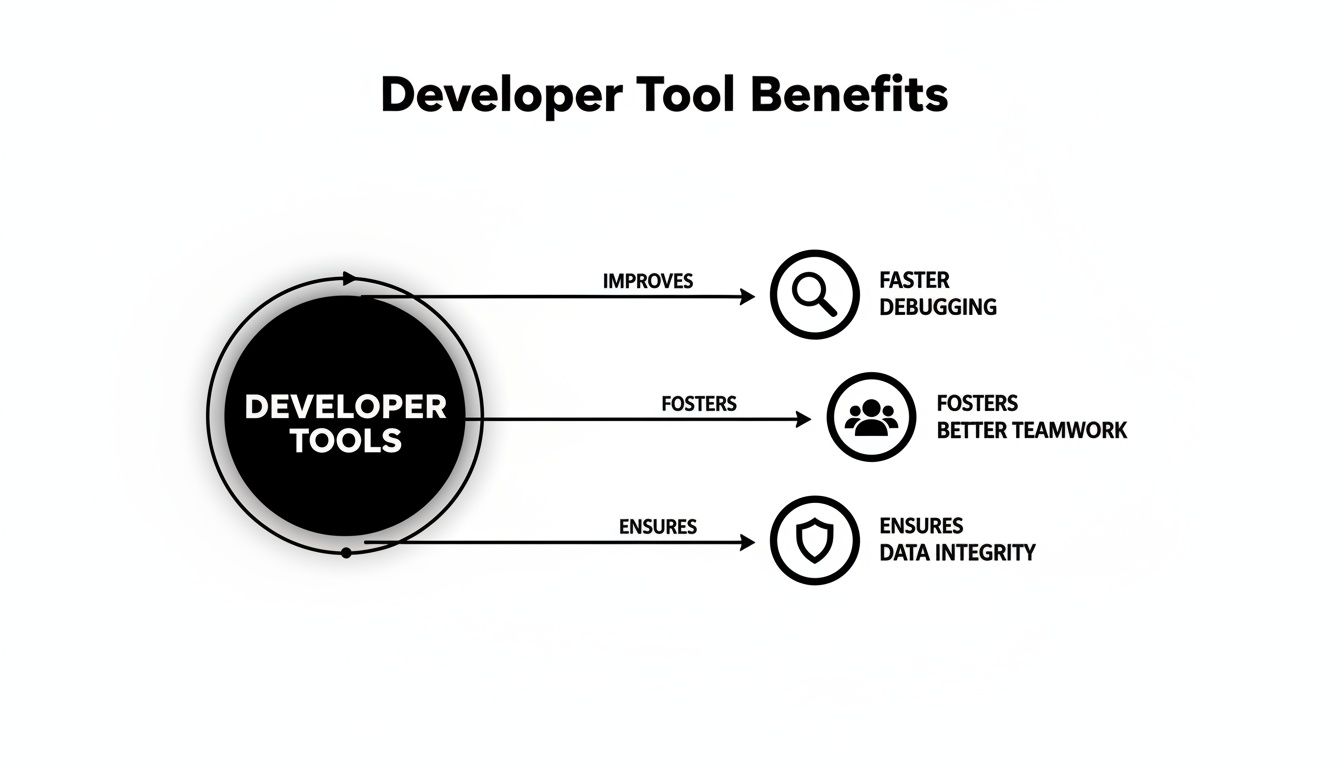
Let's break down the essential operations that a quality formatter provides.
Pretty-Print for Human Readability
The feature everyone knows is pretty-printing, often called beautifying. This function takes a dense, single-line blob of JSON and transforms it into a neatly structured, hierarchical format by adding indentation and line breaks.
This isn't just about looks. For a developer, that clean structure is everything. It lets you instantly grasp complex data, see the parent-child relationships between objects, and catch syntax errors like a stray comma or a mismatched bracket that would be nearly invisible otherwise.
Minify for Machine Efficiency
At the other end of the spectrum, you have minification. This process is all about ruthless optimization. It strips out every single non-essential character—spaces, tabs, and line breaks—to compress the JSON into the smallest possible single-line string.
While it's a nightmare for human eyes, this compact format is exactly what machines love. When you're sending data over a network, a minified payload means less bandwidth, faster transfer times, and a snappier application. It's a direct win for performance and can even lower your operational costs.
Development Workflow Tip: A simple rule of thumb: beautify when you're writing and debugging code locally, then minify right before sending it to a production server or through an API. This two-step habit optimizes for both human clarity and machine speed.
Validate for Data Integrity
Before a good formatter does anything else, it performs validation. This is a crucial first step that acts as a gatekeeper, scanning the data to make sure it follows all the strict rules of the JSON standard. If it finds an issue, it’ll pinpoint the exact line and character where the problem is.
This check is your safety net. It stops malformed data dead in its tracks, preventing it from ever getting into your application where it could cause crashes or bizarre bugs. It ensures that the data you're about to work with is structurally sound from the get-go. This concept of ensuring data is well-formed extends beyond just JSON; understanding broader output formatting principles is key for any developer dealing with multiple data types and consumers.
To put it all together, here's a quick look at how these core functions fit into a typical workflow.
Key Formatter Operations and Their Use Cases
| Feature | What It Does | Primary Use Case |
|---|---|---|
| Pretty-Print | Adds indentation and line breaks to make JSON readable. | Debugging, code reviews, and understanding data structures. |
| Minify | Removes all whitespace to create a compact, single-line string. | Sending data over a network (e.g., API requests/responses). |
| Validate | Checks the JSON syntax against official standards for errors. | Before processing any incoming data to prevent application errors. |
Each operation is designed for a specific context, allowing you to move from development to production with confidence, knowing your data is both clean and efficient.
How to Weave a JSON Formtter Into Your Workflow
Turning JSON formatting from a tedious manual task into an automatic, almost invisible part of your process is where you'll see massive productivity gains. Forget about constantly copying and pasting data into a separate window. The real magic happens when you build formatting directly into the tools you already live in every day.
By integrating a formatter, you ensure your data is consistently clean, readable, and valid without ever interrupting your flow. The whole idea is to make good formatting habits feel completely effortless, whether you're coding, running a script, or just checking an API response.
Set Up Your Code Editor for Automatic Formatting
For any developer, the code editor is ground zero. Bringing a JSON formatter into this environment gives you the most immediate and consistent payback. Thankfully, modern editors like Visual Studio Code (VS Code), Sublime Text, and the entire family of JetBrains IDEs have rich ecosystems of extensions that can handle this for you.
Take VS Code, for example. You can grab an extension like "Prettier - Code formatter" and configure it to automatically format your JSON files the instant you hit save. No extra clicks, no thinking—just clean code every single time.
This is a screenshot from the official Visual Studio Code website, showing its massive library of extensions.
Extensions like these transform your editor from a simple text tool into a smart, customized workbench perfectly suited for any language you're working with, including JSON.
Use Command-Line Tools for Scripting
When you're working in the terminal or building automated pipelines, command-line interface (CLI) tools are your best friends. For JSON, the undisputed champion is jq—a lightweight, incredibly versatile command-line JSON processor.
With jq, you can do so much more than just pretty-print a file. It lets you query, slice, and reshape JSON data right from your terminal. This is a game-changer for a few common scenarios:
- Inspecting API Responses: Pipe a
curloutput directly intojqto see a beautified, easy-to-read version of the server's response instantly. - Automating Tasks: Embed
jqinto your shell scripts to validate and format configuration files as part of your application deployment process. - Data Extraction: Need to grab just one specific value from a massive JSON document?
jqcan pull it out for you in seconds without needing to write a full-blown script.
Choose Secure Online Tools for Quick Tasks
Sometimes, you just have a quick snippet of data and don't want to install anything. This is where online JSON formatters are incredibly handy, but you have to be careful. Many of these web-based tools send your data to their server to be processed, which opens up a huge security hole. Researchers have discovered thousands of sensitive credentials—from Active Directory passwords to private keys—exposed on public formatting sites that saved user inputs.
When dealing with any sensitive or company data, always insist on a client-side or offline-first tool. These formatters do all the work right inside your browser, meaning your data never leaves your machine. You get all the convenience without the security nightmare.
Tools like Digital ToolPad were designed around this privacy-first principle, performing every operation locally on your computer. And when you're working with complex JSON structures that need to become part of your application's codebase, you can even take it a step further. You can convert JSON to TypeScript interfaces to generate type-safe code that prevents bugs down the road.
Advanced Applications in AI and APIs
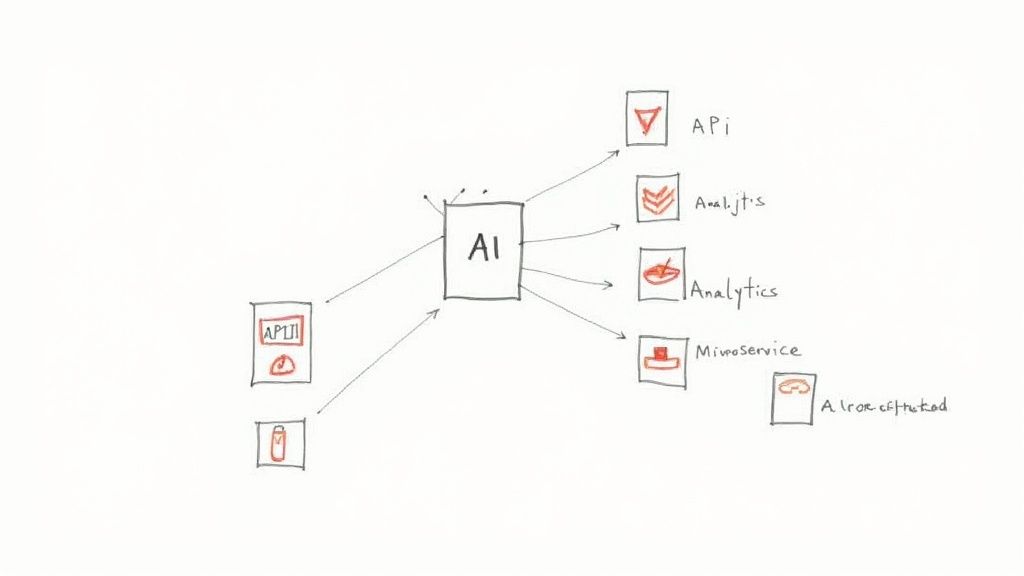
Sure, making code look pretty is a nice perk for developers, but the real muscle of a JSON formatter shows up deep inside modern tech architecture. Its job goes way beyond simple readability; it’s the bedrock for reliable communication in complex systems like APIs and microservices.
Think about it: in these distributed environments, you might have dozens, even hundreds, of services all talking to each other. Every single message has to follow a strict, predictable structure. One misplaced bracket can cause a communication breakdown, triggering a domino effect of errors across the entire system.
JSON formatting ensures that every piece of data exchanged between services is perfectly structured and validated. It’s the universal grammar that allows independent systems to speak the same language fluently and reliably.
This kind of consistency isn't just a "nice-to-have"—it's absolutely essential for system stability. By enforcing a clean, machine-readable format, developers can trust that the data sent from one service will be understood correctly by another, which helps prevent a ton of costly bugs and downtime.
Fueling the AI Revolution
The explosion of artificial intelligence and large language models (LLMs) has opened up another critical job for JSON formatting. When an LLM generates a response, it usually spits out unstructured text. That's great for a human conversation but a nightmare for an automated system. This is where a JSON formatter becomes a true lifesaver.
By telling an AI to structure its output as valid JSON, developers can take a creative, sometimes unpredictable, text response and turn it into a predictable, machine-readable dataset. This process is a cornerstone of prompt engineering and is what makes it possible to plug AI into real-world applications.
- Predictability: It guarantees the AI's output will have the same structure every single time.
- Machine-Readability: It lets other software parse and use the AI-generated data automatically.
- Integration: It simplifies feeding AI insights into other systems, databases, or dashboards.
In the midst of the AI boom, this structural discipline is making a huge difference. For instance, using JSON formatting can align AI outputs 42% better than unstructured text, reduce ambiguity by 35%, and lower processing costs by 28%. One large company even saw error rates in its customer service bots drop from 15% to 4% after switching to JSON-formatted prompts. You can dig into more of these prompt engineering statistics on sqmagazine.co.uk.
From Raw AI Output to Actionable Insights
Let's picture an AI-powered analytics tool that scans customer reviews to pull out key information—things like sentiment, product mentions, and common complaints. If the AI just returns a big block of text, it’s practically useless for any kind of automation.
But by forcing that output into a JSON structure, the raw analysis is instantly converted into actionable intelligence. Each piece of data is neatly categorized, ready to be dropped into a database, visualized on a dashboard, or used to trigger an alert. This is how you turn raw AI creativity into measurable business value. To learn more about how to handle this type of data securely, check out our guide on choosing an online JSON formatter that prioritizes privacy.
A Few Common Questions About JSON Formatters
Even after you get the hang of using a JSON formatter, a few questions tend to pop up again and again. Getting these cleared up can help you work more effectively and, just as importantly, more securely.
Let's break down some of the most common queries developers have when it comes to wrangling JSON data.
Formatter vs. Validator: What’s the Real Difference?
It helps to think of them with an analogy. A JSON validator is like a strict grammar checker. Its one and only job is to inspect your JSON and tell you if it follows all the syntax rules. You get a simple thumbs-up or thumbs-down: it's either valid or it's not.
A JSON formatter, on the other hand, is more like a professional organizer. It takes code that's already valid and neatly arranges it with consistent indentation and line breaks, making it a breeze for humans to read. The best tools, of course, do both—they first run a validation check and, if everything looks good, proceed to beautify it.
Are Online JSON Formatters Safe for Sensitive Data?
This is a huge one, and the honest answer is: it depends entirely on the tool. Many free online formatters work by sending your data over the internet to their server for processing. This is a massive security risk. Your data could be logged, stored indefinitely, or even exposed in a breach.
In fact, security researchers have discovered troves of sensitive information—from API keys to private passwords—left exposed on public formatting websites that stored user submissions.
That’s where modern, privacy-first tools come in.
A truly secure online JSON formatter is client-side, which is just a technical way of saying it does all the work right inside your web browser. Your data never makes a round trip to a server. It never leaves your computer. This gives you all the convenience of a web tool with the rock-solid security of an offline app.
Bottom line: for any confidential or proprietary data, you absolutely must use a tool that you can verify is client-side or stick to an offline option like a code editor plugin.
Can a Formatter Fix Errors in My JSON?
Nope. A formatter can't read your mind and fix broken JSON for you. Its job is to organize correctly written data, not to repair syntax errors. If you have a missing comma, a stray bracket, or a key without quotes, the tool won't be able to guess what you meant to do.
What it can do, however, is act as an amazing debugging partner. A good formatter’s built-in validator will immediately throw an error, often pointing you to the exact line and character where the problem is. This transforms what could be a frustrating hunt for a tiny mistake into a quick, targeted fix.
Why Would I Ever Need to Minify JSON?
While pretty-printing makes JSON easy for humans to read, minification makes it efficient for computers to handle. Minifying strips out every last bit of unnecessary whitespace—every space, tab, and line break—until you're left with a compact, single-line string of data.
This super-compressed format is perfect for production. When you're sending data over a network, like in an API response, that smaller, minified payload gives you some serious advantages:
- Faster Transfer Speeds: Less data to send means it gets there quicker.
- Reduced Bandwidth Costs: Smaller files consume less bandwidth, which can add up to real cost savings, especially at scale.
- Improved Application Performance: Quicker data transmission makes for a snappier, more responsive user experience.
The standard workflow is to use beautified JSON while you’re developing and debugging, then switch to minified JSON when you’re ready to deploy.
Ready to format, validate, and manage your JSON data with total privacy? The tools at Digital ToolPad run 100% in your browser, so your sensitive information never leaves your machine. Try our secure, offline-first utilities today at https://www.digitaltoolpad.com.