
Converting JSON to CSV is all about taking data that's organized in a nested, hierarchical way and flattening it out into a simple, tabular format. It's a critical skill because most APIs and web services love speaking in JSON, but the tools we use for data analysis—like spreadsheets and business intelligence platforms—are built for the straightforward rows and columns of a CSV file.
Why Converting JSON to CSV Is a Core Data Skill
Data rarely shows up in the perfect format. In the real world of development, data is constantly streaming from APIs, databases, and application logs, and the common language is almost always JSON. While it's fantastic for applications, its nested structure can be a real headache for direct analysis. This is where the practical, everyday skill of converting JSON to CSV becomes absolutely essential.

Think about it in a practical sense. The marketing team needs a list of new users from your app's API to pop into their CRM. That API is going to hand you a complex JSON object, probably with user details nested inside other objects. Their CRM, on the other hand, only understands a simple CSV with columns like FirstName, LastName, and Email. You are the bridge between those two systems, and a clean conversion is your tool.
The Bridge Between Application Data and Business Insights
It's the same story for an e-commerce platform. The product catalog might be a deeply nested JSON array that details every product variant, pricing tier, and inventory level. To actually analyze sales trends or manage stock, that complex data needs to be flattened into a table that tools like Tableau or even plain old Microsoft Excel can make sense of.
Let's quickly compare the two formats to see why this conversion is so necessary.
JSON vs CSV At a Glance
| Attribute | JSON (JavaScript Object Notation) | CSV (Comma-Separated Values) |
|---|---|---|
| Structure | Hierarchical (key-value pairs, nested objects, arrays) | Tabular (rows and columns) |
| Data Types | Supports strings, numbers, booleans, arrays, objects | Primarily treats all data as strings |
| Readability | More machine-readable; can be complex for humans | Highly human-readable in a spreadsheet |
| Primary Use Case | API requests and responses, configuration files | Data exchange, spreadsheets, database imports |
This table really highlights the core difference: JSON is built for machine communication, while CSV is built for human analysis.
The bottom line is simple: JSON is structured for programmatic flexibility with its hierarchies and nesting. CSV is built for universal readability and compatibility with its simple, tabular grid.
This fundamental gap is precisely why mastering this conversion is so important. It’s not just a technical chore; it's the process that unlocks the valuable insights buried in your application data, making it accessible to non-developers and ready for the massive ecosystem of analytical tools. With over 70% of web APIs using JSON and CSV being used in over 80% of enterprise spreadsheet workflows, this is a skill you'll use constantly.
At its heart, turning JSON into CSV is a fundamental exercise in data parsing—taking semi-structured data and wrangling it into a clean, organized format that’s ready for analysis.
Throughout this guide, we'll walk through several powerful methods to get this done, so you always have the right tool for the job:
- Quick in-browser solutions using vanilla JavaScript for those one-off tasks.
- Scalable Python scripts with libraries like Pandas for complex, repeatable workflows.
- Efficient command-line tools like
jqfor powerful automation and scripting. - Secure, offline tools for handling sensitive information without ever uploading it.
By getting comfortable with these approaches, you'll be able to confidently transform any JSON data source into a clean, actionable CSV file, ready for whatever comes next.
Picking the Right Tool for Your JSON to CSV Conversion
Alright, we’ve covered why you'd need to convert JSON to CSV, so let's get into the how. The best tool for the job really depends on what you're up against. Are you dealing with a massive dataset? Are you comfortable with code? Is your data sensitive? There's no one-size-fits-all answer, but there's definitely a right tool for your specific situation.
We’re going to walk through four different, battle-tested methods. These cover just about any scenario you'll run into, from a quick fix in your browser to heavy-duty automation with command-line tools. By the end, you'll have a full toolkit for any conversion challenge.
Which Conversion Method Is Right for You?
Before diving into the nitty-gritty, this quick comparison should help you decide which path to take. Each method has its own sweet spot.
This table is your starting point. A tiny JSON snippet you just pulled from an API response is a perfect candidate for the JavaScript method. On the other hand, if you're staring down a 500 MB log file, you’ll definitely want to reach for Python or a CLI tool.
| Method | Best For | Key Benefit | Complexity |
|---|---|---|---|
| Vanilla JavaScript | Quick, one-off tasks with small, non-sensitive files. | No setup required; runs directly in any modern browser. | Low to Medium |
| Python with Pandas | Repeatable scripts, complex data flattening, and large datasets. | Exceptional data manipulation and robust handling of nested JSON. | Medium |
| Command-Line (CLI) | Automation, scripting, and integrating into existing workflows. | Speed and the ability to chain commands for powerful pipelines. | Medium to High |
| Offline Browser Tool | Sensitive or proprietary data that cannot leave your machine. | Maximum security and privacy with zero data uploads. | Low |
Now, let's break down what each of these looks like in practice.
Method 1: The Quick-and-Dirty In-Browser JavaScript Approach
Sometimes you just need an answer now. You've got a small chunk of JSON copied from a network request or a log file, and you don't want to spin up a whole project to convert it. This is where a simple JavaScript function is your best friend.
You can pop open your browser's developer console and run a function that takes your JSON, figures out the headers, and spits out a CSV string. It's immediate, requires zero installation, and is perfect for quick debugging or prototyping.
Here’s a glimpse of what that kind of logic looks like inside a code editor like Visual Studio Code.
This image captures the basic idea: loop through the JSON, build the CSV row by row. It’s a straightforward process you can execute right away.
Method 2: Python and Pandas for the Heavy Lifting
When your data gets messy or your conversion needs to be a repeatable process, it's time to bring in the big guns: Python with the Pandas library. This combo is the undisputed champion of data wrangling, and for good reason—it’s what data scientists and engineers use every single day.
In fact, a 2023 Stack Overflow Developer Survey showed that 62% of over 90,000 developers regularly turn to tools like Pandas for this exact task. With over 25 million monthly downloads on PyPI, its popularity speaks for itself.
Pandas has a magic bullet called json_normalize(). This function is specifically designed to flatten out messy, nested JSON into a clean, tabular format. Real-world API responses are rarely simple, and this function handles those nested objects and arrays beautifully.
With just a few lines of Python, you can read a JSON file, intelligently flatten its structure, and export a perfectly formatted CSV. This method is not only scalable but also highly customizable, giving you full control over the final output.
If you expect to do JSON to CSV conversions more than once, taking the time to learn this method will pay off tenfold.
Method 3: Command-Line Tools for Speed and Automation
For those who live and breathe in the terminal, command-line interface (CLI) tools like jq and miller offer a level of speed and efficiency that's hard to beat. They are built to be chained together, letting you build powerful data transformation pipelines with just a single line of code.
Think of jq as "sed for JSON." It's a lightweight and incredibly flexible tool that lets you slice, filter, and reshape JSON data on the fly. You can easily pull out the exact fields you need and pipe them into a CSV format.
- Speed: CLI tools are written in low-level languages, making them incredibly fast.
- Automation: They slide right into shell scripts, perfect for building automated data processing workflows.
- Composability: You can pipe the output of one command directly into another, creating elegant and powerful toolchains.
Miller is another fantastic option that's purpose-built for structured data like CSV and JSON. It lets you run SQL-like queries right on your files from the command line, making it a powerhouse for complex data wrangling.
Method 4: Secure, Offline Browser Tools for Sensitive Data
What if your JSON contains sensitive information? I'm talking financial records, personal health data, or confidential business metrics. Uploading that to a random online converter is a massive security risk. You have no idea where your data is going or who might see it.
This is where privacy-first, client-side tools are a lifesaver. An offline converter like the CSV to JSON Converter runs entirely in your browser using JavaScript. The crucial difference is that 100% of the processing happens on your computer. Your data never leaves your machine.
These tools offer the best of both worlds: the simple, user-friendly interface of a web app without any of the security risks. You can drag and drop a file, and the conversion happens instantly without a single byte being sent over the network. It's the perfect solution for anyone working under strict compliance rules like GDPR or HIPAA, giving you total peace of mind.
How to Handle Nested JSON and Complex Arrays
Flat JSON is a walk in the park. The real work begins when you’re dealing with the messy, nested data that most real-world APIs throw at you. This is where simple key-value converters fall flat and a solid grasp of data structures becomes non-negotiable. Frankly, tackling nested objects and arrays is the most common roadblock developers hit.
Imagine you've got a JSON payload for a customer. The top level is clean—id, name, email—but then you hit a nested address object and, the real kicker, an array of orders, where each order is its own complex object. This structure is great for applications, but it's a nightmare for a flat CSV file. The goal is to intelligently "flatten" this hierarchy into a clean, two-dimensional table.
This diagram shows the typical paths you might take, whether you're working directly in a browser, a custom script, or the command line.
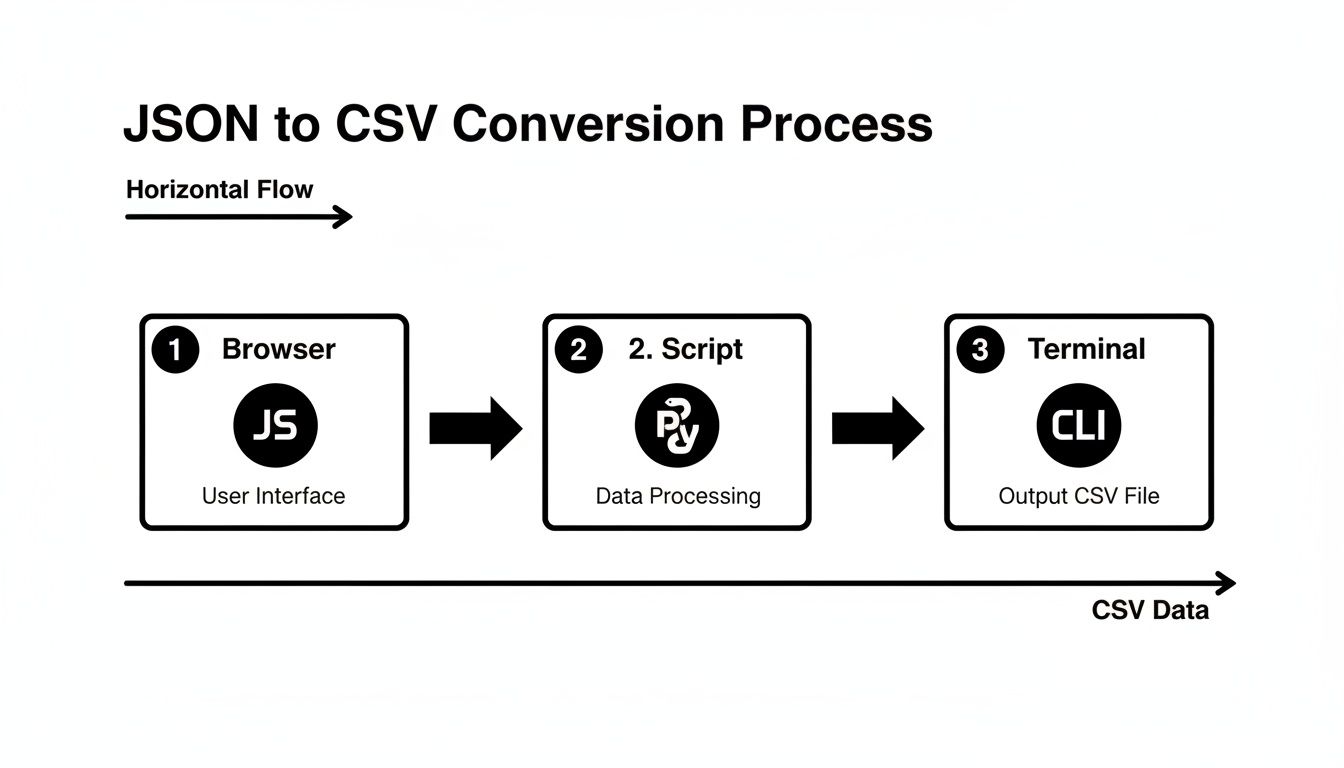
Each of these routes offers a powerful way to handle the complexities of nested data, from client-side JavaScript to server-side Python scripts and versatile terminal commands.
Defining Your Flattening Strategy
Before a single line of code is written, you need a game plan. How are you going to represent that nested orders array in your CSV? You generally have two solid options, and the right choice depends entirely on what you need to do with the data.
Create Separate Rows for Each Array Item: This is the go-to approach for most scenarios. If a customer has three orders, you'll generate three rows in the CSV. Each row repeats the customer's top-level info (
id,name,email) but contains the unique details of a single order. This method is perfect for detailed analysis, as it normalizes the data into a relational format that's easy to query and aggregate.Aggregate Array Values into a Single Cell: Sometimes, you don't need all the granular details—you just want a quick summary. In this case, you can create one row per customer and cram the order information into a single CSV cell. For example, you might create an
order_idscolumn with a pipe-separated string like"ORD-101|ORD-102|ORD-103". This keeps the main table compact but completely sacrifices any ability to analyze individual orders.
The right strategy hinges on your end goal. Building a sales dashboard? Separate rows are essential. Just need a quick customer list? Aggregation might be good enough.
Flattening Nested JSON with Python and Pandas
If you're in the Python ecosystem, the Pandas library is your best friend for this kind of data wrangling. Its json_normalize() function is practically purpose-built for flattening nested structures, handling both objects and arrays with impressive elegance.
Let's go back to our customer data. You can tell the function exactly how to handle the orders array while also pulling in metadata from the parent object.
With
json_normalize(), you just specify the path to your array (record_path) and which parent-level fields you want to repeat for each item (meta). Pandas handles all the heavy lifting, creating a pristine DataFrame that’s ready to be exported to a CSV.
This approach is not only scalable but also highly readable, which is a lifesaver for complex transformations. As data schemas get more intricate, having clear type definitions becomes invaluable. If you find yourself needing to generate code from your data structures, our guide on converting JSON to TypeScript interfaces can give you some useful context on managing complex data shapes.
Using the JQ Command-Line Tool for Arrays
For those who live in the terminal, jq offers a concise and incredibly powerful syntax for reshaping JSON on the fly. It feels less like coding and more like using a surgical tool to extract and restructure data.
To flatten our customer's orders into separate rows, you can use jq to iterate over the orders array. For each order, you construct a new object that marries the parent-level customer details with the specific order details. The output is a stream of flat JSON objects, which you can then pipe to another tool to generate the final CSV.
The real magic of jq is its composability. You can build a pipeline of commands to filter, map, and reshape data in a single line, making it perfect for automation. This level of control is crucial when you start dealing with massive datasets. For example, back in 2018, Netflix was processing 100 petabytes of JSON logs every month, and by converting 40% of that to CSV for analysis, they slashed their dashboard query times by 55%. Mastering tools like jq is a step toward handling that kind of scale.
Converting Large Files Without Crashing Your System
So, you've got a multi-gigabyte JSON file. If your first instinct is to read it all into memory, you're headed for a crash. I've seen it happen countless times. Once you're dealing with serious data, you have to stop thinking about files as single objects and start treating them as a stream of information.
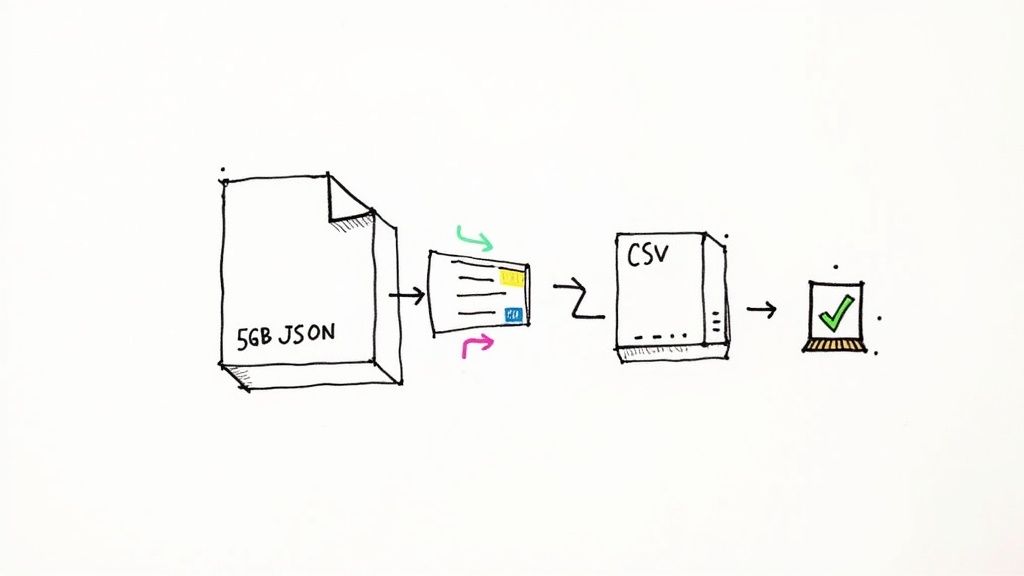
The secret is streaming. Instead of gulping down the whole file at once, a streaming parser reads it piece by piece, processing small, manageable chunks. This approach keeps your memory footprint tiny, letting you chew through files far larger than your machine's available RAM.
A Streaming Approach with Python
Python is fantastic for this kind of work, but you need the right tools for the job. While Pandas is my go-to for in-memory analysis, it's not built for this. For massive files, a library like ijson (iterative JSON) is the real hero. It parses the JSON stream and triggers events as it finds data, so you can act on it immediately.
The whole process is pretty straightforward:
- First, you open your massive JSON file for reading and a new CSV file for writing.
- Then, you tell
ijsonto start parsing, pointing it to the part of the structure you care about (like the main array of records). - As
ijsonfinds a complete record, it hands it off to your code. You can then flatten it, clean it up, and write it as a row in your CSV. - Once that row is written, the record is gone from memory, and the parser moves on to the next one. It's a beautifully simple loop.
Think of it this way: you wouldn't try to drink a lake in one go. You'd use a straw. That's exactly what streaming does for your data.
By processing the file as a stream, you can easily convert a 50GB JSON file on a machine with only 8GB of RAM. Sure, it might take a while to run, but your system will stay stable and responsive the entire time.
Using Powerful CLI Tools for Out-of-Core Processing
If you live on the command line, you'll love a tool like Miller. It's like having awk, sed, and cut all rolled into one, but specifically built for structured data like JSON. It's designed from the ground up for out-of-core processing, meaning it never tries to load the whole dataset.
With Miller, you can convert a huge JSON file to CSV with a single, elegant command:
mlr --json cat your_large_file.json > output.csv
That's it. This one line streams the JSON, converts it on the fly, and pipes the result into a new CSV file. It's incredibly fast and light on resources, which makes it perfect for scripting and automated data pipelines. The need for tools like this has skyrocketed; globally, there was a 150% increase in the use of JSON-to-CSV tools from 2020-2025, a trend heavily influenced by compliance requirements. You can dig into how modern tools are handling this demand in this insightful report.
Pro Tips for Optimizing Large File Conversions
When you're dealing with massive files, every ounce of performance counts. Streaming is the biggest win, but a few other tricks can make a real difference.
- Be Selective with Parsing: Don't waste time parsing data you're just going to throw away. If your JSON objects have 50 fields but you only need five, tell your parser to only extract those five. Ignoring the rest drastically cuts down on processing overhead.
- Buffer Your Writes: Writing to disk can be a performance bottleneck. Instead of writing every single row one at a time, batch them up in memory—say, 1,000 at a time—and write them out in larger chunks. This reduces the number of slow I/O operations and can provide a nice speed boost.
- Pick the Right Tool for the Task: For raw speed and easy scripting, a CLI tool like Miller is tough to beat. But if you have complex flattening rules or need custom logic, Python with
ijsongives you the flexibility to handle anything. Match the tool to the complexity of your problem.
Avoiding Common Pitfalls and Ensuring Data Integrity
Getting a CSV file at the end of a conversion is the easy part. The real challenge is making sure that file is accurate, reliable, and won't cause a cascade of problems down the line. I've learned from experience that the final 10% of the problem—all those tricky edge cases—is what causes 90% of the headaches.
These common pitfalls can quietly corrupt your data, leading to skewed analytics or completely failed imports. Getting ahead of them is the key to producing a clean, trustworthy dataset every single time. It's a bit of proactive work that saves hours of painful debugging later on.
Handling Inconsistent JSON Keys
Real-world JSON, especially when it's pulled from multiple sources, is rarely perfect. You'll often find one object with a user_email key while the very next one has just email. A naive converter will either create a bunch of extra, sparse columns or simply drop the data, leaving you with a messy CSV.
The best way to tackle this is by defining a strict schema before you even start the conversion. Decide on the exact column headers you want in your final CSV. Then, as you process each JSON object, you can map its keys to your defined schema. This approach lets you ignore any unexpected keys and provide sensible default values for any that are missing, enforcing consistency across every single row.
A great trick I often use is to scan the first few hundred records of the JSON data to build a "superset" of all possible keys. This gives you a fantastic starting point for defining your final, clean schema.
Escaping Commas and Special Characters
This is the absolute classic CSV problem. What happens when a string value from your JSON, like "A great, big company", contains a comma? Without proper handling, that comma gets mistaken for a delimiter, instantly shifting all the subsequent values and completely breaking the row's structure.
The standard solution here is quoting. Any decent CSV library or tool will automatically wrap fields containing commas, quotes, or newlines in double quotes ("). If you're writing a script from scratch, do yourself a favor and use a battle-tested CSV writing library. Don't even think about manually joining strings with commas—you will inevitably miss an edge case.
Managing Null and Missing Values
So, how do you represent a lack of data? JSON has null, but CSV has no direct equivalent. If a key is missing entirely from a JSON object, your script could throw an error or, even worse, silently misalign the data.
You need to establish a clear, consistent rule for these situations. You have a few solid options:
- Use an empty string: This is the most common approach. Seeing
,,in a CSV row is a clear sign of an empty field. - Use a specific placeholder: Sometimes, a string like
N/AorNULLis more explicit, especially if a blank field might have a different meaning in your context. - Set a default value: For numeric fields, defaulting to
0might make perfect sense for your analysis.
The right choice really depends on what system will be consuming the CSV file. The most important thing is to be consistent. It's always a good idea to validate your JSON structure beforehand to spot potential issues. Using a tool like our JSON Formatter and Validator can help catch syntax errors early. The fact that tools like VS Code's json2csv extension have racked up 1.2 million installs since 2022 shows just how common these problems are.
Beyond the nuts and bolts of conversion, making sure your data is reliable is a discipline in itself. It's worth understanding the core principles that help you Solve Data Integrity Problems, ensuring the final CSV is truly ready for analysis.
JSON to CSV FAQs: Your Toughest Questions Answered
Even with the best tools in hand, you're bound to hit a few snags. It’s just the nature of data work. This section tackles those common "what if" scenarios that always seem to pop up when you're trying to wrestle JSON into a clean CSV format.
Think of these as quick, practical answers to problems that can stop a smooth workflow in its tracks.
My JSON Is a Single Object. Can I Still Convert It?
Of course. This is a super common situation, especially with data structured like a dictionary where the top-level keys are unique IDs, like {"user_101": {...}, "user_102": {...}}.
The trick is to first wrangle this object into an array of objects, which is the format most converters are built to handle.
- In Python with Pandas: A neat one-liner does the job:
pd.DataFrame.from_dict(data, orient='index'). This command is smart enough to treat the object's keys as the index, effectively giving you one row for each top-level entry. - In JavaScript: It’s even simpler. Just use
Object.values(data)to instantly get an array of the nested objects, ready to be processed.
How Can I Control the Column Order in My Final CSV?
Good question. Most solid conversion methods give you full control over this, which is essential for any system that demands a specific header sequence. You'll run into this all the time when prepping data for an import wizard or some picky legacy database.
With Pandas, for example, you just supply a list of your desired column names before you export: df = df[['name', 'email', 'id']]. That single line forces the DataFrame columns to match your list precisely.
Many CLI tools and libraries work the same way, letting you pass a --fields or headers argument with a comma-separated list of column names in the exact order you need.
Pro Tip: Always set an explicit column order. It prevents nasty surprises if the source JSON structure changes slightly and keeps your output consistent for whatever process comes next.
What Happens to Data Types Like Numbers and Booleans?
This gets to the heart of the JSON to CSV transformation. Because CSV is fundamentally a plain text format, every single data type—whether it's a number, boolean, or string—gets turned into a string.
A good converter makes this painless: the number 123 becomes the string "123", and the boolean true becomes "true".
The real magic happens on the other end. When you import that CSV into a spreadsheet, database, or analytics tool, it will usually auto-detect that a column contains numbers or booleans. The main thing is to make sure the system you're importing into is set up to interpret these string versions correctly.
How Do I Handle Commas Inside My JSON String Values?
Ah, the classic CSV headache. This can completely wreck your data if you're not careful.
Any decent converter will handle this for you by enclosing the entire field in double quotes. So, a JSON string like "A great, big world" will be safely written into the CSV as """A great, big world""".
If you're rolling your own conversion script, do yourself a favor and use a proper CSV library (like Python's built-in csv module). These libraries are built specifically to manage all the quoting and escaping rules for you, preventing commas, newlines, and other special characters from breaking your file's structure.
At Digital ToolPad, we build privacy-first tools to solve these everyday developer challenges. Our suite of offline utilities runs entirely in your browser, ensuring your data never leaves your machine. Explore our secure, client-side tools at https://www.digitaltoolpad.com.