
Converting JSON to a Java POJO is a fundamental task for any Java developer. At its core, it's about mapping the fields in a JSON object to a Plain Old Java Object. This process, often called deserialization, is best handled by mature libraries like Jackson or Gson. These tools automatically transform JSON strings into type-safe Java objects, saving you from the headache of manual parsing.
Why JSON to POJO Conversion Is a Java Developer's Lifeline
Let's be real—parsing raw JSON by hand is a recipe for disaster. Manually digging through a JSONObject or JSONArray creates brittle code that shatters the moment an API contract shifts even slightly. That approach isn't just tedious; it's a maintenance nightmare waiting to happen.
Converting JSON to POJOs is the modern, professional solution. It's more than a convenience; it's a fundamental practice for building robust and maintainable Java applications. By defining a simple POJO that mirrors your JSON payload's structure, you unlock some serious benefits right away:
- Type Safety: Forget guessing data types from a raw string. You get to work with strongly-typed Java objects, letting the compiler catch mistakes for you long before they become runtime surprises like a
ClassCastException. - Clean, Readable Code: Accessing your data becomes natural. A simple
user.getName()is worlds away from the error-pronejsonObject.getString("name"). This small change makes your business logic dramatically easier for the whole team to follow. - Seamless Framework Integration: Modern frameworks like Spring Boot are built for this. They automatically handle the json to pojo java conversion for incoming API requests and outgoing responses, letting you focus on what actually matters—your application's logic.
The Shift to Intelligent Data Binding
In the early days, developers wasted countless hours on manual parsing. Today, automatically binding JSON to POJO classes is the standard for modern API integration. The Jackson library has really dominated this space since it first appeared back in 2008.
It's not just popular; it's powerful. Jackson can process large JSON payloads up to 30% faster than some alternatives, which is why it's the default choice in Spring Boot applications that power over 70% of enterprise Java microservices.
Understanding how data is exchanged over the web via RESTful APIs gives you the context for why this conversion is so critical. For other practical developer tools, check out our guide on using a secure JSON formatter.
Mastering Conversion with Jackson and Gson
Once you’ve wrestled with raw JSON parsing, you quickly realize there has to be a better way. That’s where powerful, dedicated libraries come in, and in the Java world, Jackson and Gson are the two heavyweights. They are the go-to solutions for turning messy JSON strings into clean, type-safe POJOs.
These tools handle all the gnarly details of deserialization behind the scenes. Instead of manually digging through keys and values, you can map an entire JSON structure—nested objects, arrays, and all—into a Java object with a single line of code. This is a game-changer for code readability and practically eliminates a whole class of potential runtime errors.
If you're ever unsure about which approach to take, this decision tree can help clarify the best path forward.
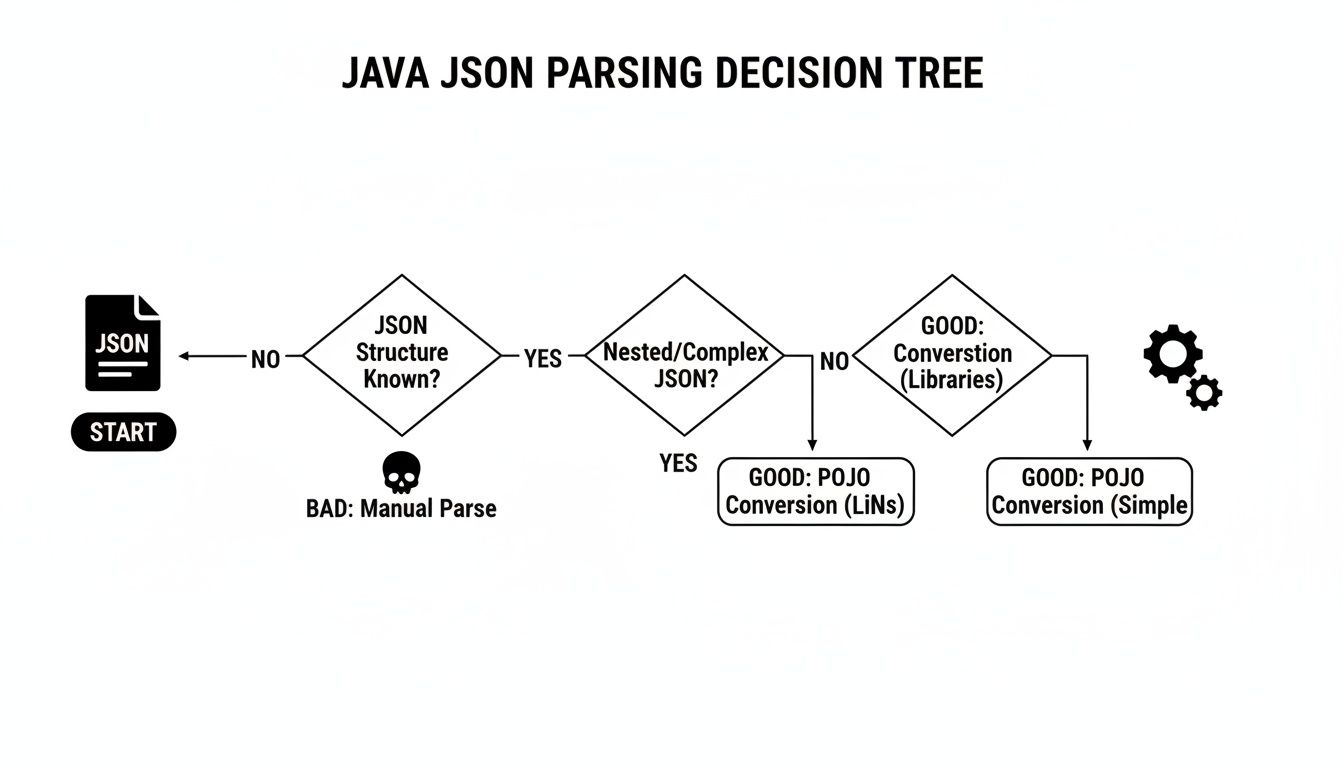
As you can see, while you can parse things manually, the far more robust and recommended path for any structured data is to convert it straight into POJOs.
Hands-On with Jackson
Jackson's ObjectMapper is the workhorse for most Java developers today, especially if you're in the Spring ecosystem where it’s the default choice. Its real power comes from its blend of simplicity for common tasks and deep configuration options when you need them.
Let's imagine you get a JSON payload for a customer, complete with a nested address.
{ "customerId": "CUST-123", "name": "Jane Doe", "active": true, "address": { "street": "123 Main St", "city": "Anytown" } }
Your first step is to define the POJOs that mirror this structure. See how the Address class is a field within the Customer class? That’s a direct reflection of the JSON.
// Customer.java public class Customer { private String customerId; private String name; private boolean active; private Address address; // Getters and setters omitted for brevity }
// Address.java public class Address { private String street; private String city; // Getters and setters omitted for brevity }
With those classes in place, the conversion itself is almost anticlimactic—it's that simple.
import com.fasterxml.jackson.databind.ObjectMapper;
// ...
ObjectMapper objectMapper = new ObjectMapper(); String jsonString = "{"customerId":"CUST-123", ... }"; // Your full JSON string Customer customer = objectMapper.readValue(jsonString, Customer.class);
// Now you have a fully-hydrated Java object! System.out.println(customer.getAddress().getCity()); // Prints "Anytown"
The Gson Approach
Google's Gson offers a similarly elegant solution. The main entry point here is the Gson class. You’d use the exact same Customer and Address POJOs from the Jackson example, but the code to perform the conversion looks just a bit different.
import com.google.gson.Gson;
// ...
Gson gson = new Gson(); String jsonString = "{"customerId":"CUST-123", ... }"; // Your full JSON string Customer customer = gson.fromJson(jsonString, Customer.class);
Both libraries get you to the same place with minimal fuss. Your choice often comes down to project standards or personal preference.
Jackson vs Gson A Practical Comparison
While both libraries are excellent, they have subtle differences in performance, features, and philosophy. This table breaks down some of the key distinctions I've found to be important in real-world projects.
| Feature | Jackson (ObjectMapper) | Gson (Gson) |
|---|---|---|
| Core Philosophy | Extremely feature-rich and configurable. Favors annotations (@JsonProperty) for fine-grained control. |
Simpler API, designed for ease of use. Often "just works" with minimal configuration. |
| Performance | Generally considered faster, especially for large and complex JSON objects, due to its streaming API and optimizations. | Very performant for most use cases, but can be slightly slower than Jackson in high-throughput benchmarks. |
| Dependencies | Comes in multiple modules (jackson-core, jackson-databind, jackson-annotations), offering modularity. |
A single, self-contained JAR, which can simplify dependency management. |
| Null Handling | By default, it does not serialize null fields. This behavior is configurable. |
By default, it serializes null fields. This is also configurable using GsonBuilder. |
| Ecosystem Integration | The de facto standard in the Spring Framework. Widely integrated across the Java ecosystem. | Popular in Android development and other Google-centric projects. Excellent standalone library. |
| Common Use Case | Complex enterprise applications, REST APIs needing detailed customization, and performance-critical systems. | Simple microservices, internal tools, Android apps, or any project where simplicity is valued over deep configuration. |
Ultimately, you can't go wrong with either. Jackson's deep feature set makes it a powerhouse for complex enterprise systems, while Gson's simplicity is fantastic for getting up and running quickly.
Handling JSON Arrays
One of the most common tasks you'll face is handling a list of objects from an API response. For instance, a simple JSON array like [{'name':'Ram','age':30}, {'name':'Sita','age':25}] should map directly to a List<User> in Java. This allows you to iterate over the results cleanly without any manual parsing. To see a detailed walkthrough, you can find great examples of how to convert a JSON object array to a Java POJO.
Pro Tip: This is a classic "gotcha" for newcomers. When you use Jackson to deserialize into a generic collection like
List<User>, you must use aTypeReference. This is because Java's type erasure removes the generic type information at runtime, andTypeReferenceis Jackson's clever way of preserving it.
Here’s the standard pattern for deserializing a list of our Customer objects:
import com.fasterxml.jackson.core.type.TypeReference;
// ...
String jsonArrayString = "[{"customerId":"CUST-123",...}, {"customerId":"CUST-456",...}]";
List
Mastering this simple pattern is fundamental for building applications that talk to modern REST APIs. It makes the json to pojo java conversion a core skill every Java developer needs.
Automating POJO Generation for Faster Workflows
Let’s be honest, writing POJOs by hand is a soul-crushing task. It's repetitive, mind-numbingly boring, and a perfect recipe for typos, especially with complex, nested JSON. Why waste your time on boilerplate when you can just automate the whole thing? This is exactly where POJO generation tools come in, and they're a game-changer for any Java developer's productivity.
Instead of typing out class after class, you generate them directly from a JSON schema or even a sample JSON payload. This is what's often called a "schema-first" approach, and it ensures your Java models are a perfect mirror of your API contracts. No more typos, no more mismatched data types, and definitely no more writing getters, setters, and constructors until your fingers go numb.
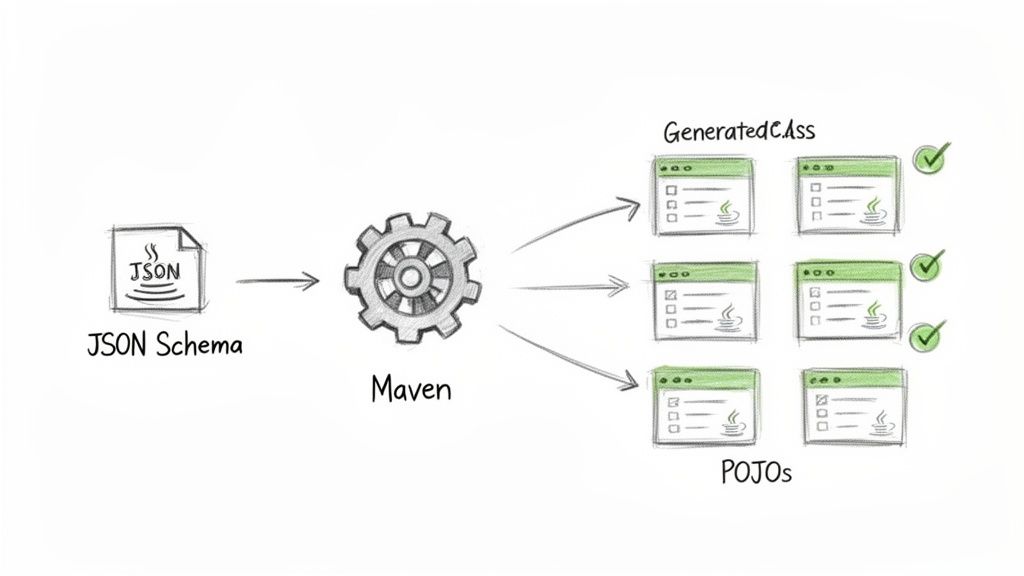
This automation keeps your Java code in perfect harmony with your data sources. It frees you up to focus on the interesting part—the business logic—instead of getting lost in the weeds of data mapping.
Integrating jsonschema2pojo into Your Build Cycle
One of the best tools I've used for this is jsonschema2pojo. It’s more than just a one-off utility; you can wire it directly into your build process with its Maven or Gradle plugin. Picture this: every time you build your project, the plugin automatically regenerates your POJOs from a definitive JSON schema.
This creates a single, reliable source of truth for your data models. If the API contract changes, you just update the schema file, run the build, and poof—your Java classes are updated. It completely takes human error out of the equation and keeps everything consistent.
The tool is also incredibly smart about the details it handles:
- Type Mapping: It knows to map JSON
string,number, andbooleanto their Java counterparts (String,Double,boolean). - Validation Annotations: It can automatically add JSR 303 validation annotations like
@NotNullor@Sizeright from your schema rules. - Complex Structures: Nested objects and arrays are no problem. It generates all the interconnected classes you need without you having to lift a finger.
The numbers speak for themselves. Since 2012, jsonschema2pojo has been used in over 2 million projects. It automatically handles things like mapping 'enum' types to Java enums and default values like
'myNumber': 10.3toDoublefields. You can dig into all its features on the official site.
A Practical Maven Plugin Configuration
Getting this set up is surprisingly easy. You just add the plugin to your pom.xml and tell it where to find your JSON schema files. The configuration points to your schemas and defines the Java package where the generated POJOs should live. This is a battle-tested setup for automating the json to pojo java conversion pipeline.
Here’s a quick example to get you started:
Once that’s in your pom.xml, running mvn generate-sources will kick off the process. The plugin will scan the src/main/resources/schemas directory for any .json files and spit out the corresponding Java POJOs into the com.example.mypojos package. The useJakartaValidation flag is a great touch, telling the tool to add modern validation annotations for you.
By making this schema-first approach part of your workflow, you’ll find your development becomes more efficient, reliable, and way less tedious. And if you're jumping between languages, you might find our offline tool for converting JSON to TypeScript interfaces useful as well.
Using Secure Browser-Based Tools for Offline Conversion
Let's be honest: pasting sensitive JSON data into a random online converter is a huge security gamble. Many public websites log everything you submit, which could expose proprietary business logic, customer details, or other intellectual property to anyone. In an age of constant data breaches, sending your information to an unknown server is a risk you just don't need to take.
This is especially critical when you're working with the kind of data payloads common in enterprise systems. The convenience of a quick json to pojo java conversion online simply isn't worth the catastrophic fallout from a data leak. The moment you paste your data, you've lost control, and you're just hoping the site owner has ironclad security and ethical data policies—a hope that, frankly, is often misplaced.
Embracing Client-Side Processing for Security
Thankfully, there's a much safer way: modern, browser-based tools that do all the work 100% offline. These tools use JavaScript to run the entire conversion process right on your machine. Your data never leaves your computer, never hits the network, and is never sent to a third-party server.
This client-side approach gives you the best of both worlds—the ease of access of a web tool combined with the security of a desktop application. It completely sidesteps the risks of third-party data handling, making it a perfect fit for a secure development workflow. You can confidently turn sensitive JSON into POJOs without a second thought about logging, breaches, or prying eyes.
Key Takeaway: The crucial difference is where the work happens. Secure offline tools process data locally within your browser, keeping it private. In contrast, standard online tools send your data to a remote server, opening up a major security vulnerability.
A Secure and Private Workflow
Tools built with this privacy-first mindset are non-negotiable for professional development teams. A reliable offline converter, for instance, can generate your POJOs instantly without ever compromising your data's security. This isn't just a "nice-to-have" practice; it's often a strict requirement for organizations that need to comply with data standards like GDPR, HIPAA, or CCPA.
By choosing a tool that operates entirely on the client side, you get several key benefits:
- Complete Data Privacy: Your sensitive JSON is never transmitted over the internet or stored on someone else's servers.
- Instantaneous Results: With no network lag, the conversion from JSON to a Java POJO happens immediately.
- Offline Accessibility: Once the page is loaded, you can often use the tool even without an active internet connection.
This makes secure, browser-based utilities an essential part of any developer’s toolkit. They enable fast, reliable POJO creation while maintaining the highest standards of data security. And when you need to quickly check your data, a tool like the Digital ToolPad offline JSON validator is a great option built on these same principles of privacy and local processing.
Navigating Complex JSON Scenarios and Edge Cases
Let's be honest: real-world APIs rarely hand you perfectly clean JSON on a silver platter. Once you get past the "hello world" examples, you’ll run into all sorts of tricky situations that can stump even seasoned developers. True mastery in converting json to pojo java isn't about the simple cases; it's about handling the messy edge cases with confidence.
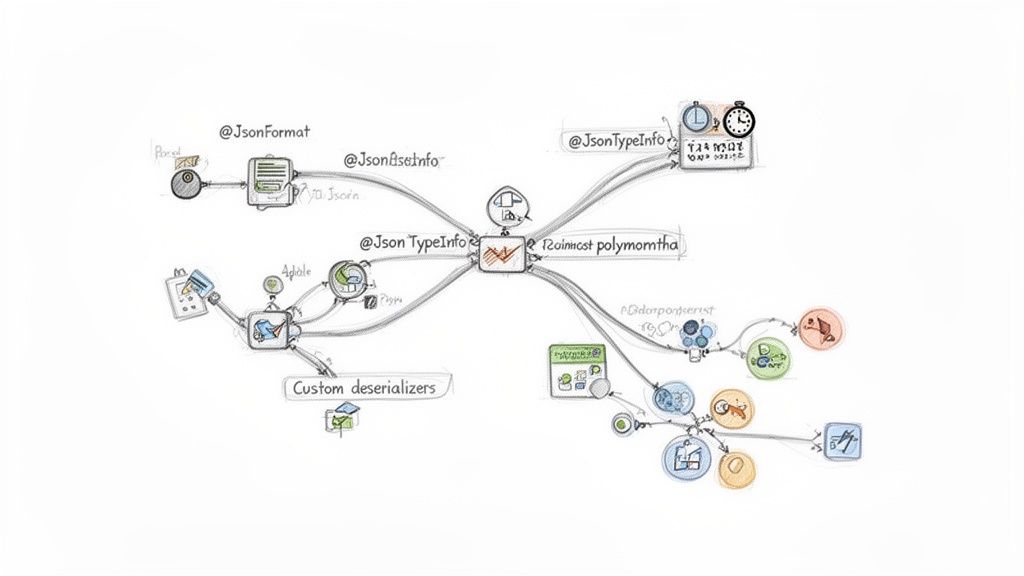
Simple deserialization is fine for predictable structures, but what do you do when an API sends dates in a bizarre, non-standard format? Or when a single JSON key could contain wildly different object types? These are the real challenges that separate a fragile app from a truly robust one. This is where you have to roll up your sleeves and go beyond the default ObjectMapper or Gson settings.
Handling Non-Standard Date Formats
One of the first hurdles you'll almost certainly encounter is parsing dates and times. While ISO 8601 is the standard we all wish for, you'll inevitably find APIs using custom formats like "dd-MM-yyyy HH:mm:ss" or even Unix timestamps. Your POJO needs to be explicitly told how to interpret these.
With Jackson, the @JsonFormat annotation is your go-to solution. It lets you define the exact date pattern directly on your LocalDate or Date field, which is incredibly convenient.
public class Event { @JsonFormat(shape = JsonFormat.Shape.STRING, pattern = "MM/dd/yyyy") private LocalDate eventDate; // Getters and setters... }
Gson takes a slightly different approach, requiring you to set up a custom TypeAdapter and register it with a GsonBuilder. It’s a bit more work upfront, but it gives you extremely precise control over how date strings are handled.
Deserializing Polymorphic JSON
Polymorphism is where things get really interesting—and powerful. Imagine a JSON response where an animal field could be a Dog object or a Cat object, and each one has its own unique properties. How does your deserializer know which class to instantiate?
Jackson handles this brilliantly with annotations like @JsonTypeInfo and @JsonSubTypes. You start by defining a base class (like Animal) and then you map specific values from a JSON property to your concrete subclasses.
@JsonTypeInfo(use = JsonTypeInfo.Id.NAME, property = "type")
@JsonSubTypes({
@JsonSubTypes.Type(value = Dog.class, name = "dog"),
@JsonSubTypes.Type(value = Cat.class, name = "cat")
})
public abstract class Animal {
// Common fields...
}
With this configuration, Jackson will look at the "type" field in the incoming JSON and automatically decide whether to create a Dog or Cat object. It's a lifesaver.
Expert Insight: Getting polymorphic deserialization right is a game-changer for building systems that can evolve. It means you can add new animal types to the API later on without having to rewrite a single line of your existing deserialization logic, making your code infinitely more maintainable.
Working with Generic Wrappers
Many modern APIs wrap their responses in a generic container for consistency, giving you something like an ApiResponse<T>. Deserializing this isn't straightforward because of Java's type erasure, which strips away the generic type information at runtime.
As we touched on earlier, you can't just pass ApiResponse<User>.class and expect it to work. You have to use special helper classes that preserve that crucial generic information:
- Jackson:
TypeReference<ApiResponse<User>> - Gson:
TypeToken<ApiResponse<User>>
This pattern is absolutely essential for working with well-designed, modern APIs. Remember, when you're parsing complex JSON with these kinds of varying structures, it's also vital to validate the data you receive. Skipping this step can lead to a host of common data validation mistakes that cause nasty, hard-to-find bugs down the line.
Answering Common Questions About JSON to POJO Conversion
As you start working more with converting JSON to POJOs, you'll inevitably run into a few common gotchas. It happens to everyone. Let's tackle some of the questions that pop up time and time again so you can sidestep these issues and keep your code running smoothly.
What's the Real Difference Between a POJO and a JavaBean?
You'll hear these terms thrown around a lot, sometimes even interchangeably, but there's a key distinction. Think of a POJO (Plain Old Java Object) as a basic, no-frills Java object. A JavaBean, on the other hand, is a more specialized POJO that follows a strict set of rules, mainly for compatibility with certain frameworks.
To be a true JavaBean, an object must:
- Implement the
Serializableinterface. - Have a public, no-argument constructor.
- Use public getter and setter methods to access its private properties (the classic
getX()andsetX()pattern).
For most day-to-day JSON data mapping, a simple POJO is all you need. You only have to worry about the full JavaBean spec when a framework you're using explicitly demands it.
How Do I Handle JSON Keys That Are Invalid Java Field Names?
This is a classic headache. You're working with an API that returns JSON with keys like first-name or even a reserved Java keyword like class. These aren't valid variable names in Java, so what do you do?
Luckily, the major libraries have a clean solution. Both Jackson and Gson let you use annotations to map these tricky JSON keys to perfectly valid Java fields.
With Jackson, you'll use the
@JsonProperty("first-name")annotation right above your field. Gson has its own version called@SerializedName("first-name"). This is the standard, professional way to bridge the gap between flexible JSON naming and Java's stricter syntax rules.
Can My POJO Just Ignore Extra Fields from the JSON?
Absolutely. In fact, both Jackson and Gson are configured to do this by default, which is a lifesaver. If the JSON you're parsing has extra fields that aren't defined in your POJO class, the libraries will simply skip over them without a fuss. No exceptions, no crashes.
This default behavior makes your application much more robust. If an API you rely on adds a new field to its response, your code won't break. If you do want your application to be stricter, Jackson allows you to change this. You can force it to fail on unknown properties by configuring your ObjectMapper with DeserializationFeature.FAIL_ON_UNKNOWN_PROPERTIES.
For secure, offline developer tools that respect your data privacy, check out the suite of utilities from Digital ToolPad. Get instant, browser-based conversions and more at https://www.digitaltoolpad.com.