Free Background Remover
Remove an image’s background in your browser and download a transparent PNG. Your photo is processed on your device.
Open an image or drag it here
Supports JPG, PNG, WEBP. 100% private. Your image never leaves your device.
First use downloads an AI model (about 44 MB).
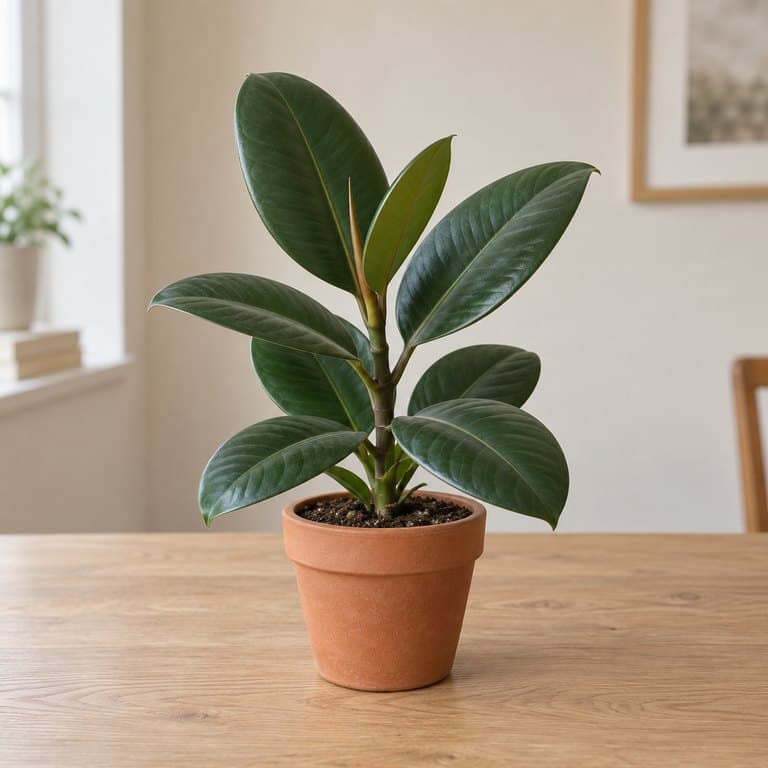
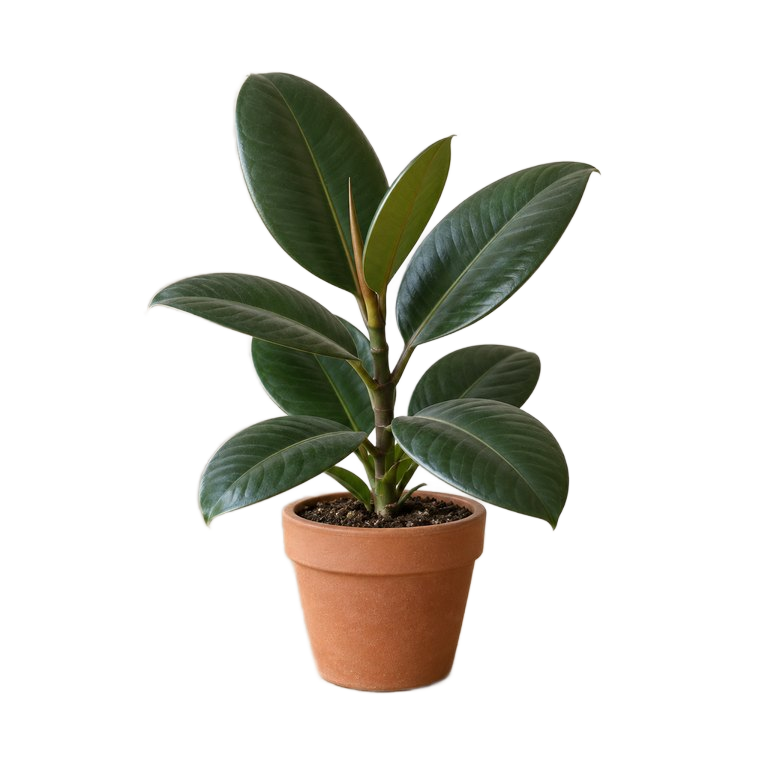
Background removal: before and after
This cutout is an actual result from the model used by this tool, without manual touch-ups. The input is an AI-generated example image. Select Try an example in the workspace to process it yourself.
How to remove a background from an image
- Select Open File or drag a JPG, PNG or WebP image into the workspace.
- Wait for the AI to process the image. The first use also downloads the model.
- Compare the original and result. Keep a transparent background or choose a solid color.
- Select Download to save the PNG, then check the edges before using it.
What is a background remover?
A background remover separates the main subject of a photo from its surroundings. This tool uses an AI model in your browser to create a cutout you can save as a transparent PNG or place on a solid background.
Local processing keeps your photo on your device. You can export the result without an account or a paid download, at the input image’s dimensions. Results depend on the photo and the model’s ability to identify the subject.
Powered by ORMBG, an open model available under the Apache 2.0 license.
Use your cutout in product photos, profiles and designs
- Product photos: choose a white background for a consistent catalog, then check your marketplace’s image requirements.
- Profile pictures: replace a distracting backdrop with a solid color.
- Presentations and social posts: place a transparent PNG over your slide, thumbnail or design.
Background remover FAQs
Which image formats can I open and download?
Use a JPG, PNG or WebP image. The result downloads as a PNG. Leave the background set to transparent to keep the cutout, or choose a solid color before downloading. A checkerboard in the preview represents transparency; it is not part of the downloaded image.
Is this background remover free, and does my photo stay private?
Background removal and PNG downloads are free, with no account required. The AI processes your photo on your device, without sending it to a background-removal server. The page needs to download its model and other resources; the surrounding website also uses ads and analytics.
Will the PNG keep my original image dimensions?
The exported PNG uses the input image’s width and height. That does not mean every edge retains the original detail: the AI analyzes a resized image and scales its mask back to the original dimensions. Large images can exceed your browser’s available memory. Try a smaller image if processing fails.
Why does the first image take longer to process?
The browser must first download and initialize the AI model, which is about 44 MB, plus its runtime files. It may reuse cached files on later visits, but clearing browser storage or using private browsing can require another download. Processing time depends on your device, image and browser. Keep the tab open until the result appears.
Which photos work best for background removal?
Start with a well-lit photo and a clearly defined subject. The ORMBG model is optimized for people; it can also work on products and other subjects, but results vary. Hair, fur, glass, shadows and subjects that blend into the background can be difficult. Inspect the preview before downloading. This tool does not currently include a manual brush to restore missed areas.